Woocommerce Advanced Bulk Edit allows you to easily edit your products and variations in bulk or individually.
Woocommerce Advanced Bulk Edit Features
- Filter your products using the supported fields such as: title, category, regular, sale price and many others.
- Edit the text in text fields (bulk).
- Increase or decrease by value or percent (bulk).
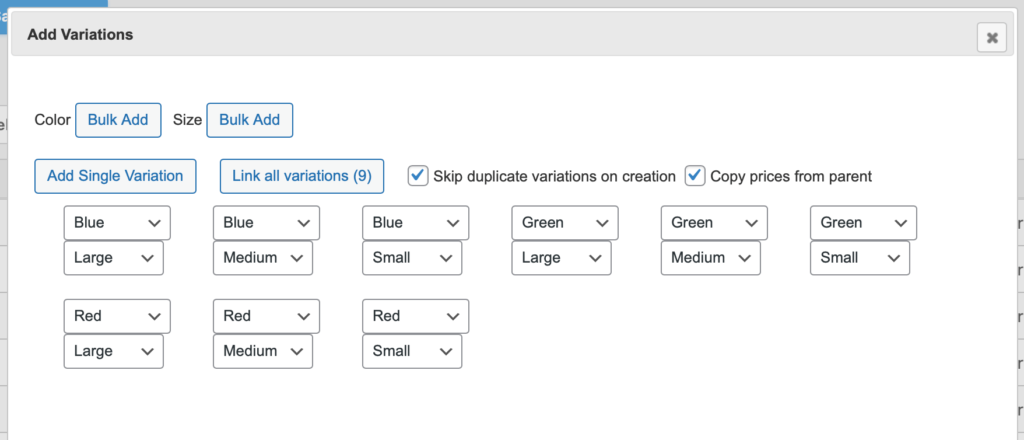
- Create products and variations.
- Set up the sale price using the regular one (bulk).
- Edit categories or attributes (bulk).
- Easily copy the values from one field to another (bulk).
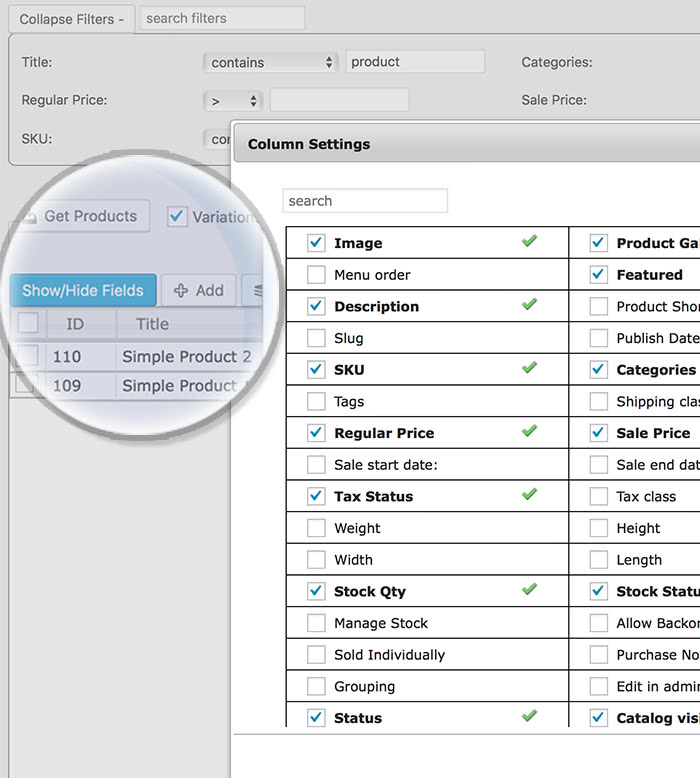
- Product fields view options.
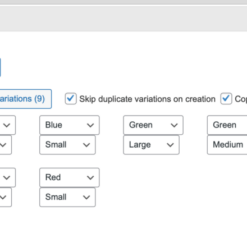
- Create variations to multiple products at once.
- Create new categories and attribute terms.
- Optionally delete images from server when permanently deleting products.
- Select products applying search conditions while using a powerful Selection Manager.
- Built-in translations available.
- Changed fields are revertible to the original values (before saving).
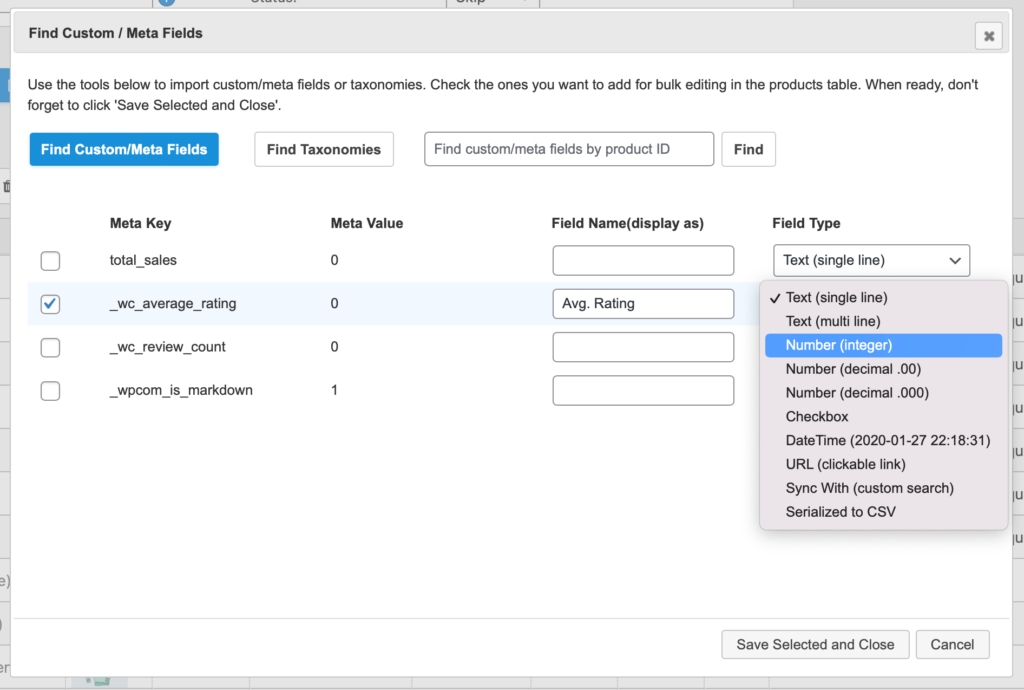
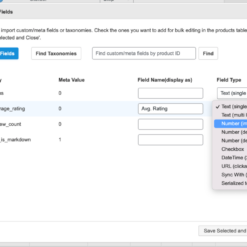
- Support for custom meta fields.
- Find custom meta fields from third-party plugins.
- Editable attributes as different columns.
- Linked editing of selected products (quick bulk edit).
- Customizable product limit, support for large stores.
- Export products to a csv file.
- Visual mark on changed cells.
Filters
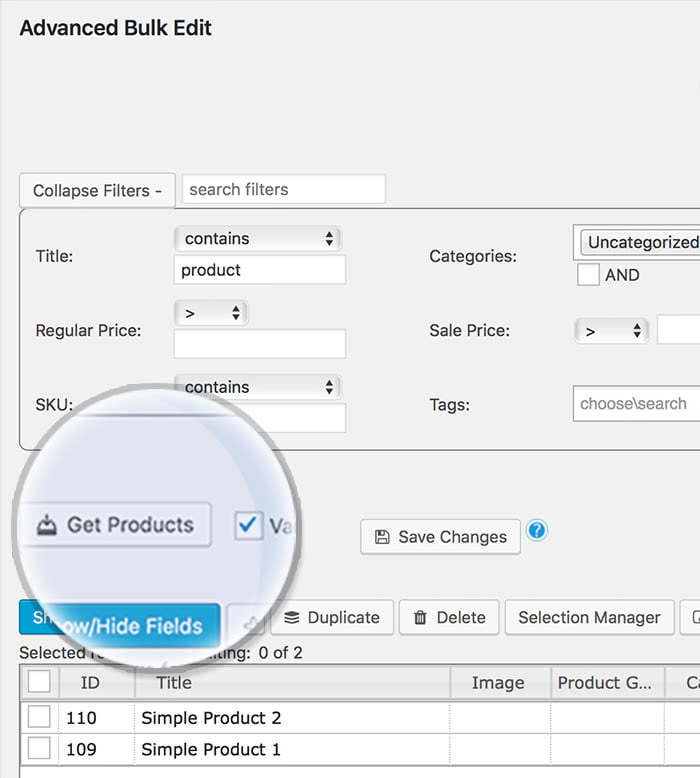
You can filter your products depending on Tile, Categories, Price, etc.
Custom Product Fields
You can customize or add new fields when doing the filtering of the products.
WordPress sounds like an amazing journey, isn’t it so? Especially if you have a woocommerce site, which is producing money. But what happens when there are simply too many products you can’t edit all at once? That’s when Woocommerce Advanced Bulk Edit comes in handy. By using this plugin, you can edit and save a lot of products and, most importantly, it saves you time. Change everything you need within a couple of minutes and forget about the endless hours spent in front of your PC! Get started with EffectIO!
How to begin
Add the Woocommerce Advanced Bulk Edit into the cart and proceed to checkout. Download the EffectIO plugin, install and activate it. Then simply check on the EffectIO Dashboard to see all the plugins. In order to find the plugin you’re looking for, press CTRL+F and search for Woocommerce Advanced Bulk Edit. Then install it and go to Plugins -> All plugins and activate it right away.
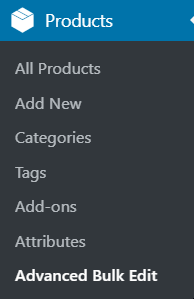
In order to find this plugin and bulk edit everything, you need to go to Products and click on it. Then you will see it.
How to use Woocommerce Advanced Bulk Edit
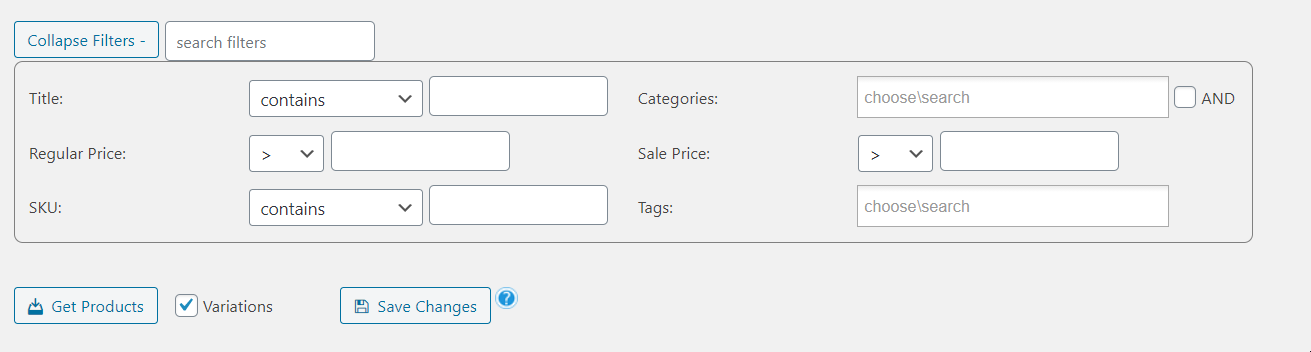
This plugin is based on conditional fields, first of all. So you will see this Dashboard:
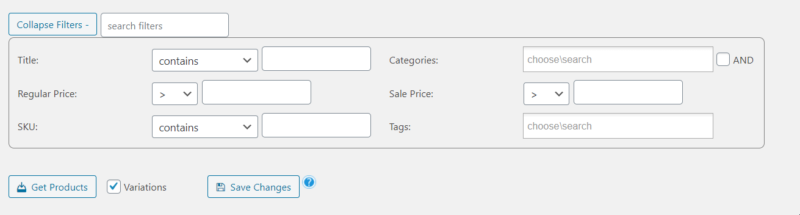
We will explain these, step by step.
Firstly, you can collapse the filters and the whole panel will close. Or you can simply search for filters and they will appear there. Moreover, you can filter them down by title.
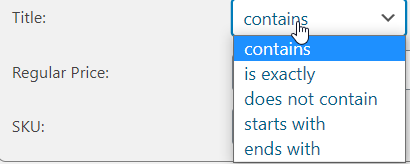
If, for example, you want to edit all the products that aren’t bracelets, you can choose “does not contain” and write next to it “bracelet”. On the contrary, if you want to edit all the bracelets, you have to choose something else.

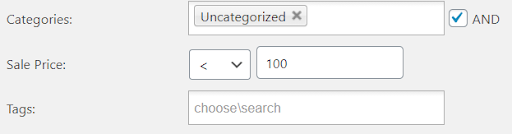
Another important thing about this plugin is that you can edit by Categories. This is an advanced feature which allows you to edit entire categories. You can start typing, then choose the one which you want to edit. If you want to go even further, you can check the AND option and the other options.
In this case, only the categories which are from the Uncategorized category will show up. Moreover, from them, only the ones that have a sale price of under 100 (currency). You can also add tags, in order to narrow down your search.
Finally, if you go down, you will see three options:

The first one refers to putting the products in front of you. If the Variations option is on, then you can simply add all the products’ variations, too. The final one is to save all the changes you’ve made for your products.
To sum up
Woocommerce Advanced Bulk Edit is, after all, a great plugin to use when you have multiple products that you want to edit. There’s no better way of editing more products at once than using a plugin specialized. Instead of editing one by one, you can use Advanced Bulk Edit. What’s more, you will find even more useful plugins for your ecommerce site in our store. Begin now!















tarikakgul97 –
If you want : editing the text in text fields, creating variations to multiple products at once,supporting for custom meta fields, this is what you can choose!
mario_nonevski –
If you are looking for product to find custom meta fields from third-party plugins, export products to a csv file, visual mark on changed cells, here is it!
jani.simon –
You can optionally delete images from server when permanently deleting products and also you can select products applying search conditions while using a powerful Selection Manager, good!
petersendiana90 –
I can increase or decrease by value or percent my products in the store. Thanks!