WooCommerce Memberships is a 100% integrated solution for your content and products, bringing the content, shop, and all memberships together. Version: 1.25.0
Sell memberships that provide access to restricted content, products, discounts, and more!
Hey! 🎉 Monthly emails, tops. Snag exclusive plugins/themes for $0. They go quick, but you might just get a freebie! 😉
30 Days Money Back Guarantee
Guaranteed pre-activated plugins. Most items work immediately after installation. Open a support ticket to obtain the license keys for the ones that ask for activation.
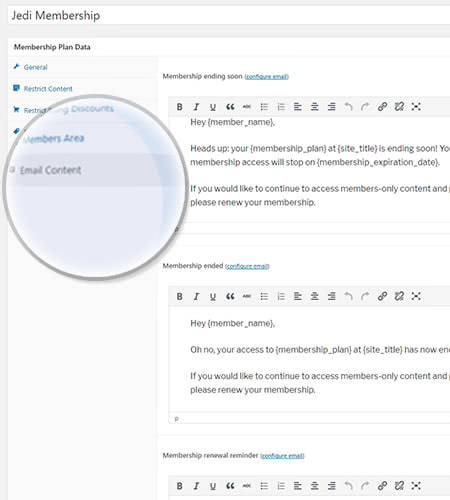
WooCommerce Memberships provides you with an entire membership system without having to purchase a cart full of plugins. Imagine an easy-to-use membership plugin that gathers all your content, products and membership plans into one place. All you have to do is set all the details for your membership system and let the plugin do the rest.
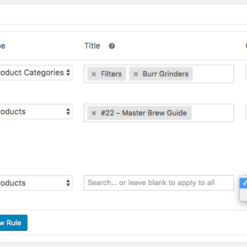
WooCommerce Memberships automates all the restrictions to content and products, and offers access just to the users of your choosing.
In addition, this plugin enables you to plan when members should have accessibility to information, known as content dripping. Therefore, if customers sign up for a membership, you can decide how long they have to wait to obtain access to particular content in terms of days, weeks, months, or years.
WooCommerce Memberships Features
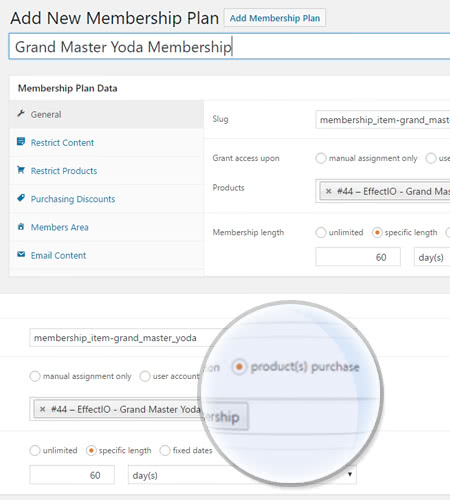
Offer a membership as stand-alone item
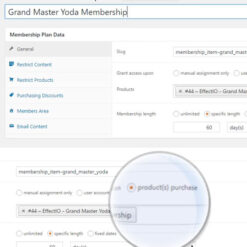
Generate a product for the membership, then link the plan to that item to sell it.
Offer a membership after buying a product
Purchase a subscription for a dinner box, obtain access to the recipes area for free.
Identical membership from various products
For instance, an annual purchase or a monthly subscription.
Allocate memberships manually
This is available for invite-only members area. You can use this option as a marketing strategy.
See What’s In It For You
Strategically Grant Content Access
Plan when your members should gain access to it and decide how you grant maximum flexibility.
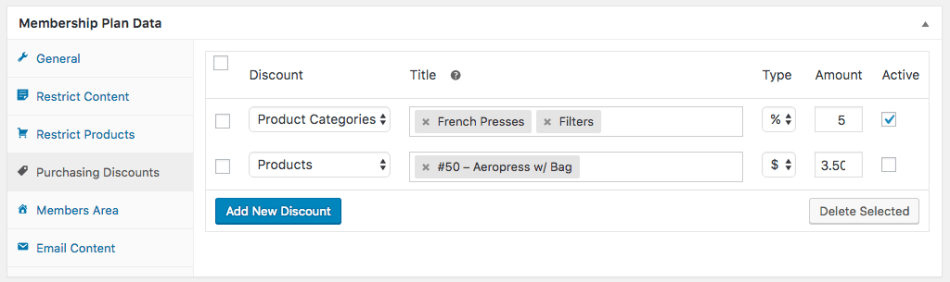
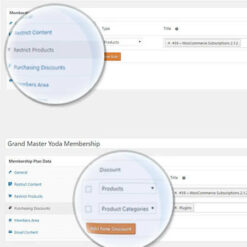
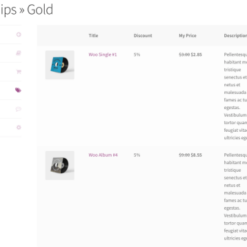
Reward Members with Special Discounts
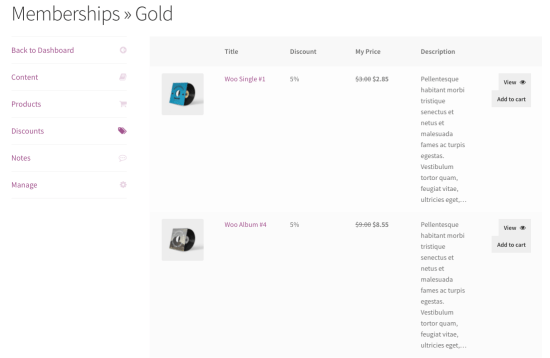
Allow any or all parts of the member area to present members a list of accessible content.
Automatically Show Members Their Perks
Members can find all of the information they need about their memberships in the Member Area.
Turn Store into a Purchasing Club
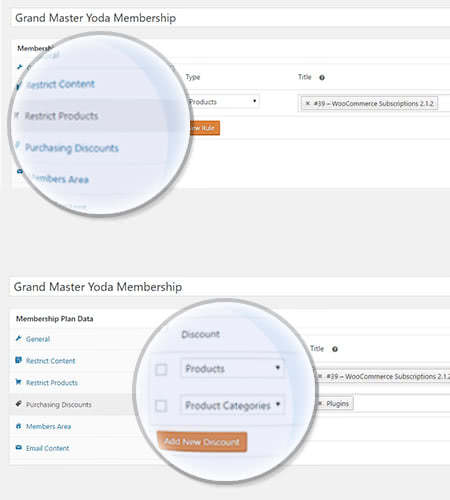
Limit product viewing to members. Products will be hidden from non-members in your store.
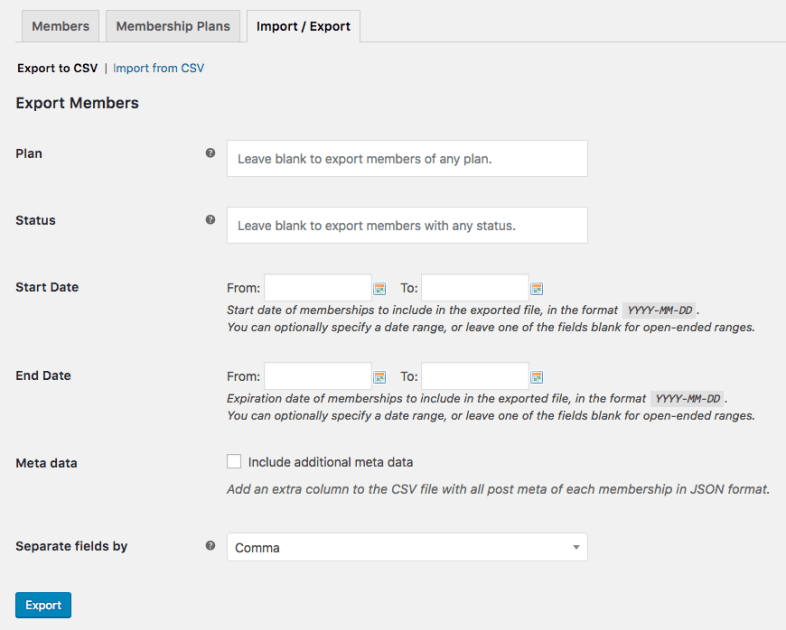
Import or Export Members
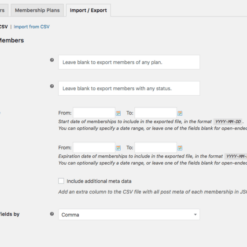
Export members to a CSV document so you can get member information from WooCommerce and into additional tools.
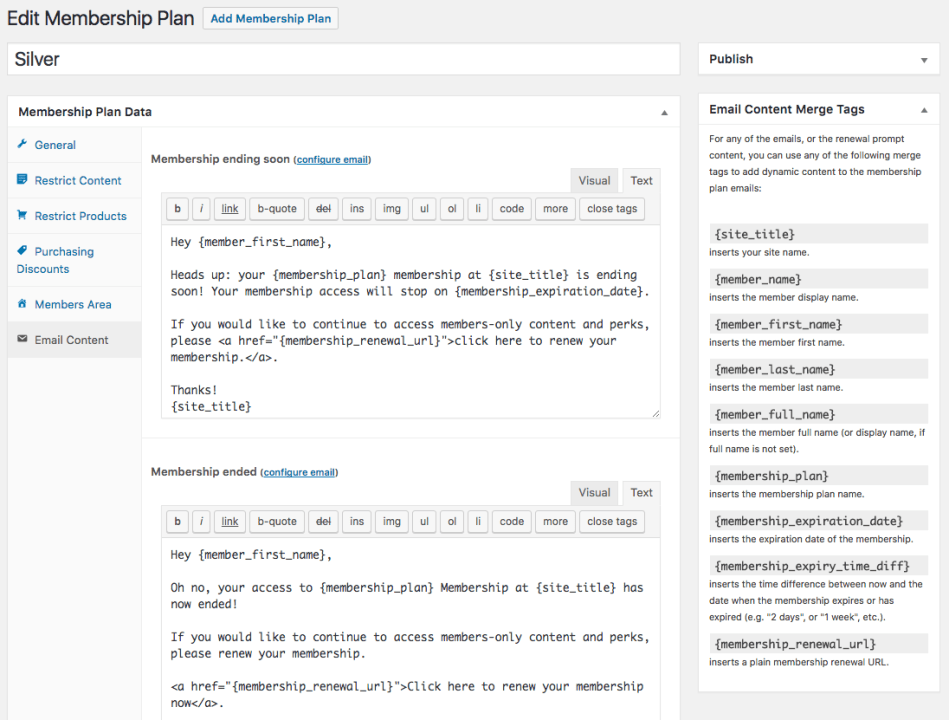
Simplify Communication
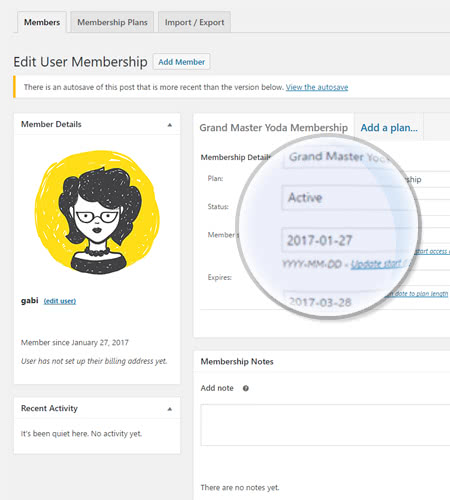
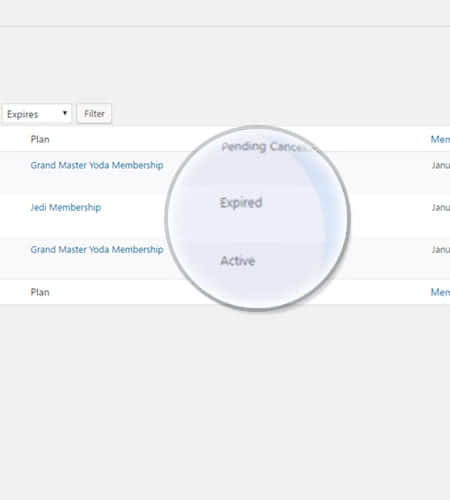
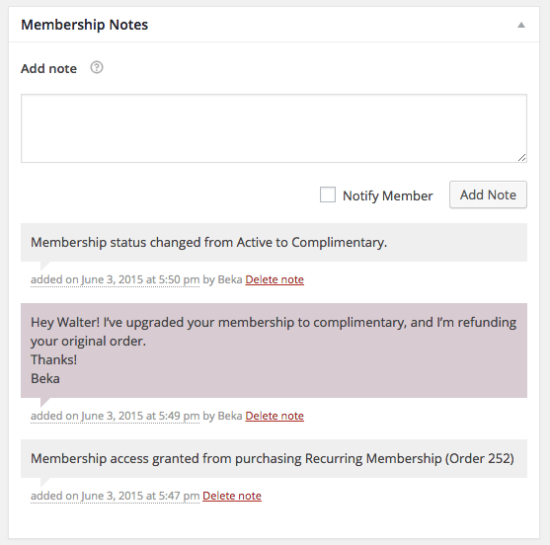
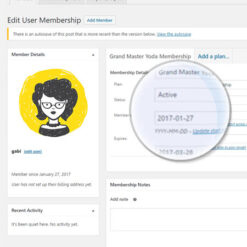
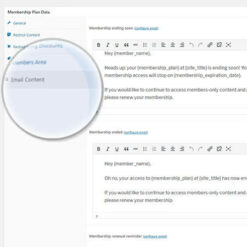
Monitor information regarding memberships for a client. You can add personal notes for your reference or communicate via email.
Your business is already pretty famous and you want to create a system for your members, a system which will help you make them even more confident in your services or products. In order to make your clients even more loyal to you, you will need the WooCommerce Memberships plugin.
How to get this plugin?
By choosing to use this plugin, you simplify your work and create an amazing customer experience. Simply get it from the EffectIO dashboard and activate it. Then go to WooCommerce → Settings and start customizing your perfect ecommerce shop.
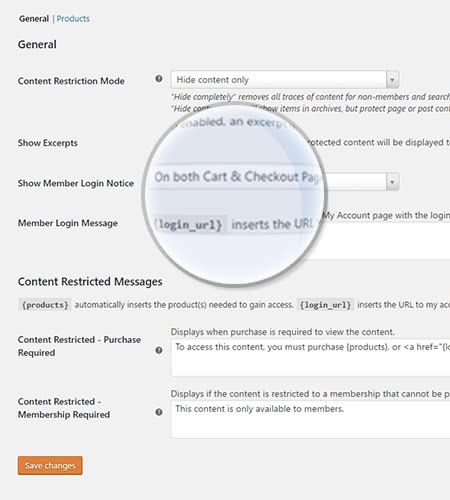
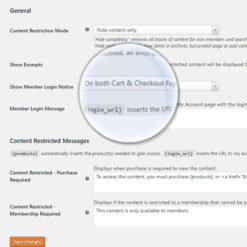
Here you have 3 options: General, Products and Messages. If you choose the General option, you can set how the whole site will use these options. For example, the Content Restriction Mode has 3 options: hide content only, redirect to a specific page if they click on restricted content, and hide completely.
Show excerpts
If you want to show excerpts to your users about what the restricted content is about, you can do that by simply checking the box. Be aware that search engines will also get access to that content. There are 2 main reasons to do this: you make your users curious about that content or product and they may want to purchase to see more; and search engines may rank your restricted content if they see an excerpt, potentially bringing in new visitors.
Hierarchical positions
If you have many pages, this option can be very useful. For example, if you have an SEO page and you create child pages under it, those child pages will not be accessible unless a membership is active. In other words, they inherit the parent page’s restrictions.
Redirection
When your users log in, you can redirect them to a starting point that fits your business. WooCommerce Memberships offers 3 options: No Redirect (nothing happens), Members Area (recommended if you have one), or a specific Site Page built for your customers.
Note that if the user does not have the right membership that triggers this page, nothing will happen.
Privacy
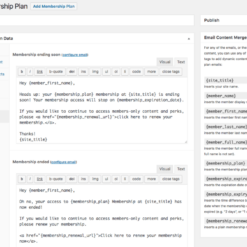
The Privacy option allows users to delete all their data when they no longer want to be a premium member. Privacy and data protection is important, so make sure your site is compliant with current requirements.
To sum up
The WooCommerce Memberships plugin is ideal if you want to make your customers curious about what you have to offer while generating revenue at the same time. Avoid restricting too much content, otherwise visitors won’t understand what your site is about and may lose interest. Use it wisely and enjoy all the benefits it brings to your brand. Start now!
5 reviews for EffectIO WooCommerce Memberships 1.28.1
Rated 5 out of 5
Stefani Sekovska –
It automates all the restrictions to content and products, and gives access only to the members of your choosing
lipasimone –
If you want do give access only to the members you choose, this is what you need!!
Rated 5 out of 5
edendvatri321 –
I’m sure that this is a plugin that you need for gathering all your content, products and membership plans into one place.
Rated 5 out of 5
lipasimone –
If you want do give access only to the members you choose, this is what you need!!
Rated 5 out of 5
martindumas8 –
This product helped me so much, perfect!
Rated 5 out of 5
sekstefani –
I only set all the detail for the system and this plugin do the rest!! Excellent!
Fix - Subscriptions - Dropdown for editing subscription link on "Edit User Membership" page not working
Misc - Update the SkyVerge Plugin Framework to v6.1.1
2026.03.18 — version 1.28.0
New - Added abilities (WP Abilities API) for membership plans: `woocommerce-memberships/plans-create`, `woocommerce-memberships/plans-delete`, `woocommerce-memberships/plans-get`, `woocommerce-memberships/plans-list`
New - Added abilities (WP Abilities API) for user memberships: `woocommerce-memberships/user-memberships-create`, `woocommerce-memberships/user-memberships-delete`, `woocommerce-memberships/user-memberships-get`, `woocommerce-memberships/user-memberships-list`
Tweak - Support Sensei Pro in the same manner as Sensei
Misc - Update the SkyVerge Plugin Framework to v6.1.0
2026.01.12 — version 1.27.5
Fix - Yoast compatibility issue where post comment_status was being disabled unintentionally in some circumstances
Fix - Yoast compatibility issue where post content might get saved as the restricted message, when edited by a non-admin
Fix - Subscriptions - Membership status not always updated when subscription end date changes
2025.12.08 — version 1.27.4
Fix - Subscriptions - "Next Bill On" date value on front-end memberships table not localized
Fix - Stray HTML appearing when using "Grant Access Retroactively" feature
Fix - Membership Directory block 2-column layout not working in some themes
Fix - Username & password input fields not showing when attempting to view members area while logged out
2025.10.30 — version 1.27.3
Fix - Resolve console errors in the Member Directory Block
Fix - Update block editor API usage to prevent deprecation notices
Fix - The member default role was not being removed when an active membership was deleted under some circumstances (e.g. manual removal from a team when using the Teams integration)
Fix - Harden security checks around Membership Directory block data
Misc - The `customer_data` parameter has been removed from the `wc/v4/memberships/members` API endpoint. This was only used internally by by Memberships Directory block.
Misc - Blocks now use API v3, which fixes a problem where the "resize" toggle wasn't available
2025.05.20 — version 1.27.2
Fix - Plan data not loading when using `wc_memberships_get_user_memberships()` before the `init` hook.
Fix - Reduced the priority on our content restriction hook for compatibility with Beaver Builder Themer
2025.05.06 — version 1.27.1
Fix - "Memberships" section not rendering on WooCommerce Status page
Fix - Custom profile fields not rendering on admin "Edit User Membership" screen
2025.04.30 — version 1.27.0
Tweak - Subscriptions - When changing the subscription ID linked to a membership, we now automatically change the status/expires date based on the new subscription details (a notice is shown when this happens to convey the change)
Fix - Elementor - Membership visibility not appearing in "Edit Container" advanced settings
Fix - Addressed error about translations being triggered too early
Dev - Updated a few directory and file names to better work with class autoloading
Dev - Updated the SkyVerge Plugin Framework to v5.15.8
2025.02.28 — version 1.26.11
Fix - Errors with "Membership Note" email when using the experimental "Email Improvements" feature
Dev - Add a filter hook on an existing membership found for a purchased plan
2025.01.20 — version 1.26.10
Fix - Prevent members from being un-enrolled from courses when a membership transitions out of trial state
Tweak - Performance improvements with `wc_memberships_get_memberships_from_subscription()` function
2024.10.07 — version 1.26.9
Fix - Sensei `is_user_enrolled_in_course()` method not working as expected
Fix - In some edge cases, product variations were restricted from purchase when they shouldn't have been
Fix - Ensure subscription-linked memberships do not unexpectedly expire when the customer resubscribes
Fix - When configuring a membership plan to auto-enroll in a course, users are now auto un-enrolled if/when their membership becomes inactive
Fix - Remove deprecated usages of WooCommerce enhanced navigation feature
2024.08.01 — version 1.26.8
Tweak - "Membership ending soon" emails are no longer sent for paused memberships
Fix - Memberships connected to a subscription weren't inheriting the subscription's "End Date"
2024.07.11 — version 1.26.7
Tweak - Improve performance around membership note count queries
Fix - Modals in the admin area were not working (such as CSV import and export)
Fix - Persist delayed member status on export
2024.07.04 — version 1.26.6
Fix - Stop overriding Guest Checkout settings in this specific scenario: guest checkout is turned off, account creation during checkout is turned off
Fix - Fatal error when restricting a page containing the WooCommerce Products Block (Beta)
Fix - Do not use the administrator's membership discounts (if applicable) when they manually create orders via the admin
Fix - Only trace immediate products that grant access to term excluding children
Dev - Add filter hook to adjust arguments used when querying products that grant access to a term
2024.04.02 — version 1.26.5
Fix - Address PHP 8.2+ notices when viewing Import/Export and Profile Fields admin screens
Fix - Ensure that the `{products}` merge tag is correctly replaced when using exclusively product variations for discount rules
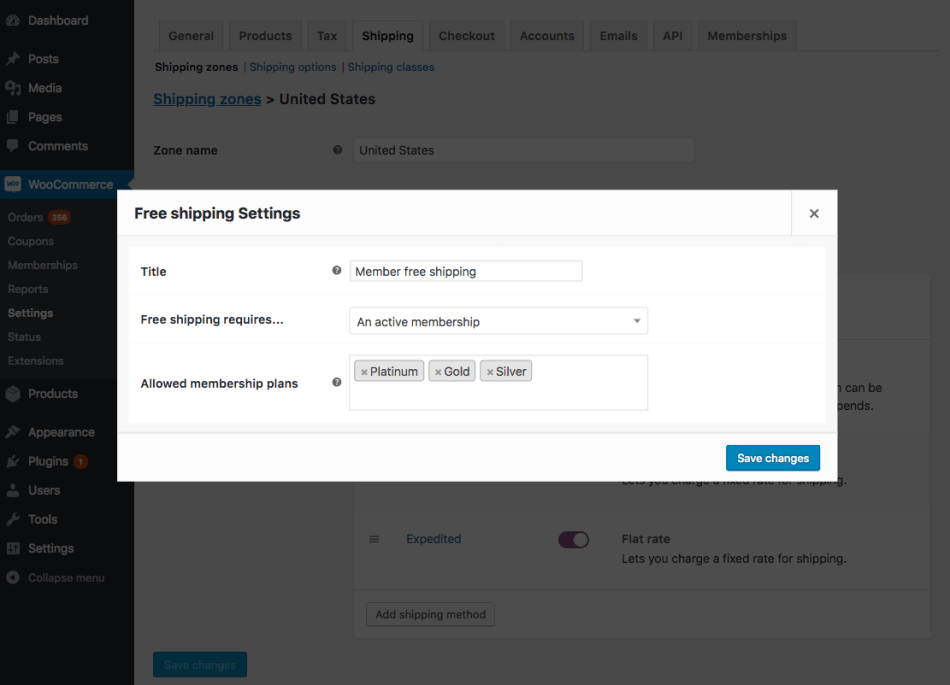
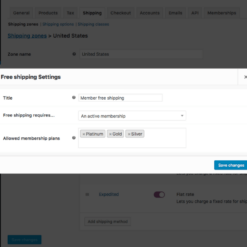
Fix - When free shipping is granted to a member, ensure that any set minimum order amount is correctly enforced
2024.03.20 — version 1.26.4
Tweak - Add a last activity column to the memberships exported data
Tweak - Allow specifying custom date formats when importing or exporting memberships
Fix - Correctly set member roles for memberships created from the admin screen when member roles are enabled
Fix - Make sure that users with active memberships aren't accidentally deleted if the "Retain inactive accounts" privacy setting is used
Fix - Ensure that content excerpts are shown if the restriction mode allows for excerpts but the admin has set the corresponding restriction message to empty
Fix - Ensure the Member Directory block can consistently paginate user memberships
2024.02.26 — version 1.26.3
Tweak - The `{products}` merge tag can be used also in the "Member discount login message" to display products that may grant access to plans with member discounts
Tweak - Display a more accurate member last active information in the User Memberships admin screens to match WooCommerce customer last active timestamp
Fix - Prevent table alias missing notice from showing when visiting the comments page in admin
Fix - Profile field labels should override the field name when set and displayed to the member
Fix - When increasing the specific delay access of a Member Content block via the corresponding number input, ensure that the delay access increment can go beyond 10 units without error
Fix - Do not apply member discounts while quick-editing a product if the admin is eligible
Fix - Profile field labels should override the field name when set and displayed to the member in the Members Area
Dev - Apply `the_excerpt` filter to the excerpt of restricted content
2024.02.14 — version 1.26.2
Fix - Check for public plans instead of private plans when outputting shortcodes while the `plans` attribute is used
2024.02.07 — version 1.26.1
Fix - Do not show members belonging to plans with private statuses in the Member Directory block or shortcode output
Fix - Allow dynamic properties in `WC_Memberships_Emails` to avoid PHP notices with recent versions of PHP
Dev - Add filters to tweak the plan statuses considered public
2024.01.24 — version 1.26.0
Feature - Add compatibility with the cart and checkout blocks
Fix - Ensure that the Member Directory block output is visible also to non-admins
2023.12.06 — version 1.25.2
Fix - Do not return all subscriptions when manually linking a subscription to a membership
2023.11.17 — version 1.25.1
Tweak - Improve performance of memberships export functionality
Misc - Add admin notices to help merchants reverting to the cart or checkout shortcodes if the corresponding blocks are used instead
2023.06.28 — version 1.25.0
Fix - Include "Additional Content" when rendering Memberships emails
Misc - Add compatibility for WooCommerce High Performance Order Storage (HPOS)
Dev - Add the `wc_memberships_rule_object_ids` filter so that translated products can be restricted correctly
2022.09.12 — version 1.23.1
Fix - Ensure member purchasing discounts are applied with most recent versions of WooCommerce Bookings
Fix - Ensure the correct restriction message is displayed in the 'wcm_content_restricted' shortcode
Fix - Address potential deprecated notices when Memberships handles background jobs with WooCommerce 5.3+
2022.03.28 — version 1.23.0
Feature - Introduce a configurable membership directory block with search, filtering, and pagination of members.
2022.02.14 — version 1.22.11
Fix - When a user doesn't belong to any membership plan, don't show them any profile fields in the My Account area
2022.02.08 — version 1.22.10
Fix - Remove deprecated usages of `is_ajax()` in favor of `wp_doing_ajax()`
Misc - Require WooCommerce v3.9.4 or later
2021.11.22 — version 1.22.9
Fix - Show profile fields for product variations when the parent product has associated profile fields
2021.11.15 — version 1.22.8
Fix - Hide rules belonging to trashed membership plans from all meta boxes
2021.10.07 — version 1.22.7
Dev - Adds a filter to help third party code handle product discounts when a product is on sale
2021.10.01 — version 1.22.6
Fix - When using the `wcm_product_discount` shortcode, ensure that the percentage discount amount is not miscalculated while a member is logged in
2021.09.09 — version 1.22.5
Tweak - Pass the full product instance to `wc_memberships_exclude_product_from_member_discounts` filter instead of product ID when checking cart item member discounts
Fix - Update usage of deprecated `block_categories` filter to address notices since WP 5.8
2021.08.10 — version 1.22.4
Tweak - Strip HTML tags in product names dropdown in plan access settings
Fix - Admins updating an order that triggers Sensei auto-enrollment to courses shouldn't be redirected to the posts edit screen
Dev - Add filter hook to toggle duplicating a product's memberships data when cloning products
2021.07.05 — version 1.22.3
Fix - Address an issue with plans with fixed dates and some timezone configurations
Misc - Drop the `woo-includes` folder and move plugin classes from `includes` to `src` folder
2021.06.23 — version 1.22.2
Fix - Display the correct cart item subtotal when a customer adds more than a discounted subscription product to cart
Fix - Address a potential issue in the shipping handler
2021.06.07 — version 1.22.1
Fix - Add sanity checks before calling Sensei or LearnDash methods to avoid errors if old versions are installed
Fix - Address a potential uncaught error in Sensei and LearnDash integrations when fetching dependent courses
2021.05.04 — version 1.22.0
Feature - Auto-enroll users to Sensei (3.11+) and LearnDash (3.4+) courses upon membership purchase
Dev - Add meta data handling support to membership plan rule objects
2021.04.12 — version 1.21.8
Dev - Improve compatibility with WooCommerce Product Bundles
2021.03.30 — version 1.21.7
Fix - Ensure that the Member Directory shortcode can correctly query memberships of given statuses
Fix - Fix a conflict with Variable products and Profile Fields that prevented adding them to cart
2021.03.18 — version 1.21.6
Fix - Use product prices with the correct tax rates to calculate discounts
2021.03.16 — version 1.21.5
Tweak - Improve support for WooCommerce Navigation admin feature
2021.03.09 — version 1.21.4
Fix - When importing profile fields that allow multiple options, ensure that comma separated values can be read and successfully imported for those fields
Fix - Display corresponding profile fields for product variations that grant access to an associated plan
2021.02.19 — version 1.21.3
Fix - Prevent issues with numeric options in dropdown profile fields
Fix - Address some CSS styling issues within the Memberships rules meta box in smaller viewports
Fix - When saving a profile field from the admin and there are issues related to inputs in one meta box tab, switch the tab to foreground to highlight the issue
2021.01.26 — version 1.21.2
Fix - Make the "Redirect members upon login" setting effective also when users are logging in from the standard WordPress login form
2021.01.26 — version 1.21.1
Fix - Fix an upgrade script to avoid showing some notices to users who did not have free add ons installed
Fix - Improve compatibility with Twenty Twenty and Twenty Twenty-One WordPress themes
Fix - Ensure that the product price HTML of member discounted subscription products does not carry duplicated strings
Fix - Restore the functionality of an alert when setting blanket rules to a plan on some browsers
2021.01.25 — version 1.21.0
Feature - Merge the Directory Shortcode free add on into Memberships core plugin
Feature - Merge the Role Handler free add on into Memberships core plugin
Feature - Merge the Sensei Member Area free add on into Memberships core plugin
Feature - Merge the Excerpt Length free add on into Memberships core plugin
Tweak - Improve Memberships performance and reduce the number of queries when querying product variation discount rules
Tweak - Improve CSS rules for displaying membership plan rules in edit screens
Fix - Omit a paragraph with a link to the members area in the Thank You page and email if the members area endpoint has been disabled
Fix - Remove one unused deprecated function call from the Subscriptions integration
Tweak - Add support for the new WooCommerce navigation in WooCommerce Admin
Fix - When account creation is not allowed at checkout, ensure account registration is forced enabled if a guest user has a membership access-granting product in cart
Fix - Ensure eligible discounts are applied for subscription products already owned by a customer, keeping an exception during renewals only
Fix - When displaying products that grant access in a restriction message, ensure that these are correctly listed for all products that display such messages
Misc - Add compatibility for WooCommerce 4.7
Misc - Require PHP 7.0 or newer
Misc - Add PHP 8.0 support
2020.10.21 — version 1.19.2
Tweak - Display the last login information in members admin screens
Tweak - When importing memberships and notifying users, have WooCommerce generate the new user's password, if the corresponding option is set in "Account creation"
Tweak - Improve the User Switching integration by reducing the length of the transient used to store a temporary user ID and deleting it when the admin user switches back
Tweak - Only show visibility options for profile fields based on the chosen membership plans to associate the profile field with
Fix - Fix an error that was preventing checkbox profile fields saving in the membership admin page
Dev - Add a filter to define a temporary user to be used with the User Switching plugin instead of generating one every time
2020.10.06 — version 1.19.1
Tweak - Introduce some performance optimization when querying products that grant access during the output of restriction messages
Fix - Ensure restrict content rules to be enforced while accessing content through the REST API
Fix - Trim any whitespace found in the headers of import CSV files
Fix - Ensure that the datetime strings in Memberships REST API payloads are consistent with WooCommerce core and do not include an incorrect timezone component
Fix - When deleting a user membership, ensure that associated profile fields data is deleted as well (as long as profile fields don't overlap with other plans the user is member of)
Fix - Do not exclude all products from discounts when a subscription renewal is in cart and should be excluded from discounts
Fix - Default new installations to use 'my-profile' as the profile fields area endpoint to avoid conflicts with BuddyPress or BuddyBoss
Testimonials
Benny O'Brien@benny_obie
The quick response from a friendly team member at @effectioshop honestly caught me off guard. Nice work!
22,000+ Users · 180 Countries Trusted by freelancers, agencies & store owners worldwide
How It Works
Install the free EffectIO Dashboard plugin on your WordPress site. It connects to the EffectIO catalog, detects every premium plugin and theme you own, and gives you a single hub to manage licenses, run updates, and keep your admin panel clean — all from one screen.
⚡
One-Click Updates Update any premium plugin or theme instantly. No manual downloads, no FTP — just click "Update Now."
🔑
License Manager View, activate, and manage all your license keys in one place. No hunting through emails or vendor dashboards.
🔇
Notification Blocker Blocks intrusive admin nag screens, upsell banners, and ads that clutter your dashboard. Re-enable anytime.
🛡️
Vendor Request Control Prevents redundant license-check pings to third-party servers for items you already manage through EffectIO.
📦
Bulk Activation Club members can activate all eligible plugins and themes at once — one button, zero hassle.
🆓
100% Free The Dashboard itself costs nothing. Install it and it auto-activates on your domain — no key required.
Get Started in 3 Steps
1
Download & Install
Download the EffectIO Dashboard zip and install it via Plugins → Add New → Upload.
2
Browse & Activate
Open EffectIO → Catalog in your admin panel. The dashboard auto-detects your installed items and matches them to your licenses.
3
Update & Manage
Keep everything current with one-click updates. Manage licenses, block nag notices, and enjoy a cleaner WordPress experience.
Licenses
All WordPress derivative work is GPL-licensed. Most items are pre-activated and ready to use. Some require an activation key — we provide it with your purchase, and the Dashboard lets you apply it in seconds.
Club members enjoy bulk activation: activate every eligible item at once with a single click. No more entering keys one by one.
✅ Money-Back Guarantee
Every item is tested and ships with full features. If something doesn't work and we can't fix it, you get a full refund. We believe premium tools should be accessible — that's why we offer a low-cost subscription so freelancers, small businesses, and agencies can grow without a large upfront investment.






















Stefani Sekovska –
It automates all the restrictions to content and products, and gives access only to the members of your choosing
lipasimone –
If you want do give access only to the members you choose, this is what you need!!
edendvatri321 –
I’m sure that this is a plugin that you need for gathering all your content, products and membership plans into one place.
lipasimone –
If you want do give access only to the members you choose, this is what you need!!
martindumas8 –
This product helped me so much, perfect!
sekstefani –
I only set all the detail for the system and this plugin do the rest!! Excellent!