EffectIO WooCommerce Ship to Multiple Addresses

Original price was: $49.00.Current price is: $12.99. / year

Drop-in compatible replacement & Licensed Product

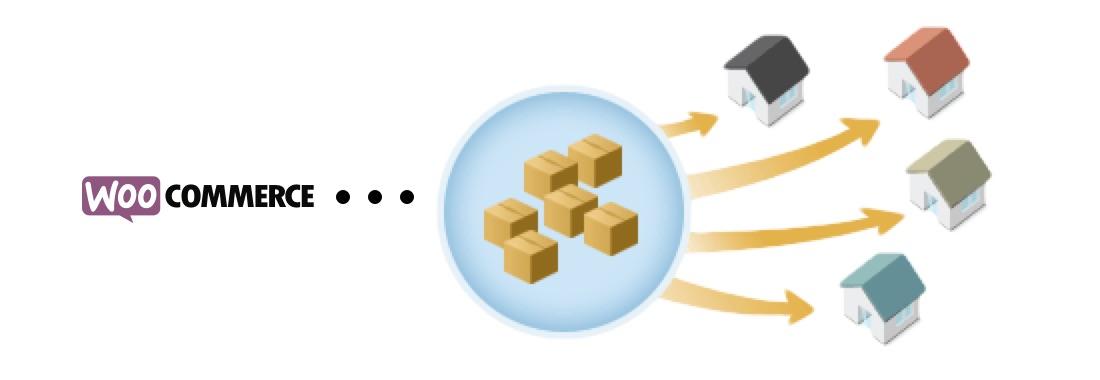
WooCommerce Ship to Multiple Addresses gives your customers the possibility to ship individual items in a single order to multiple addresses. Version: 3.8.9 Allow customers to ship orders with multiple products or quantities to separate addresses instead of forcing them to place multiple orders for different delivery addresses.

Released on: 2025-12-12

Single License

Club Membership

17,99 / Month Membership

NEW Activate all licensed items with the free Dashboard

EffectIO Dashboard

Discover when we give away free Plugins

Find out when we give items for Free


Hey! 🎉 Monthly emails, tops. Snag exclusive plugins/themes for $0. They go quick, but you might just get a freebie! 😉

30 Days Money Back Guarantee

Guaranteed pre-activated plugins. Most items work immediately after installation. Open a support ticket to obtain the license keys for the ones that ask for activation.

Free support to install and setup on your site.

Find Out More About WooCommerce Ship to Multiple Addresses

WooCommerce Ship to Multiple Addresses gives your customers the possibility to ship individual items in a single order to multiple addresses. Your customers can quickly and easily ship to multiple addresses with one order.

Moreover, this plugin is especially useful during the holidays, when people use to shop online for their primary vacation. Let Your Customers Ship Cart Items to Different Addresses with WooCommerce Ship to Multiple Addresses plugin

#col-1659245119 > .col-inner {
margin: 0px 0px -30px 0px;
}

#row-1388180954 > .col > .col-inner {
padding: 0px 0px 0px 0px;
}

#section_990034697 {
padding-top: 30px;
padding-bottom: 30px;
}

WooCommerce Ship to Multiple Addresses Features

#col-1911787505 > .col-inner {
margin: 15px 0px 0px 0px;
}

#row-768230856 > .col > .col-inner {
padding: 0px 0px 0px 0px;
}

Ship to many locations with only one checkout

#col-678322070 > .col-inner {
margin: 0px 0px -15px 0px;
}

Supports all WooCommerce shipping methods

#col-365625324 > .col-inner {
margin: 0px 0px -15px 0px;
}

Send identical carts to multiple locations

#col-609217404 > .col-inner {
margin: 0px 0px -15px 0px;
}

Save more addresses to your Customer Account

#col-1352233342 > .col-inner {
margin: 0px 0px -15px 0px;
}

#section_59428075 {
padding-top: 30px;
padding-bottom: 30px;
}

See What’s In It For You

#col-855082876 > .col-inner {
margin: 35px 0px 0px 0px;
}

Cart Duplication

It enables your customers to multiply the contents of their cart in order to be able to ship the same cart to multiple addresses. Your clients can do this instead of having to do it on a product by product basis.

#col-2075344275 > .col-inner {
margin: 0px 0px -30px 0px;
}

Partially Complete Orders

With shipping to multiple addresses, you will have the ability to ship portions of the order at different times. You can note it on the order in the admin and send an optional email when this occurs, if you prefer.

#col-573281130 > .col-inner {
margin: 0px 0px -30px 0px;
}

Text Shown to Buyers

You have the possibility to define your own custom text that buyers will see at checkout if several shipping is possible.

#col-1109916710 > .col-inner {
margin: 0px 0px 0px 0px;
}

Save Additional Addresses to Customer Accounts

Multiple Ship-to allows your clients to add and save many addresses to their accounts for easy access and usage during future checkouts.

#section_1446015087 {
padding-top: 30px;
padding-bottom: 30px;
background-color: rgb(139, 147, 155);
}

Additional Items For Your Customers

  • Shipping date. It makes it possible for your clients to choose the date when they want to ship their products. It can be used if your clients want to schedule a purchase something for the holiday season or want certain products to be delivered around birthday dates. Your customer has the possibility to select the date of shipping with this item.
  • This is a gift. It enables the shop owner to know if a product shipped to someone other than the buyer is a gift. Also, it allows you to respond accordingly.
  • Note. With this item, your clients have the possibility to write all the details that you need to know regarding the specified delivery address. This field enables you to get notes for each address.

#col-553071715 > .col-inner {
margin: 15px 0px 0px 0px;
}

#section_1927048708 {
padding-top: 30px;
padding-bottom: 30px;
}

Release Date

7/6/2016

Reviews

There are no reviews yet.

Be the first to review “EffectIO WooCommerce Ship to Multiple Addresses 4.3.5”

Allow customers to ship orders with multiple products or quantities to separate addresses instead of forcing them to place multiple orders for different delivery addresses.

Testimonials

Benny O'Brien@benny_obie

The quick response from a friendly team member at @effectioshop honestly caught me off guard.
Nice work!


Stuart Boyle@stuart_boyle

@effectioshop As an eCommerce developer, effectio.org has enabled me to reach higher expectations and my clients are very happy.


22,000+ Users · 180 Countries
Trusted by freelancers, agencies & store owners worldwide

How It Works

Install the free EffectIO Dashboard plugin on your WordPress site. It connects to the EffectIO catalog, detects every premium plugin and theme you own, and gives you a single hub to manage licenses, run updates, and keep your admin panel clean — all from one screen.

One-Click Updates
Update any premium plugin or theme instantly. No manual downloads, no FTP — just click "Update Now."

🔑

License Manager
View, activate, and manage all your license keys in one place. No hunting through emails or vendor dashboards.

🔇

Notification Blocker
Blocks intrusive admin nag screens, upsell banners, and ads that clutter your dashboard. Re-enable anytime.

🛡️

Vendor Request Control
Prevents redundant license-check pings to third-party servers for items you already manage through EffectIO.

📦

Bulk Activation
Club members can activate all eligible plugins and themes at once — one button, zero hassle.

🆓

100% Free
The Dashboard itself costs nothing. Install it and it auto-activates on your domain — no key required.

Get Started in 3 Steps

1

Download & Install

Download the EffectIO Dashboard zip and install it via Plugins → Add New → Upload.

2

Browse & Activate

Open EffectIO → Catalog in your admin panel. The dashboard auto-detects your installed items and matches them to your licenses.

3

Update & Manage

Keep everything current with one-click updates. Manage licenses, block nag notices, and enjoy a cleaner WordPress experience.

Licenses

All WordPress derivative work is GPL-licensed. Most items are pre-activated and ready to use. Some require an activation key — we provide it with your purchase, and the Dashboard lets you apply it in seconds.

Club members enjoy bulk activation: activate every eligible item at once with a single click. No more entering keys one by one.

✅ Money-Back Guarantee

Every item is tested and ships with full features. If something doesn't work and we can't fix it, you get a full refund. We believe premium tools should be accessible — that's why we offer a low-cost subscription so freelancers, small businesses, and agencies can grow without a large upfront investment.

Manage and Update all your sites

17.99 $ / Month Membership

2900 Plugins and Themes. Install, Update, Activate and Delete any plugin. Unlimited Sites. Best WP Agency Deal.

Clean Items

NGO Mission

Always Updated

SSL Connection











