EffectIO Give – Manual Donations 1.8.0

Original price was: $70.00.Current price is: $9.99. / year

Drop-in compatible replacement & Licensed Product

Provides an admin interface for manually creating donations in Give. Version: 1.5.1 Provides an admin interface for manually creating donations in Give.

Released on: 2025-11-20

Single License

Club Membership

17,99 / Month Membership

NEW Activate all licensed items with the free Dashboard

EffectIO Dashboard

Discover when we give away free Plugins

Find out when we give items for Free

Hey! 🎉 Monthly emails, tops. Snag exclusive plugins/themes for $0. They go quick, but you might just get a freebie! 😉

30 Days Money Back Guarantee

Guaranteed pre-activated plugins. Most items work immediately after installation. Open a support ticket to obtain the license keys for the ones that ask for activation.

Free support to install and setup on your site.

Give Manual Donations Addon – Create Donations Directly in Your WordPress Dashboard

The Give Manual Donations addon allows you to easily create donations directly in your WordPress dashboard. With this addon, you can create manual donations that can be attached to a specific donor or create a new donor during the donation creation process. This feature is designed to help you reconcile your records, but it does not actually charge the donor at the payment gateway.

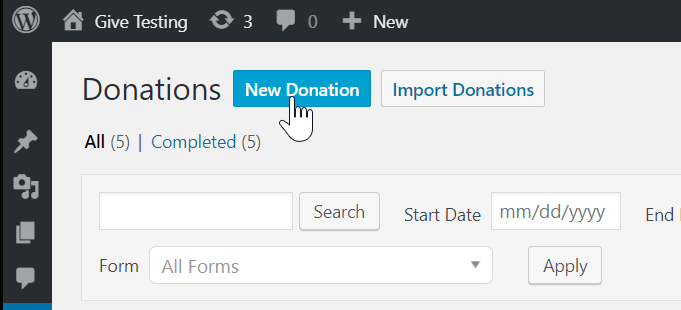
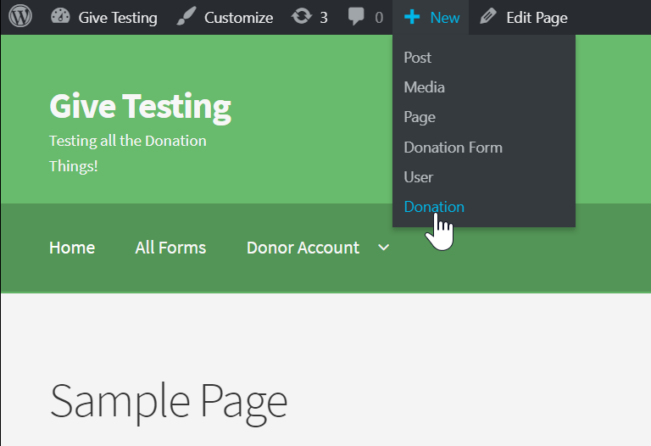
Creating manual donations is a breeze with the Give Manual Donations addon. Simply fill out a simple form and click submit. Each field is intuitive and necessary for your GiveWP Donations Reports and Donor records to accurately reflect the new donation.

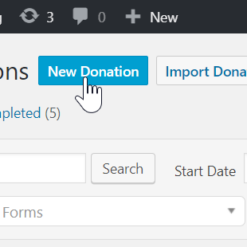
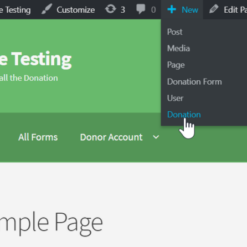
Take a look at the animation above to see how easy it is to create manual donations using this addon. You can assign the donation to any of your current donors or add a new donor. It gives you the flexibility to choose any payment gateway, regardless of whether it’s activated live or not. You can also choose the date of the donation, whether in the past or future, and whether to send donor and/or admin email notifications upon completion.

Highlights:

  • Effortlessly create manual donations directly in your WordPress dashboard
  • Attach donations to specific donors or create new donors
  • Reconcile records between payment gateway and your site
  • Intuitive form with easy point-and-click functionality
  • Flexibility to choose payment gateway and donation date
  • Option to send donor and/or admin email notifications
  • Support for recurring donations
  • Integration with GiveWP Reports, Transactions, and Logs

The Give Manual Donations addon is just one of the many premium addons available from GiveWP. By combining this addon with other premium addons, you can enhance your fundraising efforts and raise more money. As an alternative to traditional plugin updates, you can also update your items via the EffectIO Dashboard, where they come pre-activated with GPL code and premium support from EffectIO. Don’t miss out on our super deals, offering discounts ranging from 30% to 90% off.

Provides an admin interface for manually creating donations in Give.

1.8.0
  • New: Added compatibility support for Give 4.0.0
1.7.0
  • New: Added the ability to enter a custom amount for forms created with the visual form builder
  • Fix: Removed duplicated manual donation option from the payment method dropdown
1.6.2
  • Fix: Creating a subscription no longer throws an error
1.6.1
  • Enhancement: Subscriptions use Models under the hood to reduce complexity (and potential bugs)
  • Fix: Resolved an issue that threw a fatal error when used together with the Recurring add-on
1.6.0
  • New: Add support for Peer-to-Peer add-on — you can now specify the campaign, team, and fundraiser for a donation
1.5.1
  • Change: Compatible with the new Form Field Manager 2.0 release!
  • Fix: Payment method shows up correctly in donation receipt
1.5.0
  • New: Added compatibility with GiveWP 2.9.0
  • New: Added compatibility with the new [Give Funds & Designations add-on](https://givewp.com/addons/funds-and-designations)
  • Fix: Manual donations now show in reports data
1.4.7
  • Fix: The Currency Switcher add-on compatibility received improvements so that when assigning a custom amount and switching between currencies the amount is accurately converted and applied.
1.4.6
  • Fix: Resolved an issue where the custom amount message on a set donation form would be incorrectly appended to the donation form title on the {donation} email tag.
1.4.5
  • Fix: Resolved issues with adding manual donations in different currencies when the Currency Switcher add-on is enabled. Custom amount values are now properly formatted to the selected currency format setting.
1.4.4
  • Fix: Resolved an issue validating whether the donor title prefix (Mr. Mrs. etc) field was required or not when creating a manual donation. In some configurations the title prefix was incorrectly preventing the manual donation from being created.
1.4.3
  • Fix: Internationalized date formats like "j F Y" are now properly formatted for the database entry.
  • Fix: The "Company" field now properly saves to both the payment and donor meta.
  • Fix: The "Donors" dropdown select now properly searches for additional donors via AJAX.
  • Fix: Quickly double-clicking on the submit button will no longer result in multiple donations being created.
1.4.2
  • New: Added the ability to add Company name to a manual donation.
  • New: Added the ability to mark a donor as anonymous.
  • New: Added the ability to add a donor prefix (Mr. Mrs. etc) to a donor.
  • New: Added the ability to add a donor comment to a manually added donation.
1.4.1
  • Fix: Properly store First Name and Last Name when created manually.
  • Fix: Ensure emails get sent properly when a manual donation is made and email is selected.
  • Fix: Apply correct date to newly created manual donations with a custom date.
1.4
  • New: Added support for new recurring options found in Recurring Donations 1.6+ - please update recurring if you're using it alongside Manual Donations!
1.3.2
  • New: Added a filter within the donation validation method so other add-ons can hook in properly. This is in preparation for the Tributes add-on coming compatiblity release with Manual Donations.
1.3.1
  • Tweak: Added a metakey to easily detect whether a donation has been added manually or not.
  • Tweak: Revised how manual donations loads translation files.
1.3
  • New: Added compatiblity with Give's MailChimp add-on so that now there's an option to opt-in a donor when creating a manual donation.
  • New: Added compatiblity with Give's Fee Recovery add-on so that now there's an option to add fees covered when creating a manual donation.
  • New: Added an option to create a WP Users while creating a new donor.
  • Fix: Various UI touch ups and fixes.
1.2.2
  • New: Added the ability to attach new users to manual donations and make donors out of them. Previously you could only select existing donors or create a new donor without any ability to select already existing WP users.
  • Tweak: Admins will be prompted when attempting to add a manual donation to a donation form that has been set to be closed after meeting the goal if that goal has been met. In order to add the manual donation the admin will need to increase the goal or not close the form.
  • Fix: The address fieldset now loads with the default settings for country, state/county/province fields.
  • Fix: Emails were not properly being sent in some PHP versions when the admin selected to send them to admins/donors.
  • Fix: Minor PHP warnings.
1.2.1
  • Tweak: Removed "Settings" link from activation banner since this add-on doesn't have any settings page.
  • Fix: Error when creating a recurring subscription that does not match a donation level.
  • Fix: Currency field has incorrect number of decimals.
  • Fix: State field was incorrectly loading red falsely indicating a validation issue on page load.
  • Fix: The donor email field is now validated when creating a new donor with donation.
  • Fix: The Form Field Manager repeater element wouldn't properly add new rows when being clicked.
  • Fix: An incorrect dates would be generated for newly created donations not made on same day.
1.2
  • New: Added the "Billing Address" fieldset to the manual donations screen.
  • New: Added support for forms with custom forms built using the Form Field Manager add-on.
  • Tweak: Once a donation is created you will no longer be redirected to the payments listing screen but rather remain on a page and a helpful notice will appear confirming the donation payment has been created.
  • Fix: When a new donor is added the wp cache is busted so you will see that donor added even with aggressive caching.
  • Fix: When switching to a multi-level form the amount field will update with the with default level amount.
  • Fix: Date of Donation reverts to January 1970 when a different site language and date/time is selected.
1.1.1
  • Fix: In Give 1.8 the "New Donor" button doesn't display the New Donor fields correctly.
1.1
  • Fix: Main heading CSS conflict on donation listing page when a wp-admin notice was displayed. https://github.com/impress-org/give-manual-donations/issues/22
  • Fix: Do not show "None" as an option for multi-level donation forms. https://github.com/impress-org/give-manual-donations/issues/38
  • Fix: When there are more than 30 donation forms, they don't show up donation form dropdown select. https://github.com/impress-org/give-manual-donations/issues/42
  • Tweak: Renamed `give_create_payment` action to `give_create_manual_payment` and `give_create_payment_nonce` to `give_create_manual_payment_nonce` to prevent potential conflicts with Give core. https://github.com/impress-org/give-manual-donations/issues/39
1.0.3
  • New: The plugin now checks to see if Give is active and up to the minimum version required to run the plugin.
1.0.2
  • Fix: Custom donation amounts now save correctly.
  • Fix: All donors are listed in the Donor Dropdown field.
1.0.1
  • Fix: Decimal amounts are now supported and validated according to currency settings - https://github.com/impress-org/give-manual-donations/issues/27
  • New: Translation POT file for i18n and gulp task to easily generate updates.
1.0
  • Plugin Release

Testimonials

Benny O'Brien@benny_obie

The quick response from a friendly team member at @effectioshop honestly caught me off guard.
Nice work!


Stuart Boyle@stuart_boyle

@effectioshop As an eCommerce developer, effectio.org has enabled me to reach higher expectations and my clients are very happy.


22,000+ Users · 180 Countries
Trusted by freelancers, agencies & store owners worldwide

How It Works

Install the free EffectIO Dashboard plugin on your WordPress site. It connects to the EffectIO catalog, detects every premium plugin and theme you own, and gives you a single hub to manage licenses, run updates, and keep your admin panel clean — all from one screen.

⚡

One-Click Updates
Update any premium plugin or theme instantly. No manual downloads, no FTP — just click "Update Now."

🔑

License Manager
View, activate, and manage all your license keys in one place. No hunting through emails or vendor dashboards.

🔇

Notification Blocker
Blocks intrusive admin nag screens, upsell banners, and ads that clutter your dashboard. Re-enable anytime.

🛡️

Vendor Request Control
Prevents redundant license-check pings to third-party servers for items you already manage through EffectIO.

📦

Bulk Activation
Club members can activate all eligible plugins and themes at once — one button, zero hassle.

🆓

100% Free
The Dashboard itself costs nothing. Install it and it auto-activates on your domain — no key required.

Get Started in 3 Steps

1

Download & Install

Download the EffectIO Dashboard zip and install it via Plugins → Add New → Upload.

2

Browse & Activate

Open EffectIO → Catalog in your admin panel. The dashboard auto-detects your installed items and matches them to your licenses.

3

Update & Manage

Keep everything current with one-click updates. Manage licenses, block nag notices, and enjoy a cleaner WordPress experience.

Licenses

All WordPress derivative work is GPL-licensed. Most items are pre-activated and ready to use. Some require an activation key — we provide it with your purchase, and the Dashboard lets you apply it in seconds.

Club members enjoy bulk activation: activate every eligible item at once with a single click. No more entering keys one by one.

✅ Money-Back Guarantee

Every item is tested and ships with full features. If something doesn't work and we can't fix it, you get a full refund. We believe premium tools should be accessible — that's why we offer a low-cost subscription so freelancers, small businesses, and agencies can grow without a large upfront investment.

Manage and Update all your sites

17.99 $ / Month Membership

2900 Plugins and Themes. Install, Update, Activate and Delete any plugin. Unlimited Sites. Best WP Agency Deal.

Clean Items

NGO Mission

Always Updated

SSL Connection

Plugins