EffectIO PowerPack Pro for Elementor 2.11.7

Original price was: $70.00.Current price is: $9.99. / year

Drop-in compatible replacement & Licensed Product

Extend Elementor Page Builder with 90+ Creative Widgets and exciting extensions. Version: 2.10.1 Extend Elementor Page Builder with 90+ Creative Widgets and exciting extensions.

Released on: 2024-12-21

Single License

Club Membership

17,99 / Month Membership

NEW Activate all licensed items with the free Dashboard

EffectIO Dashboard

Discover when we give away free Plugins

Find out when we give items for Free

Hey! 🎉 Monthly emails, tops. Snag exclusive plugins/themes for $0. They go quick, but you might just get a freebie! 😉

30 Days Money Back Guarantee

Guaranteed pre-activated plugins. Most items work immediately after installation. Open a support ticket to obtain the license keys for the ones that ask for activation.

Free support to install and setup on your site.

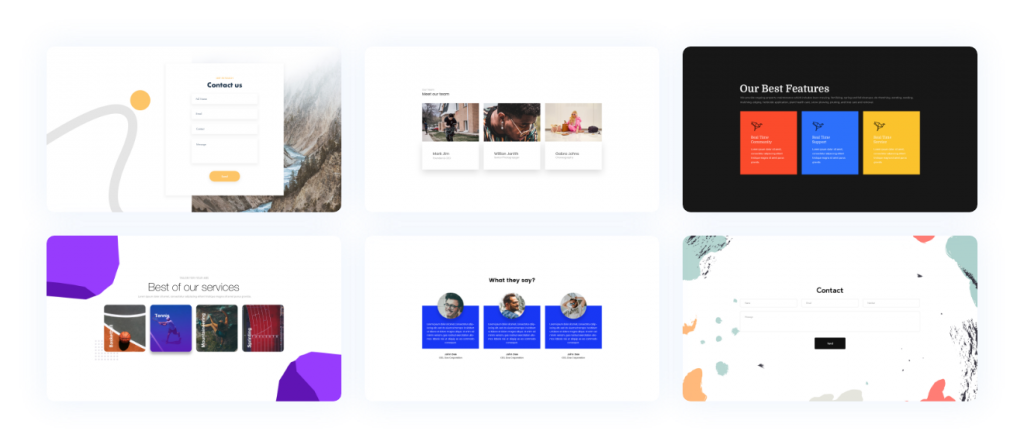
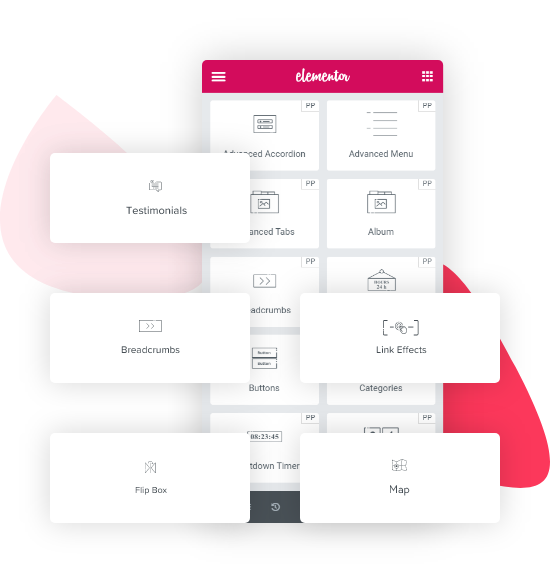
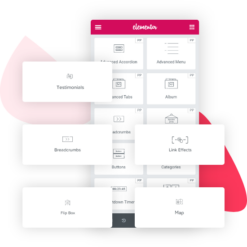
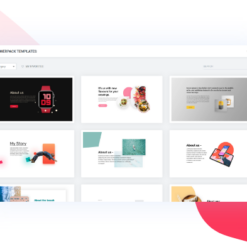
PowerPack Pro for Elementor 2.9.24 is the ultimate toolkit for WordPress websites powered by Elementor page builder. With over 70 powerful widgets and a wide range of professionally designed templates, you can create stunning websites like a pro.

Our unique widgets are regularly updated to ensure compatibility with the latest versions of Elementor and WordPress. We also offer friendly support to assist you every step of the way.

Key features of PowerPack Pro for Elementor include:

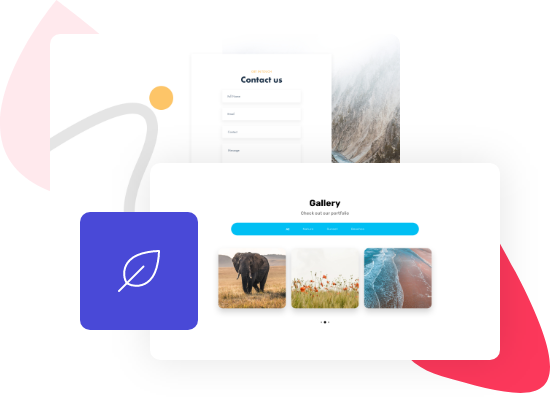
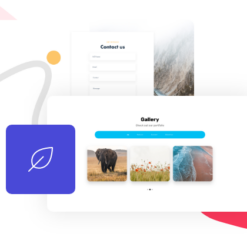
1. Create beautiful websites with 70+ powerful Elementor widgets.
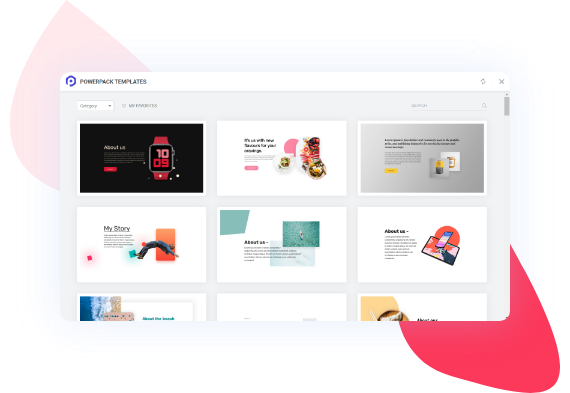
2. Choose from a library of pre-built Elementor templates for quick and easy content creation.
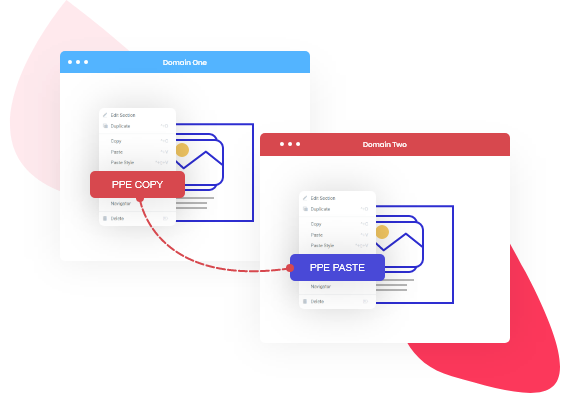
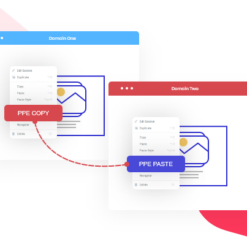
3. Copy and paste content across different domains with our CrossDomain Copy Paste feature.
4. Built for performance with lightweight and fast-loading widgets.
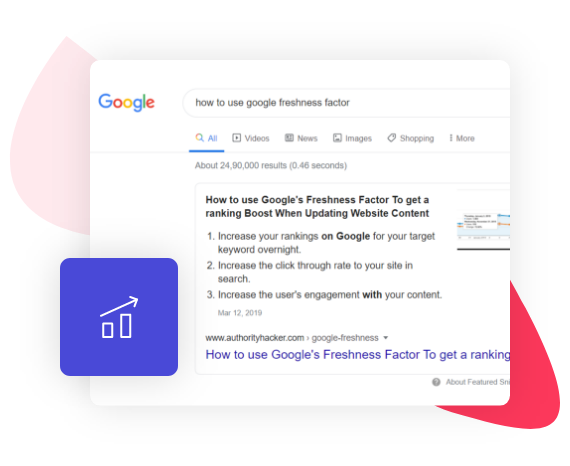
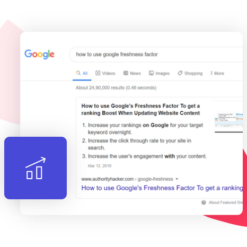
5. Boost your website’s rankings with exclusive SEO widgets.
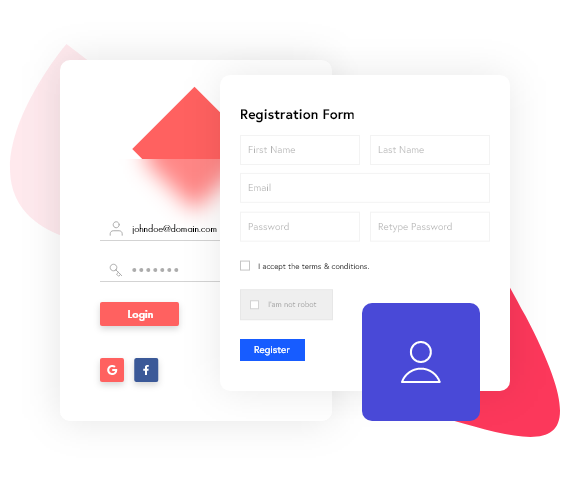
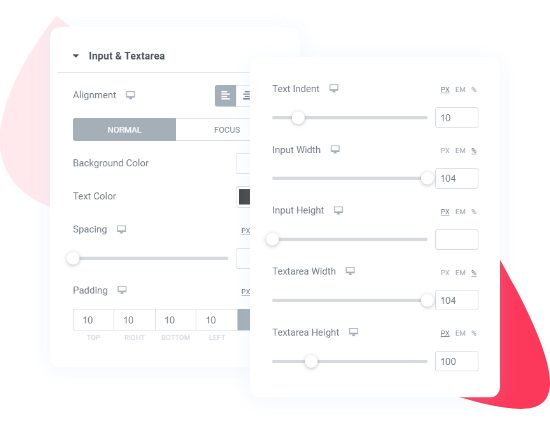
6. Customize login and registration pages with our custom login and registration widgets.
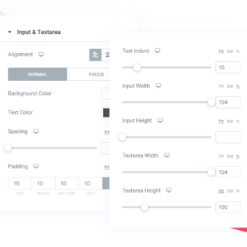
7. Build professional-looking forms with our form styler widgets.
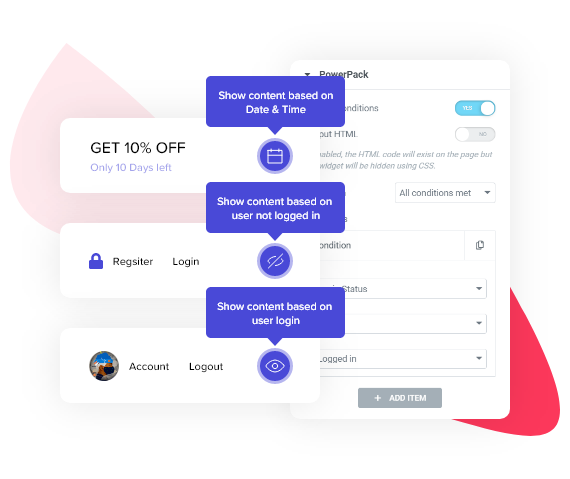
8. Get better control over your website’s display conditions with dynamic display conditions.
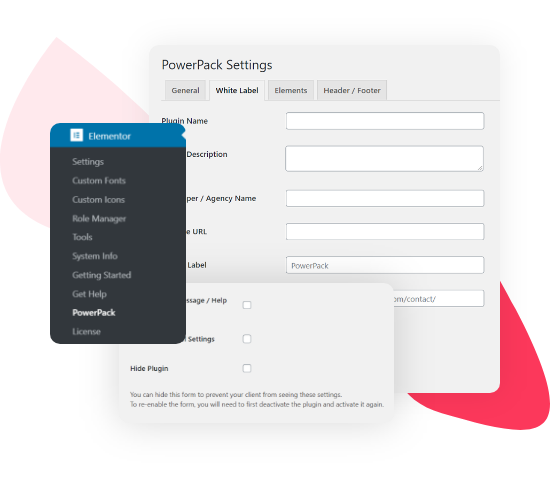
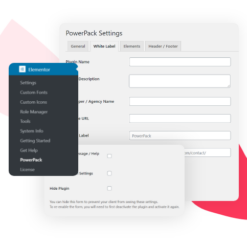
9. White label branding to make the website truly yours.
10. Extensive and friendly support from our team of experts.
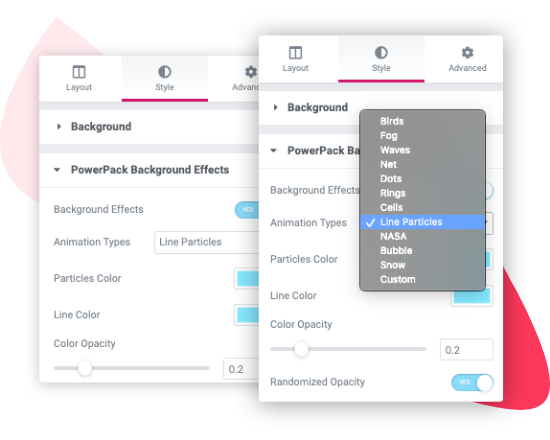
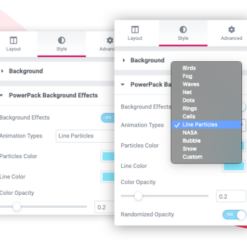
11. Background effects to add interactive elements to your website.
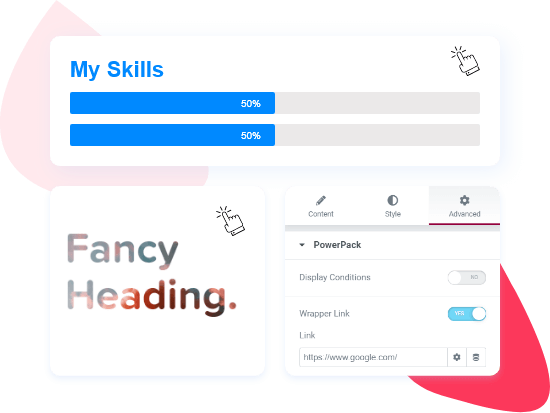
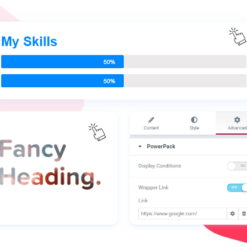
12. Link wrapper for Elementor to enhance the functionality of your links.

PowerPack Pro for Elementor is the complete toolkit for all your Elementor website needs. It offers a wide range of pro widgets and features to enhance your website’s design and functionality.

Download PowerPack Free now and take your Elementor Page Builder to the next level. With PowerPack Pro, you can unlock even more features and explore a whole new range of design possibilities.

PowerPack Pro for Elementor is available through the EffectIO Dashboard, where you can easily update and activate your plugins. As a GPL code product, you can enjoy premium support from both PowerPack and EffectIO. Don’t miss out on our super deals with discounts ranging from 30% to 90%.

Try PowerPack Pro for Elementor today and revolutionize your website-building experience.
Extend Elementor Page Builder with 90+ Creative Widgets and exciting extensions.

2.11.7
  • Enhancement: Advanced Posts - Added option to show or hide "All" filter label
  • Enhancement: Instagram Feed - Updated Choose Arrow option
  • Enhancement: Image Slider - Added Hover Effect option for thumbnail captions
  • Enhancement: Image Slider - Added Scroll to Top option
  • Enhancement: Advanced Menu - Implemented accessibility improvements
  • Fixed: Testimonials - Widget CSS was not loading
  • Fixed: Testimonials - Slider Per View option was not working for some breakpoints
  • Fixed: Pricing Table - Default background color
  • Fixed: Registration Form - Password Visibility Toggle option
  • Fixed: Animation Gradient Background
2.11.6
  • Enhancement: Removed .elementor-widget-container class as part of the “Optimized Markup” experiment
  • Enhancement: Enhanced security of widgets with saved templates feature
2.11.5
  • Enhancement: Advanced Accordion - Added Vertical Alignment option for Toggle Icon
  • Fixed: Business Reviews - Equal Height option for Carousel layout
  • Fixed: Table - Issue with tooltips
  • Fixed: Tooltips - CSS file was not loading
  • Fixed: Woo Cart - Update Cart Automatically option
  • Fixed: PHP errors when Optimized Markup experiment is activated
  • Development: Woo Single Product - Added pp_single_product_id filter hook
2.11.4
  • Enhancement: Dual Heading - Moved Spacing option to content tab and reorganised the style options
  • Enhancement: Table - Added responsive support for Tooltip position option
  • Enhancement: Pricing Table - Added responsive support for Tooltip position option
  • Enhancement: Disabled some widgets by default to improve Elementor editor performance
  • Fixed: Advanced Tabs - Active tab background color was applying on tab content
  • Fixed: Advanced Menu - One page scroll link issue
  • Fixed: Image Comparison - Handle was not working
  • Fixed: WP Forms - Confirmation text color option was not working
  • Fixed: Video Gallery - Added missing for filters
  • Fixed: Security issue
2.11.3
  • Hotfix: Formidable Forms - PHP error
2.11.2
  • Fixed: Compatibility issues with Elementor 3.25.0
2.11.1
  • Enhancement: Interactive Circle - Added WPML compatibility
  • Enhancement: Progress Bar - Added WPML compatibility
  • Enhancement: Categories - Added Pagination option
  • Enhancement: Devices - Added new iPhone 16 device
  • Fixed: Tiled Posts - Overlapping issue from bottom on responsive layout
  • Fixed: Woo Off Canvas Cart - CSS style was not loading after updating to PowerPack 2.11.0
2.11.0
  • New: Interactive Circle widget
  • New: Progress Bar widget
  • Enhancement: Display Conditions - Added new Device Type display condition
  • Enhancement: Timeline - Added support for custom breakpoints for direction option
  • Enhancement: Added additional size units and custom units to all the widgets and extensions
  • Enhancement: Conditionally loading widget styles only when the respective widgets are used
  • Enhancement: Timeline - Added option to add custom link for Posts source type
  • Enhancement: Gravity Forms - Added options to style sub-labels
  • Enhancement: Gravity Forms - Added options to style required text
  • Enhancement: Info Box - Added option to change button width
  • Enhancement: Info Box - Added option to change button icon spacing
  • Enhancement: Info Box - Added option to change button icon size
  • Enhancement: Card Slider - Added options to style fraction pagination
  • Enhancement: Categories - Added options to style fraction pagination
  • Enhancement: How to - Added option to add icons to steps
  • Enhancement: Image Comparison - Removed dependency on twentytwenty library
  • Fixed: Advanced Menu - Some of the options were not working for all the breakpoints
  • Fixed: Divider - Icon Rotation option
  • Fixed: Card Slider - Pagination dots position
2.10.26
  • Enhancement: Image Gallery - Added option to show image title and description at the same time
  • Enhancement: Image Gallery - Added support to show Alt Text
  • Fixed: Image Gallery - Minor CSS issue which was cutting the image was from the corners
  • Fixed: Info Grid & Carousel - Fixed JS error when Grid layout is used
  • Fixed: Advanced Posts - Excerpt length option was not working with excerpts set using classic editor
  • Fixed: Table of Contents - Widget was not working because of a JS error when logged in
2.10.25
  • Fixed: Business reviews - Color options were not working for star rating Font Awesome icons
  • Fixed: Info Box - Selector for icon hover style options
  • Fixed: Info List - Some of the style controls were not responsive
  • Fixed: Image Comparison - Divider width was not working for vertical layout
  • Fixed: Login Form - Alignment of password error message
  • Fixed: Dual Heading - Default spacing between headings
2.10.24
  • Enhancement: Table - Allowed maximum column span value to 30
  • Fixed: Table - JS error when Scrollable Table option is turned on
  • Fixed: Gravity Forms - Submit Button styling options were not working when button is set to inline position
  • Fixed: Gravity Forms - Submit Button full width option
  • Fixed: Toggle - Active Text Color option for Secondary tab was not working
  • Fixed: Login Form - JS error in reset form
2.10.23
  • Enhancement: Tiled Posts - Added Hover Animation option
  • Enhancement: Tiled Posts - Added CSS Filters option
  • Enhancement: Magazine Slider - Added Hover Animation option
  • Enhancement: Magazine Slider - Added CSS Filters option
  • Enhancement: Magazine Slider - Added Read More button option
  • Fixed: Gravity Forms - Submit Margin Top option
  • Fixed: Popup Box - Element Class/ID trigger option
  • Fixed: Popup Box - Preview Popup option
  • Fixed: Info Grid & Carousel - Center Slides option was not working on frontend
  • Fixed: Tabbed Gallery - Center Padding option
  • Fixed: Testimonials - Default arrows were showing when Arrows option is turned off
2.10.22
  • Enhancement: Advanced Menu - Added Show Submenu On option for responsive menus
  • Enhancement: Advanced Posts - Added option to add hover animations on featured image
  • Enhancement: Table of Contents - Added smooth scroll effect to links
  • Enhancement: Image Gallery - Added option to show Lightbox description
  • Enhancement: Album - Added option to show Lightbox description
  • Enhancement: Logo Carousel - Added option to set width, height and object fit properties for logos
  • Fixed: Table of Contents - Bullet icons were not showing on frontend when the Inline Font Icons experiment is active
  • Fixed: Advanced Posts - Search form icon was not rendering on frontend when the Inline Font Icons experiment is active
  • Fixed: Login Form - Password visibility toggle icon was not rendering on frontend when the Inline Font Icons experiment is active
  • Fixed: Sitemap - Title field was not WPML translatable
  • Fixed: Table of Content - Title field was not WPML translatable
  • Fixed: Recipe - Some fields were not WPML translatable
  • Fixed: Business Hours - Closed Text field was not WPML translatable
  • Fixed: Image Comparison - Labels were not showing
  • Fixed: Info Grid & Carousel - Coverflow effect was not showing correct number of slides
  • Fixed: Woo Products - Arrows Position option
  • Fixed: Woo Products - Align Arrows option
2.10.21
  • Hotfix: PHP error in last update
2.10.20
  • Enhancement: Added support for Elementor's Element Caching feature
  • Enhancement: Added support for Elementor custom breakpoints in all carousel/slider widgets
  • Enhancement: Counter - Replaced Odometer JS lib with jQuery Numerator JS lib as used by Elementor
  • Enhancement: Counter - Added Underline and Apostrophe separator options
  • Enhancement: Advanced Posts - Added option to chose icon for dropdown filters
  • Enhancement: Coupons - Added option to chose icon for dropdown filters
  • Enhancement: Performance improvements
  • Fixed: Content Ticker - Arrows color option
  • Fixed: Advanced Posts - Align arrows option
  • Fixed: Categories - Arrows style options
  • Fixed: Coupons - Arrows style options
  • Fixed: Magazine Slider - Align arrows option
  • Fixed: Tabbed Gallery - Align arrows option
  • Fixed: Video Gallery - Align arrows option
  • Security Fix: Link Effects - Improved code security
2.10.19
  • Enhancement: Team Member - Added X icons to recommended list
  • Enhancement: Team Member Carousel - Replaced Twitter icon with X icon
  • Fixed: PHP error was showing in last PowerPack update
2.10.18
  • Enhancement: Video Gallery - Added support for YouTube API to show videos directly from YouTube playlist or YouTube channel
  • Enhancement: Registration Form - Added support for phone field
  • Enhancement: Table of Contents - Added support for keyboard navigation for better accessibility
  • Fixed: Showcase - Fixed PHP error with arrows in some cases
  • Fixed: Sitemap - Issue with open and close icon
  • Fixed: Advanced Tabs - Accessibility issue
  • Security Fix: Registration Form - Improved code for enhanced security
2.10.17
  • Enhancement: Advanced Posts - Added Text Shadow option for post title
  • Enhancement: Tiled Posts - Added Text Shadow option for post title
  • Enhancement: Magazine Slider - Added Text Shadow option for post title
  • Fixed: Table of Contents - Collapsable option issue with other widgets
  • Development: Display Conditions - Added ppe_os_display_condition_options and ppe_os_display_condition_check filters to provide option to users for adding more OS options
2.10.16
  • Fixed: Advanced Posts - Row Spacing option was not working for Masonry layout
  • Fixed: Advanced Posts - Featured Image was not working in Background Overlay option in Saved Template skin
  • Fixed: Info Grid & Carousel - Equal Height option for Coverflow effect
2.10.15
  • Enhancement: Registration Form - Added admin check condition to New User Role option
  • Fixed: Advanced Posts - Equal Height option was not working with Carousel layout
2.10.14
  • Enhancement: Woo Product Images - Added Image Resolution option to change image size
  • Enhancement: Woo Product Images - Added Image Resolution option to change thumbnail image size
  • Enhancement: Woo Product Images - Added Image Resolution option to change lightbox image size
  • Fixed: Info Box - Icon hover Border Color option was not working
  • Fixed: Fluent Forms - Submit button alignment was not working
  • Fixed: Fluent Forms - Option to hide the labels was not working
  • Fixed: Business Reviews - Pagination dots position option was not working
  • Fixed: Business Reviews - Box Shadow option was not working with Carousel layout
  • Fixed: Magic Wand - Issue with cross-domain copy paste
2.10.13
  • Fixed: Advanced Posts - Masonry layout was not working in Portfolio skin
  • Fixed: Info Box - Image shrink issue with left and right alignment
  • Security Fix: Improved code security in PowerPack widgets
2.10.12
  • Enhancement: Dual Heading - Added Text Stroke option
  • Enhancement: Fancy Heading - Added Text Stroke option
  • Enhancement: Info Box - Added Text Stroke option for Title and Subtitle
  • Enhancement: Info Grid & Carousel - Added Text Stroke option for Title and Subtitle
  • Enhancement: Info Grid & Carousel - Added Text Shadow option for Title and Subtitle
  • Enhancement: Icon List - Added Adjust Vertical Position option
  • Enhancement: Testimonials - Added Text Shadow option for Name and Position
  • Fixed: Counter - Subtitle was not showing in editor
  • Fixed: Team Member Carousel - JS error in editor when link is added
  • Fixed: Gravity Forms - Dropdown arrows was not showing in some browsers
2.10.11
  • Enhancement: Video - Added dynamic tags support for Start Time and End Time options
  • Enhancement: Video Gallery - Added dynamic tags support for Start Time and End Time options
  • Fixed: Advanced Posts - Some of the controls were not working
  • Fixed: Image Gallery - Link Icon option
  • Fixed: Image Slider - Align Arrows option
  • Fixed: Categories - List Icon color option was not working for SVG icons
  • Fixed: Table of Contents - JS error when widget is used inside container and Scroll To option is set to Table of Contents
  • Security Fix: Improved code security in PowerPack widgets
2.10.10
  • Enhancement: Video Gallery - Removed conditions from Text Align option
  • Fixed: Video Gallery - Overlay hover style options
  • Fixed: Offcanvas Content - PHP error in close button
  • Fixed: Album - Subtitle hover color option
  • Fixed: Image Slider - Scale option was not working with Equal Height option set to Yes
2.10.9
  • Fixed: Display Conditions - Issue with repeater fields
  • Fixed: Video Gallery - Content over thumbnail on hover option was not working
  • Security Fix: Updated codebase for enhanced security
2.10.8
  • Fixed: PHP fatal error in last update when using some of the ACF display conditions
2.10.7
  • Enhancement: Display Conditions - Updated logic to get ACF field values from user profile pages
  • Fixed: Video - Aspect Ratio option was not working
  • Fixed: Video Gallery - Aspect Ratio option was not working
  • Fixed: Advanced Menu - Submenu Link Color option was not applying to SVG dropdown icon
  • Fixed: Woo Cart - Minor CSS issue on mobile when Cross Sells section is shown
  • Fixed: Advanced Posts - Carousel layout was not working in the Elementor editor
  • Fixed: Image Slider - Carousel layout was not working in the Elementor editor
  • Fixed: Tabbed Gallery - Carousel layout was not working in the Elementor editor
  • Fixed: Woo Products - Carousel layout was not working in the Elementor editor
  • Fixed: Woo Categories - Carousel layout was not working in the Elementor editor
  • Security Fix: Improved code security on PowerPack settings page
2.10.6
  • Fixed: Login Form - Google login was not working
  • Fixed: Woo My Account - PHP error when help docs were disabled from PowerPack white label settings
2.10.5
  • Enhancement: Categories - Added options to set Image Border and Border Radius
  • Enhancement: Pricing Table - Added more units for Tooltip Icon Spacing option
  • Enhancement: Logo Grid - Added more units support for logo title spacing option
  • Enhancement: Timeline - Added Image Position option
  • Enhancement: Timeline - Added image styling options
  • Enhancement: Timeline - Added border color option for timeline items
  • Enhancement: Timeline - Added CSS Classes option for timeline items
  • Enhancement: Hotspots - Added hotspot size option for single hotspots
  • Enhancement: Hotspots - Added CSS ID and CSS Classes options for hotspots
  • Fixed: Video Gallery - Overlay color option
  • Fixed: Pricing Table - Tooltip Icon Spacing option
  • Fixed: Logo Grid - Logos styles were applying to logo container instead of logo images
  • Fixed: Offcanvas Content - Text color option was overriding Link color option
  • Development: Display Conditions - Added ppe_post_display_condition_post_types filter to add support for custom post types
2.10.4
  • Enhancement: Info List - Link type Box option now also links the Info List icon
  • Enhancement: Buttons - Updated Buttons Spacing option to add row spacing when button stack
  • Enhancement: Logo Carousel - Added option to show or hide logo title
  • Enhancement: Logo Grid - Added option to show or hide logo title
  • Enhancement: Logo Grid - Repeater items now show logo title instead of Logo Image text
  • Fixed: Video Gallery - Videos overlap issue on mobile
  • Fixed: Video Gallery - Thumbnail was not clickable when content position set Over Thumbnail or Over Thumbnail on Hover
  • Fixed: Advanced Posts - Excerpt length option was not working for posts loaded after clicking load more button
  • Fixed: Advanced Tabs - Icon Type icon option was not working
  • Fixed: Gravity Forms - Submit Button alignment option was not working
  • Fixed: compatibility issues with PHP 8
2.10.3
  • Enhancement: Image Gallery - Added support for using Gallery widget with masonry layout inside Elementor Nested Tabs widget
  • Fixed: Display Conditions - ACF conditions were not working inside Loop Grid widget on archive pages
  • Fixed: Woo Products - Select Tags option was suggesting product categories instead of the product tags
2.10.2
  • Enhancement: Tiled Posts - Added Title HTML Tag option
  • Enhancement: Magazine Slider - Added Title HTML Tag option
  • Fixed: Advanced Posts - Excerpt length option was not working in the Elementor editor
  • Fixed: Animated Gradient Background - Animation was not working with flex containers
  • Fixed: Woo Products - Select Categories and Select Tags options were not working
2.10.1
  • Fixed: Advanced Tabs - Saved section option was not working
2.10.0
  • New: WooCommerce Display Conditions
  • Enhancement: Table - Added options to create table dynamically using posts query
  • Enhancement: Woo Products - Added option to show upsells and cross-sells products
  • Enhancement: Countdown - Updated JS library to the latest version
  • Enhancement: Image Gallery - Updated Justified Gallery JS library to the latest version
  • Enhancement: Advanced Menu - Updated JS library to the latest version
  • Enhancement: Recipe - Added option to change title HTML tag
  • Enhancement: Review Box - Added option to change title HTML tag
  • Enhancement: Instagram Feed - Added conditional loading of scripts
  • Enhancement: Google Maps - Added support for ACF Google Map field
  • Enhancement: Performance improvements
  • Fixed: Info Grid & Carousel -

    tag was showing in Elementor editor

  • Fixed: Info Grid & Carousel - JS error was showing when grid layout is selected
  • Fixed: Breadcrumbs - Page links repeat issue with the child pages
  • Fixed: Timeline - Date Format option was not working with Custom Meta Key date type
  • Fixed: Advanced Posts - Date Format option was not working with Custom Meta Key date type
  • Fixed: Advanced Posts - Pagination condition for load more and infinite scroll pagination options
  • Fixed: Advanced Accordion - Issue with toggle icon when item is set as active by default
  • Fixed: Advanced Tabs - Title background color was not working on responsive layout in Style 6
  • Development: Login Form - Added pp_login_form_logged_in_message filter to customize logged-in message
  • Development: Login Form - Added pp_login_form_password_reset_email_content filter to customize the content of the password reset email
2.9.24
  • Fixed: Urgent security fix
2.9.23
  • Enhancement: WP Forms - Updated labels text color selector
  • Fixed: Compatibility issues with Elementor 3.15.0
  • Fixed: Video - Minor CSS issue with video thumbnail
  • Fixed: Video Gallery - Minor CSS issue with video thumbnail
  • Development: Registration Form - Added hook pp_rf_before_user_register to perform additional validation
2.9.22
  • Fixed: Compatibility issue with Swiper v8.45
  • Fixed: Some of the carousel widgets were not working in the Elementor editor
  • Fixed: Team Member Carousel - Arrow style options were not working
2.9.21
  • Enhancement: Video Gallery - Added option to show content above video
  • Fixed: Logo Carousel - Pagination dots styling options were not working
  • Fixed: Info Box Carousel - Images were not appearing in the editor
  • Fixed: Team Member Carousel - Images were not appearing in the editor
  • Fixed: Categories - PHP fatal error in recaptcha field
  • Fixed: Video Gallery - Minor CSS issue with video overlay
2.9.20
  • Enhancement: WP Forms - Added page break style options
  • Enhancement: Disabled AI support for irrelevant controls
  • Fixed: Compatibility issues with Elementor 3.14.0
  • Fixed: Advanced Posts - Some of the responsive controls were not working for responsive devices
  • Fixed: Advanced Posts - Content style options were not working for News skin
  • Fixed: Advanced Posts - Content Alignment option was not working for Portfolio skin
  • Fixed: Advanced Posts - Incorrect taxonomies were showing in filters when categories were included in the query options
  • Fixed: Info Box - Box styling options
  • Fixed: Info Box - Link type box option
  • Fixed: Woo Add to Cart - Issue with variable products from 3rd party off-canvas plugins
  • Fixed: Image Slider - Issue with the responsive hide options in Elementor editor
  • Fixed: Content Ticker - Link Option were not working
  • Fixed: Content Ticker - Position of arrows
  • Fixed: Woo My Account - Text Color option for Tab Content was not working
  • Fixed: Video Gallery - Layout issue on small screens
2.9.19
  • Enhancement: Content Reveal - Added Default State option to show revealed content on page load
  • Enhancement: Content Reveal - Added compatibility with Advanced Posts filters
  • Enhancement: Content Reveal - Reveal button hides when number of lines of content is less than the visible lines set in the settings
  • Enhancement: Image Accordion - Added option to disable body click action
  • Enhancement: Showcase - Added support for self hosted videos
  • Enhancement: Showcase - Added Start Time and End Time options for videos
  • Fixed: Video - Self hosted video option was not working
  • Fixed: Advanced Posts - Typography option was not working for dropdown filters
  • Fixed: Logo Carousel - Arrows style options were not working
2.9.18
  • Enhancement: Image Gallery - Added option to align images
  • Enhancement: Business Reviews - Added compatibility for Swiper v8.45
  • Enhancement: Woo Products - Added ppe_woo_products_query_control_args filter hook
  • Enhancement: Advanced Posts - Added ppe_posts_title_link_atts and ppe_posts_image_link_atts filter hooks
  • Fixed: Breadcrumbs - SVG icons were not showing for parent pages
  • Fixed: Woo Products - Link target option for Title was not working for all skins except skin 1
  • Fixed: Info Grid & Carousel - Equal height option
  • Fixed: Advanced Posts - Custom height image size issue
  • Fixed: Editor - PowerPack add template button icon issue
  • Fixed: Offcanvas Content - Issue in loop template
2.9.17
  • Enhancement: Login Form - Added lost password form message style options
  • Enhancement: Advanced Posts - Added option to automatically align buttons
  • Enhancement: Added compatibility for Swiper v8.45
  • Fixed: Woo Products - Variable product redirected to the product page instead of adding to cart
  • Fixed: Woo Products - Issue with pagination when Yith filters plugin is used
2.9.16
  • Enhancement: Logo Carousel - Added direction option
  • Enhancement: Team Member Carousel - Added support for Xing icon
  • Fixed: Image Hotspots - Repeater typography control was not working for text hotspots
  • Fixed: Image Gallery - Image count issue in lightbox on mobile resolution
  • Fixed: Breadcrumbs - SVG separator icon was not showing for categories
2.9.15
  • Enhancement: Woo Products - Added Box hover options
  • Enhancement: Logo Carousel - Repeater items now show logo title instead of Logo Image text
  • Fixed: Twitter Tweet - Widget stopped working after Twitter API update
  • Fixed: Twitter Timeline - Widget stopped working after Twitter API update
  • Fixed: Advanced Posts - Content Container padding was applying to Content
  • Fixed: Table of Contents - Desktop option was missing from Collapse On option
  • Fixed: Video - PHP fatal error when using private Vimeo videos
  • Fixed: Video Gallery - PHP fatal error when using private Vimeo videos
2.9.14
  • Enhancement: Advanced Posts - Added fade effect
  • Enhancement: Team Member Carousel - Added Links Target option
  • Fixed: Woo Add to Cart - Issue with quantity selector when widget is used more than twice on the same page
  • Fixed: Table of Contents - List active class was not working
  • Fixed: Info Grid & Carousel - Equal Height Boxes option was not working
  • Fixed: Custom Cursor - Cursor was not showing with default settings
  • Fixed: Advanced Menu - Issue with z-index
2.9.13
  • Enhancement: Updated Elementor compatibility tags
  • Enhancement: Advanced Posts - Added title attribute to image anchor tag
  • Enhancement: Showcase - Added navigation icon position option
  • Enhancement: Updated justified gallery library to 3.8.0
  • Enhancement: Price Menu - Updated sanitization functions
  • Enhancement: Info Box Carousel - Box link structure
  • Fixed: Advanced Posts - Content of posts built with Elementor editor was not rendered properly in some cases
  • Fixed: Categories - Minor CSS issue in list layout
  • Fixed: Advanced Menu - Issue with toggle for the submenu items on mobile devices
  • Fixed: Random Image - Image alt was not printing on the page
  • Fixed: Image Slider - Duplicate slides in lightbox
  • Fixed: Tabbed Gallery - Duplicate slides in lightbox
2.9.12
  • Enhancement: Performance improvements
  • Enhancement: Login Form - Added Password Visibility Toggle option
  • Enhancement: Woo Products - Added option to change Out of Stock text
  • Enhancement: Tiled Posts - Added hover color options
  • Enhancement: Woo My Account - Added Table margin and row border options
  • Enhancement: Advanced Posts - Added dynamic tags support to Fallback Image option
  • Enhancement: Counter - Added text stroke to number
  • Enhancement: Counter - Added text stroke to title
  • Enhancement: Counter - Added text stroke to sub title
  • Enhancement: Counter - Added text shadow to number
  • Enhancement: Counter - Added text shadow to title
  • Enhancement: Counter - Added text shadow to sub title
  • Enhancement: Divider - Added text stroke to text
  • Enhancement: Magic Wand - Added support for containers
  • Fixed: Woo Products - Image was not clickable in Skin 5
  • Fixed: Advanced Posts - Slides to Scroll option was not working
  • Fixed: Info Box Carousel - Fade effect slides overlapping issue
  • Fixed: Image Gallery - Minor image height issue in Justified layout
  • Fixed: Woo Add to Cart - Issue with modal popup
  • Fixed: Gravity Forms - Use Ajax was not working
  • Fixed: Header Footer Builder - JS issue with sticky header
  • Fixed: Display Conditions - ACF true false condition for ACF user field
2.9.11
  • Enhancement: Woo Products - Added pp_woo_products_all_categories filter hook to show all categories
  • Fixed: Business Reviews - Carousel columns option was not working
  • Fixed: Instagram Feed - Widget was fetching maximum 25 images
  • Fixed: Woo Products - Pagination was showing in Carousel layout if it was enabled first in grid layout
  • Fixed: Timeline - Date was not showing on mobile and tablet
2.9.10
  • Enhancement: Custom Cursor - Added options to change left and top offset of cursor
  • Enhancement: Woo Products - Added option to apply border radius to products
  • Fixed: Login Form - Styling was not applying to password reset form
  • Fixed: Tooltips - Tooltips were not working on frontend in some cases
  • Fixed: Devices - Play/Pause icon render issue
  • Fixed: Image Gallery - Layout render issue with load more button in justified layout

Testimonials

Benny O'Brien@benny_obie

The quick response from a friendly team member at @effectioshop honestly caught me off guard.
Nice work!


Stuart Boyle@stuart_boyle

@effectioshop As an eCommerce developer, effectio.org has enabled me to reach higher expectations and my clients are very happy.


22,000+ Users · 180 Countries
Trusted by freelancers, agencies & store owners worldwide

How It Works

Install the free EffectIO Dashboard plugin on your WordPress site. It connects to the EffectIO catalog, detects every premium plugin and theme you own, and gives you a single hub to manage licenses, run updates, and keep your admin panel clean — all from one screen.

⚡

One-Click Updates
Update any premium plugin or theme instantly. No manual downloads, no FTP — just click "Update Now."

🔑

License Manager
View, activate, and manage all your license keys in one place. No hunting through emails or vendor dashboards.

🔇

Notification Blocker
Blocks intrusive admin nag screens, upsell banners, and ads that clutter your dashboard. Re-enable anytime.

🛡️

Vendor Request Control
Prevents redundant license-check pings to third-party servers for items you already manage through EffectIO.

📦

Bulk Activation
Club members can activate all eligible plugins and themes at once — one button, zero hassle.

🆓

100% Free
The Dashboard itself costs nothing. Install it and it auto-activates on your domain — no key required.

Get Started in 3 Steps

1

Download & Install

Download the EffectIO Dashboard zip and install it via Plugins → Add New → Upload.

2

Browse & Activate

Open EffectIO → Catalog in your admin panel. The dashboard auto-detects your installed items and matches them to your licenses.

3

Update & Manage

Keep everything current with one-click updates. Manage licenses, block nag notices, and enjoy a cleaner WordPress experience.

Licenses

All WordPress derivative work is GPL-licensed. Most items are pre-activated and ready to use. Some require an activation key — we provide it with your purchase, and the Dashboard lets you apply it in seconds.


Club members enjoy bulk activation: activate every eligible item at once with a single click. No more entering keys one by one.

✅ Money-Back Guarantee

Every item is tested and ships with full features. If something doesn't work and we can't fix it, you get a full refund. We believe premium tools should be accessible — that's why we offer a low-cost subscription so freelancers, small businesses, and agencies can grow without a large upfront investment.

Manage and Update all your sites

17.99 $ / Month Membership

2900 Plugins and Themes. Install, Update, Activate and Delete any plugin. Unlimited Sites. Best WP Agency Deal.

Clean Items

NGO Mission

Always Updated

SSL Connection

Integrations Plugins