EffectIO Extended Location for WP Job Manager 3.5.4

Original price was: $70.00.Current price is: $9.99. / year

Drop-in compatible replacement & Licensed Product

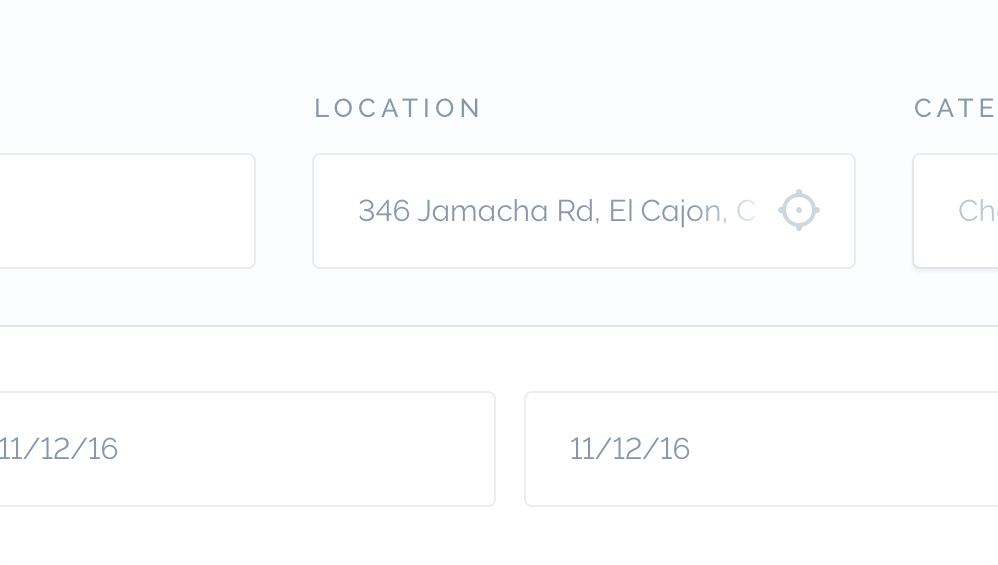
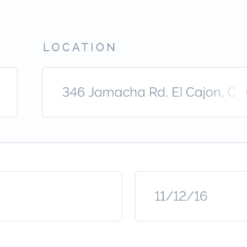
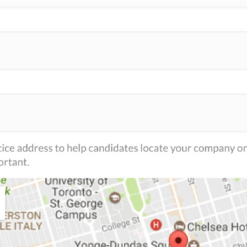
Use Google Places to auto suggest locations when submitting a listing or searching. Version: 3.5.2 Use Google Places to auto suggest locations when submitting a listing or searching.

Released on: 2024-01-31

Single License

Club Membership

17,99 / Month Membership

NEW Activate all licensed items with the free Dashboard

EffectIO Dashboard

Discover when we give away free Plugins

Find out when we give items for Free

Hey! 🎉 Monthly emails, tops. Snag exclusive plugins/themes for $0. They go quick, but you might just get a freebie! 😉

30 Days Money Back Guarantee

Guaranteed pre-activated plugins. Most items work immediately after installation. Open a support ticket to obtain the license keys for the ones that ask for activation.

Free support to install and setup on your site.

Extended Location for WP Job Manager

Extend the functionality of WP Job Manager with the Extended Location plugin! This plugin is regularly updated to ensure that your users’ business listings are easily found. With its high-quality code and detailed documentation, you can trust that this plugin will enhance your website’s performance.

Key Features:

  • Automatically show listings relevant to the user’s location
  • Simple and transparent pricing
  • Fast and SEO friendly
  • Free support from our dedicated team

Benefits:

  1. Improve user experience by displaying location-specific listings
  2. Boost search engine optimization for enhanced visibility
  3. Save time and effort with our regularly updated plugin
  4. Access detailed documentation for easy setup and configuration
  5. Receive free support for any questions or issues you may encounter
  6. Efficiently manage your job listings with this user-friendly plugin
  7. Easily integrate Extended Location with other WP Job Manager add-ons
  8. Minimal setup required for maximum impact

🌍🆒💰🚀💡📈📆🔍

Join our community to stay up-to-date with the latest updates, tutorials, and resources. Subscribe to our newsletter for exclusive offers and deals. We pride ourselves on offering premium support with a resolution time of under 1 hour and an NPS score of 95.

Unlock the Full Potential

Enhance your website’s functionality with Extended Location for WP Job Manager. With GPL code and premium support from EffectIO, you can trust that you’re getting a cost-saving update channel for your plugins. Effortlessly update your items using the EffectIO Dashboard, with pre-activated plugins for instant use.

✅ Get exclusive deals with 30 to 90 percent discounts through EffectIO
✅ Stay ahead of the competition with regular updates and improvements
✅ Enjoy the benefits of fast and SEO-friendly code
✅ Access premium support for any inquiries or complex problems

Take advantage of the Extended Location plugin and elevate your WP Job Manager site to new heights. Try it today!

Use Google Places to auto suggest locations when submitting a listing or searching.

3.5.4
  • Fix: Deprecated function issue.
  • Update: Compatibility check with latest WordPress v6.2.
3.5.3
  • Fix: Location metabox fields issue resolved.
  • Update: Compatibility check with latest WordPress v6.0.
  • Update: Compatibility check with latest WP Job Manager v1.36.2.
3.5.2
  • Update: Minify JS and CSS files.
  • Update: Compatibility check with latest WordPress v5.5.3.
  • Update: Compatibility check with latest WP Job Manager v1.34.3.
  • Update: Compatibility check with the latest PHP v7.4.10.
  • Update: Version of Google map API.
3.5.1
  • Fix: Version numbers.
3.5.0
  • New: Set Google Maps version to 3.33
  • New: Allow found IP address to be filtered.
  • Securi compatibility IP check.
3.4.0
  • New: Use WP Job Manager's Google Maps API key. Add your key in "Listings > Settings".
  • New: Use the site's current language to return IP-powered location suggestion.
3.3.0
  • New: Update README
3.2.0
  • Fix: Avoid PHP warning on $lock_status
  • Fix: String translation fixes.
3.1.0
  • New: Pass the site's current language and locale to Google Maps API for localized maps.
  • New: Pull translations from https://astoundify.com/glotpress/projects/extended-location/
  • New: Allow found IP location to be filtered.
  • New: Allow coordinates to be used on the location field.
  • New: Admin notification when Google Maps API key is missing.
  • Fix: Avoid PHP warning on $lock_status
3.0.0
  • New: Separate "Location" metabox when editing a listing in the WordPress dashboard.
  • New: Hide map if no API key is added.
  • Fix: Various improvements and stability fixes.
2.6.1
  • Fix: Simplify logic on submission form map.
2.6.0
  • New: Use all available IP location data to prefill search field.
  • Fix: Ensure pin location remains the same after editing a listing.
2.5.2
  • Fix: Avoid PHP error on empty() call.
2.5.1
  • Fix: Avoid PHP error.
2.5.0
  • New: Fallback to Default Location when no IP location data is found.
  • Fix: Pin location when previewing or editing a listing.
2.4.0
  • Fix: Update IP address lookup service to http://ip-api.com/docs/api:json
  • Fix: Don't set a null value if location cannot be found or set.
  • Fix: Prevent form from submitting listing when enter is used to select a location.
  • Fix: Don't geocode when a coordinate is entered.
  • Fix: Update compatibility with the Client Side Geocoder plugin.
  • Fix: Remove `sensor` parameter from the Google Maps API library asset.
  • New: "Lock" the pin in place while the address remains updatable.
  • Fix: Backend view in Firefox.
  • Fix: Pin moving when other fields are edited.
  • Fix: Use country if only available data for auto suggest.
2.2.3
  • Fix: Remove debug code.
2.2.2
  • Fix: Use proper IP address.
2.2.1
  • Fix: Use wp_remote_get() to try many options of retrieving IP data.
2.2.0
  • New: City Suggest - automatically recommend the users current city.
  • Fix: Avoid error if no default is set in admin.
  • Tweak: String changes.
2.1.0
  • New: Add autolocation to all location inputs.
  • Fix: Avoid breaking other plugins using tabs on their settings.
  • Fix: Pin's geolocation lat/long will be used instead of geocoded address location.
  • Tweak: Improve javascript mapping.
  • Tweak: Move license input field to the correct tab.
2.0.0
  • Note: This is a major update. Please disable the old "WP Job Manager - Google Places Suggest" plugin if it remains active after update.
  • New: Rename plugin for future expansion
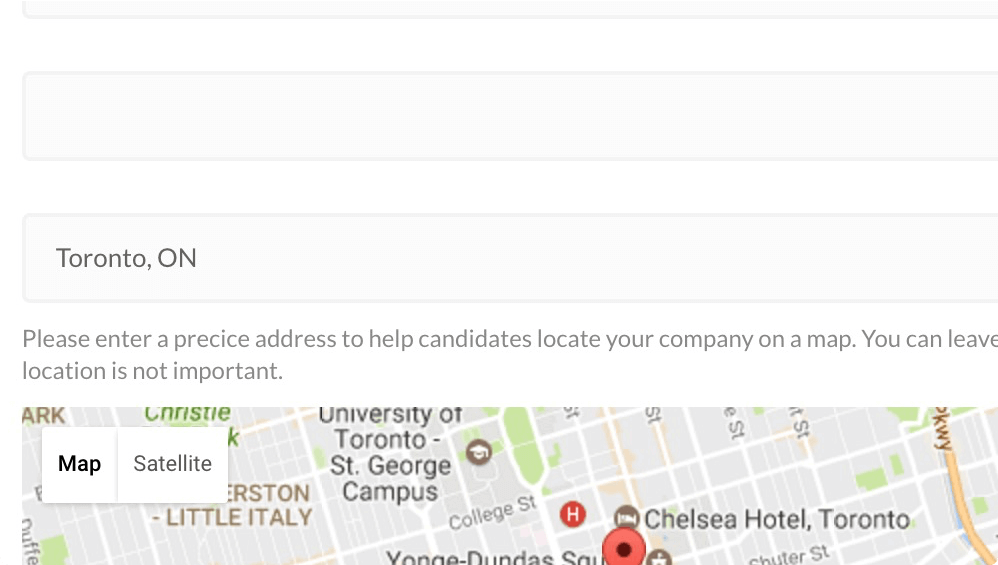
  • New: Add a map and draggable pin to the submission form (frontend and backend). The default point can be set in "Listing > Settings > Extended Locations"
1.0.0
  • New: Initial Release!

Testimonials

Benny O'Brien@benny_obie

The quick response from a friendly team member at @effectioshop honestly caught me off guard.
Nice work!


Stuart Boyle@stuart_boyle

@effectioshop As an eCommerce developer, effectio.org has enabled me to reach higher expectations and my clients are very happy.


22,000+ Users · 180 Countries
Trusted by freelancers, agencies & store owners worldwide

How It Works

Install the free EffectIO Dashboard plugin on your WordPress site. It connects to the EffectIO catalog, detects every premium plugin and theme you own, and gives you a single hub to manage licenses, run updates, and keep your admin panel clean — all from one screen.

⚡

One-Click Updates
Update any premium plugin or theme instantly. No manual downloads, no FTP — just click "Update Now."

🔑

License Manager
View, activate, and manage all your license keys in one place. No hunting through emails or vendor dashboards.

🔇

Notification Blocker
Blocks intrusive admin nag screens, upsell banners, and ads that clutter your dashboard. Re-enable anytime.

🛡️

Vendor Request Control
Prevents redundant license-check pings to third-party servers for items you already manage through EffectIO.

📦

Bulk Activation
Club members can activate all eligible plugins and themes at once — one button, zero hassle.

🆓

100% Free
The Dashboard itself costs nothing. Install it and it auto-activates on your domain — no key required.

Get Started in 3 Steps

1

Download & Install

Download the EffectIO Dashboard zip and install it via Plugins → Add New → Upload.

2

Browse & Activate

Open EffectIO → Catalog in your admin panel. The dashboard auto-detects your installed items and matches them to your licenses.

3

Update & Manage

Keep everything current with one-click updates. Manage licenses, block nag notices, and enjoy a cleaner WordPress experience.

Licenses

All WordPress derivative work is GPL-licensed. Most items are pre-activated and ready to use. Some require an activation key — we provide it with your purchase, and the Dashboard lets you apply it in seconds.

Club members enjoy bulk activation: activate every eligible item at once with a single click. No more entering keys one by one.

✅ Money-Back Guarantee

Every item is tested and ships with full features. If something doesn't work and we can't fix it, you get a full refund. We believe premium tools should be accessible — that's why we offer a low-cost subscription so freelancers, small businesses, and agencies can grow without a large upfront investment.

Manage and Update all your sites

17.99 $ / Month Membership

2900 Plugins and Themes. Install, Update, Activate and Delete any plugin. Unlimited Sites. Best WP Agency Deal.

Clean Items

NGO Mission

Always Updated

SSL Connection

Plugins