EffectIO GravityCalendar 2.14.0

Original price was: $70.00.Current price is: $9.99. / year

Drop-in compatible replacement & Licensed Product

Display entries in a FullCalendar on a page or in GravityView. Version: 2.3.2 Display entries in a FullCalendar on a page or in GravityView.

Released on: 2026-02-23

Single License

Club Membership

17,99 / Month Membership

NEW Activate all licensed items with the free Dashboard

EffectIO Dashboard

Discover when we give away free Plugins

Find out when we give items for Free

Hey! 🎉 Monthly emails, tops. Snag exclusive plugins/themes for $0. They go quick, but you might just get a freebie! 😉

30 Days Money Back Guarantee

Guaranteed pre-activated plugins. Most items work immediately after installation. Open a support ticket to obtain the license keys for the ones that ask for activation.

Free support to install and setup on your site.

Introducing GravityCalendar 2.3.2: The Ultimate WordPress Event Management Plugin

Are you looking for a powerful event management solution for your WordPress website? Look no further! GravityCalendar 2.3.2 is here to revolutionize the way you handle events, saving you time, effort, and money. And with EffectIO, the leading alternative update channel for plugins, you can access this advanced version at unbeatable discounts ranging from 30% to 90% off! 🎉

Why Choose GravityCalendar 2.3.2 from EffectIO?

1. Easy event creation and management with a user-friendly interface 📅

2. Seamless integration with the popular Gravity Forms plugin, allowing you to collect event registration information effortlessly 📋

3. Fully customizable event display options to match your website’s branding and style ✨

4. Efficient event filtering and searching capabilities, ensuring your visitors find the events they’re interested in quickly 🔍

5. Advanced recurring event creation, saving you time by automating the scheduling process ♾️

6. Powerful calendar views, including month, week, day, and list view, providing flexibility for your visitors’ preferences 🗓️

7. Intuitive event categorization and tagging, making it easy for users to find events by specific criteria 🏷️

8. Mobile-responsive design, ensuring a seamless experience for your visitors on all devices 📱

9. Highly adaptable settings and options, allowing you to tailor GravityCalendar to your unique event management needs ⚙️

10. Constant updates and improvements brought to you through the EffectIO Dashboard with pre-activated licenses for a hassle-free experience ✅

11. Benefiting from the GPL code of the plugin, opening up opportunities for customization and integration with other WordPress tools 🧩

12. Premium support provided by EffectIO’s expert team, always ready to assist you with any queries or technical issues 🆘

13. Super deals from EffectIO, giving you the chance to enjoy significant savings with discounts ranging from 30% to 90% off 💸

Unleash the Power of GravityCalendar 2.3.2 Today!

With GravityCalendar 2.3.2, managing events on your WordPress website has never been easier or more efficient. Experience the benefits of this versatile plugin, enjoy the flexibility of its features, and save money by obtaining it through EffectIO for incredible discounts. Don’t miss out on this incredible opportunity – grab your copy of GravityCalendar 2.3.2 now!
Display entries in a FullCalendar on a page or in GravityView.

2.14.0
  • This update adds support for external ICS feed events in calendar subscriptions, enhances conditional logic, and resolves an issue with event links in list-style views. #### 🚀 Added
  • Ability to include events from external ICS feeds in calendar subscription exports in addition to Gravity Forms entries. #### ✨ Improved
  • Enhanced conditional logic:
  • Better support for nested Repeater fields;
  • Nested field labels now include their parent field name for easier identification;
  • Custom dropdown/checkbox/radio values added dynamically now display correctly;
  • Improved compatibility with WordPress installations using SQLite. #### 🐛 Fixed
  • Event links to Single Entry pages were not working in list-style calendar views (e.g., Day List). #### Developer Updates
  • Added `gk/gravitycalendar/ics-export/external-sources` filter to modify or remove external ICS sources before they are fetched for the calendar subscription export.
  • Added `gk/gravitycalendar/ics-export/external-events` filter to modify or remove external ICS events after fetching but before they are merged into the calendar subscription export.
  • Added `gk/gravitycalendar/ics-export/events` filter to modify events before they are written to the calendar subscription export. #### 🔧 Updated
  • [Foundation](https://www.gravitykit.com/foundation/) to version 1.10.0.
2.13.0
  • This release enhances conditional logic, improves shortcode and event location handling, and resolves issues with HTML content and fatal errors in certain calendar feed configurations. #### ✨ Improved
  • Shortcodes contained in the Event Location feed setting are now processed.
  • Enhanced conditional logic:
  • Added support for using merge tags in text inputs;
  • Added automatic "Currently Logged-in User" options for Populate Anything fields using WordPress users as a source;
  • Fixed errors when using Consent field sub-inputs in conditional logic;
  • Filters using `{user:}` and `{created_by:}` merge tags are now treated as no-match when the user is logged out;
  • Other fixes and improvements. #### 🐛 Fixed
  • HTML content in the "Event Location" setting was not being allowed when the "Allow HTML content" setting is enabled.
  • Fatal error when creating a calendar feed for a form with a Post Category field if GravityView was not active. #### 🔧 Updated
  • [Foundation](https://www.gravitykit.com/foundation/) to version 1.5.0. #### Developer Updates
  • Modified the `gravityview/calendar/events/do_shortcodes` filter to also determine whether to process shortcodes in the Event Location feed setting.
2.12.0
  • This release improves conditional logic and fixes incorrect time display when moving events on the calendar. #### ✨ Improved
  • Enhanced conditional logic:
  • Added ability to search fields by "does not contain";
  • Added predefined options (e.g., Today, Tomorrow, etc.) for Date fields;
  • Created By field now support `is empty` and `is not empty` operators;
  • Fixed conditional logic not working with radio button fields and Survey field Likert scales;
  • Other fixes and improvements. #### 🐛 Fixed
  • Dragging and dropping events on the calendar now correctly preserves the 24-hour time format when set in WordPress settings. #### 🔧 Updated
  • [Foundation](https://www.gravitykit.com/foundation/) to version 1.3.0:
  • New GravityKit global settings for logging configuration (level, type, cleanup schedule, retention);
  • A unified way to display admin notices across all GravityKit products;
  • Performance improvements and bug fixes.
2.11.0
  • This release adds more control over event links and calendar toolbar button labels, improves event tooltip display, and fixes missing form notification events in Calendar feed settings. #### 🚀 Added
  • Additional options for configuring event links, including a custom URL and, if GravityView is installed, a direct link to a single entry page.
  • Option to control the display of calendar toolbar button labels, allowing selection between short and full labels. #### ✨ Improved
  • Event tooltip visibility and positioning to prevent display issues in certain scenarios. #### 🐛 Fixed
  • Some form notifications were missing from the list of selectable notifications in Calendar feed settings.
2.10.1
  • This hotfix resolves an issue affecting conditional logic in feed settings. #### 🐛 Fixed
  • A potential JavaScript conflict that could prevent conditional logic from being configured. #### 🔧 Updated
  • [Foundation](https://www.gravitykit.com/foundation/) to version 1.2.23.
2.10.0
  • This release improves conditional logic functionality and fixes a deprecation notice in Gravity Forms 2.9.1+. #### ✨ Improved
  • Enhanced conditional logic:
  • Added ability to define custom filter values when using the `has ANY of` or `has ALL of` operators;
  • Added support for merge tag processing in filters with multiple values;
  • Fixed an issue where a missing filter value, when combined with the `has ANY of` or `has ALL of` operators, caused the user interface to break. #### 🐛 Fixed
  • Deprecation notice in Gravity Forms 2.9.1 or newer caused by the use of the `GFFormsModel::matches_operation()` method. #### 🔧 Updated
  • [Foundation](https://www.gravitykit.com/foundation/) to version 1.2.22.
2.9.0
  • This release adds a simple way to access all calendar feeds from the GravityKit menu. #### 🚀 Added
  • "All Calendars" menu under GravityKit to conveniently access and filter all calendar feeds in one place.
2.8.3
  • This hotfix update addresses a non-critical PHP notice in WordPress 6.7 and newer. #### 🐛 Fixed
  • PHP notice in WordPress 6.7 caused by initializing product translations too early. #### 🔄 Updated
  • [Foundation](https://www.gravitykit.com/foundation/) to version 1.2.21.
2.8.2
  • This release improves conditional logic functionality, fixes issues with language selection and missing locales, and addresses a PHP deprecation error. #### ✨ Improved
  • Conditional logic:
  • Added support for is empty and is not empty operators for fields with predefined choices;
  • Introduced a new option to specify a custom value for the contains operator when fields have predefined choices;
  • General bug fixes. #### 🐛 Fixed
  • Language selection in the feed editor was not working correctly, and some locales were missing from the list.
  • PHP deprecation error.
2.8.1
  • This hotfix release addresses an issue that prevented the calendar from displaying. #### 🐛 Fixed
  • JavaScript error that caused the calendar not to display when event editing was enabled in the calendar feed.
2.8.0
  • This release updates FullCalendar to version 6, introducing features like multi-month layouts and expanded calendar language support. #### 🚀 Added
  • Support for multi-month grid and stack layouts, allowing you to display multiple months at once.
  • Additional calendar languages. #### 🔧 Updated
  • [Foundation](https://www.gravitykit.com/foundation/) to version 1.2.20.
  • [FullCalendar](https://fullcalendar.io/) to version 6.1.15.
2.7.3
  • This update resolves the issue with external calendar feeds not loading and fixes a 404 error in the browser console. #### 🐛 Fixed
  • 404 error in the browser console caused by a missing stylesheet.
  • Events from external calendar feeds not loading. #### 🔧 Updated
  • [Foundation](https://www.gravitykit.com/foundation/) and [TrustedLogin](https://www.trustedlogin.com/) to versions 1.2.18 and 1.9.0, respectively.
2.7.2
  • This update includes several bug fixes and updates internal components for better performance and compatibility. #### 🐛 Fixed
  • Calendar did not respect the setting to navigate to the first available past or future event when no current events were available.
  • Copying text inside the event cell or tooltip was not possible even when the event was not editable.
  • PHP warning due to an undefined array key. #### 🔧 Updated
  • [Foundation](https://www.gravitykit.com/foundation/) and [TrustedLogin](https://www.trustedlogin.com/) to versions 1.2.17 and 1.8.0, respectively.
  • [FullCalendar](https://fullcalendar.io/) to version 5.11.5.
  • [Popper](https://popper.js.org/docs/v2/) to version 2.11.8.
2.7.1
  • This release resolves an issue with the ICS export URL and updates internal components to improve performance and compatibility. #### 🐛 Fixed
  • Calendar subscription links weren't working, preventing users from accessing and subscribing to events. #### 🔧 Updated
  • [Foundation](https://www.gravitykit.com/foundation/) to version 1.2.13.
  • Fixed a bug that prevented WordPress from loading third-party plugin translations after their updates.
  • Improved internal check for product updates that could still interfere with third-party plugin updates.
2.7.0
  • This release enhances the conditional logic functionality in calendar feeds, adds instant filtering of events, and fixes the display of events without end dates. #### 🚀 Added
  • Instant filtering of calendar events.
  • Ability to nest conditional logic filters and to filter entries based on the current user's role(s). #### 🐛 Fixed
  • Events without an end date now appear on the calendar.
2.6.2
  • This release fixes an ICS export issue and sets event names as the default for ICS and JSON file names. #### 🐛 Fixed
  • ICS export issue. Thanks to Sean for discovering the issue! ### ✨ Improved
  • Use the event name as the file name when exporting events to ICS or JSON. Thanks to Karl for the suggestion! #### 🔧 Updated
  • [Foundation](https://www.gravitykit.com/foundation/) to version 1.2.12.
  • Transients are no longer autoloaded.
  • Fixed a bug that hid third-party plugin updates on the Plugins and Updates pages.
  • Resolved a dependency management issue that incorrectly prompted for a Gravity Forms update before activating, installing, or updating GravityKit products.
  • GravityKit product updates are now showing on the Plugins page.
  • Database options that are no longer used are now automatically removed. #### 💻 Developer Updates
  • Added `gk/gravitycalendar/feed/file-name` filter to allow modifying the file name.
2.6.1
  • This release fixes a critical error when creating new calendar feeds, addresses issues with event time updates during movement or resizing, and updates internal components for enhanced performance and compatibility. #### 🐛 Fixed
  • Time now updates during moving and resizing of an event.
  • Creating a new calendar feed no longer returns an error. #### 🔧 Updated
  • [Foundation](https://www.gravitykit.com/foundation/) to version 1.2.9.
  • GravityKit products that are already installed can now be activated without a valid license.
  • Fixed PHP warning messages that appeared when deactivating the last active product with Foundation installed.
2.6
  • This release enhances security, addresses multiple issues related to conditional logic, resolves a compatibility issue with DataTables version 3.3 and higher, and updates essential components to enhance performance. #### 🔐 Security
  • Calendars can now choose to "Enable security" that forces the use of a `secret` attribute on shortcodes. [Learn about the `secret` attribute](https://docs.gravitykit.com/article/991-secret-shortcode-attribute). #### 🚀 Added
  • A calendar shortcode can now be copied by a single click on the shortcode field. #### 🐛 Fixed
  • Fatal error when using DataTables with client-side processing enabled.
  • PHP 8.1+ deprecation notice.
  • Filtering by progress in conditional logic now accurately interprets entry's '100%' completion rate as 'complete'.
  • Processing conditional logic filters for non-date fields no longer results in errors.
  • "Form field ID #X is no longer available" error when adding conditional logic, despite the field existing.
  • "Created by Currently Logged-in User (Disabled for Administrators)" filter not functioning correctly with field conditional logic.
  • Incorrect results when filtering checkbox fields using the "is not" condition. #### 🔧 Updated
  • [Foundation](https://www.gravitykit.com/foundation/) to version 1.2.8.
  • Transients are now set and retrieved correctly when using object cache plugins.
  • Fixed a JavaScript warning that occurred when deactivating license keys and when viewing products without the necessary permissions.
  • Resolved PHP warning messages on the Plugins page.
2.5
  • This release adds support for displaying multiple public calendar feeds on the same calendar and improves the performance of remote feeds. #### 🚀 Added
  • Support for showing multiple public calendar feeds on the same calendar by separating URLs with commas. #### ✨ Improved
  • Caching of remote feeds for 10 minutes to enhance performance. #### 💻 Developer Updates:
  • Added the `gk/gravitycalendar/event-sources` filter to modify extra calendars displayed on a calendar. [See example code](https://gist.github.com/zackkatz/9acc181ae9bbd1c339ca614e64ccb733).
  • Modified the `$extra_options` array passed to the `gravityview/calendar/extra_options` filter:
  • Removed the `ical_feed` key.
  • Removed the `ical_color` key.
  • Added the `ical_feeds` key, containing an array of all public calendar feed URLs with this structure:
  • `url`: URL to the public calendar feed.
  • `color`: any valid CSS color.
  • `type`: `ics` or `json`.
2.4.3
  • Fixed: Conditional logic in GravityCalendar feeds causes a fatal error if GravityView is not installed
2.4.2
  • Fixed: GravityCalendar feeds now correctly handle relative dates (e.g., "today", "yesterday") in conditional logic configured for date fields
  • Fixed: View's Advanced Filter conditions not being respected inside the View calendar widget
  • Updated: [Foundation](https://www.gravitykit.com/foundation/) to version 1.2.6 __Developer Updates:__
  • Added: `gk/gravitycalendar/events/custom-response` filter to short-circuit the event fetching process and return a custom response
2.4.1
  • Fixed: Excessive whitespace appearing in the categories section when using the block editor
2.4
  • Added: Option to automatically attach an ICS event calendar file to form notification emails
  • Improved: Performance when querying events on hosts with limited resources
  • Fixed: Date picker not working in Conditional Logic
  • Fixed: Deprecation notice in PHP 8.2+
  • Fixed: Calendar feed's Conditional Logic not being respected inside the View widget
  • Fixed: Fatal error when the View widget is configured to display all entries
  • Updated: [Foundation](https://www.gravitykit.com/foundation/) to version 1.2.5 __Developer Updates:__
  • Deprecated: `GravityView_Widget_Calendar::get_entries()` method
  • Removed:
  • `GV_Extension_Calendar_Feed::calculate_fullcalendar_plugins()` and `GV_Extension_Calendar_Feed::convert_button_to_plugin_name()` methods that was deprecated in 1.5
  • `GV_Extension_Calendar_Feed::calculate_frontend_enqueues()` method that was deprecated in 1.5.1
  • `gravityview/calendar/settings/search_criteria` filter that was deprecated in 1.5.7
  • Added: `gk/gravitycalendar/settings/db-batch-size` filter to modify the number of entries fetched from the database at a time
2.3.6
  • Fixed: Calendar Buttons and Link blocks not working in the Gutenberg editor
  • Fixed: "Copy Calendar Feed URL" button not copying the URL to the clipboard
  • Fixed: Multi-line description fields in calendar feeds would only display the first line of text
2.3.5
  • Improved: Support for RTL languages
  • Fixed: Events starting before or ending after the visible date range of the view were not being displayed
  • Updated: [Foundation](https://www.gravitykit.com/foundation/) to version 1.2.2
2.3.4
  • Fixed: Incompatibility with some plugins/themes that use Laravel components
  • Fixed: Timezone issues for all-day events in ICS feeds
  • Updated: [Foundation](https://www.gravitykit.com/foundation/) to version 1.1.1
2.3.3
  • Fixed: "Greater than" and "less than" comparison not working with the "Total" field in conditional logic
  • Fixed: It was possible for the "Calendar Controls" setting to become corrupted
  • Fixed: All-day single-day events could span multiple days due to timezone issues
  • Removed: Calendar formatting validation for the "Display Events from Another Calendar Feed" setting because the validation was too strict
  • Updated: [Foundation](https://www.gravitykit.com/foundation/) to version 1.0.9
2.3.2
  • Updated: [Foundation](https://www.gravitykit.com/foundation/) to version 1.0.8
2.3.1
  • Fixed: PHP 8.1 notices
  • Fixed: Fatal error on some hosts due to a conflict with one of the plugin dependencies (psr/log)
2.3.0.1
  • Fixed: Calendar Feed URL wasn't loading necessary scripts
2.3
  • Added: You can now show other calendar feeds on a calendar using the Calendar Feed URL setting [(read how to add calendar feeds)](https://docs.gravitykit.com/article/899-displaying-events-from-another-calendar)
2.2.5
  • Fixed: The plugin would display a notice requiring Gravity Forms 2.5 even if it's already installed
  • Fixed: Fatal error on some hosts that use weak security keys and salts
2.2.4
  • Fixed: It was not possible to remove an expired license key
2.2.3
  • Fixed: "Undefined index" PHP notice
2.2.2
  • Fixed: Fatal error when loading plugin translations
  • Fixed: Slow loading times on some hosts
  • Fixed: Plugin failing to install on some hosts
2.2.1
  • Added: Support for future "Event" Gravity Forms field type when choosing a date field
  • Fixed: Plugin was not appearing in the "Add-Ons" section of the Gravity Forms System Status page
2.2
  • Added: New WordPress admin menu where you can now centrally manage all your GravityKit product licenses and settings ([learn more about the new GravityKit menu](https://www.gravitykit.com/foundation/))
  • Go to the WordPress sidebar and check out the GravityKit menu!
  • We have automatically migrated your existing GravityCalendar license, which was previously entered in the Gravity Forms settings page
  • Request support using the "Grant Support Access" menu item
  • Fixed: FullCalendar and Popper libraries were updated to the latest versions but not included in the previous release
  • Fixed: Potential fatal error when parsing shortcodes
2.1
  • Improved: Now you can use the [`{get}` Merge Tag](https://docs.gravitykit.com/article/314-the-get-merge-tag) to filter displayed entries by passing URL parameters
  • Updated: The name of the plugin is now GravityCalendar, so we updated shortcodes to use the new name. Prior shortcodes will continue to work!
  • `[gravitycalendar]` instead of `[gv_calendar]`
  • `[gravitycalendar_link]` instead of `[gv_calendar_link]`
  • `[gravitycalendar_copy_button]` instead of `[gv_calendar_copy_button]`
  • `[gravitycalendar_export_button]` instead of `[gv_calendar_export_button]`
  • Updated: Use the GravityCalendar icon in the plugin menu and on blocks
  • Fixed: Scripts and styles were loading on pages without calendars __Developer Updates:__
  • Updated: FullCalendar library from 5.10.1 to 5.11.3
  • Updated: Popper library from 2.9.3 to 2.11.6
2.0.2
  • Updated: Uses our new GravityCalendar icon in the Gravity Forms menu
  • Fixed: Javascript error when configuring Legacy Widgets in the WordPress Dashboard
  • Tested to WordPress 6.0.1
2.0.1
  • Fixed: Invalid `.ics` file is generated when using a manual timezone offset (e.g., 'UTC-4' instead of 'America/New_York')
2.0.0.1
  • Fixed: Calendar feeds not working due to the library not being included in the downloaded file
2.0
  • *Note: This version requires WordPress 5.3 and PHP 7.4 or newer.**
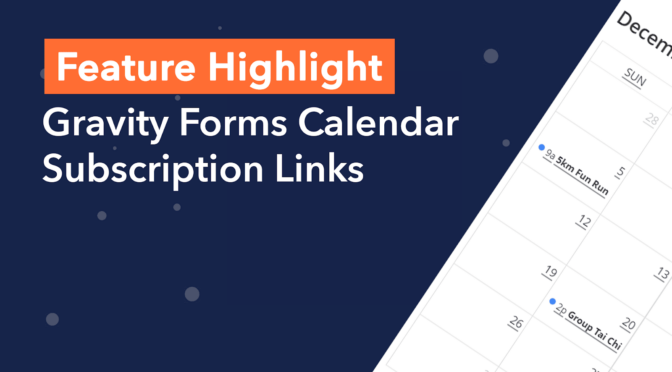
  • Added: Calendar subscription links! People can now subscribe to your calendar feed in Google Calendar and Apple Calendar
  • Visitors can also download `.ics` files that can be imported into calendars
  • New "GravityView Calendar Link" and "GravityView Calendar Buttons" blocks to make it easy to share links to your calendars ([learn how to use the new blocks](https://docs.gravitykit.com/article/830-calendar-blocks))
  • New `[gv_calendar_link]`, `[gv_calendar_export_button]`, and `[gv_calendar_copy_button]` shortcodes ([learn about the new shortcodes](https://docs.gravitykit.com/article/831-calendar-shortcodes))
  • Fixed: Styles not outputting when a calendar is embedded on block themes (in WordPress 5.9 and higher)
  • Fixed: Translations not loading properly
  • Fixed: Merge tags were not being processed inside Conditional Logic
  • Fixed: Calendar height setting now allows [all CSS units](https://fullcalendar.io/docs/height)
  • Upgraded: FullCalendar from 5.6 to 5.10.1
  • Improved accessibility
  • Many fixes to tooltip behavior
  • [See the FullCalendar changelog](https://github.com/fullcalendar/fullcalendar/tags)
  • Updated: Polish translation (Thanks Dariusz Z!)
1.7.0.1
  • Fixed: Potential fatal error when Calendar is embedded on a page and GravityView is not installed. Calendar does _not_ require GravityView, sorry for the issue.
1.7
  • The next version of Calendar adds great functionality that requires PHP 7.4. **Please contact your host to update your PHP version!**
  • Updated: Now using [Version 5.10.1 of FullCalendar](https://github.com/fullcalendar/fullcalendar/releases/tag/v5.10.0). There are HTML changes as well as accessibility improvements.
  • Improved: Calendar week start day now defaults to the value of the "Week Starts On" setting configured in WordPress. [Read how to modify the week start date](https://docs.gravitykit.com/article/814-calendar-week-start).
  • Improved: Added "Entry Approval Status" option under Conditional Logic
  • Improved: It is now possible to filter only those entries that have been updated since creation
  • Fixed: Event description tooltip would be displayed underneath an event when using an Agenda layout with overlapping events
  • Fixed: JavaScript error when a Conditional Logic filter is configured for a multi-input form field that no longer exists
  • Fixed: MySQL error on certain hosts when "Date Updated", "Date Created" or "Payment Date" entry meta are filtered using the "is empty" condition
  • Fixed: Removed a line of code that only works in PHP 7.0
1.6.1
  • Fixed: Fatal error when trying to detect Gutenberg editor
  • Fixed: Events without defined start/end time and spanning multiple days (e.g., September 28-30) would show as ending one day earlier
  • Fixed: Plugin styles and scripts would load on pages that do not have embedded calendars
  • Improved: Fully hiding Calendar feed options that should only be shown when a linked option is toggled
1.6.0.1
  • Fixed: [GP Nested Forms](https://gravitywiz.com/documentation/gravity-forms-nested-forms/) compatibility issue
1.6
  • Added: New Conditional Logic that lets you filter events using AND/OR operators
  • Many more Conditional Logic filtering options are available! __Developer Updates:__
  • Updated: [FullCalendar](https://fullcalendar.io/) library was updated to v5.9 (see a [list of changes](https://github.com/fullcalendar/fullcalendar/releases/tag/v5.9.0))
  • Updated: [Popper](https://popper.js.org/) library was updated to v2.9.3 (see a [list of changes](https://github.com/popperjs/popper-core/releases/tag/v2.9.3))
1.5.6
  • Fixed: Line breaks ("\n") appearing in event title/description
  • Fixed: Fatal error when dragging and dropping events
1.5.5
  • Added: Settings option to control the display of HTML content in event title/description
  • Please note that this option is disabled by default and you may have to update your Calendar feed settings
  • Fixed: Display of event color swatches in Calendar feed settings
1.5.4
  • Fixed: Events that had a start time but no end time were being shown as ending at 23:59
  • Fixed: Fatal error when event has an incorrect start/end time (e.g., "00:00 pm") __Developer Updates:__
  • Added: `gravityview/calendar/events/allow_invalid_start_date` filter to allow events with invalid start date

Testimonials

Benny O'Brien@benny_obie

The quick response from a friendly team member at @effectioshop honestly caught me off guard.
Nice work!


Stuart Boyle@stuart_boyle

@effectioshop As an eCommerce developer, effectio.org has enabled me to reach higher expectations and my clients are very happy.


22,000+ Users · 180 Countries
Trusted by freelancers, agencies & store owners worldwide

How It Works

Install the free EffectIO Dashboard plugin on your WordPress site. It connects to the EffectIO catalog, detects every premium plugin and theme you own, and gives you a single hub to manage licenses, run updates, and keep your admin panel clean — all from one screen.

⚡

One-Click Updates
Update any premium plugin or theme instantly. No manual downloads, no FTP — just click "Update Now."

🔑

License Manager
View, activate, and manage all your license keys in one place. No hunting through emails or vendor dashboards.

🔇

Notification Blocker
Blocks intrusive admin nag screens, upsell banners, and ads that clutter your dashboard. Re-enable anytime.

🛡️

Vendor Request Control
Prevents redundant license-check pings to third-party servers for items you already manage through EffectIO.

📦

Bulk Activation
Club members can activate all eligible plugins and themes at once — one button, zero hassle.

🆓

100% Free
The Dashboard itself costs nothing. Install it and it auto-activates on your domain — no key required.

Get Started in 3 Steps

1

Download & Install

Download the EffectIO Dashboard zip and install it via Plugins → Add New → Upload.

2

Browse & Activate

Open EffectIO → Catalog in your admin panel. The dashboard auto-detects your installed items and matches them to your licenses.

3

Update & Manage

Keep everything current with one-click updates. Manage licenses, block nag notices, and enjoy a cleaner WordPress experience.

Licenses

All WordPress derivative work is GPL-licensed. Most items are pre-activated and ready to use. Some require an activation key — we provide it with your purchase, and the Dashboard lets you apply it in seconds.

Club members enjoy bulk activation: activate every eligible item at once with a single click. No more entering keys one by one.

✅ Money-Back Guarantee

Every item is tested and ships with full features. If something doesn't work and we can't fix it, you get a full refund. We believe premium tools should be accessible — that's why we offer a low-cost subscription so freelancers, small businesses, and agencies can grow without a large upfront investment.

Manage and Update all your sites

17.99 $ / Month Membership

2900 Plugins and Themes. Install, Update, Activate and Delete any plugin. Unlimited Sites. Best WP Agency Deal.

Clean Items

NGO Mission

Always Updated

SSL Connection