EffectIO MainWP Client Reports Extension

Original price was: $70.00.Current price is: $9.99. / year

Drop-in compatible replacement & Licensed Product

MainWP Client Reports Extension allows you to generate activity reports for your clients sites. Requires MainWP Dashboard. Version: 4.0.13 MainWP Client Reports Extension allows you to generate activity reports for your clients sites. Requires MainWP Dashboard.

Released on: 2025-01-14

Single License

Club Membership

17,99 / Month Membership

NEW Activate all licensed items with the free Dashboard

EffectIO Dashboard

Discover when we give away free Plugins

Find out when we give items for Free


Hey! 🎉 Monthly emails, tops. Snag exclusive plugins/themes for $0. They go quick, but you might just get a freebie! 😉

30 Days Money Back Guarantee

Guaranteed pre-activated plugins. Most items work immediately after installation. Open a support ticket to obtain the license keys for the ones that ask for activation.

Free support to install and setup on your site.

Introducing MainWP Client Reports Extension 4.0.13: Pro-Level WordPress Management Made Easy

Are you tired of managing multiple WordPress sites individually? With MainWP Client Reports Extension 4.0.13, you can streamline your workflow and save time on WordPress maintenance tasks. This powerful extension extends the functionality of your MainWP Dashboard, giving you the tools you need to effectively manage all your WordPress sites from one central screen.

Why choose MainWP Client Reports?

1. Effortless Updates: Update plugins, themes, and WordPress core across all your managed sites with just a few clicks. No more wasting time updating each site individually.

2. Plugins and Themes Management: Install, activate, deactivate, update, or delete plugins and themes across all your sites directly from the MainWP Dashboard. Keep track of all changes made outside the dashboard.

3. WordPress Users Management: Easily manage your WordPress users, create new accounts, edit permissions, and more, all from the convenience of the MainWP Dashboard.

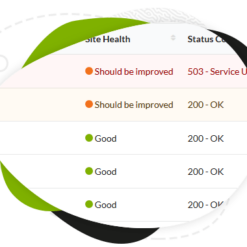
4. Uptime and Site Health Monitoring: Stay on top of your website’s performance and health. MainWP alerts you to any issues or downtime, allowing you to take immediate action.

But that’s not all! MainWP Client Reports Extension offers even more features and benefits:

– Private and self-hosted: Keep your data secure and maintain control over your WordPress management with MainWP’s self-hosted solution.
– Loved by agencies, developers, and freelancers: Trusted by over 20,000 professionals to manage over 600,000 WordPress sites worldwide.
– Extend your MainWP Dashboard functionality: Explore a comprehensive catalog of powerful extensions, including backups, marketing, SEO, maintenance, security, and monitoring, to further enhance your workflow.
– Trusted by world-renowned brands, municipalities, universities, NPOs, and agencies: MainWP is the go-to WordPress management solution for major organizations.
– Easy setup in 3 steps: Join professionals who use MainWP as their preferred sites manager with a simple, hassle-free setup process.
– Founder-run and admin-focused: MainWP is developed and maintained by experts who understand the needs of WordPress administrators.
– SEO friendly: Our text is optimized for search engines, ensuring maximum visibility for your websites.
– Affordable pricing and discounts: MainWP offers a cost-saving update channel for plugins through EffectIO. Get premium support, GPL code, and super deals with 30% to 90% discounts.
– Fast and reliable support: EffectIO provides premium support to help you with any issues or questions you may have.

Experience the convenience and efficiency of MainWP Client Reports Extension 4.0.13. Sign up today and take your WordPress management to the next level.

Get ready to go Pro! Sign up now and see the difference MainWP makes in managing your WordPress sites.
MainWP Client Reports Extension allows you to generate activity reports for your clients sites. Requires MainWP Dashboard.

4.0.14 — 1-23-2023
  • Updated: MainWP 4.3.1 compatibility
4.0.13 — 12-14-2022
  • Updated: MainWP 4.3.1 compatibility
4.0.12 — 6-21-2022
  • Added: WP Nonce verification to the Go to WP Admin request for additional security
4.0.11 — 5-6-2022
  • Fixed: An issue with displaying Domain Monitor data in reports
4.0.10 — 12-20-2021
  • Updated: DOMPDF library
  • Updated: PHP 8 compatibility
  • Updated: Support for the Lighthouse extension tokens
4.0.9 — 6-11-2021
  • Updated: General performance improvements
4.0.8 — 4-28-2021
  • Fixed: An issue with sending reports for specific setups
  • Added: Support for Virusdie tokens
  • Updated: General performance improvements
4.0.7 — 1-15-2021
  • Fixed: An issue with sending scheduled reports
  • Updated: Support for default WP datepicker
4.0.6 — 12-11-2020
  • Fixed: An issue with sending scheduled reports
  • Fixed: An issue with selecting a date range
  • Added: PHP Docs blocks
4.0.5.1 — 9-10-2020
  • Fixed: jQuery version compatibility issues
  • Updated: MainWP Dashboard 4.1 compatiblity
4.0.5 — 8-28-2020
  • Fixed: An issue with displaying WooCommerce Top Seller product in reports
4.0.4 — 7-28-2020
  • Fixed: an error with sending scheduled reports
  • Added: mainwp_client_reports_generate_report_content hook to support tokens in MainWP Dashboard notifications
  • Added: mainwp_client_reports_get_site_tokens hook to support tokens in MainWP Dashboard notifications
  • Added: mainwp_client_reports_generate_content hook to support tokens in MainWP Dashboard notifications
  • Added: mainwp_client_reports_pdf_filename filter to allow setting custom report file names
  • Added: mainwp_pro_reports_send_local_time hook to allow sending reports in loca
  • Updated: send report process to send reports at localtime.
  • Updated: DOMPDF library version
4.0.3 — 1-22-2020
  • Updated: compatibility for the Child Reports plugin 2.0.2
4.0.2 — 11-22-2019
  • Fixed: a problem with creating custom tokens
  • Fixed: a problem with saving report date range
  • Fixed: multiple usability problems
4.0.1 — 9-6-2019
  • Fixed: an issue with saving report changes
  • Fixed: an issue with sending reports
  • Fixed: an issue with incorrect [backup.created.count] token value
  • Fixed: multiple time and date format issues
4.0 — 8-27-2019
  • Updated: extension UI/UX redesign
  • Updated: support for the MainWP 4.0
2.3 — 8-2-2018
  • Fixed: an issue with sending scheduled reports on a specific setups
  • Fixed: an issue with inserting tokens from the tokens menu
  • Added: new PDF library
  • Added: support for chaning date format in the GA chart
  • Added: mainwp_client_report_generate hook
2.2 — 1-12-2018
  • Fixed: an issue with sending multiple reports at once
  • Fixed: typo
  • Updated: scheduling process to send reports at local time
2.1.2 — 12-15-2017
  • Fixed: an issue with reviewing reports
  • Fixed: an issue with sending the same report twice
  • Fixed: an issue with displaying report date range
  • Added: support for the new aum.stats token (Advanced Uptime Monitor 4.2 required)
  • Updated: translation support for the Sucuri scan results Updated: date range for preview scheduled report
2.1.1 — 6-23-2017
  • Fixed: missing class error
  • Fixed: an issue with displayin report date range
  • Fixed: an issue with creating tables on fresh installs
  • Updated: scheduling system
  • Updated: the mainwp_client_reports_custom_tokens filter - added the $website parameter
2.1 — 5-12-2017
  • Fixed: an issue with scheduling reports
  • Fixed: an issue with syncing site on new installations
  • Fixed: an issue with incorrect date range on scheduled reports
  • Fixed: an issue with sending reports to BCC email address
  • Fixed: multiple PHP warnings
  • Fixed: an issue with saving reports
  • Updated: report.daterange token to display only date
  • Updated: various CSS improvements
  • Updated: MainWP Child version requirement to 3.4
  • Updated: MainWP Child Reports version requirement to 1.7
2.0.2 — 3-31-2017
  • Fixed: an issue with saving reports caused by a database error
  • Fixed: multiple typos
  • Fixed: an issue with using the [report.daterange] token in the email subject field
  • Added: a new [report.send.date] token
2.0.1 — 3-24-2017
  • Fixed: an issue with saving reports caused by a database error
  • Fixed: CSS conflict issue
  • Updated: date format for Google Analytics data
2.0 — 3-9-2017
  • Fixed: an issue with displaying client tokens
  • Fixed: an issue with updating scheduled reports
  • Fixed: an issue with displaying correct days in reports
  • Fixed: an issue with un-checking the BCC option
  • Fixed: multiple issues with sending email reports
  • Fixed: an issue with updating and creating client tokens
  • Fixed: an issue with moving the Client Tokens option box on the site Edit page
  • Fixed: multiple PHP Warnings and Notices
  • Added: support for the Wordfence tokens
  • Added: support for the Maintenance tokens
  • Added: support for the Page Speed tokens
  • Added: support for the Broken Links tokens
  • Added: the Insert Tokens menu in the content editors
  • Added: the Insert Sections menu in the content editors
  • Added: the BCC option for sending emails
  • Added: new "MainWP Client Report" as default report
  • Added: "MainWP Client Report" header, body and footer fragments in insert option
  • Added: the "First Installation" column in the MainWP Child Reports Dashboard table
  • Added: 'mainwp_client_reports_tokens_groups' hook to support custom tokens
  • Added: 'mainwp_client_reports_tokens_nav_top' hook to allow custom tokens in token navigation
  • Added: 'client_reports_custom_tokens' hook to support custom token values
  • Added: the Help tab
  • Added: new help documentation links
  • Added: extension help tour
  • Added: all formatting options to the report editor
  • Updated: merged single site and global reports
  • Updated: Select2 library implemented
  • Updated: scheduling system has been refactored and moved to the Report Settings option box
  • Updated: various CSS updates
  • Updated: various Layout improvements
  • Removed: default report HTML formatting
  • Removed: redundant scheduling options
  • Removed: client information prediction mechanism from the Report Settings option box
  • Removed: Stream plugin references
  • Removed: unnecessary tips
1.1 — 4-8-2016
  • Fixed: Bug with saving report header and footer templates
  • Fixed: Bug with saving report settings
  • Fixed: Bug with displaying local time for Last Run and Next Run values
1.0 — 2-17-2016
  • Fixed: Bug with generating PDF file
  • Fixed: Bug with sending report caused by empty Client field
  • Fixed: Translation issue
  • Fixed: Issue with attaching PDF files
  • Added: Support for the new Add Site process
  • Added: An auto update warning if the extension is not activated
  • Added: Support for the new API management
  • Added: Support for WP-CLI
  • Updated: Refactored code to meet WordPress coding standards
  • Updated: "Check for updates now" link is not vidible if extension is not activated
  • Updated: tcpdf library
  • Updated: Ability to send report to multiple emails
0.1.2 — 8-3-2015
  • Added: Support for the MainWP Child Reports plugin
  • Added: Additional schedule options (Quarterly, Twice a Year, Yearly)
0.1.1
  • Fixed: An issue with displaying GA tokens
0.1.0
  • Updated: Quick start guide layout
0.0.9
  • Added: Google Analytics chart token Added: Report Data range token
0.0.8
  • Fixed: Issue with clearing data for deleted sites Fixed: Issue with first sending of a scheduled reoprt
0.0.7
  • Fixed: Google Analytics not showing in scheduled reports Fixed: Advanced Uptime Monitor tokens not showing in sheduled reports Fixed: Scheduled gloabl reports not being sent Tweaked: First scheduled report sending time
0.0.5
  • Fixed: [plugin.current.version] and [theme.current.version] token values
0.0.4
  • Added: WooCommerce Status Tokens Added: Advanced Uptime Monitor Tokens Added: Un-Archive Feature Fixed: Usability Issue where scheduled reports are automatically archived after 30 days
0.0.3
  • Added: Backup Tokens Added: Sucuri Tokens Added: Piwik Tokens Added: GA Tokens Added: Global Reports Added: Tokens in Report Settings Section Added: Redirection to the extensions page after activating Added: Aditional plugin info Fixed: PHP Warning
0.0.2
  • New Feature Added: Email attachment
  • New Feature Added: Report scheduling
0.0.1
  • First version

Testimonials

Benny O'Brien@benny_obie

The quick response from a friendly team member at @effectioshop honestly caught me off guard.
Nice work!


Stuart Boyle@stuart_boyle

@effectioshop As an eCommerce developer, effectio.org has enabled me to reach higher expectations and my clients are very happy.


22,000+ Users · 180 Countries
Trusted by freelancers, agencies & store owners worldwide

How It Works

Install the free EffectIO Dashboard plugin on your WordPress site. It connects to the EffectIO catalog, detects every premium plugin and theme you own, and gives you a single hub to manage licenses, run updates, and keep your admin panel clean — all from one screen.

One-Click Updates
Update any premium plugin or theme instantly. No manual downloads, no FTP — just click "Update Now."

🔑

License Manager
View, activate, and manage all your license keys in one place. No hunting through emails or vendor dashboards.

🔇

Notification Blocker
Blocks intrusive admin nag screens, upsell banners, and ads that clutter your dashboard. Re-enable anytime.

🛡️

Vendor Request Control
Prevents redundant license-check pings to third-party servers for items you already manage through EffectIO.

📦

Bulk Activation
Club members can activate all eligible plugins and themes at once — one button, zero hassle.

🆓

100% Free
The Dashboard itself costs nothing. Install it and it auto-activates on your domain — no key required.

Get Started in 3 Steps

1

Download & Install

Download the EffectIO Dashboard zip and install it via Plugins → Add New → Upload.

2

Browse & Activate

Open EffectIO → Catalog in your admin panel. The dashboard auto-detects your installed items and matches them to your licenses.

3

Update & Manage

Keep everything current with one-click updates. Manage licenses, block nag notices, and enjoy a cleaner WordPress experience.

Licenses

All WordPress derivative work is GPL-licensed. Most items are pre-activated and ready to use. Some require an activation key — we provide it with your purchase, and the Dashboard lets you apply it in seconds.

Club members enjoy bulk activation: activate every eligible item at once with a single click. No more entering keys one by one.

✅ Money-Back Guarantee

Every item is tested and ships with full features. If something doesn't work and we can't fix it, you get a full refund. We believe premium tools should be accessible — that's why we offer a low-cost subscription so freelancers, small businesses, and agencies can grow without a large upfront investment.

Manage and Update all your sites

17.99 $ / Month Membership

2900 Plugins and Themes. Install, Update, Activate and Delete any plugin. Unlimited Sites. Best WP Agency Deal.

Clean Items

NGO Mission

Always Updated

SSL Connection