WooCommerce Follow Up Emails helps automate your email and twitter to keep customers engaged and spending money. Customize WooCommerce Email. Version: 4.9.50
Automate your email marketing, and create scheduled newletters to drive customer engagement for WordPress, WooCommerce, and Sensei.
Hey! 🎉 Monthly emails, tops. Snag exclusive plugins/themes for $0. They go quick, but you might just get a freebie! 😉
30 Days Money Back Guarantee
Guaranteed pre-activated plugins. Most items work immediately after installation. Open a support ticket to obtain the license keys for the ones that ask for activation.
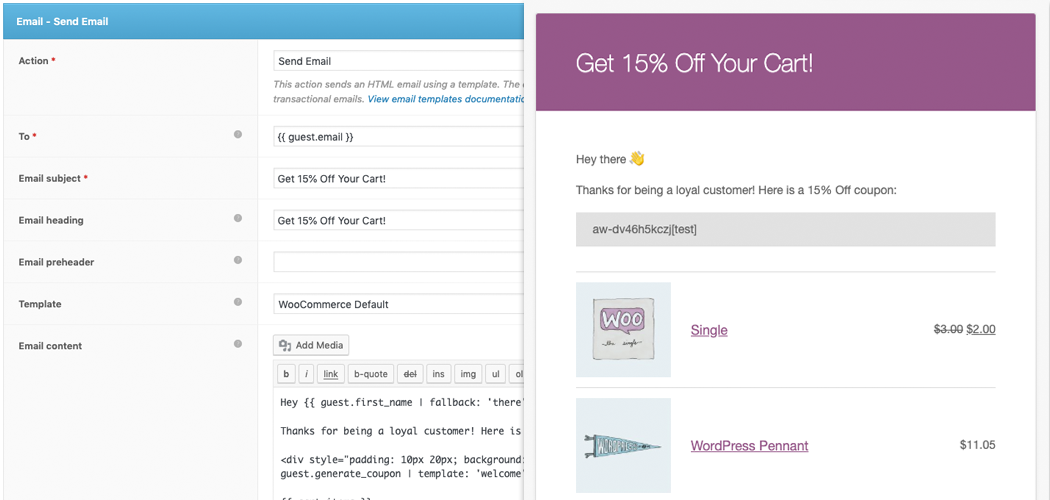
WooCommerce Follow Up Emails helps you automate communications via email and twitter to keep customers, students and prospects engaged with less work and spending money. Customize your emails and change your business for the better since nowadays social media is a powerful marketing tool. Follow-Ups is an extension which acts as an auto-responder to your customers with personalized emails.
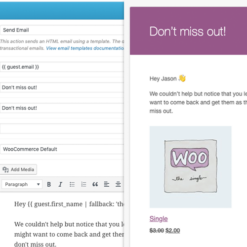
Those emails are delivered automatically at a specific time in your customer’s inbox. This plugin is a customer friendly tool, which helps you maintain a more personal relationship with your clients. The emails are send after the customer does a specific action, like making a purchase, taking a quiz or signing up for an account.
This plugin allows you to:
Email and Tweet your customers and prospects
Track efficacy of your emails (open/clicks/sends/etc)
Automate your marketing communications, so you can spend more time selling
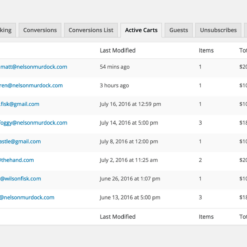
Track customer value to enhance knowledge of your customers
Stay abreast of your students’ progress, and communicate updates
Create reminders to ensure no communication is missed
Optimize your email marketing spend with no outrageous monthly fees
Create and manage mailing lists to get a complete 360-degree view of your email marketing
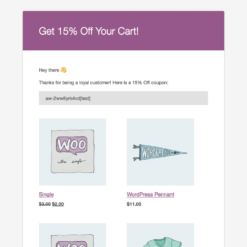
Customize templates for each campaign (or even email) to ensure emails look great on every device
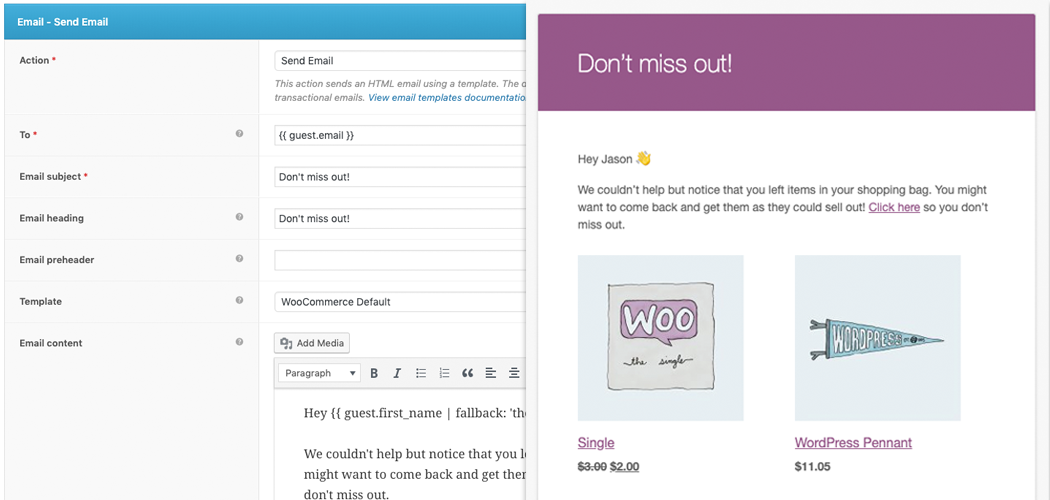
Personalize your emails with built-in variables and merge tags, as well as support custom variables
Enhance the WooCommerce email system and integrate it into your marketing plan
Awesome integrations
WooCommerce Follow Up Emails are directly integrated with many of your favorite plugins and extensions. It makes it extremely easy to send emails and tweets. It does not matter what plugins you are using even if you do not have WooCommerce installed. In fact, using our API, you can integrate with any service, just install Follow-up Emails and WordPress and you are ready to go!
How to install this extension
1. First, you have to download the .zip file from your WooCommerce account.
2. Then, you go to WordPress Admin > Plugins > Add New and Upload Plugin with the file that you downloaded with Choosed File.
3. In the end, you click Install Now and Activate the extension.
Woocommerce Follow Up Emails Functionalities
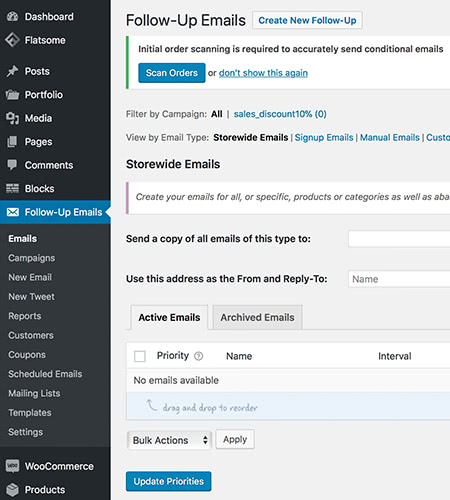
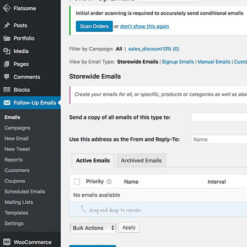
Therefore, first of all, you can check your emails from the “Emails” section. Then you can check your campaigns from the section with the same name. Customize each created campaign with your own site’s needs.
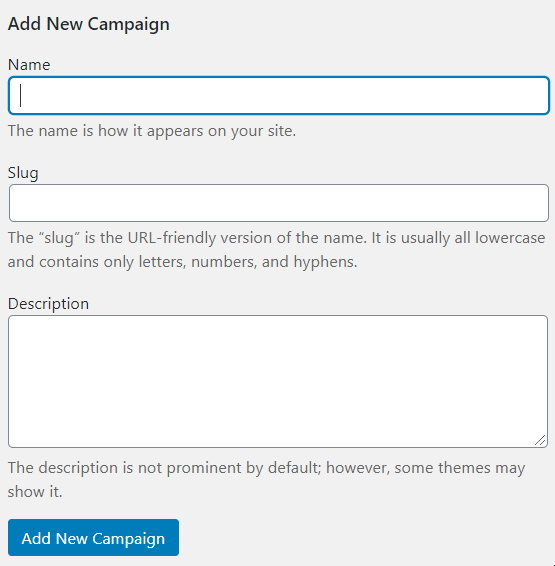
Simply write the name of the campaign in the first section, then the slug. Keep in mind that you should follow the SEO rules, which means you should keep the urls short and without any underline _ . Also add a description to your campaigns and then click on “Add New Campaign”.
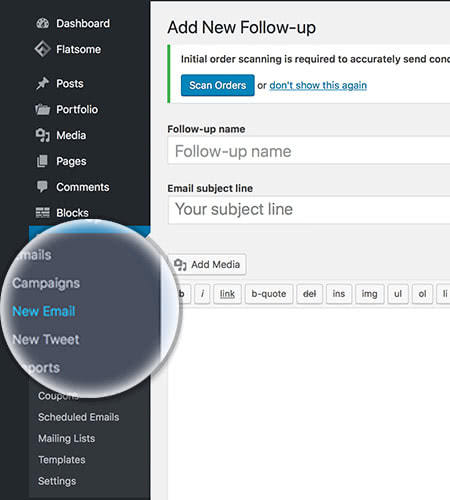
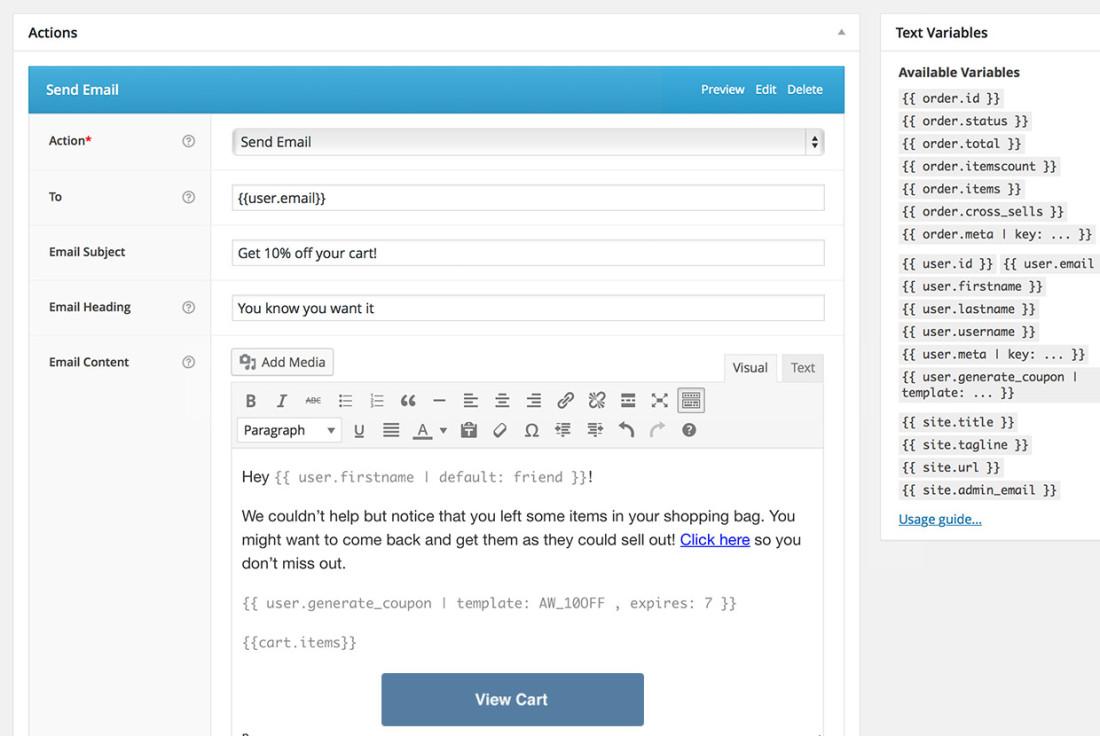
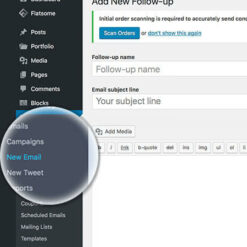
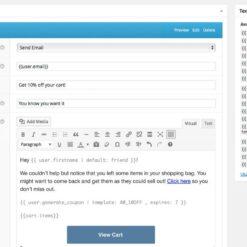
When you want to add a new follow-up, you can do so by clicking on the specific function on the left part of the screen. Then simply add the follow up name and email subject:
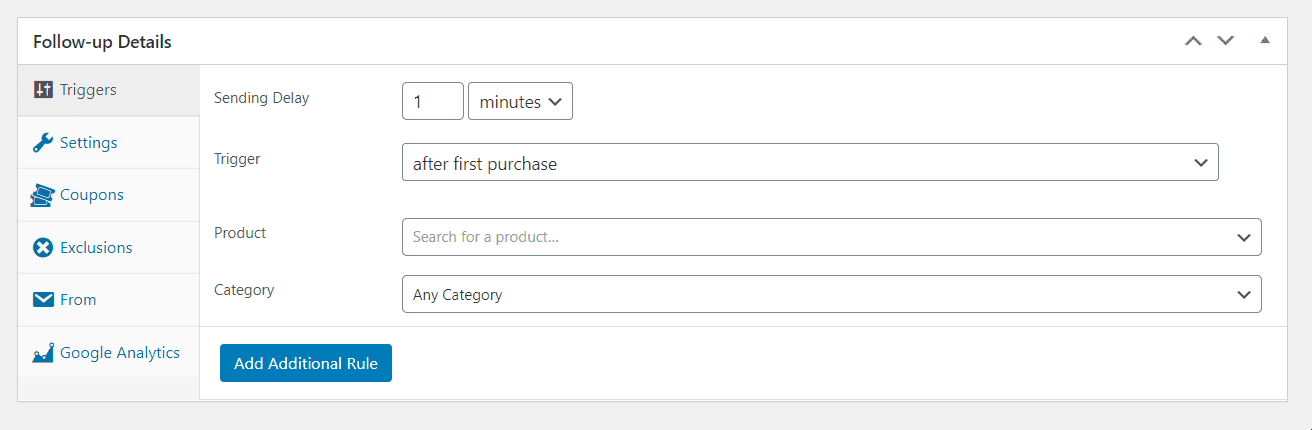
Then go to the bottom of the page and set the following settings:
The first field is the sending delay. You can therefore set your site to send emails after 1 minute or simply after 1 hour. However, we’d recommend you to keep this time as short as possible, because users hate it when they do not get replied to. The sooner you reply to your users’ messages, the better, because they will feel more important and they tend to trust you & buy more from your shop.
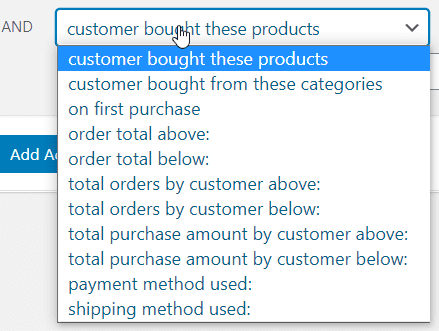
You can choose when to trigger this email as well as the product and its category or you can even add an additional rule:
Reports
In order to access this section, go in the left menu and click on “Reports”.
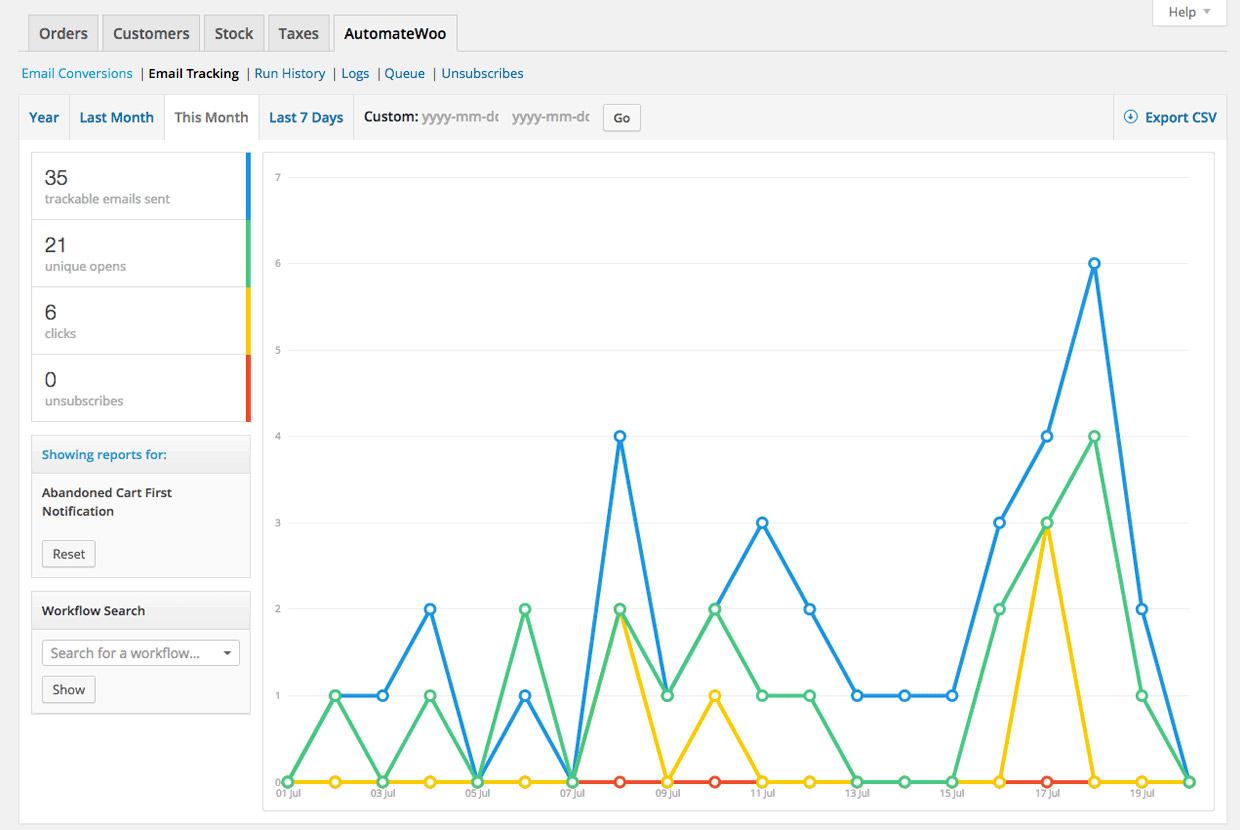
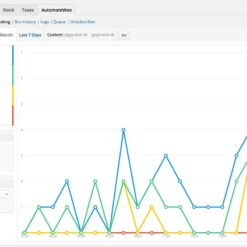
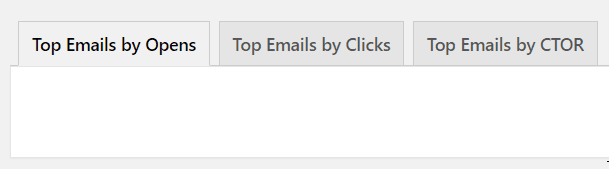
You can filter the emails you’ve sent after: opens, clicks, or CTOR (click to open rate). If you click on any of them, a report will show up, depending on the data that you have.
Here is the status of your emails: you can see how many emails you’ve sent, how many of them have been opened, the bounces, clicks and unsubscribes. The lower the unsubscription rate is, the better. That’s because this shows you how many users are interested in what you’re actually sending them.
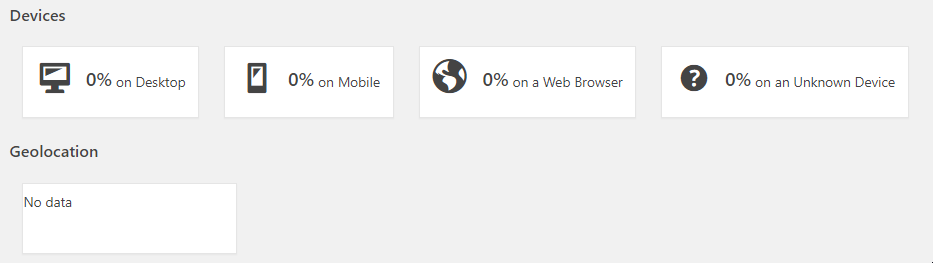
Below, there are the devices used and the geolocation:
Coupons
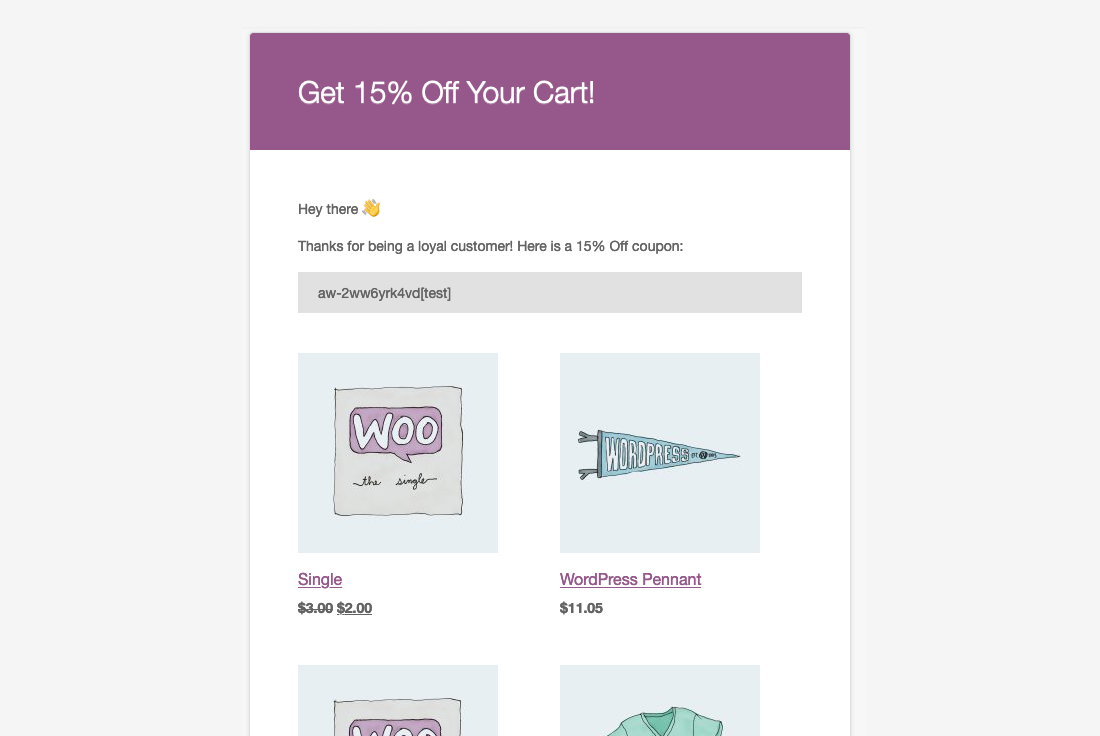
As you can see, Woocommerce Follow Up Emails has a coupon code part, too. You can name the coupon, which we would highly recommend, put it a prefix and choose the variable. You can also set the discount type and the coupon amount. If you want, you can also allow free shipping and set its expiry date. What is more, they have some usage restrictions and limits, which is perfect if you don’t want to spend too much money or lose money during the discounts & coupons time.
To sum up
Woocommerce Follow Up Emails is the plugin that you need in order to get your email marketing campaign job done. Start now using it and make awesome functional sites. This is also useful when it comes to user tracking, as you will know why and how your users convert or not. Don’t forget to check EffectIO for more plugins & their updates!
5 reviews for EffectIO WooCommerce Follow Up Emails 4.9.51
Rated 5 out of 5
edendvatri321 –
This plugin allows you email and tweet your customers and prospects, PERFECT!
Rated 5 out of 5
lipasimone –
Must have this, for me this is perfect!!
Rated 5 out of 5
martindumas8 –
If you want to automate communications via email and twitter, choose this!!
22,000+ Users · 180 Countries Trusted by freelancers, agencies & store owners worldwide
How It Works
Install the free EffectIO Dashboard plugin on your WordPress site. It connects to the EffectIO catalog, detects every premium plugin and theme you own, and gives you a single hub to manage licenses, run updates, and keep your admin panel clean — all from one screen.
⚡
One-Click Updates Update any premium plugin or theme instantly. No manual downloads, no FTP — just click "Update Now."
🔑
License Manager View, activate, and manage all your license keys in one place. No hunting through emails or vendor dashboards.
🔇
Notification Blocker Blocks intrusive admin nag screens, upsell banners, and ads that clutter your dashboard. Re-enable anytime.
🛡️
Vendor Request Control Prevents redundant license-check pings to third-party servers for items you already manage through EffectIO.
📦
Bulk Activation Club members can activate all eligible plugins and themes at once — one button, zero hassle.
🆓
100% Free The Dashboard itself costs nothing. Install it and it auto-activates on your domain — no key required.
Get Started in 3 Steps
1
Download & Install
Download the EffectIO Dashboard zip and install it via Plugins → Add New → Upload.
2
Browse & Activate
Open EffectIO → Catalog in your admin panel. The dashboard auto-detects your installed items and matches them to your licenses.
3
Update & Manage
Keep everything current with one-click updates. Manage licenses, block nag notices, and enjoy a cleaner WordPress experience.
Licenses
All WordPress derivative work is GPL-licensed. Most items are pre-activated and ready to use. Some require an activation key — we provide it with your purchase, and the Dashboard lets you apply it in seconds.
Club members enjoy bulk activation: activate every eligible item at once with a single click. No more entering keys one by one.
✅ Money-Back Guarantee
Every item is tested and ships with full features. If something doesn't work and we can't fix it, you get a full refund. We believe premium tools should be accessible — that's why we offer a low-cost subscription so freelancers, small businesses, and agencies can grow without a large upfront investment.



















edendvatri321 –
This plugin allows you email and tweet your customers and prospects, PERFECT!
lipasimone –
Must have this, for me this is perfect!!
martindumas8 –
If you want to automate communications via email and twitter, choose this!!
sekstefani –
Perfect product, this is all you need!!
Stefani Sekovska –
This is what you really need. Great!!