EffectIO WooCommerce Intuit Payments Gateway

Original price was: $70.00.Current price is: $9.99. / year

Drop-in compatible replacement & Licensed Product

Accept credit cards in WooCommerce with the Intuit Payments gateway Version: 3.2.0 Accept credit cards in WooCommerce with the Intuit Payments gateway

Released on: 2025-01-14

Single License

Club Membership

17,99 / Month Membership

NEW Activate all licensed items with the free Dashboard

EffectIO Dashboard

Discover when we give away free Plugins

Find out when we give items for Free


Hey! 🎉 Monthly emails, tops. Snag exclusive plugins/themes for $0. They go quick, but you might just get a freebie! 😉

30 Days Money Back Guarantee

Guaranteed pre-activated plugins. Most items work immediately after installation. Open a support ticket to obtain the license keys for the ones that ask for activation.

Free support to install and setup on your site.

Easily and Securely Accept Credit Cards via Intuit

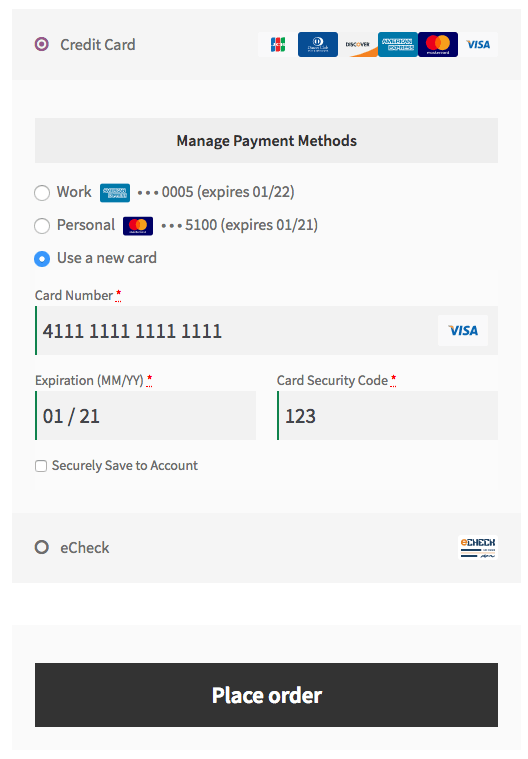
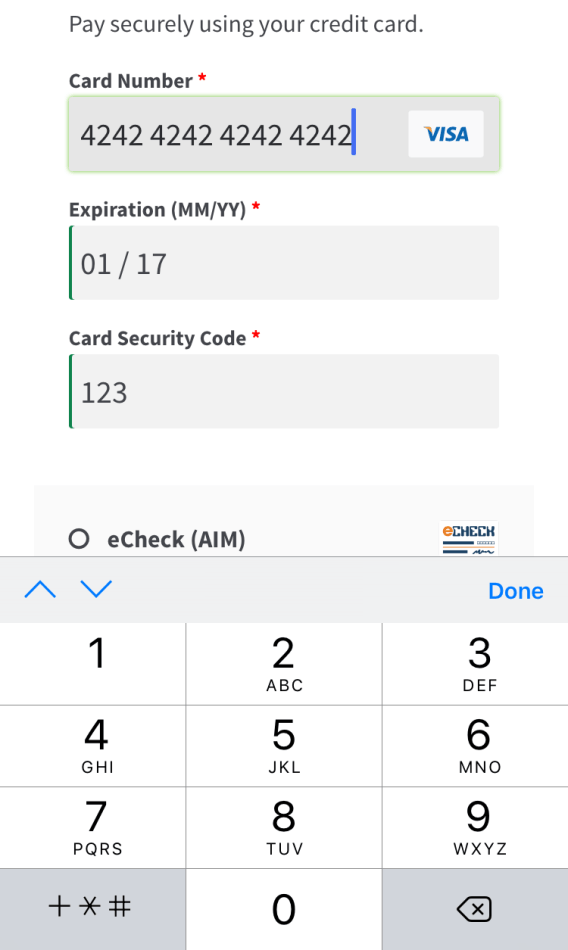
The Intuit Payment Gateway extension provides an advanced payment integration for WooCommerce, allowing you to easily and securely accept credit card payments through Intuit. With this integration, you can ensure the security and reliability that comes with using Intuit for payment processing.

Why Use Intuit Payments?

  • Simple Integrated Checkout
  • Support for Automatic Refunds and Voids
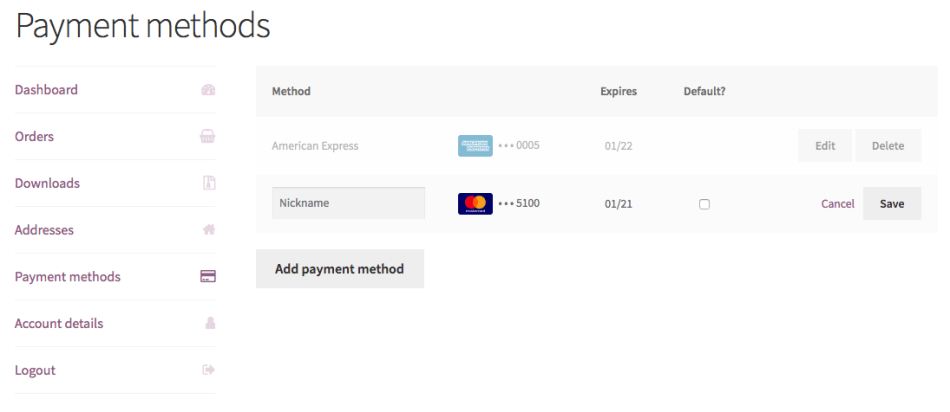
  • Securely Save Customer Payment Methods
  • Full Support for Subscriptions and Pre-Orders
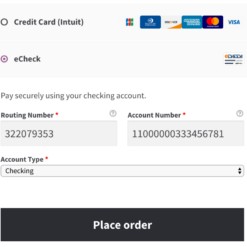
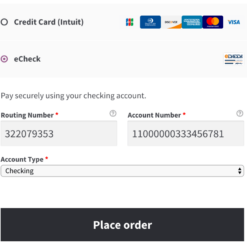
  • Intuit Payments eChecks
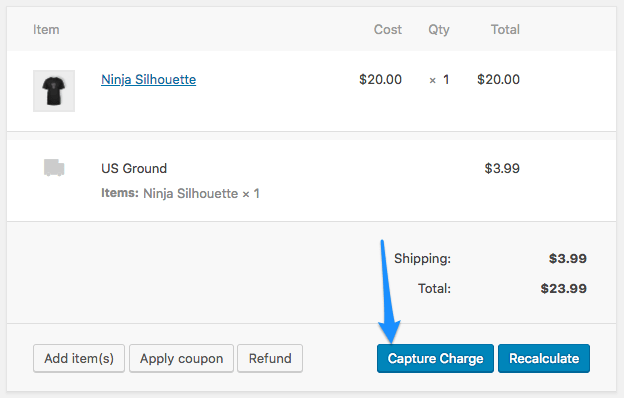
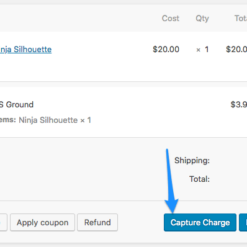
  • Capture Charges directly from WooCommerce

The Intuit Payment Gateway extension supports merchants utilizing an Intuit Payments account for eCommerce processing. It offers increased security in payment processing, as customer credit card information is tokenized before being sent through your server, meeting the lower level PCI SAQ AEP compliance level.

Let your customers save their credit cards and bank accounts to their WooCommerce account for fast and easy checkout. This extension includes full support for WooCommerce Subscriptions, allowing you to offer recurring payment options to your customers.

By using the Intuit Payment Gateway extension, you can maintain control over the checkout process, keeping the customer on your site throughout the entire process. This ensures a seamless and customized checkout experience, while also complying with PCI requirements through the usage of an SSL certificate for secure transmission of credit card information.

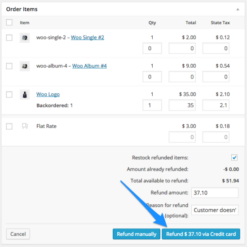
Shop employees can easily process refunds for Intuit Payments orders directly from within WooCommerce, eliminating the need to log into a separate merchant account. This streamlines store management and allows for efficient refund processing.

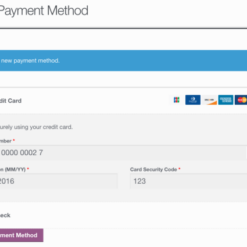
Customers can securely save multiple payment methods to their account for faster checkout, with payment data being stored on Intuit’s secure servers. This reduces your responsibility for PCI compliance. Customers can conveniently manage their saved payment methods from the My Account page.

With the Intuit Payment Gateway extension, you have the flexibility to customize your checkout process and offer a seamless experience to your customers, all while enjoying the benefits of using Intuit Payments for secure credit card processing.

  • Securely accept credit cards via Intuit Payments
  • Tokenization of customer credit card information for enhanced security
  • Simple integrated checkout process
  • Support for automatic refunds and voids
  • Enable customers to save payment methods for quick checkout
  • Full support for WooCommerce Subscriptions
  • Direct charge capture from WooCommerce
  • Streamlined refund processing within WooCommerce
  • Securely store multiple payment methods for customers
  • Reduced PCI compliance responsibility
  • Easily manage saved payment methods through the My Account page
  • Customize and control the checkout process
  • Compatibility with the GPL code
  • Premium support from EffectIO
  • Effortlessly update the plugin via the EffectIO Dashboard
  • Pre-activated plugin upon purchase
  • Benefit from super deals with 30% to 90% discounts from EffectIO
Accept credit cards in WooCommerce with the Intuit Payments gateway

2024.02.14 — version 3.3.0
  • Feature - Simplify connecting to QuickBooks Payments by removing the need to create an app in the Intuit Developer Portal
  • Feature - Add support to the WooCommerce Checkout block
  • Misc - Remove onboarding wizard
  • Dev - Fix a typo in gateway class names and add alias for backwards compatibility
2023.11.17 — version 3.2.1
  • Misc - Add admin notice to help merchants reverting to the checkout shortcode if the checkout block is used
  • Localization - Improve the plugin localization of components that are part of the underlying framework dependency
2023.07.25 — version 3.2.0
  • Misc - Add compatibility for WooCommerce High Performance Order Storage (HPOS)
2023.02.18 — version 3.1.2
  • Fix - Resolve bug when deleting a saved credit card
  • Misc - Update SkyVerge Plugin Framework to 5.10.15
2022.12.23 — version 3.1.1
  • Fix - Loading of payment gateway setup wizard files
2022.12.06 — version 3.1.0
  • Fix - Replace deprecated `is_ajax()` function calls with `wp_doing_ajax()`
  • Misc - Require WooCommerce 3.9.4 or higher
  • Misc - Require PHP 7.4 and WordPress 5.6
2021.03.01 — version 3.0.0
  • Misc - Remove the legacy QBMS gateway
2020.12.15 — version 2.9.0
  • Misc - Add compatibility for WooCommerce 4.7
  • Misc - Require PHP 7.0 or newer
2020.11.25 — version 2.8.3
  • Misc - Add support for PHP 8
2020.11.24 — version 2.8.2
  • Fix - Fix an issue that was causing the Connect to QuickBooks action to fail in the wizard steps
  • Fix - Address a JavaScript error in the Setup Wizard
2020.09.29 — version 2.8.1
  • Fix - If a billing city field is not available for the selected billing country, do not send a city value
  • Misc - Remove the SkyVerge help menu item as part of the plugin assets
2020.08.10 — version 2.8.0
  • Tweak - Migrate payment tokens to be compatible with WooCommerce core payment tokens
  • Dev - Deprecate some filter hooks in the payment methods table
2020.07.14 — version 2.7.5
  • Fix - Prevent JavaScript error triggered when a different payment method is being used and a required field is left empty
2020.06.02 — version 2.7.4
  • Fix - Prevent JavaScript error triggered when different versions of the SkyVerge plugin framework are used at the same time
2020.05.12 — version 2.7.3
  • Tweak - Improve display of customer error messages at checkout when a billing address is missing or other exceptions
  • Tweak - Ensure payment gateway scripts can be used when certain script optimization plugins are delaying load
  • Tweak - Improve the payment form display on mobile devices
2020.05.04 — version 2.7.2
  • Misc - Add support for WooCommerce 4.1
2020.03.09 — version 2.7.1
  • Misc - Add support for WooCommerce 4.0
2020.02.12 — version 2.7.0
  • Misc - Remove legacy OAuth 1.0
2020.01.02 — version 2.6.1
  • Misc - Add support for WooCommerce 3.9
2019.11.12 — version 2.6.0
  • Tweak - Add payment method migration when switching from legacy QBMS to the Payments gateway
2019.11.05 — version 2.5.1
  • Fix - Fix errors that occur when upgrading the plugin or starting the setup wizard while still using the legacy QBMS gateway mode
  • Misc - Add support for WooCommerce 3.8
2019.10.10 — version 2.5.0
  • Feature - Add onboarding wizard
2019.09.12 — version 2.4.1
  • Fix - Fix an error that occurs when upgrading the plugin using the legacy QBMS gateway
2019.09.11 — version 2.4.0
2019.08.12 — version 2.3.7
  • Fix - Ensure customer first and last name are correctly sent on order-pay page
  • Misc - Add support for WooCommerce 3.7
2019.07.10 — version 2.3.6
  • Misc - Default to Payments OAuth v2 when switching from the legacy QBMS gateway
2019.05.29 — version 2.3.5
  • Misc - Add a warning for QBMS users that the legacy integration will be retired November, 2019
  • Misc - The legacy QBMS integration is no longer available for new installs
2019.04.16 — version 2.3.4
  • Fix - Ensure orders from countries which don't typically provide a province field process without errors
  • Fix - Fix API errors when processing eCheck refunds and voids
  • Misc - Add support for WooCommerce 3.6
  • Misc - Require PHP 5.4+
2018.10.23 — version 2.3.3
  • Tweak - Update stored QBMS payment methods with billing address changes when processing new payments
  • Misc - Add support for WooCommerce 3.5
2018.05.23 — version 2.3.2
  • Tweak - Add payment details to the customer data export and remove it for erasure requests
  • Tweak - Remove payment tokens for customer data erasure requests
  • Misc - Add support for WooCommerce 3.4
2018.05.03 — version 2.3.1
  • Fix - Fix an error after capturing QBMS transactions
  • Fix - Prevent a warning in PHP 7.2 from the gateway settings page
  • Fix - Ensure customers can't delete payment methods tied to a subscription
  • Tweak - Disable the Add Payment Method button when editing a payment method
2018.02.28 — version 2.3.0
  • Feature - Customers can now label their saved payment methods for easier identification when choosing how to pay
  • Feature - Add support for auto-capturing orders when changed to a paid status
  • Tweak - Improve the My Account Payment Methods table on desktop and mobile
  • Tweak - Switch to OpenSSL for encrypting credentials from mcrypt
  • Misc - Remove support for PHP 5.2
  • Dev - Update the SkyVerge Plugin Framework to use namespaces and move it to the /vendor directory
2018.02.22 — version 2.2.1
  • Fix - Removes redirect to the Intuit merchant portal when clicking order numbers from the order list screen
2018.01.23 — version 2.2.0
  • Tweak - Ensure the "isEcommerce" and "mobile" indicators are set according to Intuit's requirements
  • Tweak - Add the "recurring" flag for subscription renewal credit card transactions
  • Misc - Add support for WooCommerce 3.3
  • Misc - Remove support for WooCommerce 2.5
2017.11.15 — version 2.1.2
  • Fix - Properly log the JS tokenization response data
2017.09.19 — version 2.1.1
  • Fix - Ensure successful OAuth 1 reconnects correctly update the stored tokens
  • Tweak - Add tax and mobile context data for credit card transactions
  • Tweak - Reconnect to OAuth 1 automatically if needed
  • Tweak - Force TLS 1.2 for API requests when available
  • Misc - Add an admin notice for hosting environments that are not compatible with upcoming security requirements
  • Misc - Update the SkyVerge plugin framework
2017.07.25 — version 2.1.0
  • Misc - Allow new merchants to connect to Intuit using oAuth 2.0
2017.05.23 — version 2.0.2
  • Fix - Ensure subscriptions are not affected if Change Payment fails due to declines or other problems
  • Fix - Ensure old payment methods can be removed after changing subscription payment to a new method
2017.04.26 — version 2.0.1
  • Fix - Prevent some deprecated notices when processing subscriptions in WooCommerce 3.0+
2017.03.28 — version 2.0.0
  • Feature - Added the new Payments gateway to support the latest QuickBooks Payments API
  • Feature - Orders with only virtual items can now force a charge instead of authorization
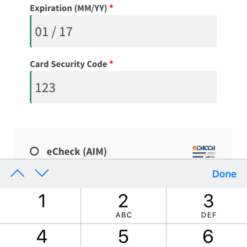
  • Feature - Enhanced payment form for a better customer experience, with live inline validation and mobile-friendly inputs
  • Feature - Refund & Void transactions directly from the WooCommerce admin!
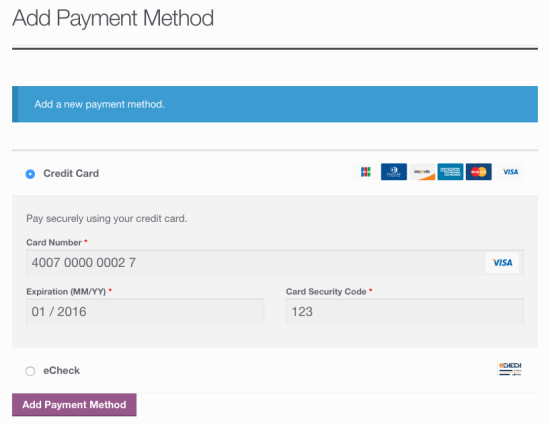
  • Feature - Customers can add new payment methods from the My Account area
  • Misc - Update the SkyVerge plugin framework to v4.6.0
  • Misc - Added support for WooCommerce 3.0
  • Misc - Removed support for WooCommerce 2.4
2016.06.07 — version 1.10.1
  • Tweak - Bypass AVS for non-US billing addresses
2016.06.02 — version 1.10.0
  • Misc - Added support for WooCommerce 2.6
  • Misc - Removed support for WooCommerce 2.3
2016.04.20 — version 1.9.0
  • Feature - View saved payment methods for customers on the Edit User screen
  • Feature - Customers are now prevented from deleting a payment method that's associated with an active subscription
2016.01.14 — version 1.8.0
  • Misc - Added support for WooCommerce 2.5
  • Misc - Removed support for WooCommerce 2.2
2015.09.25 — version 1.7.2
  • Tweak - Allow the transaction comments to be filtered
2015.09.16 — version 1.7.1
  • Misc - WooCommerce Subscriptions 2.0 Compatibility
  • Misc - Update SkyVerge Payment Gateway Framework
2015.07.28 — version 1.7.0
  • Misc - WooCommerce 2.4 Compatibility
2015.05.14 — version 1.6.3
  • Tweak - Declare `iconv` as a dependency
2015.03.26 — version 1.6.2
  • Fix - Fix failed transactions due to an address validation error
2015.03.10 — version 1.6.1
  • Fix - Fix failed transactions when non-ASCII characters are present in the billing fields

Testimonials

Benny O'Brien@benny_obie

The quick response from a friendly team member at @effectioshop honestly caught me off guard.
Nice work!


Stuart Boyle@stuart_boyle

@effectioshop As an eCommerce developer, effectio.org has enabled me to reach higher expectations and my clients are very happy.


22,000+ Users · 180 Countries
Trusted by freelancers, agencies & store owners worldwide

How It Works

Install the free EffectIO Dashboard plugin on your WordPress site. It connects to the EffectIO catalog, detects every premium plugin and theme you own, and gives you a single hub to manage licenses, run updates, and keep your admin panel clean — all from one screen.


One-Click Updates
Update any premium plugin or theme instantly. No manual downloads, no FTP — just click "Update Now."

🔑

License Manager
View, activate, and manage all your license keys in one place. No hunting through emails or vendor dashboards.

🔇

Notification Blocker
Blocks intrusive admin nag screens, upsell banners, and ads that clutter your dashboard. Re-enable anytime.

🛡️

Vendor Request Control
Prevents redundant license-check pings to third-party servers for items you already manage through EffectIO.

📦

Bulk Activation
Club members can activate all eligible plugins and themes at once — one button, zero hassle.

🆓

100% Free
The Dashboard itself costs nothing. Install it and it auto-activates on your domain — no key required.

Get Started in 3 Steps

1

Download & Install

Download the EffectIO Dashboard zip and install it via Plugins → Add New → Upload.

2

Browse & Activate

Open EffectIO → Catalog in your admin panel. The dashboard auto-detects your installed items and matches them to your licenses.

3

Update & Manage

Keep everything current with one-click updates. Manage licenses, block nag notices, and enjoy a cleaner WordPress experience.

Licenses

All WordPress derivative work is GPL-licensed. Most items are pre-activated and ready to use. Some require an activation key — we provide it with your purchase, and the Dashboard lets you apply it in seconds.

Club members enjoy bulk activation: activate every eligible item at once with a single click. No more entering keys one by one.

✅ Money-Back Guarantee

Every item is tested and ships with full features. If something doesn't work and we can't fix it, you get a full refund. We believe premium tools should be accessible — that's why we offer a low-cost subscription so freelancers, small businesses, and agencies can grow without a large upfront investment.

Manage and Update all your sites

17.99 $ / Month Membership

2900 Plugins and Themes. Install, Update, Activate and Delete any plugin. Unlimited Sites. Best WP Agency Deal.

Clean Items

NGO Mission

Always Updated

SSL Connection