

EffectIO WooPack for Beaver Builder 1.5.7

Original price was: $70.00.Current price is: $9.99. / year

Drop-in compatible replacement & Licensed Product

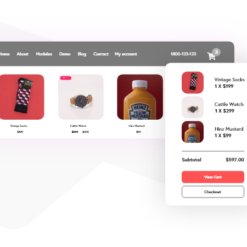
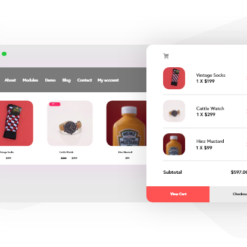
A set of custom, creative, unique modules for WooCommerce to speed up your eCommerce web design and development process. Version: 1.5.7 A set of custom, creative, unique modules for WooCommerce to speed up your eCommerce web design and development process.

Released on: 2024-10-04

Single License

Club Membership

17,99 / Month Membership

NEW Activate all licensed items with the free Dashboard

EffectIO Dashboard

Discover when we give away free Plugins

Find out when we give items for Free

Hey! 🎉 Monthly emails, tops. Snag exclusive plugins/themes for $0. They go quick, but you might just get a freebie! 😉

30 Days Money Back Guarantee

Guaranteed pre-activated plugins. Most items work immediately after installation. Open a support ticket to obtain the license keys for the ones that ask for activation.

Free support to install and setup on your site.

Take Complete Control of Styling Your WooCommerce Website with WooPack for Beaver Builder

WooPack is the ultimate collection of advanced WooCommerce Modules designed specifically for Beaver Builder, allowing you to effortlessly create stunning and user-friendly online stores. With WooPack for Beaver Builder, you have the power to customize every aspect of your WooCommerce website and build responsive layouts faster than ever before.

Transform Your Online Store with the Best WooCommerce Modules

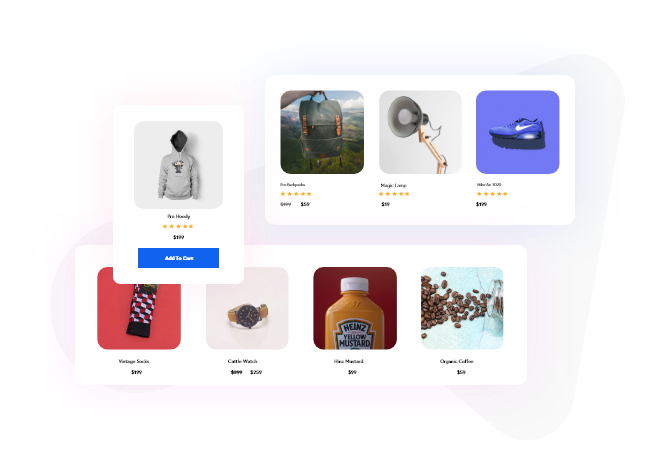
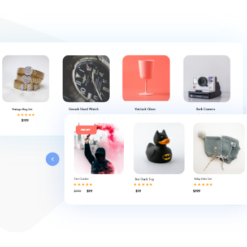
  • Showcase Products with WooCommerce Product Grid Module: Create beautiful grid layouts for your WooCommerce store, offering multiple styling options, pagination, and dynamic AJAX filters for the ultimate shopping experience.
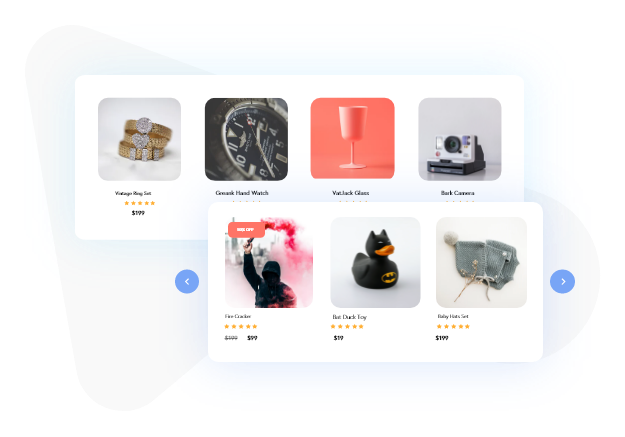
  • Display Eye-Catching Product Sliders with WooCommerce Product Carousel: Highlight popular products, latest arrivals, and exclusive offers on your website using the versatile Product Carousel module. Easily customize the display of products with standard query parameters.
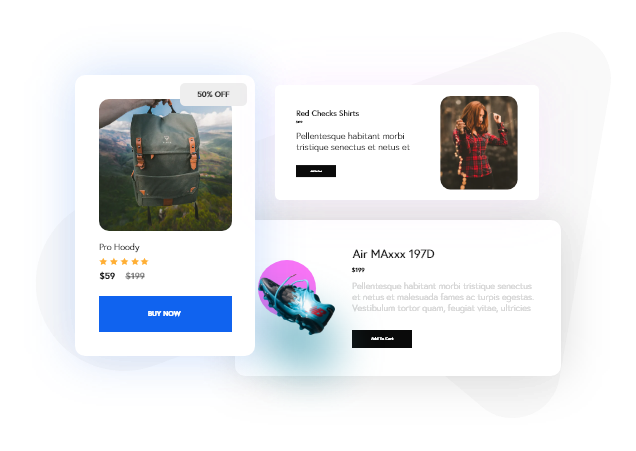
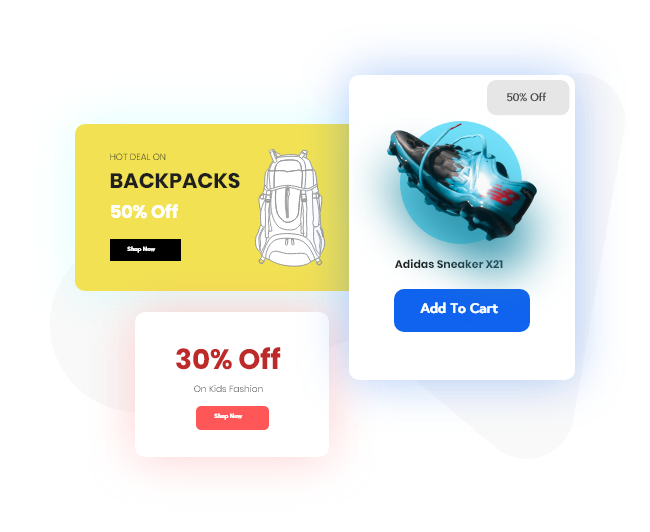
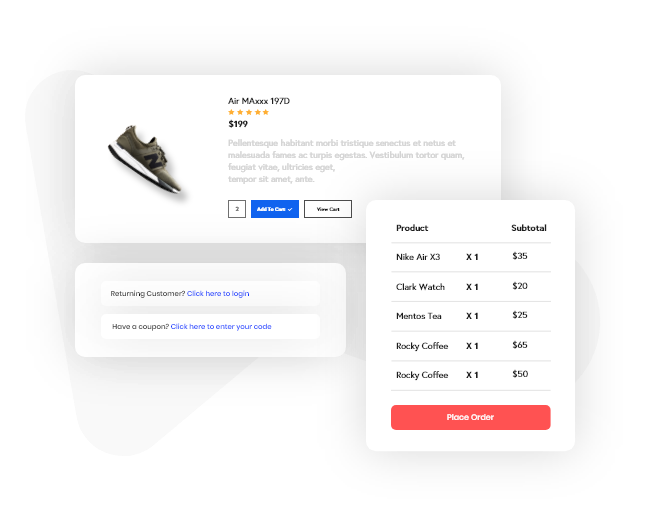
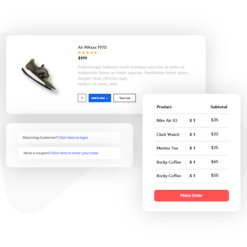
  • Promote Individual Products Anywhere: Whether you’re building a landing page, sales page, or simply want to speed up the checkout process, use the WooCommerce Single Product module to display a product anywhere on your Beaver Builder site for maximum exposure and streamlined shopping.
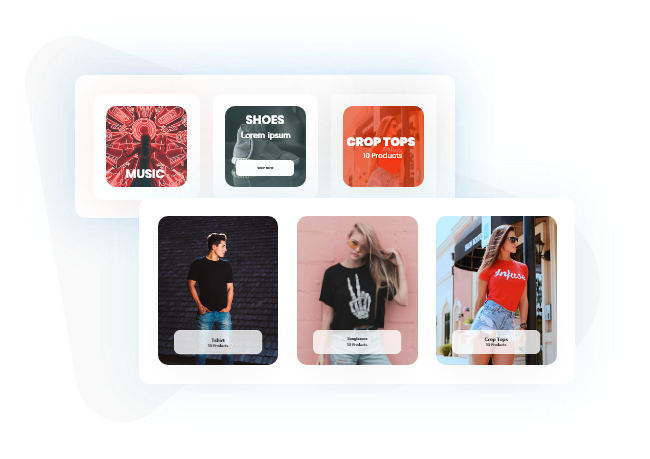
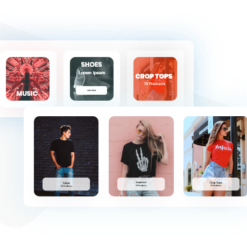
  • Showcase Product Categories: With the WooCommerce Product Category module, you can effortlessly display product categories in a grid or carousel format on your website. Customize the look and feel with extensive styling options, including product count, category image, and title.
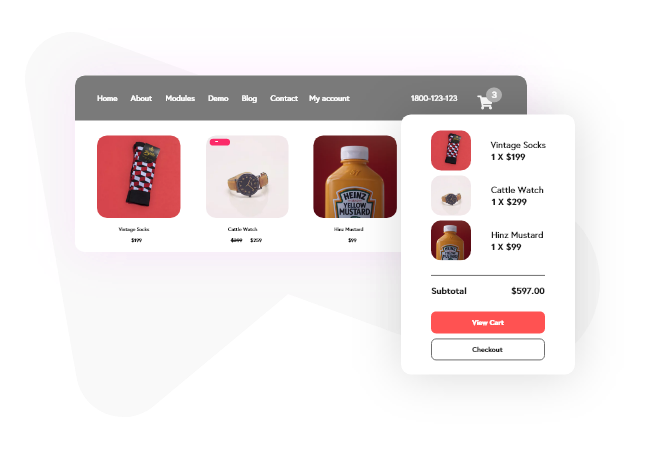
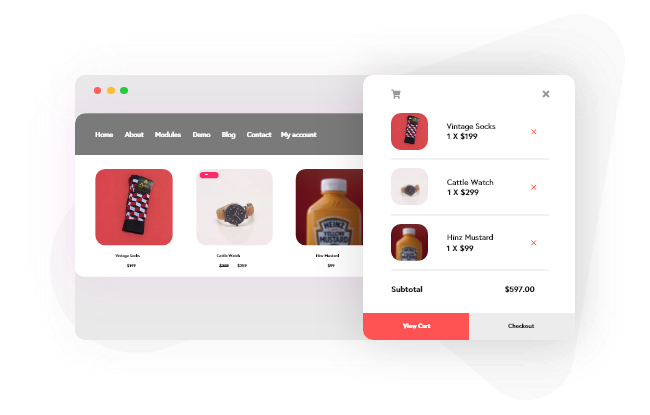
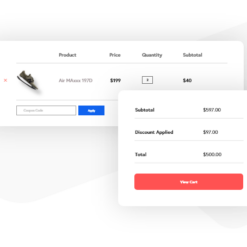
  • Quick Purchase and Checkout with Add to Cart Module: Add an actionable “Add to Cart” button directly on your product pages with the Add to Cart module. Customize the button styling, adjust the predefined quantity, and enhance the shopping experience for your customers.

Why Choose WooPack for Beaver Builder?

  1. Optimize your WooCommerce website with advanced modules specifically designed for Beaver Builder.
  2. Effortlessly create beautiful and user-friendly online stores with complete control over styling.
  3. Build fully responsive layouts to ensure a seamless shopping experience on any device.
  4. Access a wide range of styling options, masonry and grid layouts, and pagination features.
  5. Enjoy the convenience of dynamic AJAX filters and easily customize the display of products.
  6. Save costs with the EffectIO update channel, offering alternative and cost-saving updates for plugins.
  7. Experience the benefits of premium support from EffectIO for all your WooPack and Beaver Builder needs.
  8. Gain access to the GPL code and enjoy the flexibility to modify and customize your WooCommerce website.
  9. Effortlessly update your WooPack modules via the EffectIO Dashboard, with pre-activated items for seamless integration.
  10. Unlock super deals with 30 to 90 percent discounts on WooPack and other premium plugins at EffectIO.

A set of custom, creative, unique modules for WooCommerce to speed up your eCommerce web design and development process.

1.5.7
  • Enhancement: Product Grid & Carousel - Added image slider effect and speed options
  • Fix: Product Grid - Sorting dropdown and result count was stopped showing on the shop archive
  • Fix: Decimal product quantity was not being set
1.5.6
  • Enhancement: Product Grid - Added CSS class bottom-align-buttons
  • Enhancement: Added support for global colors
  • Fix: PHP error in some cases
1.5.5.1
  • Fix: Product Category - PHP error
1.5.5
  • Enhancement: Product Category - Added meta value as ordering option
  • Fix: Checkout - 'Your order' text was not getting changed
  • Fix: Checkout - Coupon form was not working in some cases when using Enhanced style
1.5.4
  • Enhancement: Product Grid - Added taxonomy filter ordering option
  • Fix: Product Grid - Current term's children were not showing in product filters
  • Fix: Product Grid & Carousel - Variation selection issue
  • Fix: Quick View - Beaver Themer template rendering issue
  • Fix: Checkout - Coupon code was not getting applied in enhanced style with the latest version of WooCommerce
  • Fix: Checkout - Translation plugin was not able to detect "Coupon code" placeholder text
  • Fix: Removed "less" class Beaver Themer dependency
  • Development: Added filter hook woopack_product_show_empty_rating to disable showing empty rating
1.5.3.1
  • Hotfix: PHP fatal error due to "lessc" class name change in Beaver Themer 1.4.6
1.5.3
  • Enhancement: Product Grid - Added support for the large breakpoint for number of columns and spacing controls
  • Enhancement: Product Grid & Carousel - Show empty rating stars when rating is not available
  • Fix: Product Grid - Infinite scroll pagination was not working properly when a filter is clicked
  • Fix: Single Product - Double quantity issue with Name Your Price (NYP) plugin
  • Fix: Declared compatibility for WooCommerce 'High-Performance order storage (COT)'
1.5.2
  • Enhancement: Checkout - Added horizontal padding options for order review table header and body
  • Fix: Checkout - Responsive columns stacking issue in legacy style
1.5.1
  • Fix: Checkout - Responsive column width was not working for "Enhanced" style
  • Fix: Checkout - Empty section showing when the user is logged-in or shipping is disabled
1.5.0
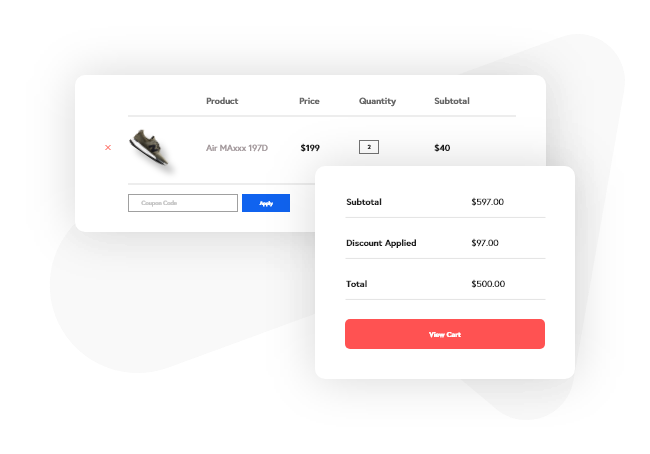
  • Enhancement: Checkout - Introducing a new "Enhanced" style and a new set of controls to enhance the checkout design
  • Enhancement: Checkout - Added typography options for input fields
  • Enhancement: Product Grid - Added an option to set default taxonomy filter
  • Enhancement: Product Grid - Added options for filter toggle text and background color
  • Enhancement: Added typography options for variation table
  • Enhancement: Added support for cart menu item of PowerPack Advanced Menu and Beaver Builder Menu modules
  • Fix: My Account - Width issue when the BB row uses flexbox
  • Fix: Products Grid - WooCommerce Catalog Order dropdown was not showing
  • Fix: Products Grid - Upsell products were not getting queried
  • Fix: Products Carousel - Upsell products were not getting queried
  • Fix: Single Product - Broken reviews link
  • Fix: Checkout - Minor CSS fixes
  • Fix: Mini Cart - Preview was not working with BB 2.7
  • Fix: Added missing color field connections in all modules
  • Fix: Conditional change was not allowing editing a post or page in the backend
  • Development: Products Grid - Added filter hook woopack_products_grid_filter_label
1.4.5
  • Enhancement: Quick View can be added standalone on any page for any product with Beaver Themer's field connection
  • Fix: Single Product - AJAX add-to-cart issue with WooCommerce All Products for Subscription plugin
  • Fix: Product Grid - Added compatibility for YITH filters
  • Fix: Product Grid - Infinite Scroll 404 error in console when using YITH filters
  • Fix: Allow Quick View button render on any page using its field connection
1.4.4
  • Enhancement: Product Grid & Carousel - Added an option to display Upsell products
  • Enhancement: Product Category - Added an option to choose image size
  • Fix: Product Category - PHP warning when height field is left emptied
  • Fix: Product Grid & Carousel - Conflict with Quick View Pro plugin
  • Fix: Product Grid & Carousel - Minor issue with custom quantity inputs
  • Fix: Product Carousel - Slider was auto playing in mobile irrespctive of autoplay option
  • Fix: Product Carousel - Issue with PowerPack Content Grid carousel when both are used on the same page
  • Fix: Product Grid - Filter toggle background color issue
  • Fix: Product Grid - Updated CSS to prevent Astra theme to change the display property of the grid
  • Fix: My Account - Dashboard content was getting displayed even the tab is set to hidden
  • Fix: Modules list was not appearing under builder settings in the network admin
  • Development: Added filter hook woopack_product_filters_show_related_terms to show only those terms which are assigned to the products showing on the page
  • Development: Added filter hook woopack_products_grid_scroll_on_filter
1.4.3
  • Fix: Product Grid - Layout issue when filtering the grid using WooCommerce Product Filters plugin
  • Fix: Product Grid & Carousel - Quick View was not working in some cases
  • Fix: Product Carousel - Issue with showing cross-sell products
1.4.2
  • Fix: Products Grid & Carousel - Reviews link was not working
  • Fix: Products Grid - Removed isotope transition effects
  • Fix: Products Grid - All products were showing when cross-selling products are not available
  • Fix: Mini Cart - Minor CSS issue with bubble counter
  • Fix: WooCommerce Booking plugin calendar UI issue
  • Fix: PHP 8 - required parameter after optional parameter - deprecation warning
1.4.1
  • Fix: Plugin update issue
1.4.0
  • Enhancement: Product Grid and Carousel - Added an option to display cross-sell products
  • Enhancement: Product Grid - Added options to display parent or child terms in taxonomy filters
  • Enhancement: Product Grid - Added support for product attributes for filters
  • Enhancement: Mini Cart - Added an option to enter alt tag for cart custom image icon
  • Enhancement: Off-Canvas Cart - Added an option to enter alt tag for cart custom image icon
  • Enhancement: Quick View - Introducing CSS class woopack-qv-close-on-add to close the Quick View once product is added to the cart
  • Fix: Product Grid - WooCommerce sorting option was getting overlapped by grid wrap
  • Fix: Product Category - Overlay background color was not getting applied when link is set to none
  • Fix: Cart - Button CSS was getting overridden by BB Theme
  • Fix: WooCommerce variations by Variation Swatches plugin were not working in Quick View popup
  • Fix: Quick View popup height issue when content height is greater than the viewport
  • Fix: Changed deprecated jQuery method .delegate()
  • Development - Added filter woopack_grid_ajax_no_products_found to change No Products Found text
  • Development - Added filter woopack_grid_filters_exclude_taxonomies to add or remove taxonomy from exclusion for filters query
  • Development - Added filter woopack_grid_filters_taxonomies to modify taxonomies list for filters Taxonomy field in module setting
1.3.11
  • Enhancement: Product Category - Added default option in order-by field
  • Fix: Product Grid - Variations were not working after grid items getting AJAX filtered
  • Fix: Product Grid - Grid layout issue when using in PowerPack Advanced Tab module
  • Fix: PHP error - FLPageData not found when using WooPack with BB Lite and Beaver Themer
1.3.10
  • Enhancement: Added WordPress Appointment Booking plugin support
  • Enhancement: Product Grid & Carousel - Added RTL support
  • Fix: Product Grid & Carousel - Beaver Builder stopped working due to conflict between Woocommerce Side Cart Premium plugin and WooPack module
  • Fix: Product Grid & Carousel - ACF Relationship query source was not working
  • Fix: Product Grid - Pagination issue on search result archive page
  • Fix: Product Grid - Inner slider overflow issue
  • Fix: Cart - Some styles were getting overridden by theme
1.3.9.6
  • Fix: Product Grid & Carousel - Add to Cart button was not working in case of shared attributes
  • Fix: Product Carousel - Quick View template dropdown was not getting updated on saving module settings
  • Fix: Core - Updated WooCommerce version
1.3.9.5
  • Enhancement: My Account - Converted top positioned tabs into dropdown menu for small devices
  • Fix: Product Grid - All images of a product were still loading after disabling the image slider option
  • Fix: Product Grid - Equal Height was not working row-wise
  • Fix: Product Grid - Dynamic filters were not working in combination with load more or scroll pagination
  • Fix: Product Grid & Carousel - Compatibility issue with GeneratePress theme
  • Fix: Product Carousel - PHP Notice due to missing option for no products found
  • Fix: Product Carousel - Custom Quick View template was not appearing in settings dropdown
1.3.9.4
  • Fix: Product Grid - Pagination hover color was not working
  • Fix: Product Grid - AJAX pagination issue in WP 5.5
1.3.9.3
  • Fix: Product Grid - "All" dynamic filter was not working in WP 5.5
1.3.9.2
  • Enhancement: Product Grid - Added option to position the filters top, left, or right
  • Fix: Product Grid - Duplicate posts issue on AJAX
  • Fix: Product Grid - Scroll pagination was stopped working
  • Fix: Product Grid - AJAX broke in WP 5.5
  • Fix: Product Grid & Carousel - PHP error
  • Development: Product Grid - Added filter hook woopack_product_grid_breakpoints to use custom breakpoints for medium and responsive devices
1.3.9.1
  • Fix: Product Carousel - Multiple images were showing after last update
1.3.9
  • Enhancement: Quick View - Added Beaver Themer layout support for Quick View template
  • Enhancement: Product Grid - Added images slider
  • Enhancement: Product Grid - Added accessibility support for filters
  • Enhancement: Product Category - Added option to display parent or children categories exclusively
  • Fix: Product Grid - Layout break when using FacetWP filters
  • Fix: Product Grid - Responsive spacing was not working
  • Fix: Product Carousel - Mouse drag was not working
  • Fix: Quick View - Added support for Variation Gallery and Variation Swatches plugin
  • Fix: Mini Cart - Cart counter was not getting updated when adding variable product into cart
1.3.8.1
  • Fix: Quick View overlay background color was not getting applied after previous update
  • Fix: Mini Cart - Container height issue when there are large number of products in cart
  • Fix: My Account - Responsive issues
  • Fix: Product Category - Added additional CSS to maintain columns on responsive devices
1.3.8
  • New: Added My Account module
  • New: Added Custom Layout feature in Product Grid & Carousel (with additional field connections)
  • Enhancement: Added support for Name Your Price addon
  • Enhancement: Product Category - Added category ordering options
  • Enhancement: Product Carousel - Autoplay will be stopped when clicking on Quick View button
  • Enhancement: Single Product - Added option to show rating count
  • Fix: Single Product - Conflict with WooCommerce Product Addons
  • Fix: Product Grid - Filters alignment issue when there are large number of terms
  • Fix: Product Grid & Carousel - Incorrect reviews count
1.3.7.3
  • Enhancement: Product Category - Added option to hide category description
  • Enhancement: Product Grid - Added default values in column fields for medium and responsive
  • Fix: Single Product - Star rating alignment was not working in Firefox
1.3.7.2
  • Enhancement: Product Grid & Carousel - Added option to show Related Products
  • Enhancement: Product Grid & Carousel - Added title hover color option
  • Enhancement: Product Grid & Carousel - Added logic to override templates via theme
  • Fix: Module fields controls were stopped showing
1.3.7.1
  • Fix: PHP notices due to newly added Rating Count option
1.3.7
  • New: Added WP-CLI integration for to activate or deactivate license and clear white label branding
  • Enhancement: Product Grid - Added "Selection Order" option under "Order By" field
  • Enhancement: Product Grid & Carousel - Added "Exclude Current Product" option
  • Enhancement: White Label - Added option to list WooPack modules with Standard Modules group
  • Enhancement: Added WooCommerce Bookings extension support
  • Enhancement: Product Category - Added link target option
  • Enhancement: Product Grid & Carousel - Added option to display rating count + text
  • Fix: Single Product - Image was not being updated for variations
  • Fix: Mini Cart - Normal counter background and text color was not working
  • Fix: JS error due to wc_add_to_cart_params is undefined when AJAX is set to disable
  • Fix: Product Grid - AJAX filters were not working on some servers
  • Fix: Product Grid - Added condition to prevent default Woo notice being displayed under module content on Single Product page
  • Fix: Product Grid - Pagination hover color was not working
  • Development: Added hook woopack_grid_ajax_query_args to filter query arguments for Product Grid when dynamic (AJAX) post filters used
  • Development: Added action woopack_grid_ajax_before_query to hook any custom logic before executing WP_Query when dynamic (AJAX) post filters used
  • Development: Added action woopack_grid_ajax_after_query to hook any custom logic after executing WP_Query when dynamic (AJAX) post filters used
1.3.6
  • New: Added Mini Cart module
  • New: Added Off-Canvas Cart module
  • Enhancement: Add to Cart - Added support for grouped product
  • Fix: Product Grid & Carousel - Added missing post classes to product posts
  • Fix: Product Grid - alignment option was not working properly
  • Fix: Cart - Responsive border issue
  • Fix: PHP warning in quick view popup box CSS
  • Development: Added hooks woopack_loop_before_product_title, woopack_loop_after_product_title, woopack_loop_before_product_description, woopack_loop_after_product_description
1.3.5
  • Enhancement: Updated fields to match BB 2.2 UI
  • Enhancement: Product Grid - Added filter by hash parameter in URL
  • Enhancement: Product Grid & Carousel - Used placeholder image from WooCommerce settings if available
  • Enhancement: Cart - Added Width field for quantity input
  • Fix: Product Grid - Layout break when used inside Advanced Tabs module of PowerPack
  • Fix: Product Grid - Layout break on enabling short product description
  • Fix: Minor CSS issues
1.3.4.3
  • Enhancement: Product Category - Added "Default" as basic style option
  • Enhancement: Single Product - Added field connection to product dropdown
  • Enhancement: Add to Cart - Added field connection to product dropdown
  • Fix: Cart - Button styling issue
  • Fix: Multiple product variations related issues
1.3.4.2
  • Fix: Removed WooCommerce plugin dependency from WooPack admin settings
1.3.4.1
  • Fix: External product link was opening in the same window
  • Fix: JS error on single product page when adding variation product to the cart
  • Fix: imagesLoaded JS error due to recent update of Beaver Builder (v2.1.5.1)
1.3.4
  • Enhancement: Added logic to override modules from theme
  • Enhancement: Converted multiple unit fields (padding, margin) into single dimension field
  • Enhancement: Product Grid and Carousel - Added Out of Stock text and styling options
  • Enhancement: Product Carousel - Added more styling options for navigation arrows
  • Fix: Product Carousel - JS error due to conflict with PowerPack
  • Fix: Product Grid - Masonry columns were not rendering as per column setting in module
  • Fix: Product Grid & Carousel - AJAX Add to Cart was not working for grouped product
  • Fix: Quick View - Add to Cart for product variations was redirecting to the home page
1.3.3
  • Fix: Single Product - Price was not being updated when choosing an option from the product variation dropdown
  • Fix: Single Product - BB's inline editor was changing Add to Cart button text
  • Fix: Single Product - Variations alignment issue when content alignment is set to default
  • Fix: Product Grid & Carousel - Product image was not being updated when choosing an option from the product variation dropdown
  • Fix: Product Grid & Carousel - View Cart button goes outside the container when width is set to 100%
  • Fix: Product Grid & Carousel - View Cart button incorrect styling
  • Fix: Product Category - Minor CSS issues
1.3.2
  • Enhancement: Quick View now supports AJAX add-to-cart
  • Fix: Single Product - PHP error
1.3.1
  • Fix: Product Category - Image opacity was still working when the background color is not set
  • Fix: Product Category - Responsive layout issues
  • Fix: Product Grid - PHP notices due to undefined variables
  • Fix: Product Carousel - PHP notices due to undefined variables
1.3.0
  • New: Product Category module
  • Enhancement: Added CSS class woopack-product-featured-image to product image element
  • Enhancement: Added WooCommerce meta keys in help text of orderby Meta Key field
  • Enhancement: Added various hooks in the plugin
  • Enhancement: Added WooCommerce version support in the plugin header to determine compatibility with latest version
  • Enhancement: Added an option to show or hide product SKU from meta in Single Product module
  • Enhancement: Added an option to enable product variations fields in Product Grid, Carousel, and Add To Cart button modules
  • Enhancement: Added an option to enable quantity input in Add To Cart button module
  • Enhancement: Updated loop "Add to Cart" button parameters
  • Fix: PHP notice due to a missing parameter in filter hooks woocommerce_sale_flash
  • Fix: "All" filter in Products Grid was not working in respect of conditional terms
  • Fix: Width issue in Single Product module due to minor conflict with Beaver Themer
  • Fix: Some styling in Products Grid module were being overridden by theme
  • Fix: Add to Cart button styling issue in Single Product module
  • Fix: Product variations styling issue in Single Product module
  • Fix: Minor CSS issues in Single Product module
  • Fix: Products Grid responsive issue
  • Fix: Empty CSS output
  • Fix: WP Rocket lazy load issue
1.2.1.1
  • Fix: PHP fatal error due to undefined object
1.2.1
  • Enhancement: Added product source option (to dsiplay featured, sale, top rated, etc. products) in Product Grid and Carousel module
  • Enhancement: Content, badge, button, image, meta, and quick view will now be configurable in Main Query source
  • Enhancement: Moved custom filter options into separate Filter tab and added filter typography options in Product Grid module
  • Enhancement: Added option in Product Grid and Carousel to display quantity input field
  • Fix: WooCommerce default sorting dropdown was not working for product archive pages built via Beaver Themer
  • Fix: Products were showing against the Catalog visibility option
  • Fix: Product Grid filters were not working in IE
  • Fix: Quantity input was not appearing in Single Product module
  • Fix: Content width issue in Single Product module
1.2.0.1
  • Fix: Modules were not loading in builder's settings
1.2.0
  • Enhancement: Added a field to change "All" filter label in Product Grid module
  • Enhancement: Added logic to cache Dynamic filter data to avoid multiple AJAX requests in Product Grid module
  • Fix: Product image was not linked with product page
  • Fix: Filter border position Default was not working in Products Grid
  • Fix: Equal Height was not working with Dynamic filter
  • Fix: Renamed Product Taxonomy section to Product Meta
  • Fix: Minor CSS issue in Products Grid module caused by GP Premium plugin
1.1.0
  • New: Added filters in Product Grid module
  • Enhancement: Added BB 2.0 compatibility
  • Fix: Quick View was not working sometimes
1.0.0
  • Initial version

Testimonials

Benny O'Brien@benny_obie

The quick response from a friendly team member at @effectioshop honestly caught me off guard.
Nice work!


Stuart Boyle@stuart_boyle

@effectioshop As an eCommerce developer, effectio.org has enabled me to reach higher expectations and my clients are very happy.


22,000+ Users · 180 Countries
Trusted by freelancers, agencies & store owners worldwide

How It Works

Install the free EffectIO Dashboard plugin on your WordPress site. It connects to the EffectIO catalog, detects every premium plugin and theme you own, and gives you a single hub to manage licenses, run updates, and keep your admin panel clean — all from one screen.

⚡

One-Click Updates
Update any premium plugin or theme instantly. No manual downloads, no FTP — just click "Update Now."

🔑

License Manager
View, activate, and manage all your license keys in one place. No hunting through emails or vendor dashboards.

🔇

Notification Blocker
Blocks intrusive admin nag screens, upsell banners, and ads that clutter your dashboard. Re-enable anytime.

🛡️

Vendor Request Control
Prevents redundant license-check pings to third-party servers for items you already manage through EffectIO.

📦

Bulk Activation
Club members can activate all eligible plugins and themes at once — one button, zero hassle.

🆓

100% Free
The Dashboard itself costs nothing. Install it and it auto-activates on your domain — no key required.

Get Started in 3 Steps

1

Download & Install

Download the EffectIO Dashboard zip and install it via Plugins → Add New → Upload.

2

Browse & Activate

Open EffectIO → Catalog in your admin panel. The dashboard auto-detects your installed items and matches them to your licenses.

3

Update & Manage

Keep everything current with one-click updates. Manage licenses, block nag notices, and enjoy a cleaner WordPress experience.

Licenses

All WordPress derivative work is GPL-licensed. Most items are pre-activated and ready to use. Some require an activation key — we provide it with your purchase, and the Dashboard lets you apply it in seconds.

Club members enjoy bulk activation: activate every eligible item at once with a single click. No more entering keys one by one.

✅ Money-Back Guarantee

Every item is tested and ships with full features. If something doesn't work and we can't fix it, you get a full refund. We believe premium tools should be accessible — that's why we offer a low-cost subscription so freelancers, small businesses, and agencies can grow without a large upfront investment.

Manage and Update all your sites

17.99 $ / Month Membership

2900 Plugins and Themes. Install, Update, Activate and Delete any plugin. Unlimited Sites. Best WP Agency Deal.

Clean Items

NGO Mission

Always Updated

SSL Connection

Integrations Plugins