EffectIO WooCommerce Protected Categories 2.8.3

Original price was: $70.00.Current price is: $9.99. / year

Drop-in compatible replacement & Licensed Product

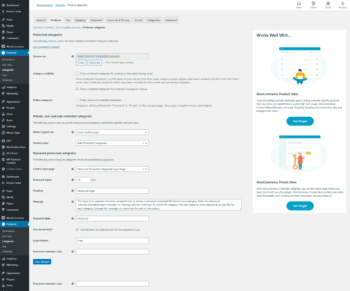
Protect your WooCommerce categories by password, user role or user account. Version: 2.5.4 Protect your WooCommerce categories by password, user role or user account.

Released on: 2023-11-14

Single License

Club Membership

17,99 / Month Membership

NEW Activate all licensed items with the free Dashboard

EffectIO Dashboard

Discover when we give away free Plugins

Find out when we give items for Free

Hey! 🎉 Monthly emails, tops. Snag exclusive plugins/themes for $0. They go quick, but you might just get a freebie! 😉

30 Days Money Back Guarantee

Guaranteed pre-activated plugins. Most items work immediately after installation. Open a support ticket to obtain the license keys for the ones that ask for activation.

Free support to install and setup on your site.

WooCommerce Protected Categories 2.5.4 – Protect and Restrict Access to Your Categories

With WooCommerce Protected Categories 2.5.4, you can easily protect specific categories in your WooCommerce store and keep the rest of your store public. Whether you want to create a private area for each client, set up a wholesale or members-only shop, or have fine-grained protection for certain categories, this plugin has got you covered.

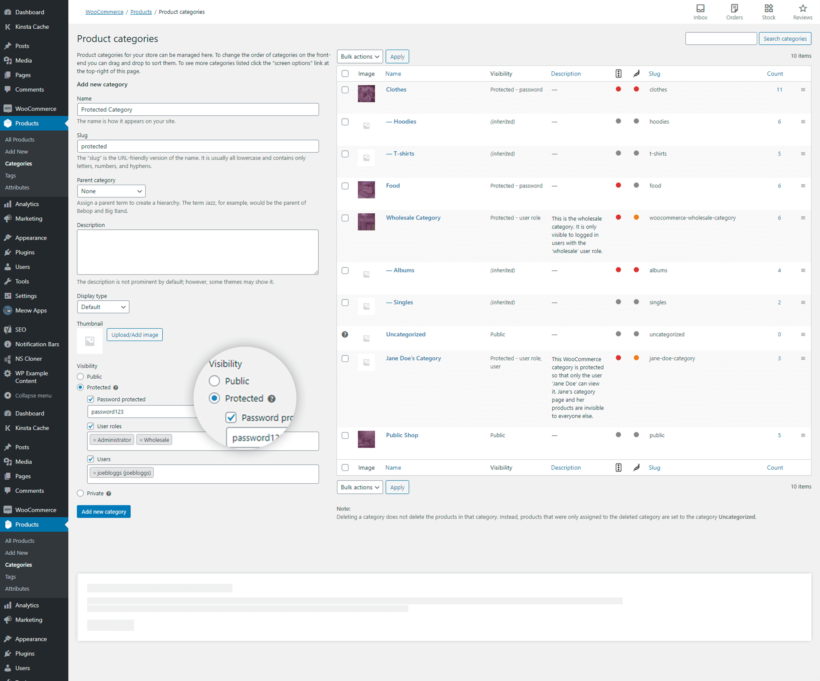
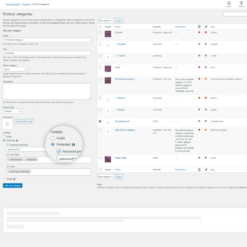
Protecting your categories is quick and easy. Simply lock down entire WooCommerce categories, restrict access to certain users or user roles, or create a secret password. All products within the protected categories are completely hidden from public view.

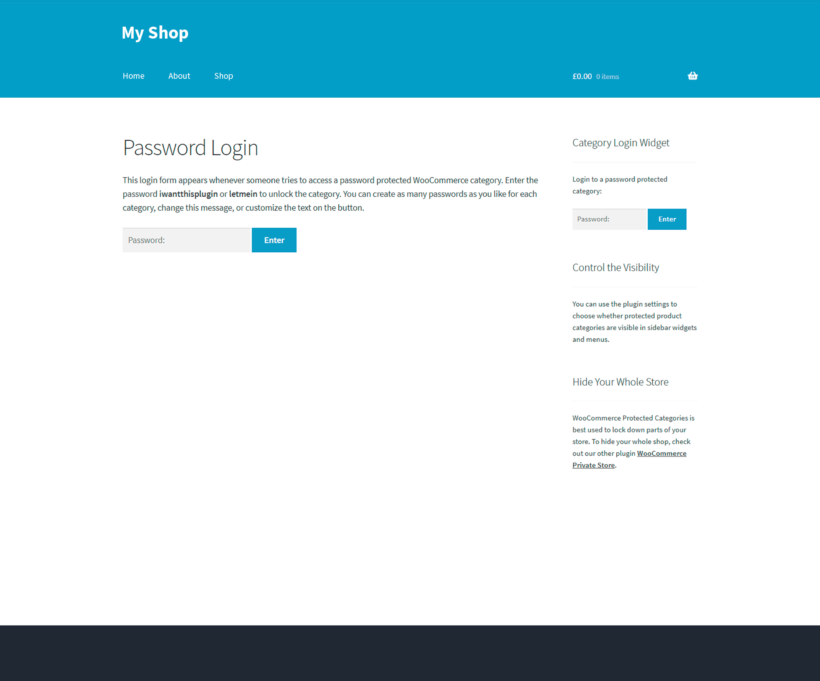
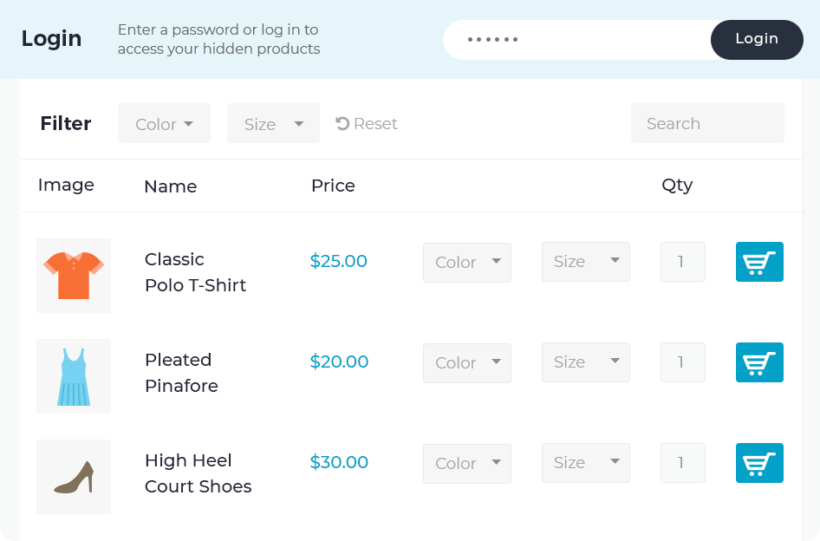
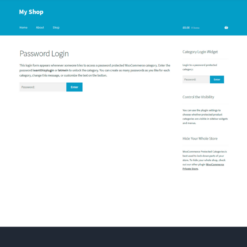
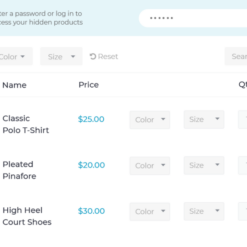
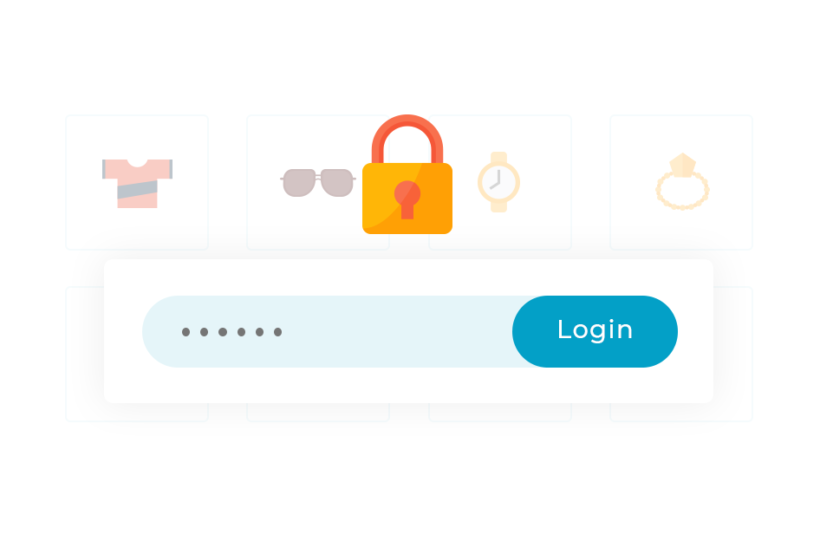
Your customers can enter a password on a central login form and will be seamlessly redirected to the correct hidden category. This plugin supports multiple passwords for each category, allowing you to provide personalized access to different groups of users.

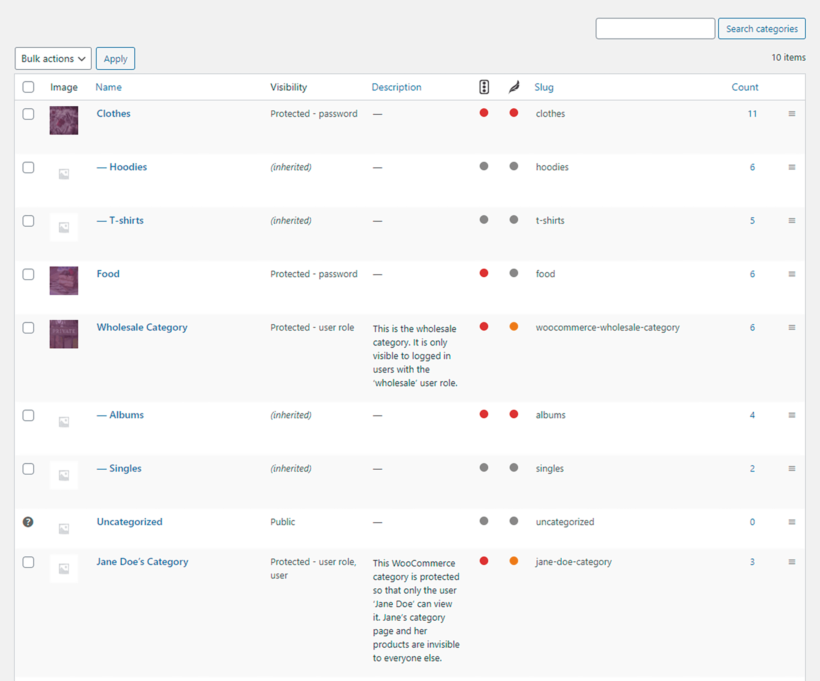
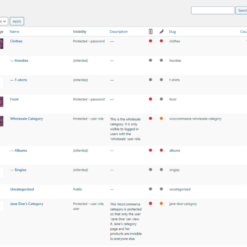
Once a WooCommerce category is protected, all products and subcategories within it automatically inherit the same protection. You have complete control over which areas of your store are visible or hidden from the public.

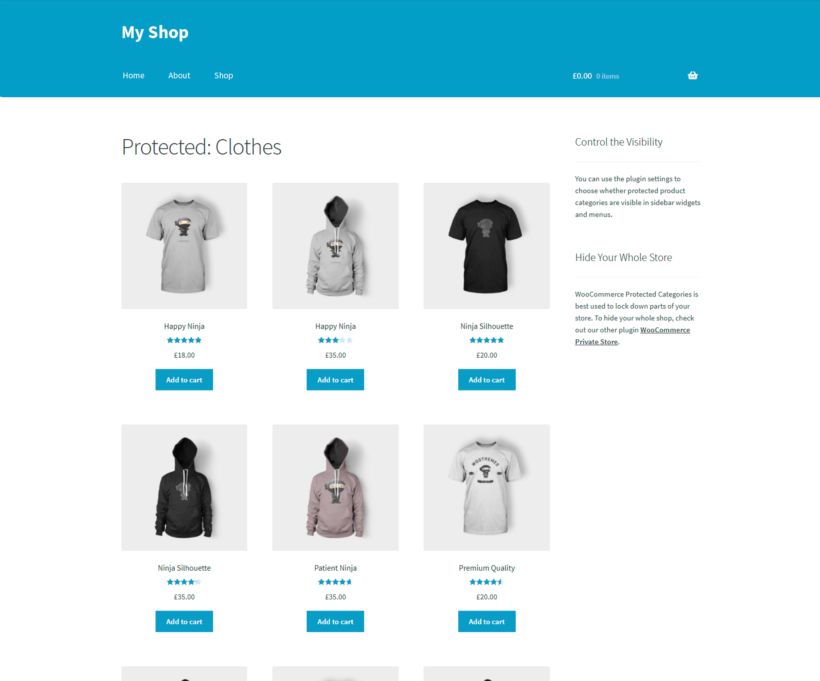
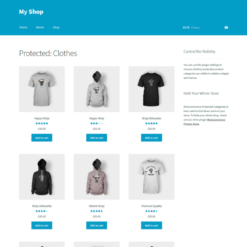
Setting up WooCommerce Protected Categories 2.5.4 takes just minutes. Your customers can simply log into their user accounts or enter a password to unlock an entire category, including its subcategories and products. It’s that simple.

Key Features:

  • Lock entire WooCommerce categories or restrict access to specific users or roles
  • Create a central login form with multiple passwords for each category
  • Hide password-protected categories and their products from public view
  • Supports fine-grained protection and visibility options
  • Comprehensive setup guide included
  • No-risk 30-day money-back guarantee
  • Friendly and reliable support team

WooCommerce Protected Categories 2.5.4 is fully compatible with the EffectIO update channel, providing you with access to cost-saving updates and pre-activated items via the EffectIO Dashboard. You also get premium support from EffectIO, ensuring that you have assistance whenever you need it.

Take advantage of EffectIO’s super deals, offering 30% to 90% discounts on a wide range of premium plugins. With the GPL code and the added benefits of WooCommerce Protected Categories 2.5.4, you can protect your categories with ease and enhance the privacy and security of your WooCommerce store.
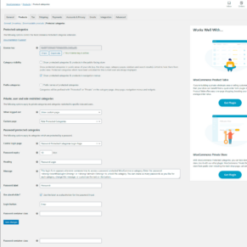
Protect your WooCommerce categories by password, user role or user account.

2.7.1
  • Dev: enabled HPOS compatibility.
  • Dev: Updated internal libraries.
  • Dev: Tested up to WP 6.3 and WooCommerce 8.0
2.7.0
  • New: Reorganised settings panel.
  • New: Added protection of cross-sells and upsells.
2.6.3
  • Fix: Undefined tag_ID notice
2.6.2
  • Fix: PHP 8.1 - Deprecated Return type
  • Tweak: Added validation notices to the term protection form.
  • Dev: Updated Barn2 libraries.
2.6.1
  • Fix: protected sub categories are showing in the categories filter when using the WooCommerce Product Table plugin.
  • Dev: Updated Barn2 libraries.
2.6.0
  • New: Added users & user role REST API protection of products via the /wc/store/v1/products/ route.
  • Dev: Updated Barn2 libraries.
2.5.5
  • Fix: Shop Managers unable to search for users when protecting categories.
  • Dev: Tested up to WooCommerce 6.4.0.
2.5.4
  • Fix: fixed an issue that prevented passwords from being displayed when changing/switching protection type.
  • Test: Compatibility with WooCommerce 6.2.0.
2.5.3
  • Deprecated: "Private categories" option. Private categories will continue to work, but it's recommend to switch to the more user-friendly "Role" option.
  • Tweak: Added a deprecation notice inside the category editing page.
  • Tweak: adjusted the order of certain options inside the setup wizard.
  • Tweak: adjusted the order of sections inside the plugin's settings page.
  • Tweak: updated language files.
2.5.2
  • Fix: ajax user search not firing due to invalidated nonce.
  • Test: Compatibility with WooCommerce 6.1.0.
2.5.1
  • Tweak: search users via ajax when protecting categories by "users".
  • Fix: product category visibility settings displayed the text-domain instead of the real labels.
  • Test: Compatibility with WooCommerce 6.0.0.
  • Dev: Updated library code.
2.5.0
  • New: Added setup wizard.
  • Tweak: Added compatibility with the upcoming WooCommerce admin menu.
  • Tweak: Javascript code consistency update.
  • Tweak: Updated language files.
  • Dev: Updated library code.
2.4.2
  • Test: Compatibility with WooCommerce 5.5 and WordPress 5.8.
  • Dev: Updated library code.
2.4.1
  • Test: Compatibility with WooCommerce 4.1 and WordPress 5.4.1.
  • Dev: Added Composer support.
2.4
  • Fix: Change loading of stylesheet for login page to ensure it's always loaded correctly.
  • Fix: Bug with page title when main Shop page is used as central login page.
  • Fix: Minor bug in product categories list table in Dashboard.
  • Dev: Refactor plugin to use new architecture; deprecate old classes and functions for backwards compatibility.
  • Dev: Add new Barn2 license system and library.
  • Dev: Remove is_admin() checks on file includes.
2.3.3
  • Tested up to WooCommerce 4.0 and WordPress 5.4.
2.3.2
  • Fully tested with WordPress 5.3.2 and WooCommerce 3.9.
  • Move position of Visibility setting on Edit Category screen.
2.3.1
  • Tested up to WordPress 5.3 and WooCommerce 3.8.
2.3
  • Tested up to WooCommerce 3.7.
  • Removed backwards compatibility for old versions of WordPress and WooCommerce (WP < 4.4 and WC < 3.0).
  • Various minor changes to Barn2 library code.
  • Tweak to wording on settings page.
2.2.3
  • Tested with WooCommerce 3.6, and replaced deprecated function warning.
2.2.2
  • Fix: Bug when creating/editing categories if using an older version of WooCommerce (3.1 and below).
2.2.1
  • Fix: Update to latest version of common code to prevent conflict with other Barn2 plugins.
2.2
  • New: Improve category protection logic and provide better support for products in multiple categories.
  • New: Compatibility with WooCommerce Quick View Pro.
  • Fix: When 'Show protected products in store' was disabled, products in protected categories could sometimes still appear if the parent category was unlocked.
  • Fix: Products in multiple categories where one was unlocked could not be purchased from the shop page or archives.
  • Fix: Remove 'pass by reference' for query in pre_get_posts hook to prevent possible PHP warning.
  • Fix: Wrong protection type set when creating categories in admin.
  • Tweak: Added category-password-required class to password login page (body class).
2.1
  • Fix: 'exclude_tree' option in get_terms is no longer overridden, but merged with the list of protected categories.
  • Fix: Issue which prevented the category_login shortcode unlocking some categories when used in a sidebar.
  • Fix: License activation bug for older versions of WooCommerce.
  • Various minor fixes and improvements.
  • Tested up to WordPress 5.0.3 and WooCommerce 3.5.3.
2.0
  • New: User role and user account protection features. Product categories can now be protected by password, user role or user account, or a combination of all three.
  • New: Plugin renamed 'WooCommerce Protected Categories'.
  • New: Updated plugin settings page, including new user protection options.
  • New: Prevent search engine indexing for protected categories (previously set only for private categories).
  • New: Prevent caching for protected and private categories when using cache plugins (e.g. WP Rocket).
  • New: Updated display of password login form to improve compatibility across different themes.
  • New: Category visibility in Products > Categories menu now shows 'inherited' status when parent category is protected.
  • Fix: Prevent accidental login to multiple categories when two or more categories share the same password.
  • Fix: Central password login page - prevent access to categories which have changed status from 'protected' to 'public' or 'private'.
  • Fix: Products in two or more protected categories can now be unlocked by unlocking any one of its categories.
  • Fix: Ensure protected products are not purchasable from product tables in WooCommerce Product Table.
  • Tweak: Update HTML in woocommerce_template_loop_category_title to match WooCommerce.
  • Dev: Apply BEM CSS standards for password entry form and category visibility settings.
  • Dev: Tested up to WP 4.9.8 and WooCommerce 3.4.4.
  • Dev: Various new actions and filters.
  • Dev: Code restructure and improvements.
1.7.3
  • New: Allow shortcodes to be used in login form message.
  • Tweak: Added license.txt for GPL.
  • Fix: Fatal error setting Category login page in plugin settings.
1.7.2
  • New: Add separate stylesheet for front-end and remove inline styles from login form.
  • New: Added WPML config file.
  • New: Tested up to WP 4.9.6 and WC 3.4.1.
  • Tweak: Various code improvements; renamed admin classes.
  • Fix: Conflict with Cosmetro theme (and potentially other themes which override the woocommerce_template_loop_category_title function).
  • Fix: Template issue with Flatsome theme for products in protected categories.
  • Dev: Updated license code.
1.7.1
  • Tested with WooCommerce 3.2.1.
1.7
  • Add more options to [category_login] shortcode (button_text, label, etc).
  • Restructured plugin code and object creation - use dependency injection, and move hooks & filters out of constructors.
  • Fix potential issue in category login shortcode.
  • Fix bug in protection for WooCommerce shortcodes.
  • Additional multisite testing.
1.6.6
  • Tested with latest versions of WooCommerce and WordPress.
  • Fix potential issue if category login shortcode runs in admin.
1.6.5
  • Fix: Ensure password cookie is set correctly when no expiry set in plugin options.
  • Tweak: Restructured plugin initialisation and added extra utility functions.
  • Tweak: Updated plugin support links.
  • Tweak: Updated translations.
1.6.4
  • Fix: Bug on product category archives when display type set to subcategories.
1.6.3
  • Fix: Bug in get_terms_args filter which was causing incorrect display of product category pages.
  • Tweak: Tested with WordPress 4.8.
1.6.2
  • Fix: PasswordHash class was not found under certain conditions.
1.6.1
  • Fix: Bug for variable products for WooCommerce below v3.0.
1.6
  • New: Plugin setting to control how long the password entered is valid before it expires.
  • New: Plugin settings to customise the login form - heading, password label, and label placeholder option.
  • New: Login form now shows error messages if no password or incorrect password entered.
  • Fix: The form message in plugin settings is now used if not set in shortcode.
  • Fix: Category login page can now be set to the main shop page.
  • Fix: Compatibility with WooCommerce 3.0.
1.5.3
  • Fix: Revert error with password protected categories introduced in previous version.
1.5.2
  • Fix: Compatibility issue with servers running older versions of PHP.
  • Tweak: Updated license code.
1.5.1
  • New: Plugin option to set CSS class on password form container.
  • Fix: Bug with products in protected categories when 'show protected products' option disabled.
  • Tweak: Ensure category login shortcode works in widgets.
  • Tweak: Update license key code.
1.5
  • New: Category login shortcode which allows customers or clients to login to their own product category by using a category password.
  • New: Plugin option to allow the 'category login' page to be set.
  • Fix: Bug with protected child categories which have a password protected parent.
  • Tweak: Change filter for category password form to 'wp_ppc_password_form' to prevent theme conflicts.
  • Tweak: Update license code and plugin updater.
1.4.2
  • Fix fatal error in WC_Category_Prefixer class.
  • Update license activation code.
  • Tested with WordPress 4.7.
1.4.1
  • Revert to default WordPress login code for setting password cookie.
  • Styling improvements to category visibility option in admin.
1.4
  • New feature: support for multiple passwords for each category. The category is unlocked if any valid password is entered.
  • Added plugin option to change button text on protected category form.
  • Added Italian translation (credit: Libri Ehret).
1.3.4
  • Add protection for built-in WooCommerce shortcodes (recent products, sale products, featured products, best selling, etc)
  • Update license validation code and fix error with license key activation
  • Add link to documentation from Plugins page
1.3.3
  • Fixed PHP error when password protected category contains no products
  • Added Spanish translation (credit: Victor Castillejos)
1.3.2
  • Fixed bug with filtering of protected & private categories introduced in WordPress 4.6
  • Renamed utility functions to prevent conflicts with other themes/plugins
  • Updated translations
1.3.1
  • Fixed bug with password being reset when using 'quick edit' to edit category
  • Fixed bug with license validation code which prevented it working on servers earlier than PHP 5.5
1.3
  • Added support for the WooCommerce category shortcode [product_category]. When used on any page, widget, etc. your products will now be protected.
  • Added new option to allow the password form to be customised to any wording you choose. Set this under WooCommerce -> Settings -> Products -> Password Protected Categories.
  • Updated EDD Updater which handles the plugin updates
  • Updated license key code
1.2.4
  • Update category protection logic to work with existing taxonomy queries
  • Fix problem with category visibility option not working properly in certain themes
  • Fix E_NOTICE errors generated on pages in some themes
  • Fix error retrieving product categories for WordPress versions prior to 4.5
1.2.3
  • Ensure products in password protected categories cannot be added to the cart
  • Improve error handling for license activation
  • French translation added (credit: Yven Lebreton)
  • Fix bug retrieving product category ancestors which resulted in unnecessary DB calls

Testimonials

Benny O'Brien@benny_obie

The quick response from a friendly team member at @effectioshop honestly caught me off guard.
Nice work!


Stuart Boyle@stuart_boyle

@effectioshop As an eCommerce developer, effectio.org has enabled me to reach higher expectations and my clients are very happy.


22,000+ Users · 180 Countries
Trusted by freelancers, agencies & store owners worldwide

How It Works

Install the free EffectIO Dashboard plugin on your WordPress site. It connects to the EffectIO catalog, detects every premium plugin and theme you own, and gives you a single hub to manage licenses, run updates, and keep your admin panel clean — all from one screen.

⚡

One-Click Updates
Update any premium plugin or theme instantly. No manual downloads, no FTP — just click "Update Now."

🔑

License Manager
View, activate, and manage all your license keys in one place. No hunting through emails or vendor dashboards.

🔇

Notification Blocker
Blocks intrusive admin nag screens, upsell banners, and ads that clutter your dashboard. Re-enable anytime.

🛡️

Vendor Request Control
Prevents redundant license-check pings to third-party servers for items you already manage through EffectIO.

📦

Bulk Activation
Club members can activate all eligible plugins and themes at once — one button, zero hassle.

🆓

100% Free
The Dashboard itself costs nothing. Install it and it auto-activates on your domain — no key required.

Get Started in 3 Steps

1

Download & Install

Download the EffectIO Dashboard zip and install it via Plugins → Add New → Upload.

2

Browse & Activate

Open EffectIO → Catalog in your admin panel. The dashboard auto-detects your installed items and matches them to your licenses.

3

Update & Manage

Keep everything current with one-click updates. Manage licenses, block nag notices, and enjoy a cleaner WordPress experience.

Licenses

All WordPress derivative work is GPL-licensed. Most items are pre-activated and ready to use. Some require an activation key — we provide it with your purchase, and the Dashboard lets you apply it in seconds.

Club members enjoy bulk activation: activate every eligible item at once with a single click. No more entering keys one by one.

✅ Money-Back Guarantee

Every item is tested and ships with full features. If something doesn't work and we can't fix it, you get a full refund. We believe premium tools should be accessible — that's why we offer a low-cost subscription so freelancers, small businesses, and agencies can grow without a large upfront investment.

Manage and Update all your sites

17.99 $ / Month Membership

2900 Plugins and Themes. Install, Update, Activate and Delete any plugin. Unlimited Sites. Best WP Agency Deal.

Clean Items

NGO Mission

Always Updated

SSL Connection

User Management Plugins