EffectIO Order Tags 2.4.0

Original price was: $70.00.Current price is: $9.99. / year

Drop-in compatible replacement & Licensed Product

WooCommerce Extension by 99w. Version: 2.4.0

Speed up order processing and management with Order Tags

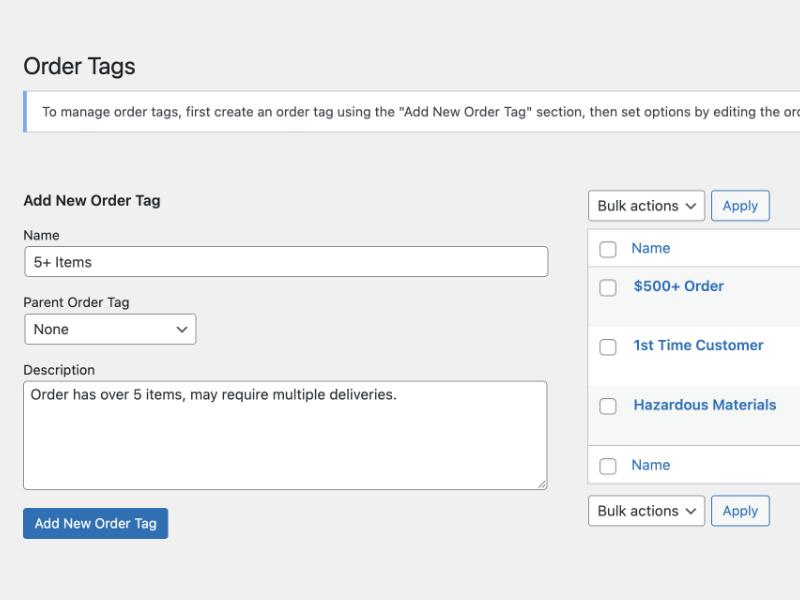
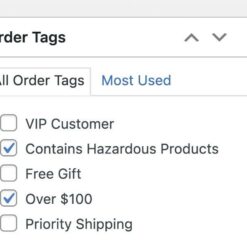
Assign automatic or manual tags to orders to streamline your eCommee store operations. Keep track of orders, filter them easily, and bulk assign tags for efficient order management. 🚀💼

With Order Tags, you can enhance customer loyalty by offering free gifts to registered customers who meet specific order milestones. Say goodbye to time-consuming order review and enjoy the convenience of instantly identifying orders that qualify. Increase customer satisfaction and boost sales! 💎🎁

Released on: 2023-09-07

Single License

Club Membership

17,99 / Month Membership

NEW Activate all licensed items with the free Dashboard

EffectIO Dashboard

Discover when we give away free Plugins

Find out when we give items for Free

Hey! 🎉 Monthly emails, tops. Snag exclusive plugins/themes for $0. They go quick, but you might just get a freebie! 😉

30 Days Money Back Guarantee

Guaranteed pre-activated plugins. Most items work immediately after installation. Open a support ticket to obtain the license keys for the ones that ask for activation.

Free support to install and setup on your site.

Order Tags 2.4.0 – Streamline Order Processing and Management

Easily manage and process your orders with Order Tags 2.4.0. This powerful WordPress extension allows you to assign automatic or manual tags to your orders, saving you time and improving efficiency.

Why Use Order Tags?

  • Speed up order processing and management
  • Organize orders with tags
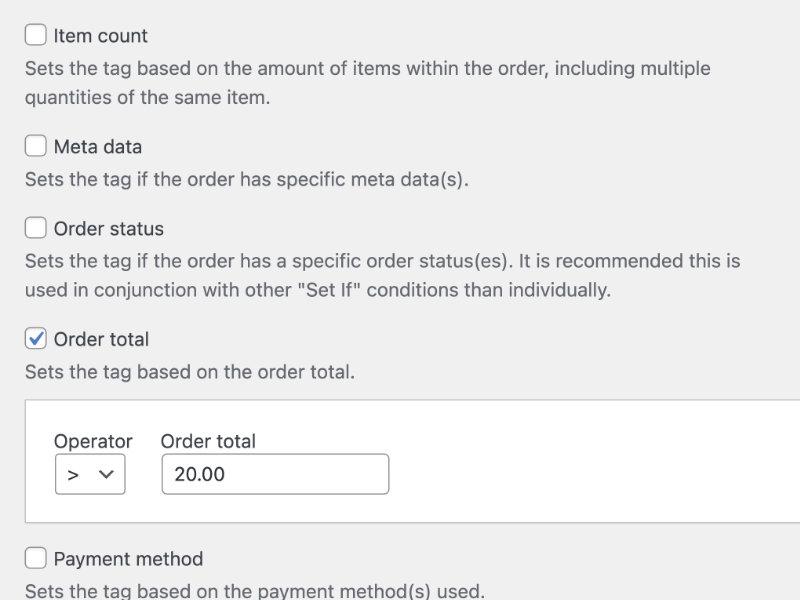
  • Automatically tag orders based on specific criteria
  • Manually assign tags to orders
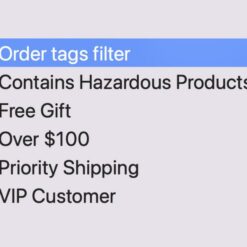
  • Effortlessly filter orders by tags

Key Features and Benefits

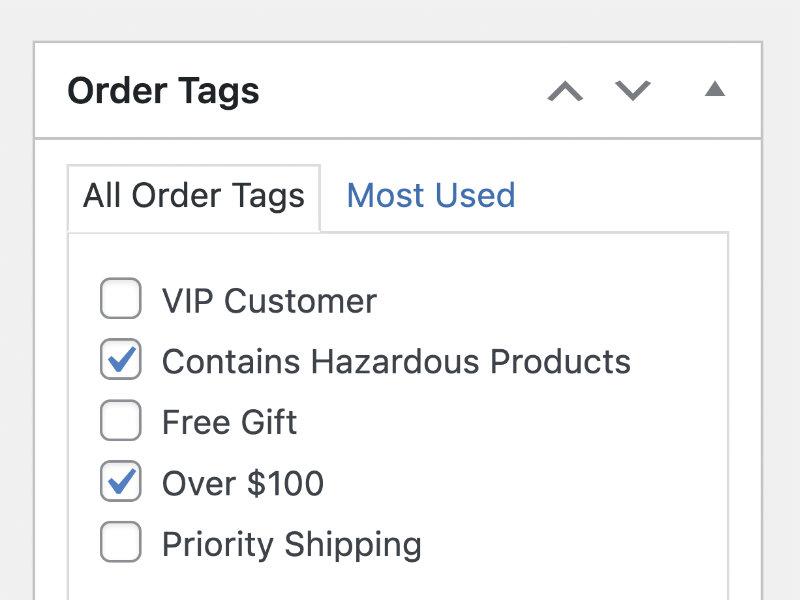
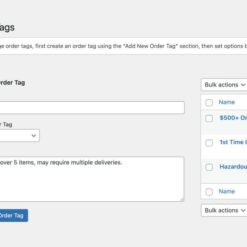
  • Dashboard for easy management of order tags
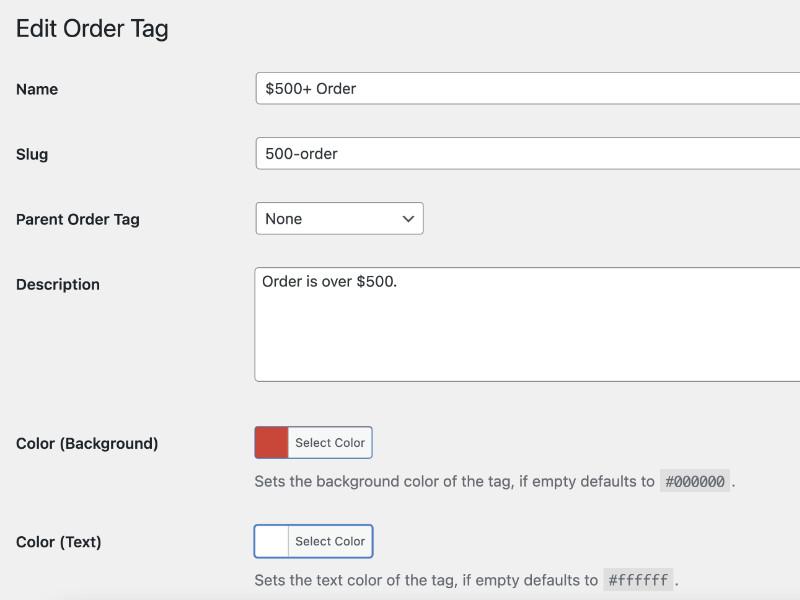
  • Add or edit order tags with ease
  • Automatic tagging saves time and ensures consistency
  • Manual tagging allows for flexibility and customization
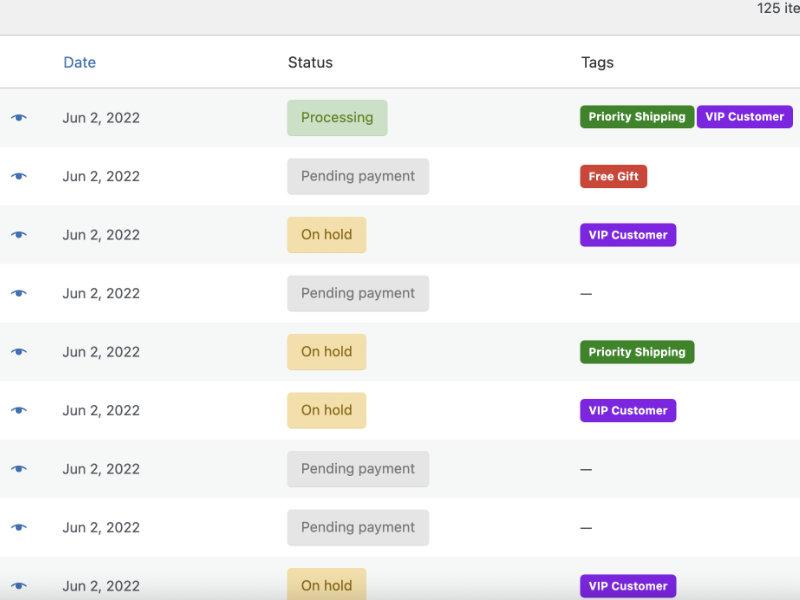
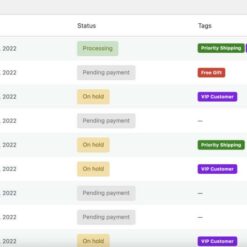
  • Tags are prominently displayed on orders for quick reference
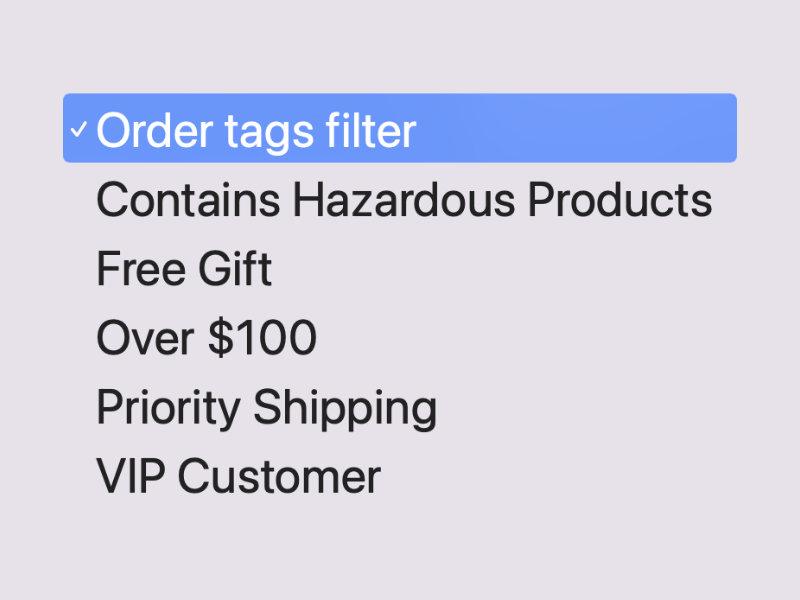
  • Efficiently filter orders by tag to find specific orders
  • Bulk assign tags to multiple orders at once
  • Create custom tags to meet your specific needs
  • Improved order tracking and organization
  • Enhanced customer loyalty with targeted promotions and incentives
  • Save time by avoiding the need to review order details individually
  • Open up new possibilities for order management and processing
  • Seamless integration with WooCommerce
  • Compatible with WooCommerce extensions and themes
  • Regular updates and premium support from EffectIO
  • Efficient codebase following GPL standards
  • EffectIO super deals offering discounts up to 90%

With Order Tags, you can streamline your order processing and management, ensuring that your customers receive their orders as quickly as possible. Take advantage of this essential tool and improve your e-commerce workflow. Get started today and enjoy the benefits of efficient order tagging.

Please note that it is recommended to test the extension on a staging or development environment before using it on your production website. Connect your store to your WooCommee.com account to receive updates and access support quickly.

Speed up order processing and management with Order Tags

Assign automatic or manual tags to orders to streamline your eCommee store operations. Keep track of orders, filter them easily, and bulk assign tags for efficient order management. 🚀💼

With Order Tags, you can enhance customer loyalty by offering free gifts to registered customers who meet specific order milestones. Say goodbye to time-consuming order review and enjoy the convenience of instantly identifying orders that qualify. Increase customer satisfaction and boost sales! 💎🎁

2.4.0 — 2023-08-03
8.0.0 — HPOS
  • Changed: Development assets
  • Changed: PHP requires at least 7.2.0
  • Changed: WooCommerce requires at least 7.3.0
  • Changed: WooCommerce tested up to 7.9.0
  • Changed: WordPress requires at least 5.9.0
2.3.0 — 2023-05-31
  • Added: Order tag set if coupon option
  • Changed: WooCommerce tested up to 7.7.1
  • Changed: WordPress tested up to 6.2.2
2.2.0 — 2023-04-28
  • Note: This is a milestone release, please ensure you read the contents of this changelog and we recommend performing this upgrade on a staging environment and testing before upgrading the extension on a production website, clear all caches after upgrading
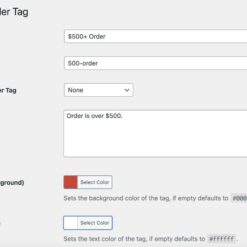
  • Added: Text color option on order tags
  • Added: wcot_order_tags_color_text_default() filter hook
  • Added: wcot_order_tags_set_if_product_variations() filter hook to allow product variations to be selected in set if product assignment when returned true
  • Added: Additional class with order tag slug append to order tag html
  • Added: Set if product variations information when managing order tags
  • Changed: Renamed existing color option to background due to new text color option
  • Fixed: Set if fields which return results via AJAX can not be searched like non-AJAX fields
2.1.0 — 2023-03-03
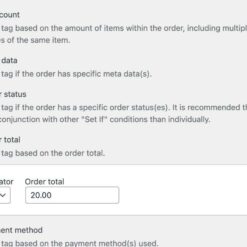
  • Added: Set if product meta data option allowing order tags to be set based on if the order contains a product which has specific meta data
  • Changed: Meta data related field descriptions
  • Changed: Minor development assets
  • Changed: WooCommerce tested up to 7.4.1
2.0.1 — 2022-12-23
  • Changed: WooCommerce tested up to 7.2.2
  • Changed: WordPress requires at least 5.4.0
  • Changed: WordPress tested up to 6.1.1
2.0.0 — 2022-08-23
  • Note: This is a milestone release, please ensure you read the contents of this changelog and we recommend performing this upgrade on a staging environment and testing before upgrading the extension on a production website, clear all caches after upgrading
  • Added: Set if meta data option allowing order tags to be set based on any order based meta data
  • Added: Set if product tag option allowing order tags to be set if products in order have specific tag(s)
  • Added: != operator to set if fields where number based operators used
  • Added: Warning alert if trying to save an order tag without any "Set On" conditions
  • Changed: Set if customer, product and product category select2 fields on edit order tag screen now get data via AJAX request to increase performance
  • Changed: Enqueue of admin.js asset so limited to edit order tag screens for efficiency
  • Changed: UX improvements on edit order tag screen
  • Changed: Manage order tags notice to be more descriptive
6.0.1
6.8.1
  • Fixed: Edit order tag screen may become unresponsive for large stores with huge amounts of customer, product and/or product category data
1.7.0 — 2022-06-24
  • Changed: Field descriptions on "set on" options when editing an order tag
6.6.1
  • Fixed: Setting of order tags may not work in some scenarios due to $order object not yet including all required data to set tags
  • Fixed: Subscriptions (posts with shop_subscription post type but not orders with subscriptions or renewal orders derived from a subscription) may incorrectly have had order tags set when should not, only orders based off the subscription should have order tags set
1.6.1 — 2022-05-28
  • Note: Order tags menu has been moved and can now be found under the WooCommerce menu item in the WordPress dashboard as opposed to the parent menu item in previous versions, this is to meet WooCommerce guidelines on extension menu structures
  • Added: Select fields on the edit order tag page now include the ID of products, categories, customers, payment/shipping methods, etc to allow options to be differentiated/found quicker
  • Changed: Order tags menu moved to sub item of WooCommerce menu item
6.0.0
6.5.1
1.6.0 — 2022-04-30
6.4.1
  • Fixed: Order tags may not be set depending on order tag conditions and order data when using order list bulk actions
  • Fixed: Order tags not set if website does not use the woocommerce_thankyou hook
  • Fixed: Order tags not set if order updated through functionality where the woocommerce_process_shop_order_meta hook is not used
1.5.0 — 2022-03-25
5.9.2
6.3.1
  • Fixed: Translations may not load due to load_plugin_textdomain not hooked on init
1.4.0 — 2021-11-13
  • Added: Set order tags via bulk actions on orders list
  • Changed: wcot_order_tags_get_all_order_tags() function should be define taxonomy via the taxonomy argument in an arguments array
5.8.2
  • Changed: WooCommerce tested up to 5.9.0
  • Fixed: Order subscription renewals may not set shipping instances/zones based order tags
  • Fixed: WCOT_Order_Tags_Filter::filter() does not use wcot_order_tags_get_all_order_tags() function
1.3.0 — 2021-09-08
  • Added: Set on order subscription renewal
  • Added: WooCommerce Subscriptions compatibility
  • Changed: WooCommerce tested up to 5.6.0
1.2.1 — 2021-08-07
  • Added: Bulk set order tags functionality to allow set of order tags in bulk on all orders via wcot_order_tags_set_tags_bulk query var, see documentation for details
  • Added: set_tags_bulk() function to WCOT_Order_Tags_Set class
  • Fixed: Order tag may fail set depending on order type when customer is a guest
  • Fixed: Order tag can lose its settings on edit depending on server setup potentially due to term caching and/or slow $wpdb query
  • Fixed: Order tags dashboard menu item may not be highlighted depending on use of other plugins/extensions parent_file filters and their priorities
  • Fixed: Order tag set may throw fatal error/PHP notices if attempted to be set on a refund order id using custom development
1.2.0 — 2021-08-05
  • Added: Set if customer role
  • Added: Set if payment method
  • Added: Set if product
  • Added: Set if product category
  • Added: Set if mode
  • Added: wcot_order_tags_customer_roles filter to allow inclusion of customers with custom roles in set if customer field
  • Changed: Tag field descriptions
  • Changed: Return less customer data when querying customers on order tag edit for performance
5.8
5.5.2
  • Fixed: PHP undefined variable notice when placing orders for virtual products order confirmation screen if set if shipping method used
1.1.3 — 2021-07-30
  • Fixed: Assigning tag via shipping method may cause undefined method error
1.1.2 — 2021-07-24
  • Fixed: wcpot_order_tag_taxonomy_args has incorrect prefix
1.1.1 — 2021-07-18
  • Added: Hyphen character to tag column on orders list if no order tags so consistent with WordPress
  • Changed: Field descriptions line height on tag edit
  • Changed: Field descriptions to be more descriptive on tag edit
  • Changed: Checkbox expand box styling on tag edit so consistent with WordPress styling
  • Fixed: Setting description typos
  • Fixed: Changelog dates incorrect
1.1.0 — 2021-07-17
  • Added: Set if shipping method instance setting
  • Added: Set if shipping zone setting
  • Changed: "Set on" setting description
  • Changed: Title tooltip to use WooCommerce tooltips as opposed to title attribute
  • Changed: Minor order tag display styling tweaks
  • Fixed: Order tags may still be applied after customer, shipping method/zone deletion until order tag updated
1.0.0 — 2021-06-23
  • Initial release

Testimonials

Benny O'Brien@benny_obie

The quick response from a friendly team member at @effectioshop honestly caught me off guard.
Nice work!


Stuart Boyle@stuart_boyle

@effectioshop As an eCommerce developer, effectio.org has enabled me to reach higher expectations and my clients are very happy.


22,000+ Users · 180 Countries
Trusted by freelancers, agencies & store owners worldwide

How It Works

Install the free EffectIO Dashboard plugin on your WordPress site. It connects to the EffectIO catalog, detects every premium plugin and theme you own, and gives you a single hub to manage licenses, run updates, and keep your admin panel clean — all from one screen.

⚡

One-Click Updates
Update any premium plugin or theme instantly. No manual downloads, no FTP — just click "Update Now."

🔑

License Manager
View, activate, and manage all your license keys in one place. No hunting through emails or vendor dashboards.

🔇

Notification Blocker
Blocks intrusive admin nag screens, upsell banners, and ads that clutter your dashboard. Re-enable anytime.

🛡️

Vendor Request Control
Prevents redundant license-check pings to third-party servers for items you already manage through EffectIO.

📦

Bulk Activation
Club members can activate all eligible plugins and themes at once — one button, zero hassle.

🆓

100% Free
The Dashboard itself costs nothing. Install it and it auto-activates on your domain — no key required.

Get Started in 3 Steps

1

Download & Install

Download the EffectIO Dashboard zip and install it via Plugins → Add New → Upload.

2

Browse & Activate

Open EffectIO → Catalog in your admin panel. The dashboard auto-detects your installed items and matches them to your licenses.

3

Update & Manage

Keep everything current with one-click updates. Manage licenses, block nag notices, and enjoy a cleaner WordPress experience.

Licenses

All WordPress derivative work is GPL-licensed. Most items are pre-activated and ready to use. Some require an activation key — we provide it with your purchase, and the Dashboard lets you apply it in seconds.

Club members enjoy bulk activation: activate every eligible item at once with a single click. No more entering keys one by one.

✅ Money-Back Guarantee

Every item is tested and ships with full features. If something doesn't work and we can't fix it, you get a full refund. We believe premium tools should be accessible — that's why we offer a low-cost subscription so freelancers, small businesses, and agencies can grow without a large upfront investment.

Manage and Update all your sites

17.99 $ / Month Membership

2900 Plugins and Themes. Install, Update, Activate and Delete any plugin. Unlimited Sites. Best WP Agency Deal.

Clean Items

NGO Mission

Always Updated

SSL Connection

Orders Plugins











