EffectIO AMP Layouts 1.9.41

Original price was: $70.00.Current price is: $9.99. / year

Drop-in compatible replacement & Licensed Product

AMP for WP - Accelerated Mobile Pages for WordPress Version: 1.9.35 AMP for WP - Accelerated Mobile Pages for WordPress

Released on: 2023-10-12

Single License

Club Membership

17,99 / Month Membership

NEW Activate all licensed items with the free Dashboard

EffectIO Dashboard

Discover when we give away free Plugins

Find out when we give items for Free

Hey! 🎉 Monthly emails, tops. Snag exclusive plugins/themes for $0. They go quick, but you might just get a freebie! 😉

30 Days Money Back Guarantee

Guaranteed pre-activated plugins. Most items work immediately after installation. Open a support ticket to obtain the license keys for the ones that ask for activation.

Free support to install and setup on your site.

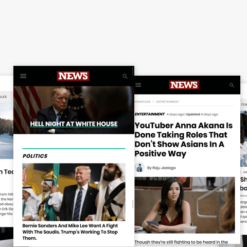
AMP Layouts 1.9.35: Design and Customization Made Easy

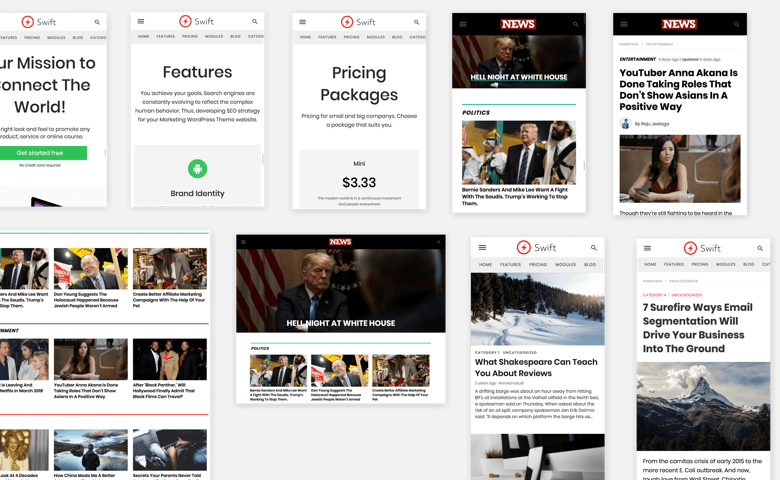
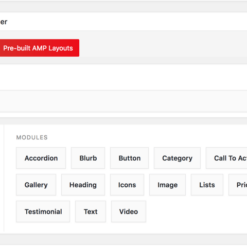
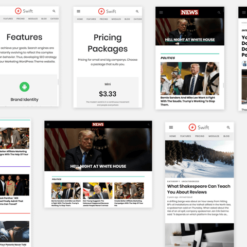
AMP Layouts 1.9.35 is a powerful WordPress plugin that brings pixel-perfect design and pre-built demos to your website. With its new layouts and customizable options, you can create stunning designs without any coding knowledge.

Discover the Key Features:

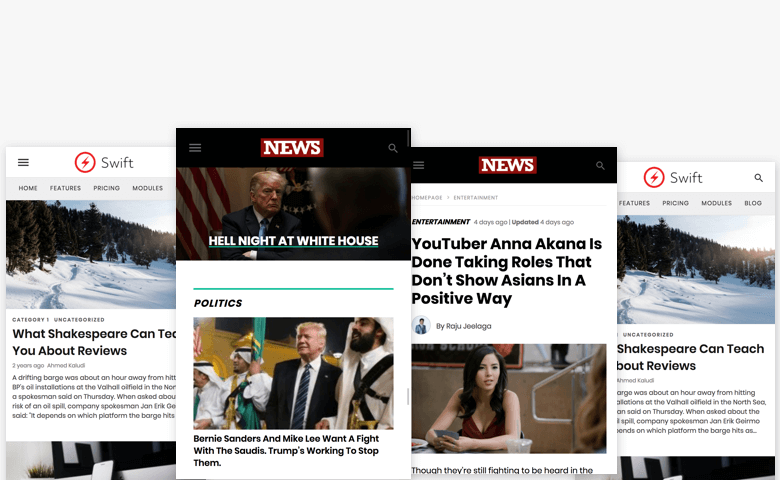
  • New Layouts: Access a variety of professionally designed layouts to give your website a fresh and modern look.
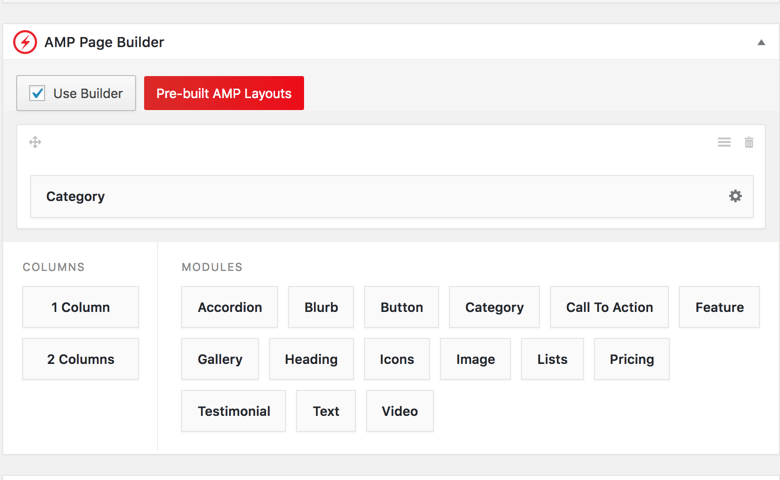
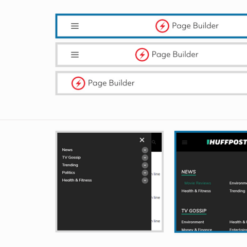
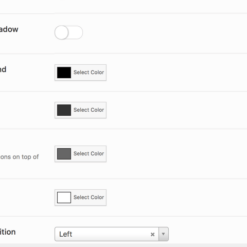
  • Customizable: Tailor the layouts to your specific needs with the drag-and-drop builder and make your website truly unique.
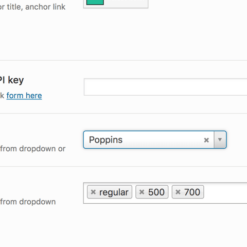
  • Google Fonts: Choose from a wide range of Google Fonts to enhance the typography on your website and create a visually appealing experience for your visitors.
  • Custom Themes Without Coding: Enjoy the freedom to create custom themes without any coding skills required – unleash your creativity!
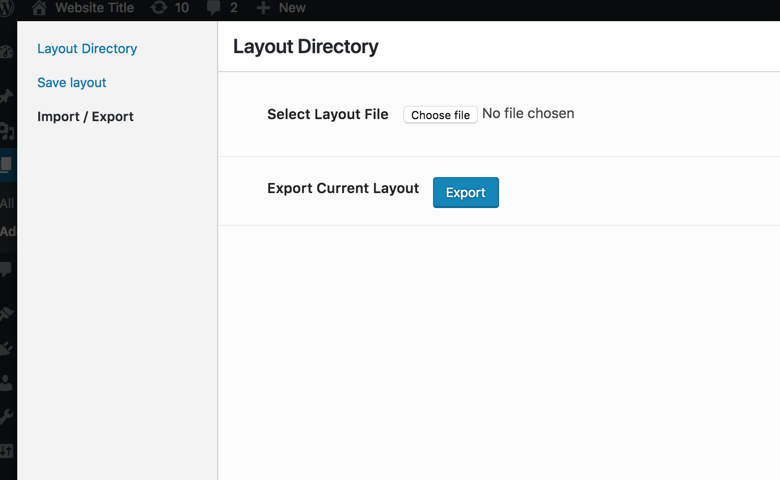
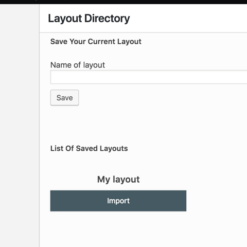
  • Save Your Design: Save your designs effortlessly and easily access them whenever you want to make changes or updates.
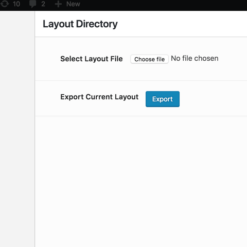
  • Export & Import: Seamlessly transfer your layouts across different websites or share them with other designers for collaboration and inspiration.
  • Advanced Elements: Explore a wide range of advanced elements and features to enhance the functionality and visual appeal of your website.
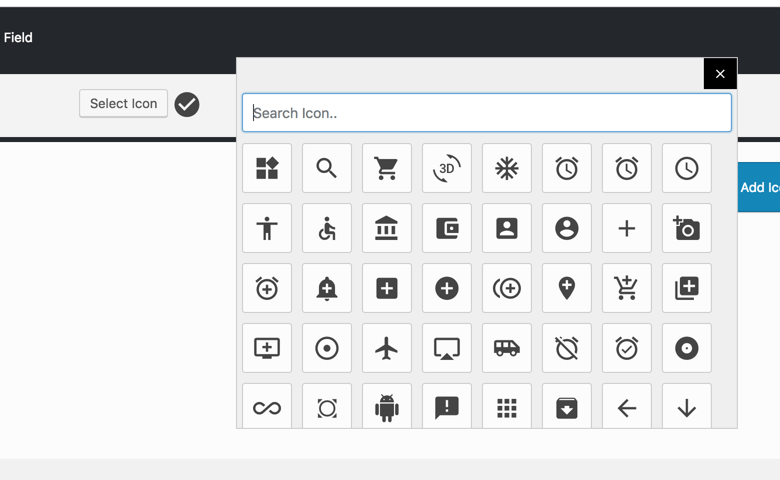
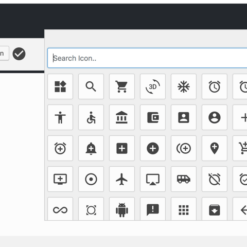
  • 450 Icons: Access an extensive library of icons to add a touch of visual flair to your web pages.
  • Mobile-Friendly: Ensure that your website looks great and functions flawlessly on mobile devices, providing an optimal user experience.
  • Super Deals: Enjoy exclusive discounts ranging from 30% to 90% on AMP Layouts and other premium plugins through EffectIO, your trusted update channel for cost-saving updates.

AMP Layouts seamlessly integrates with AMP Page Builder, empowering you with complete control over your website’s layout without the need for coding. Additionally, it comes pre-activated via the EffectIO Dashboard, offering you both GPL code and premium support from the EffectIO team for a worry-free experience.

Upgrade to AMP Layouts 1.9.35 today and unlock the power of effortless design and customization for your WordPress website.

AMP for WP – Accelerated Mobile Pages for WordPress

1.9.41 — 22 September 2023
  • Bugs Fixed: =
  • Resolved the issue of Toggle not working.
  • Resolved the issue of Submenus are not appearing as the dropdown.
  • Resolved the issue of Header cta option not working properly.
1.9.40 — 18 August 2022
  • Bug Fixed: =
  • Resolved the issue of srcset not showing in the category module.
1.9.39 — 22 April 2022
  • Bug Fixed: =
  • Resolved the issue of Social share icons overlapping in the iPhone.
1.9.38 — 08 April 2022
  • Bugs Fixed: =
  • Resolved the issue of Social share icons not loading in the AMP data image format.
  • Resolved the issue of Image size of Related posts not changing in the single design.
  • Resolved the issue of Below related post hook not working.
1.9.37 — 28 January 2022
  • Bug Fixed: =
  • Resolved the issue of Warning: Use of undefined constants AUTH_KEY, SECURE_AUTH_KEY.
1.9.36 — 31 December 2021
  • Bug Fixed: =
  • Resolved the issue of horizontal scrollbar showing on Mozilla firefox.
1.9.35 — 24 September 2021
  • Feature Added: =
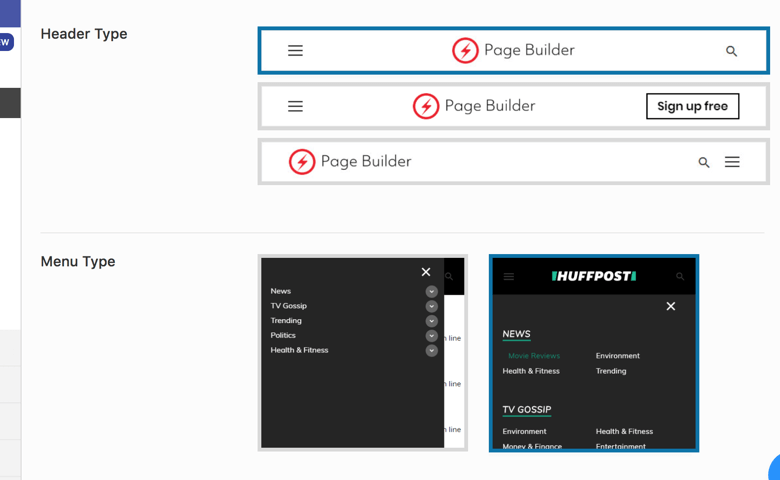
  • Added a New Header design.
  • Bug Fixed: =
  • Resolved the issue of comments showing below the page.
1.9.34 — 02 April 2021
  • Bug Fixed: =
  • Resolved the issue of All Menus do not show in Mobile view if the sticky header option is enabled.
1.9.33 — 26 March 2021
  • Bug Fixed: =
  • Resolved the issue of Text of More Stories doesn't Update in Journal Layout.
1.9.32 — 05 March 2021
  • Bug Fixed: =
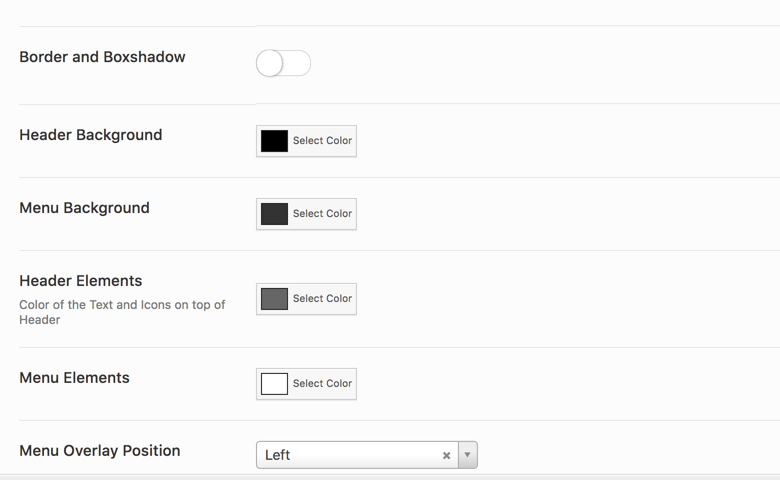
  • Resolved the issue of Border and Boxshadow not displaying in Header.
1.9.31 — 19 February 2021
  • Bug Fixed: =
  • Resolved the issue of Unable to import Amp layouts.
1.9.30 — 12 February 2021
  • Bugs Fixed: =
  • Resolved the issue of Social Share options not connected.
  • Resolved the issue of Footer link hover color and border color not working in News Layout Theme.
1.9.29 — 29 January 2021
  • Bug Fixed: =
  • Resolved the issue of Sidebar not loading on News Layout when set as Homepage.
1.9.28 — 18 December 2020
  • Bug Fixed: =
  • Resolved the issue of Background Color is not showing for the Feature Module Contents for Layouts Design Two.
1.9.27 — 27 November 2020
  • Feature Added: =
  • Added a filter in Design 3 to modify Author Content.
1.9.26 — 28 August 2020
  • Feature Added: =
  • Added a hook for displaying Views.
1.9.25 — 03 July 2020
  • Bug Fixed: =
  • Resolved the issue of Settings of Header and Single Page donot restore to default values when amp layouts is deactivated.
1.9.24 — 03 July 2020
  • Bug Fixed: =
  • Resolved the issue of Twitter Icon not displayed in Layout's Design 2.
1.9.23 — 26 June 2020
  • Bugs Fixed: =
  • Resolved the issue of Link to Author Page not working.
  • Resolved the issue of Date Output not connected with the Option Panel.
1.9.22 — 30 May 2020
  • Bug Fixed: =
  • Resolved the issue of Excerpt showing partial content.
1.9.21 — 29 May 2020
  • Bug Fixed: =
  • Resolved the issue of Post title is hidden behind the header if the featured image isn’t available.
1.9.20 — 22 May 2020
  • Bugs Fixed: =
  • Resolved the issue of Wrong numbering on posts.
  • Resolved the issue of Validation errors when Disable wptexturize option is enabled.
  • Resolved the issue of Social Share links to AMP not working.
1.9.19 — 22 April 2020
  • Feature Added: =
  • Connected with CSS icons in Option Panel.
  • Bug Fixed: =
  • Resolved, the Related Posts in Single Design gives incorrect Author information.
1.9.18 — 17 April 2020
  • Feature Added: =
  • Hooks added in the Header Designs.
1.9.17 — 11 April 2020
  • Bugs Fixed: =
  • Resolved the issue of Date Option not showing Modified date.
  • Added proper sanitizing, escaping for all the Social sharing options.
1.9.16 — 13 March 2020
  • Bug Fixed: =
  • Resolved the issue of option panel values getting changed after updating the extension.
1.9.15 — 06 March 2020
  • Feature Added: =
  • Added Heading tags selection for heading in Team Module.
  • Bugs Fixed: =
  • Resolved the alignment of the horizontal line for the previous and next article title.
  • Resolved the Settings are not getting restored of header and the Single page to default values when amp layouts is deactivated.
  • Resolved the Team module heading static value, made it dynamic.
1.9.14 — 28 February 2020
  • Bug Fixed: =
  • Resolved the Agency layout's responsiveness issue.
1.9.13 — 22 February 2020
  • Feature Added: =
  • Created an option to change the Heading tag (H1 to H6) in Presentation Module.
1.9.12 — 17 January 2020
  • Bug Fixed: =
  • Notice: Undefined variable: author_prefix, resolved.
1.9.11 — 27 December 2019
  • Feature Added: =
  • Created an option to redirect the author's page to AMP or Non-amp.
  • Bugs Fixed: =
  • Misspelling of "Google" as "Goolge", as well as a missing icon for the footer option, resolved.
  • Resolved icons not loading issue when font Awesome is selected in Single Design Four.
  • Escaping added for "reddit share".
  • Connected social sharing with Magazine Layout.
  • Fixed Warnings.
1.9.10 — 06 December 2019
  • Bugs Fixed: =
  • Connected Number of Recent Posts with the Options Panel.
  • Layouts Testimonial module markup separated from core.
1.9.9 — 29 November 2019
  • Feature Added: =
  • Added Sidebar Support in Single Design 1.
1.9.8 — 01 November 2019
  • Bug Fixed:
  • Anchor links in Single Design Layout start in a new line, instead of continuing in the current line issue resolved.
1.9.7 — 25 October 2019
  • Bugs Fixed:
  • "By" wasn't translating so connected with the Translation Panel, issue resolved.
  • Call now Button not present in Header's resolved.
  • Hover Color improved for Header Menu.
  • Alignment in arrows improved.
1.9.6 — 11 October 2019
  • Bug Fixed:
  • ADS not loading below the Author Box issue resolved.
1.9.5 — 28 Sep 2019
  • Bugs Fixed:
  • Resolved Related Post design issues when RTL is enabled.
  • Table Width exceeds the viewport, issue resolved.
1.9.4 — 20 Sep 2019
  • Bug Fixed:
  • Single Page List items design is breaking when RTL is enabled, resolved.
1.9.3 — 31 Aug 2019
  • Bug Fixed
  • Footer background color in Advanced Footer Options not working resolved.
1.9.2 — 23 Aug 2019
  • Bug Fixed:
  • Single Formatting for all the Layouts improved.
1.9.1 — 09 Aug 2019
  • Features Added:
  • Added New Tab option for anchor links in the Presentation module.
  • Added Breadcrumbs feature for layouts single design 3.
  • Bugs Fixed:
  • Resolved issue of Layouts single design 2 is breaking if we turn off Author Bio.
  • Resolved the issue of Google Lighthouse Test shows Tap targets are not sized appropriately.
  • Fixed the issue of scroll bar is not loading in layout menu's.
  • Resolved WP debug notice error Undefined index:'item_name'.
1.9 — 05 July 2019
  • Bug Fixed:
  • Added CSS for the In-Content Related Post in all single designs.
1.8 — 28 June 2019
  • Bugs Fixed:
  • Proper Styling for Heading Tags.
  • Options connected with =>
  • Heading Font Sizes
  • Underline on Links
  • No Follow on Social Links
  • Modified Date.
1.7 — 21 June 2019
  • Bug Fixed:
  • Bullet Points Styling Improved.
1.6 — 14 June 2019
  • Features Added:
  • Added styling for Block quotes in all single designs.
  • Added date seperator option.
  • Bugs Fixed:
  • Resolved the issue of Infinite scroll displaying 3 times footer.
  • Social share icons position option not working resolved.
1.5.6 — 31 May 2019
  • Improved heading css for Magazine Single Design.
1.5.4 — 24 May 2019
  • Bug Fixed:
  • Connected with proper options for author name.
1.5.3 — 24 May 2019
  • Bugs Fixed:
  • Resolved author name and breadcrumbs spacing issue in all layouts.
  • Resolved rtl designs issues in magazine layout.
1.5.2 — 17 May 2019
  • Features Added:
  • Added feature to switch between swift icon and font awesome icon.
  • Addthis support added.
  • Bugs Fixed:
  • Date showing twice issue resolved.
  • Logo will be faded in darker mode for sidebar menu.
1.5.1 — 26 Apr 2019
  • Bug Fixed:
  • Added Next,Previous Links in Single Design 3(Layout).

Testimonials

Benny O'Brien@benny_obie

The quick response from a friendly team member at @effectioshop honestly caught me off guard.
Nice work!


Stuart Boyle@stuart_boyle

@effectioshop As an eCommerce developer, effectio.org has enabled me to reach higher expectations and my clients are very happy.


22,000+ Users · 180 Countries
Trusted by freelancers, agencies & store owners worldwide

How It Works

Install the free EffectIO Dashboard plugin on your WordPress site. It connects to the EffectIO catalog, detects every premium plugin and theme you own, and gives you a single hub to manage licenses, run updates, and keep your admin panel clean — all from one screen.

⚡

One-Click Updates
Update any premium plugin or theme instantly. No manual downloads, no FTP — just click "Update Now."

🔑

License Manager
View, activate, and manage all your license keys in one place. No hunting through emails or vendor dashboards.

🔇

Notification Blocker
Blocks intrusive admin nag screens, upsell banners, and ads that clutter your dashboard. Re-enable anytime.

🛡️

Vendor Request Control
Prevents redundant license-check pings to third-party servers for items you already manage through EffectIO.

📦

Bulk Activation
Club members can activate all eligible plugins and themes at once — one button, zero hassle.

🆓

100% Free
The Dashboard itself costs nothing. Install it and it auto-activates on your domain — no key required.

Get Started in 3 Steps

1

Download & Install

Download the EffectIO Dashboard zip and install it via Plugins → Add New → Upload.

2

Browse & Activate

Open EffectIO → Catalog in your admin panel. The dashboard auto-detects your installed items and matches them to your licenses.

3

Update & Manage

Keep everything current with one-click updates. Manage licenses, block nag notices, and enjoy a cleaner WordPress experience.

Licenses

All WordPress derivative work is GPL-licensed. Most items are pre-activated and ready to use. Some require an activation key — we provide it with your purchase, and the Dashboard lets you apply it in seconds.

Club members enjoy bulk activation: activate every eligible item at once with a single click. No more entering keys one by one.

✅ Money-Back Guarantee

Every item is tested and ships with full features. If something doesn't work and we can't fix it, you get a full refund. We believe premium tools should be accessible — that's why we offer a low-cost subscription so freelancers, small businesses, and agencies can grow without a large upfront investment.

Manage and Update all your sites

17.99 $ / Month Membership

2900 Plugins and Themes. Install, Update, Activate and Delete any plugin. Unlimited Sites. Best WP Agency Deal.

Clean Items

NGO Mission

Always Updated

SSL Connection











