






EffectIO Give - Tributes 2.3.1

Original price was: $70.00.Current price is: $9.99. / year

Drop-in compatible replacement & Licensed Product

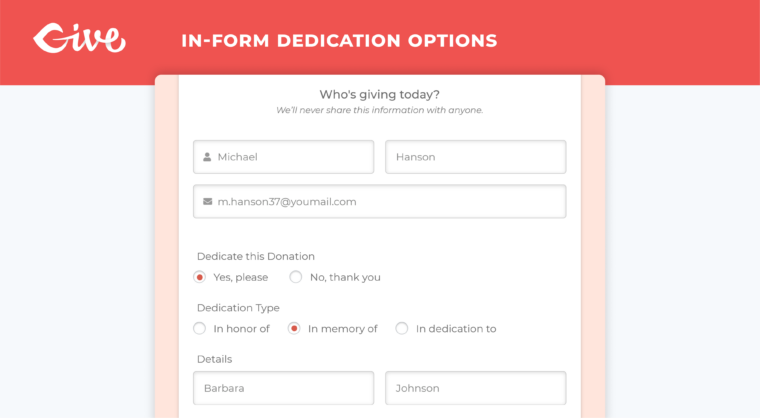
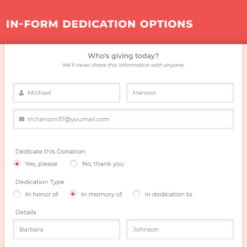
Allow donors to give to your Cause via customizable tributes like "In honor of" or "In memory of". Version: 1.5.8 Allow donors to give to your Cause via customizable tributes like "In honor of" or "In memory of".

Released on: 2025-11-20

Single License

Club Membership

17,99 / Month Membership

NEW Activate all licensed items with the free Dashboard

EffectIO Dashboard

Discover when we give away free Plugins

Find out when we give items for Free

Hey! 🎉 Monthly emails, tops. Snag exclusive plugins/themes for $0. They go quick, but you might just get a freebie! 😉

30 Days Money Back Guarantee

Guaranteed pre-activated plugins. Most items work immediately after installation. Open a support ticket to obtain the license keys for the ones that ask for activation.

Free support to install and setup on your site.

Give – Tributes 1.5.8 is a versatile addon for GiveWP that allows donors to give to your cause through customizable tributes. With this addon, you can offer options like “In honor of” or “In memory of” and provide a personalized experience for your donors.

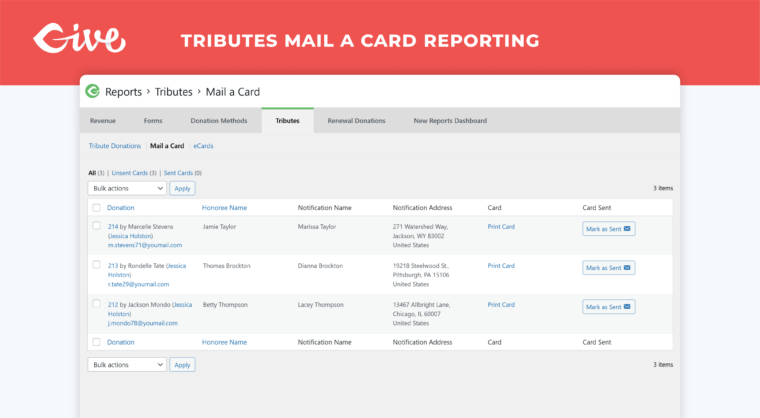
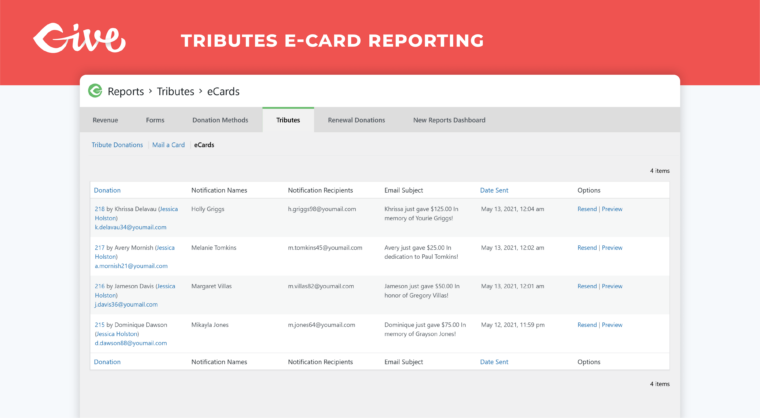
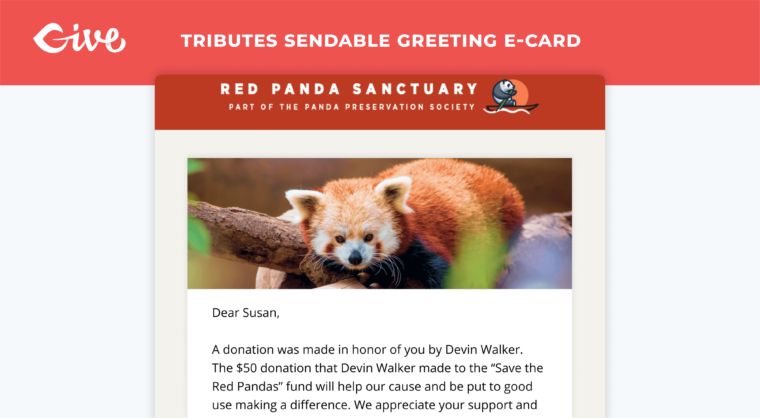
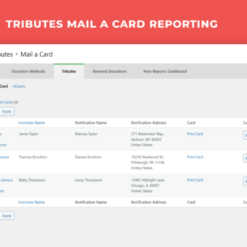
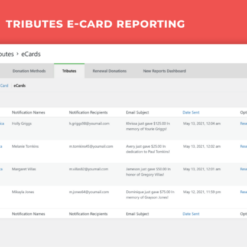
One of the standout features of Tributes is the ability to send eCards to honorees, giving your donors a special way to acknowledge their loved ones. You can also create customized mailable cards, which can be printed and sent to donors and their honorees.

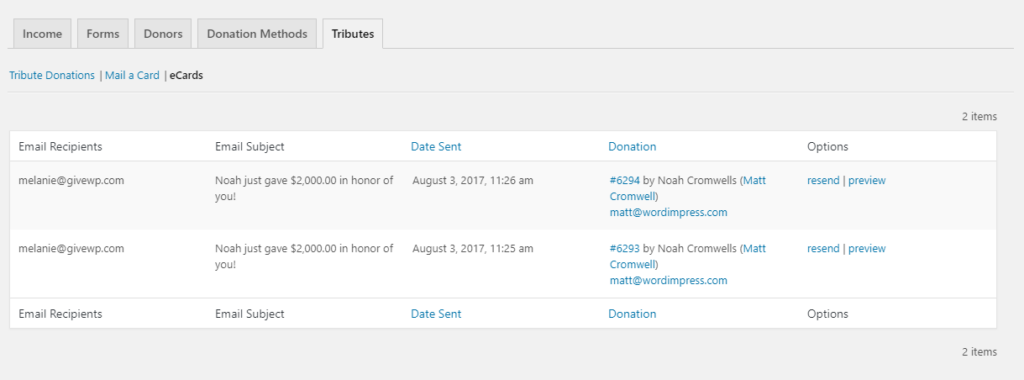
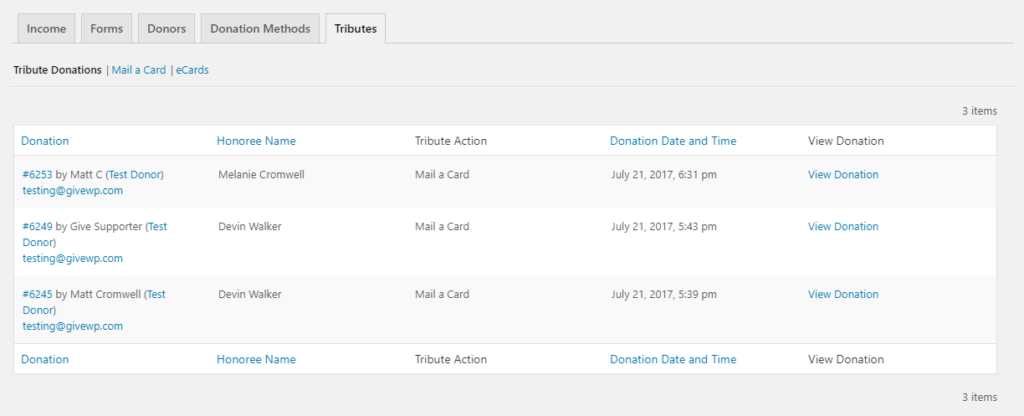
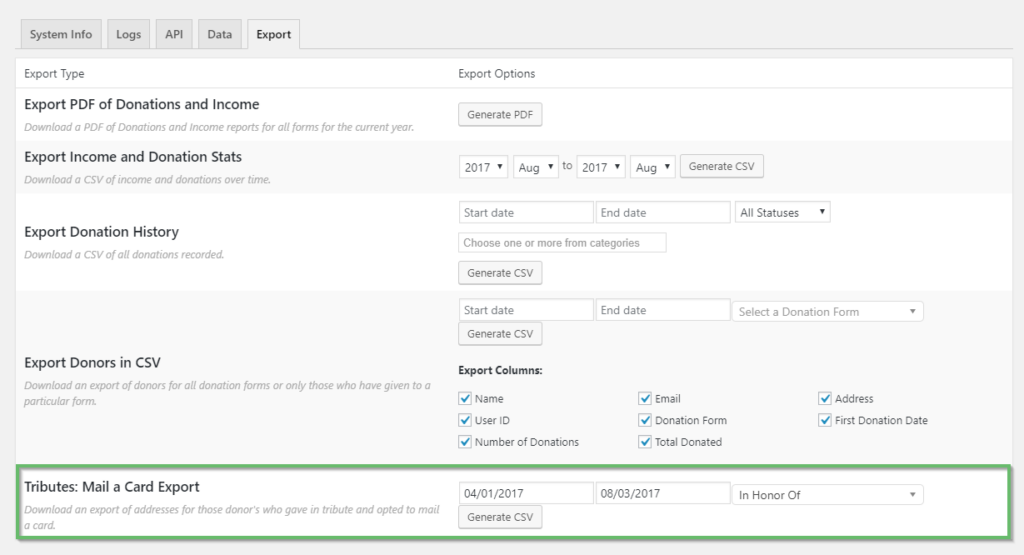
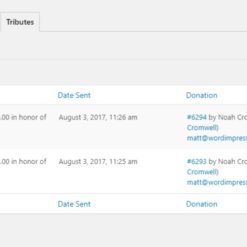
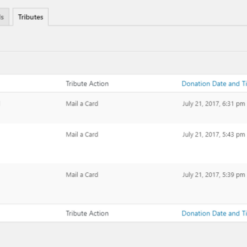
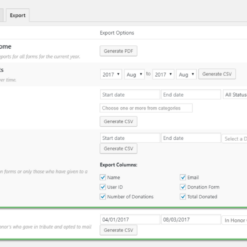
In addition, the addon offers advanced reporting capabilities, including an eCard report and a tribute donation report. You can easily track which cards have been sent, resend eCards if needed, and export the data for further analysis.

The Tributes Addon is highly customizable, allowing you to add your own tribute types to suit your organization’s needs. These tributes are displayed on the frontend of your site, giving donors the option to choose their preferred tribute type.

With thorough documentation and reliable support, the Tributes Addon is a feature-rich plugin that can greatly enhance your fundraising efforts. It can be seamlessly integrated with other GiveWP premium addons, helping you maximize your fundraising potential.

By leveraging the power of Give – Tributes 1.5.8, you can create meaningful connections with your donors, honor their loved ones, and raise more money for your cause. Get started today with GiveWP Plus Plan to access all the addons and enjoy the benefits of our pre-activated, GPL code along with premium support from EffectIO. Remember to check out our super deals with 30 to 90 percent discounts via the EffectIO Dashboard.

Allow donors to give to your Cause via customizable tributes like “In honor of” or “In memory of”.

2.2.1
  • Fix: Resolved php 8.3 compatibility
2.2.0
  • New: Added the ability to create multiple tribute types within forms using the visual form builder
  • Enhancement: Updated the eCard opt-in to be enabled by default
  • Fix: Resolved an error when manually importing donations
2.1.2
  • Fix: Resolved an issue where the Tributes email tag was not reflecting the donor opt-in choice
  • Fix: Resolved an issue with editing eCard recipient information from the donation details screen
2.1.1
  • Fix: Resolved an issue where some tributes information was not available to be edited in donation details
2.1.0
  • Enhancement: Added tribute information to the donation confirmation page
2.0.3
  • Fix: Resolved an issue where the "No, thank you" option was preventing donations from being submitted
2.0.2
  • Enhancement: Updated tributes block ecard content settings with classic editor
2.0.1
  • Enhancement: Updated styles and added more text customizations for the visual form builder
  • Fix: Display Tribute title and type in Design and on live form for forms built with the visual form builder
2.0
  • Feature: Added a Tributes block to the visual donation form builder
  • Feature: A new tribute_info tag was added to the PDF Receipts add-on
  • Fix: Elements involved in resending and previewing past eCards are no longer disabled
  • Fix: Hidden fields are no longer shown when the "No, thank you" option is selected by default on the form
1.6.1
  • Fix: eCard fields display properly when tributes are required
1.6.0
  • Feature: Tribute column added to the new Donations list table in wp-admin
  • Feature: Added the admin ability to set default as optional or required
  • Feature: Added the admin ability to edit Tributes data for a donation
1.5.9
  • Fix: Display style "buttons" now works correctly with the Multi-Step and Classic templates
1.5.8
  • Fix: Resolved a jQuery issue with WordPress 5.5 where the donor was unable to select different payment methods.
1.5.7
  • New: Added support for the upcoming release of GiveWP 2.7.0 and the new donation form template.
1.5.6
  • Fix: Some image sizes would not be full-bleed in the PDF Mail a Card design. This update includes a fix to ensure that they display fully without having margins.
1.5.5
  • Fix: The personalized message from donor's on eCards were not showing for admins in the preview mode when multiple recipients are enabled.
1.5.4
  • Fix: Improved security for ajax requests by applying nonce and role based access measures. This version requires the latest version of GiveWP Core to update.
1.5.3
  • New: Improved how donations with tribute data be exported or imported into GiveWP via the import / export tools. Previously a small set of Tributes fields were available for export and NO fields were available to select during import. We have added the missing Tributes fields to the donations export screen and also made those fields selectable in the donation import screen.
1.5.2
  • Fix: Utilize only AJAX validation rather than HTML5 based validation methods for hidden fields. This resolves a browser limitation issue for hidden fields attempting to be validated when the donor has not chosen the option.
1.5.1
  • Tweak: The donor's full name is now displayed in the {tribute_info} tag rather than just the first name.
  • Fix: Ensure the required asterisk on honoree email appears when floating are labels applied to the donation form.
  • Fix: Ensure capitalization isn't stripped from the Tributes Options text in the eCard email message text.
  • Fix: The Tributes email field now properly validates that the email input is properly formatted.
1.5.0
  • New: Added support for Tribute exports to the Give Core CSV exporter.
  • New: Added multiple message support to notices within wp-admin.
  • New: The tribute options text is now sortable in Tributes settings section within wp-admin.
  • New: Added bulk options to the Tributes list table in wp-admin.
  • Tweak: Removed the "#" from the tributes' donation list to match other list screens in wp-admin.
  • Tweak: If the plugin's minimum requirements are not met the plugin will no longer deactivate but rather be active but not able to be used until requirements are met.
  • Fix: Required fields within the Tributes section can now be programatically set to not required.
  • Fix: When a donor gave multiple times the name that was originally associated with the donor's email address was the one that is passed to the {donor_fullname} template tag regardless if a different name was submitted with the donation.
1.4.2
  • Tweak: Updated deprecated actions in Give Core 2.1+ - please update Give Core to the latest version!
1.4.1
  • New: The plugin is now integrated with Manual Donations so you can easily record and send out dedication emails and eCards manually!
  • Fix: Tributes ecard not sending properly for PayPal Standard transaction.
1.4
  • New: Refactored code base to follow directory and file structuring of other Give add-ons.
  • New: Revamped the UI for adding tribute types within the global settings screen.
  • Fix: Tribute notification email sent to admin when a new donation added using the Manual Donations add-on.
  • Fix: Resolved incorrect output of the {tribute_info} email tag.
  • Fix: Removed the first "delete" option from the UI when multi-recipients are enabled for eCard. The first notification email is required therefore the option to remove should not be available to donors.
1.3.6
  • Fix: In Give 2.0 the per form tribute options were not displaying properly. That's been fixed so now you can customize Tributes per form.
1.3.5
  • Tweak: 2.0 is now minimum version requirement to run this add-on.
  • Fix: Tributes eCards were not sending properly for offsite gateways such as PayPal Standard.
1.3.4
  • Tweak: Added some minor UI improvements to wp-admin.
  • Tweak: Removed unecessary code for checking PHP version since Give core now handles that environment check.
  • Tweak: Minor updates for the upcoming Give 2.0 release.
  • Tweak: The {amount} email tag used in the Tributes add-on now excludes the fee amount. This is a compatibility fix with the fee recovery add-on.
  • Fix: Preventing timeouts from happening when attempting to preview a PDF Mail a Card without having set a card graphic. The placeholder graphic would not load causing the error.
  • Fix: There was a bug preventing "Mail a Card" recipient's last names to not get saved to the database properly.
  • Fix: The email subject column would appear empty if the settings were never saved. There is now a default subject that displays.
  • Fix: There was an incorrect redirect within wp-admin that would incorrectly take admins to the reports page rather than staying on the same page after they resend the eCard.
1.3.3
  • Tweak: The plugin now obeys it's own constants. This is useful for non-default WP setups. For instance, when plugins are placed in another directory.
  • Tweak: Minor updates for the upcoming Give 2.0 release.
  • Fix: A PHP warning would display if debug was turned on when viewing the eCard email.
  • Fix: Zip code field is not full width when selecting a country that doesn't have a state field.
  • Fix: The "Mail a Card" option was not sending the correct information when using the {tribute_info} tag in the "New Donation" email sent to admins.
1.3.2
  • Fix: There was an issue with "Reveal" display type forms not displaying the dedication fieldset properly when its placement was inside the hidden form elements. Now the fieldset appears as expected when the click to reveal button is pressed.
1.3.1
  • Fix: Resolved incorrect PHP usage which caused an error on plugin activation.
1.3
  • New: The "Last Name" field for the Honoree, eCard Recipient(s), and Mail a Card recipient can now be marked as "not required". Previously these fields were required and many times the donor does not have or want to provide the last names for the dedication.
  • Tweak: Address fieldset improved by displaying the "City" field before "State/Province" field as is expected user experience when completing the form.
  • Fix: A bug where saving any other settings panel would cause the tributes repeater field to be overwritten.
  • Fix: The dedication type would only output "In honor of" on the donation confirmation page when the donor may have given using a different tribute type.
  • Fix: The {tribute_info} email tag was not rendering properly for eCard notifications.
  • Fix: The JS for showing and hiding the dedication fieldset for forms with modal mode was incorrectly written. It has been optimized and is now less prone to conflicts with other plugins.
1.2
  • New: You now have the ability to allow donors to specify multiple email notification recipients for eCards and allow them to provide a personal message to each. This will give your donors more flexibility with their dedications should they prefer to send eCards to more than on person.
  • New: Admins can now have the ability to control the "Notify the honoree" option. This means you can now control the donor's options for notifying the recipient of their tribute donation. The "Donor Chooses Method" (default): This option will allow the donor to choose how he/she wants the recipient to be notified (most common). The "Admin Chooses Method": The admin (you) can choose the specific notification method "Mail a Card" or "eCard" without allowing the donor to choose. No Notification: Choose this option if the you don't want to provide the donor an option to notify the recipient (this is useful if you plan on handling notifications on your own).
  • New: Added the {send_tribute_info} email tag for admin notification email purposes.
  • Fix: AJAX optimizations made for higher traffic sites.
  • Fix: Improved support for the "Reveal" display method.
  • Fix: When the a donation form is embedded on a post or page the Dedication options for the last form would not appear correctly.
  • Fix: Per form customized eCards would not send the subject line properly to notification recipients.
  • Fix: The dedication field now does not appear above the recurrion options for a donation form.
  • Fix: Certain currency characters were having display issues within the Mail a Card PDF output and would appear as "?" rather than the correct symbol.
1.1
  • New: Added additional section for the dedication notification to specify a separate first and last name apart from the tributee to account for cases such as "In memory of" where the person being dedicated may be deceased and the notifier is a separate party.
  • New: Added a new option to hide the prepended label in the backend.
  • New: Added "Dedication" items to the donation receipt table.
  • Tweak: Certain fields like the raw eCard and Mail card content are no longer saved to the payment meta and rather now created dynamically based off the current settings.
  • Tweak: Improved various tag's output like the donor's first and last names.
  • Tweak: Heavily optimized and refactored the codebase.
  • Tweak: Updated CSS to ensure no bullet points or margins are inappropriately applied to Tributes lists with some themes'.
  • Fix: Updated JS to ensure no deprecated methods are in use.
1.0.0
  • Initial plugin release. Yippee!

Testimonials

Benny O'Brien@benny_obie

The quick response from a friendly team member at @effectioshop honestly caught me off guard.
Nice work!


Stuart Boyle@stuart_boyle

@effectioshop As an eCommerce developer, effectio.org has enabled me to reach higher expectations and my clients are very happy.


22,000+ Users · 180 Countries
Trusted by freelancers, agencies & store owners worldwide

How It Works

Install the free EffectIO Dashboard plugin on your WordPress site. It connects to the EffectIO catalog, detects every premium plugin and theme you own, and gives you a single hub to manage licenses, run updates, and keep your admin panel clean — all from one screen.

One-Click Updates
Update any premium plugin or theme instantly. No manual downloads, no FTP — just click "Update Now."

🔑

License Manager
View, activate, and manage all your license keys in one place. No hunting through emails or vendor dashboards.

🔇

Notification Blocker
Blocks intrusive admin nag screens, upsell banners, and ads that clutter your dashboard. Re-enable anytime.

🛡️

Vendor Request Control
Prevents redundant license-check pings to third-party servers for items you already manage through EffectIO.

📦

Bulk Activation
Club members can activate all eligible plugins and themes at once — one button, zero hassle.

🆓

100% Free
The Dashboard itself costs nothing. Install it and it auto-activates on your domain — no key required.

Get Started in 3 Steps

1

Download & Install

Download the EffectIO Dashboard zip and install it via Plugins → Add New → Upload.

2

Browse & Activate

Open EffectIO → Catalog in your admin panel. The dashboard auto-detects your installed items and matches them to your licenses.

3

Update & Manage

Keep everything current with one-click updates. Manage licenses, block nag notices, and enjoy a cleaner WordPress experience.

Licenses

All WordPress derivative work is GPL-licensed. Most items are pre-activated and ready to use. Some require an activation key — we provide it with your purchase, and the Dashboard lets you apply it in seconds.

Club members enjoy bulk activation: activate every eligible item at once with a single click. No more entering keys one by one.

✅ Money-Back Guarantee

Every item is tested and ships with full features. If something doesn't work and we can't fix it, you get a full refund. We believe premium tools should be accessible — that's why we offer a low-cost subscription so freelancers, small businesses, and agencies can grow without a large upfront investment.

Manage and Update all your sites

17.99 $ / Month Membership

2900 Plugins and Themes. Install, Update, Activate and Delete any plugin. Unlimited Sites. Best WP Agency Deal.

Clean Items

NGO Mission

Always Updated

SSL Connection











