EffectIO Gravity Flow 3.0.2

Original price was: $70.00.Current price is: $9.99. / year

Drop-in compatible replacement & Licensed Product

Build Workflow Applications with Gravity Forms. Version: 2.9.2 Build Workflow Applications with Gravity Forms.

Released on: 2025-09-19

Single License

Club Membership

17,99 / Month Membership

NEW Activate all licensed items with the free Dashboard

EffectIO Dashboard

Discover when we give away free Plugins

Find out when we give items for Free

Hey! 🎉 Monthly emails, tops. Snag exclusive plugins/themes for $0. They go quick, but you might just get a freebie! 😉

30 Days Money Back Guarantee

Guaranteed pre-activated plugins. Most items work immediately after installation. Open a support ticket to obtain the license keys for the ones that ask for activation.

Free support to install and setup on your site.

Introducing Gravity Flow 2.9.2 – Automate Your Business Workflows with Ease

Gravity Flow is a powerful WordPress workflow plugin that enables you to automate and streamline your form-based business processes. With Gravity Flow, you can effortlessly build custom workflows, execute them seamlessly, and optimize them for greater efficiency.

Benefit from the following features of Gravity Flow 2.9.2:

1. Build Your Forms: Use Gravity Forms to create forms for various business processes, such as hiring, onboarding, payment/invoice processing, and leave applications, all integrated into your WordPress website.

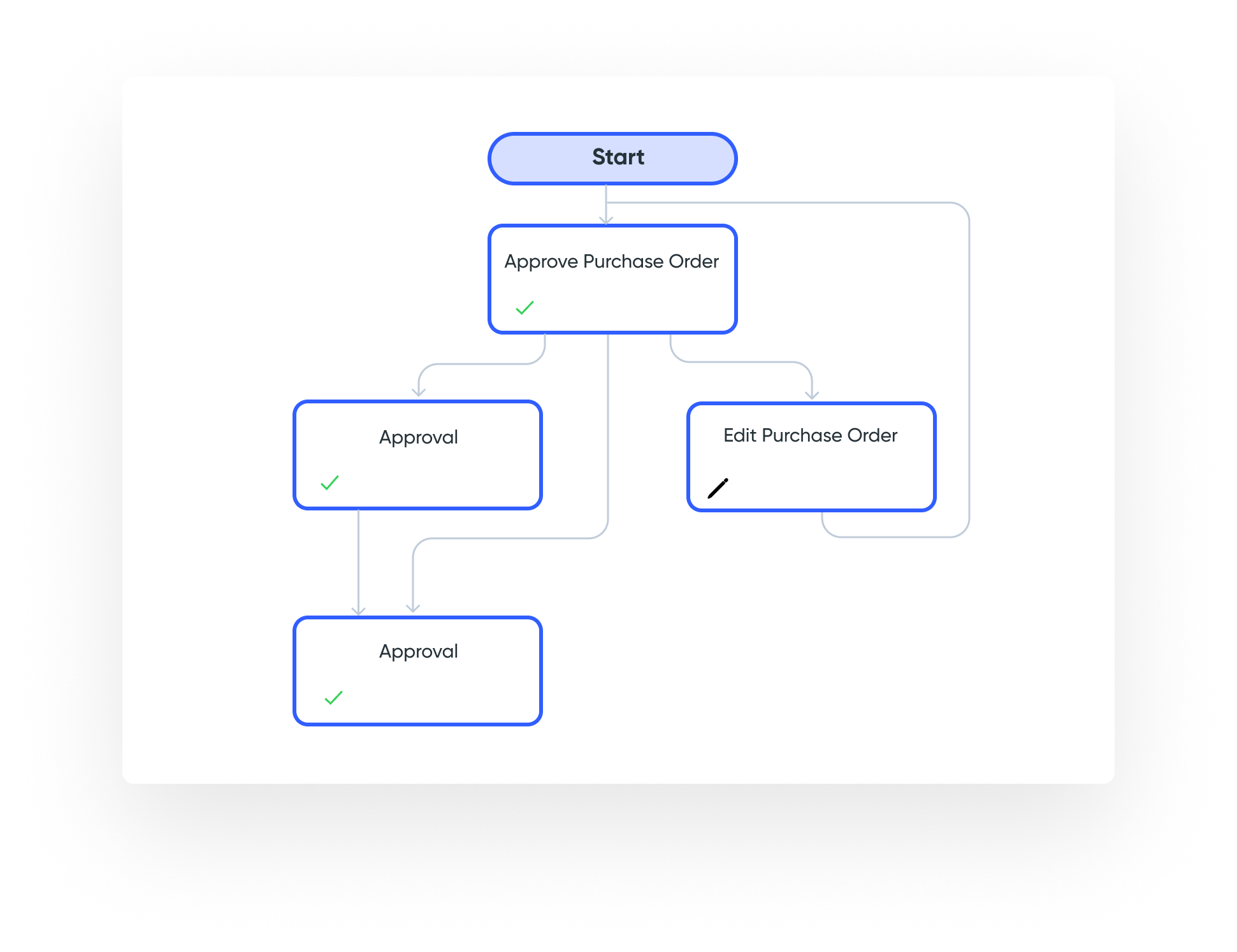
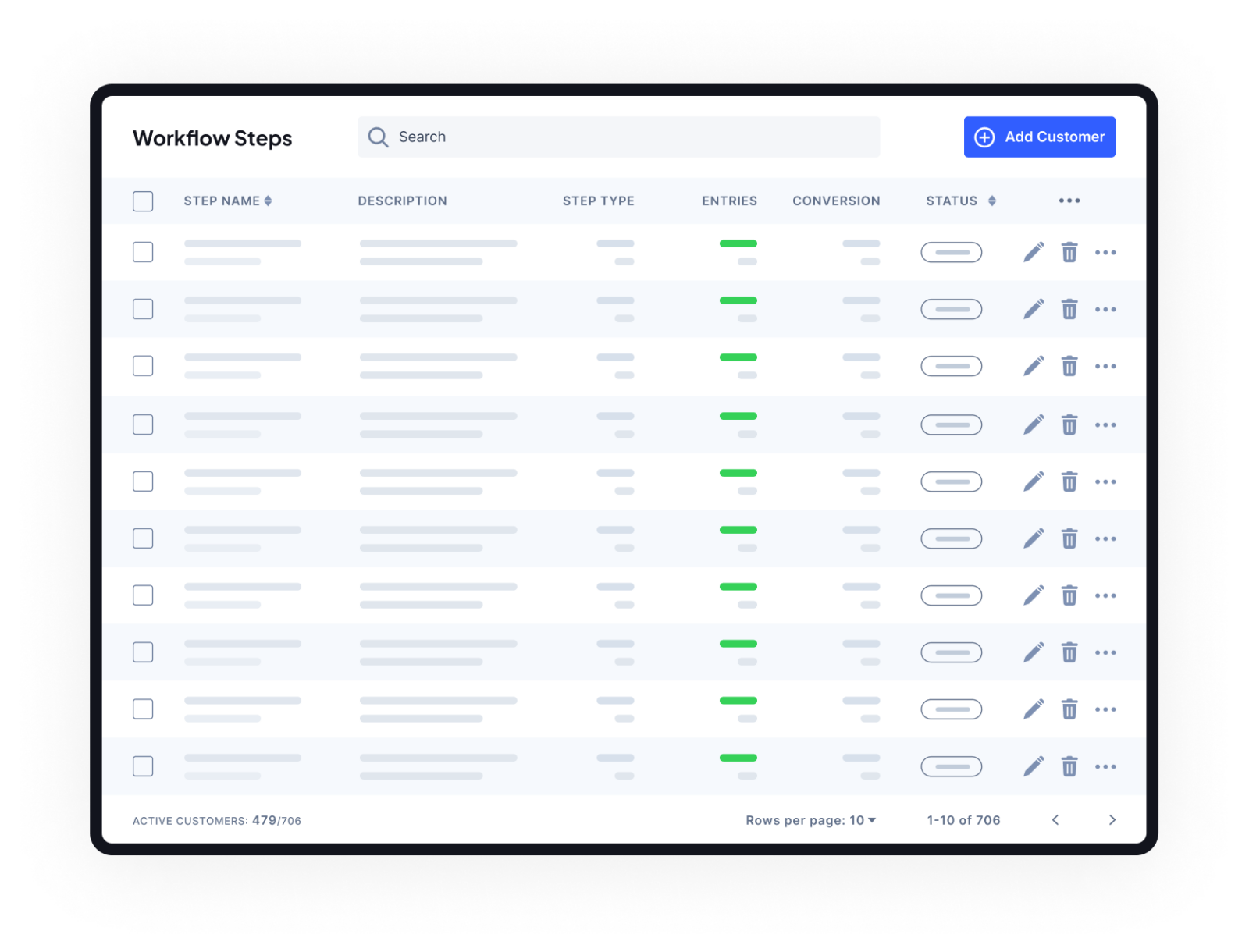
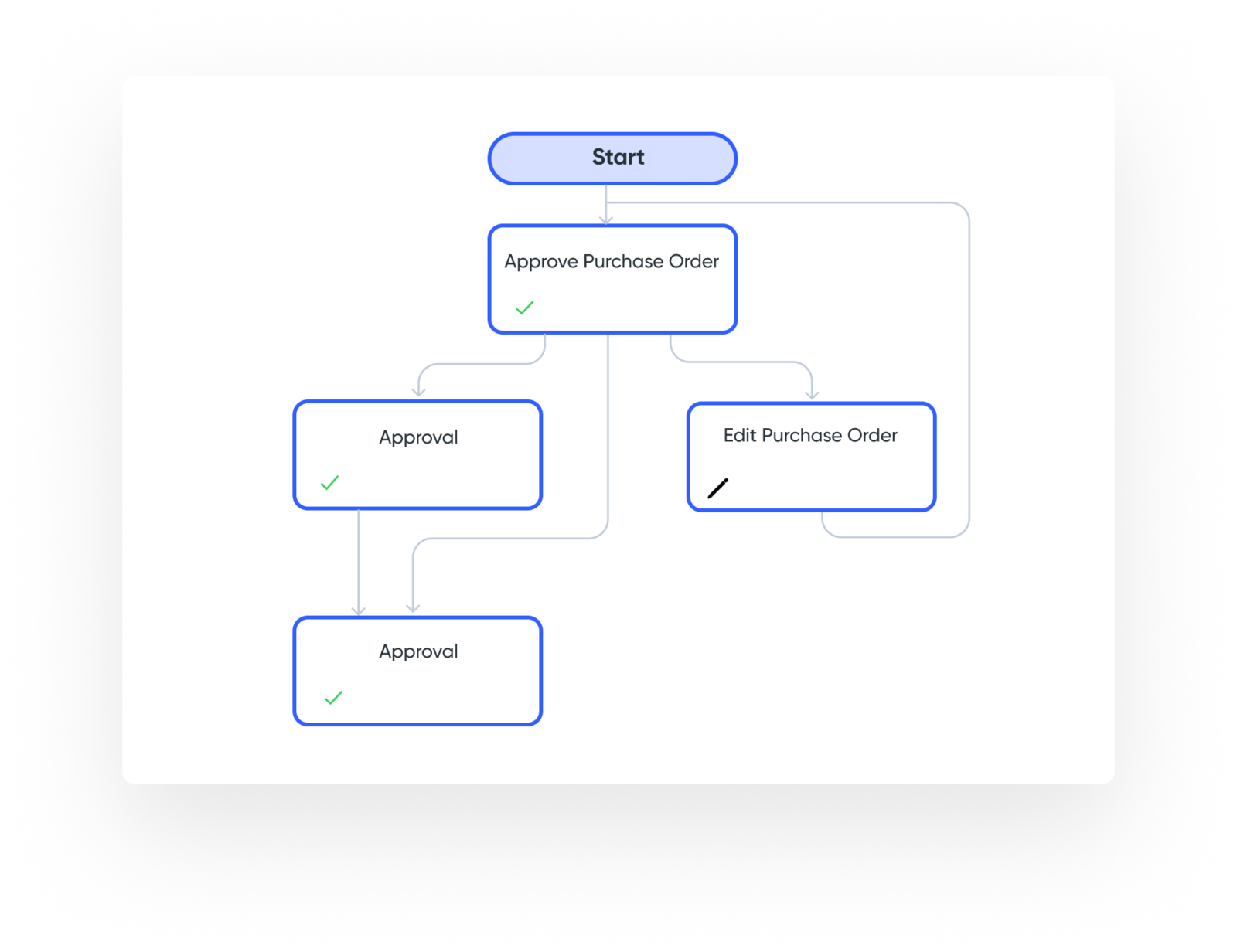
2. Create Custom Workflows: Choose from 40 action steps, including approvals, rejections, reverts, and assignments. Utilize conditional logic to design interactive workflows tailored to your specific processes.

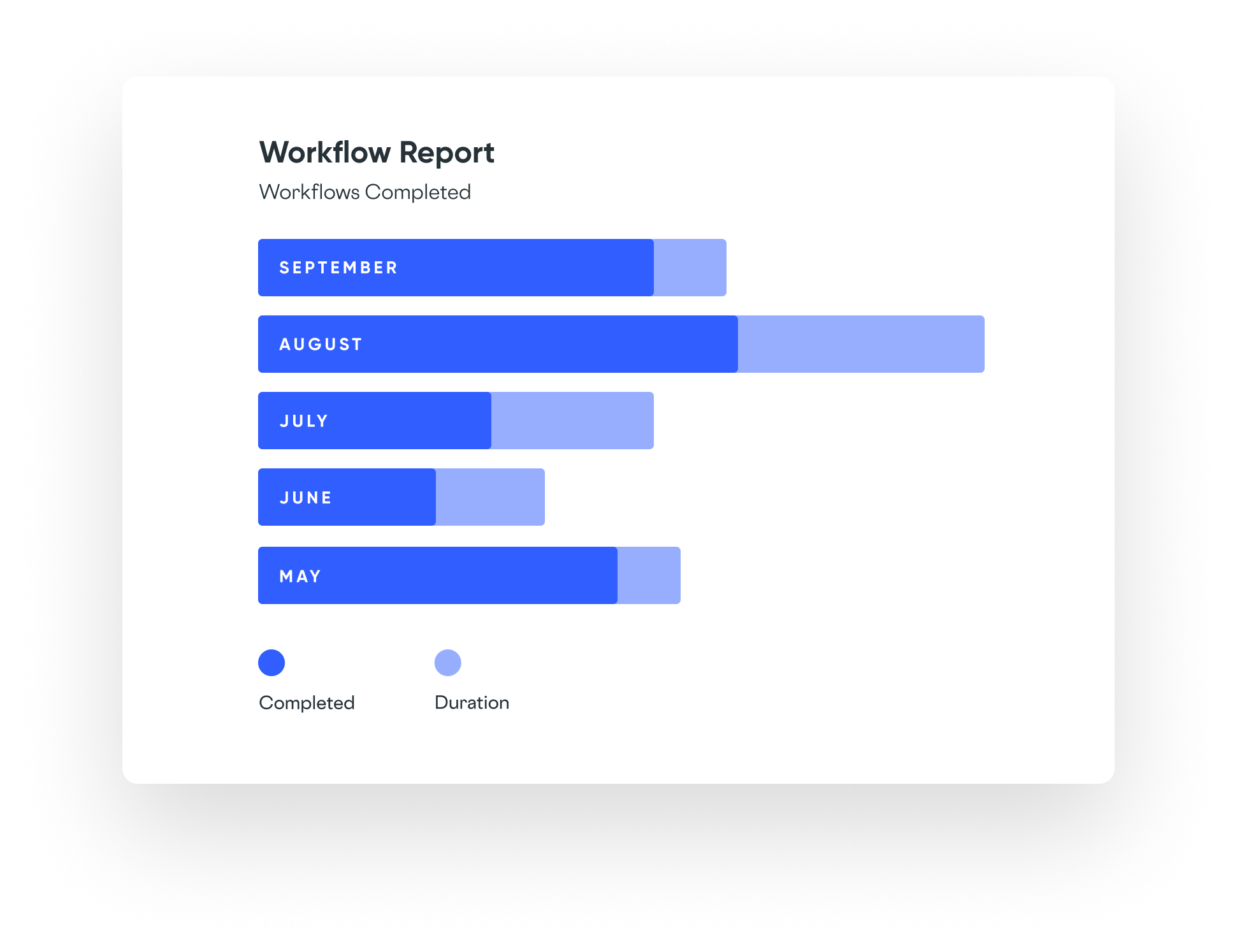
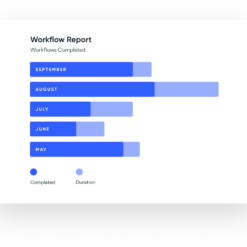
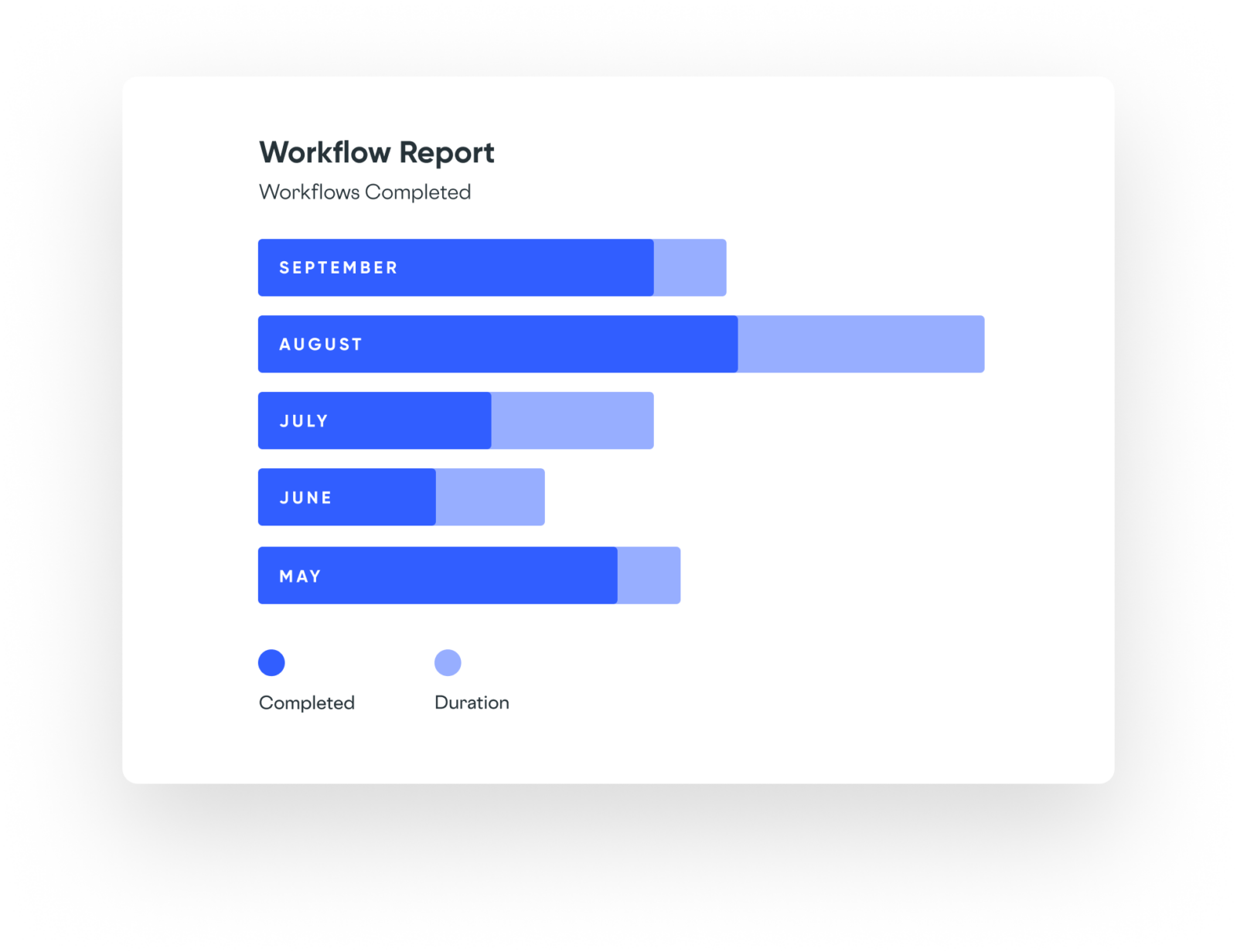
3. Execute and Optimize: Process your form submissions any way you like, while reviewing the performance of your workflows with detailed reports. Identify bottlenecks and continuously improve your workflows to save time and money.

Key Benefits of Gravity Flow:

– Build workflows that meet your specific needs
– Enjoy unlimited scalability for your growing business
– Store your data securely on your servers, complying with data protection regulations
– Integrate form submissions with your work apps for enhanced functionality
– Access testimonials and frequently asked questions to guide you along the way

Get started with Gravity Flow today and experience the seamless automation of your business workflows. When you purchase Gravity Flow, you’ll also receive a free Gravity Forms Starter License to enhance your forms even further.

Upgrade is available at any time, with the new license price discounted by your current license cost.

As an added bonus, Gravity Flow can be updated conveniently via the EffectIO Dashboard, and all items come pre-activated. With the EffectIO update channel, you can also benefit from super deals with discounts ranging from 30% to 90%. Additionally, enjoy GPL code and premium support from EffectIO.

Make your business processes more efficient and save valuable time and resources with Gravity Flow. Try it today!
Build Workflow Applications with Gravity Forms.

2.7.9
  • Added security enhancements.
  • Added 3 new merge tags to support reverting Approval steps to user input steps via email including one-click tokens - {workflow_revert_link} {workflow_revert_url} {workflow_revert_token}
  • Added settings for custom revert messages after an Approval step is reverted.
  • Added new step type; Update Post. Update posts which were created via the Create Post step or feed. Requires the Gravity Forms Advanced Post Creation Add-On v1.0.
  • Added the gravityflow_post_update_post filter for custom logic to perform after a post has been updated.
  • Added deprecated version warning for Gravity Forms less than version 2.5. Gravity Flow will soon require Gravity Forms 2.5+.
  • Updated the Revert to User Input step setting for new Approval steps to be off by default.
  • Updated the Post Creation step type to Create Post. It also now has a step specific icon.
  • Fixed an issue with Gravity PDF conditional logic not honored on the PDF sent with Workflow notifications.
  • Fixed an issue with entry details screen displaying instructions section markup when the step settings for instructions are empty.
2.7.8
  • Added enhanced support for GravityView. Editing an entry in GravityView can complete a User Input Step when the user is an assignee. Enable via setting in Workflow > Settings > Advanced.
  • Added enhanced support for GravityView. List views can now add one-click approval links using a new View Field "Workflow Approval Links".
  • Fixed an issue with Approval Steps Invalid Approval Link Message not displaying when workflow has proceeded on to a non-approval step type.
  • Fixed an issue with Approval Steps Invalid Approval Link Message and Custom Cancellation Message not displaying when a workflow has been cancelled.
  • Fixed an issue with how HTML fields with conditional logic were displaying on the User Input Workflow Step.
  • API: Added a filter gravityflow_user_input_by_view_edit to provide additional control of if/when GravityView edits should trigger completion of a matching assignees' User Input step.
  • API: Updated the {current_step} merge tag to remove the time if the gravityflow_date_format_current_step_merge_tag filter returns an empty string.
  • API: Updated the gravityflow_date_format_current_step_merge_tag filter to include arguments for step and modifier.
2.7.7
  • Added settings for custom confirmation messages after approval and rejection.
  • Added a setting for custom cancellation message.
  • Added a translator comment to the tooltip text for the partial entries workflow enabling feed setting.
  • Fixed an issue with RTL languages not displaying correctly on the Reports page.
2.7.6
  • Added a setting to enable updates to pre-releases of Gravity Flow.
  • Fixed an issue with conditional routing not loading when the Workflow Notification setting was active on Gravity Forms 2.5.13 and greater.
  • Fixed an issue with File Upload field not displaying download/remove file icon links on User Input steps when accessed via the dashboard inbox.
  • Fixed an issue with Workflow Status Box not displaying long step names correctly on the Workflow Details page.
  • Fixed an issue with start step type display field settings not evaluating correctly for entry creator status page view.
2.7.5
  • Added TranslationsPress to manage translations for Gravity Flow and the extensions. Translations for the installed WordPress languages will be installed on Gravity Flow/extension installation and updates. The WordPress updates page will also offer to install them when updates to the translations are available. The WP-CLI `wp language plugin` commands for managing translations are also supported.
  • Added CSS classes to the Workflow Status Box.
  • Added two filters to the step get_form function - gravityflow_{$this->get_type()}_form and gravityflow_step_form - to allow the form to be revised before/during step processing.
  • Updated the request body sent by the Gravity Forms Zapier Add-On to include formatted versions of workflow field values.
  • Removed the step type restrictions note from the Workflow > Settings > Connected Apps page.
  • Fixed new theme css and js bundles loading on all pages.
  • Fixed a compatibility issue with the Gravity Perks Populate Anything Perk.
  • Fixed an issue where the Likert field is editable on the User Input step when it should be display only.
  • Fixed an issue where Workflow Detail Page for an entry is loading without matching the form id.
  • Fixed an issue where PDF Custom File Name Setting did not appear as a sub-setting under Send by Email on PDF Workflow Step Settings.
2.7.4
  • Fixed an issue with the entry filter setting where the settings are not saved for the Update Fields step.
  • Fixed an issue where the values of administrative fields are lost when partial entries are updated by the Partial Entries Add-On. Requires Partial Entries Add-On v1.6.1 or greater.
  • Fixed an issue with Gravity Forms 2.5 not displaying the green triangle next to the editable fields on the User Input Workflow Step.
2.7.3
  • Added the Form setting to the Zapier step enabling multiple forms to use the same Zap.
  • Added the gravityflow_note_valid filter to customize note validation for Approval and User Input steps.
  • Fixed Font Awesome not loading for shortcodes which causes the quick actions for inbox to not be visible.
  • Fixed an issue where a blank note could be submitted with whitespaces, even if it is required.
  • Fixed an issue where uninstall for extensions on Gravity Forms Settings is not loading the correct page.
2.7.2
  • Fixed deprecation warnings when saving steps on Gravity Forms 2.5.
  • Fixed an issue that causes Gravity Forms OAuth1 connected apps to fail verification.
  • Fixed an issue where the File Upload field generates a validation error when progress is saved on the User Input Step.
  • Fixed an issue when the filter gravityflow_form_ids_status in use with the filter gravityflow_status_filter fetches invalid counters for the Status Page.
2.7.1
  • Added action gravityflow_step_start for custom logic to perform when any step starts.
  • Fixed an issue with step ordering that causes a conflict with other add-ons that support feed ordering.
  • Fixed an issue that prevents the use of gravityflow_status_filter with an 'any' mode selection from being applied correctly.
  • Fixed an issue that causes Icons in the Timeline View to display at the wrong size in Gravity Forms 2.5.
  • Fixed an issue that causes Order Summary to display on Complete Step even when the setting was disabled.
  • Fixed the entry filter setting to support the filters being passed in the field config which improves Form Connector extension remote site scenarios.
  • Fixed an issue with HTML fields conditional logic that affected their display on Workflow Detail page for completed workflows.
  • Fixed the background on Workflow Labels Settings page with Gravity Forms 2.5.
  • Fixed an issue with the display of the Update button on the Workflow Labels Settings page with Gravity Forms 2.5.
  • Updated the Status Page to use a CSS Loading Spinner to replace the deprecated Spinner Gif from Gravity Forms Core.
  • Updated the Assignee Email Message Textarea to improve support for the TinyMCE Editor from Gravity Forms 2.5
2.7
  • Added support for Gravity Forms 2.5-beta-3.
  • Added filter gravityflow_entry_url_status_table to allow the url in status page to be customized.
  • Added filter gravityflow_sort_columns_status_table to allow custom columns defined in gravityflow_field_value_status_table to be sorted
  • Added filter gravityflow_sort_criteria_status to allow initial sort order on status page load to be defined.
  • Added a setting to enable the Workflow Inbox count in the WordPress admin menu.
  • Updated the Workflow Inbox Count to be disabled by default; it can be enabled with the advanced setting on the plugin settings page.
  • Fixed an issue where the workflow was showing as stuck on same step for email assignees in the front-end.
  • Fixed an issue with Step Assignees on User Input Step causing a Fatal Error.
  • Fixed an issue with the print button on the workflow details page and front-end pages.
  • Fixed an issue where workflow steps are processed for entry revisions created by GravityView Entry Revisions.
  • Fixed an issue with the Step Condition setting on the Form Submission Step where the entry meta of child form is fetched to process the condition, instead of the parent form.
  • Fixed an issue with step reassignment when the assignee policy has changed.
2.6
  • Added support for Gravity Forms 2.5.
  • Added the 'gravityflow_inbox_count_display' filter to allow the inbox count to be hidden in the WordPress admin menu.
  • Added the 'gravityflow_major_version_auto_updates_allowed' filter to allow only minor versions to be auto-updated.
  • Fixed an issue with Step Assignees on User Input Step causing a Fatal Error.
2.5.12
  • Added the red bubble inbox count display on the WP Dashboard Workflow menu item.
  • Added support for the WordPress 5.5 enable/disable auto-updates feature on the installed plugins page.
  • Updated the CSS classname 'wrap' by making it specific as 'gravityflow_wrap'. This avoids conflicts with the CSS rules of some themes.
  • Fixed an issue where GP Limit Dates does not function on the User Input step when the min and max range is based on non-editable Date fields.
  • Fixed an issue where merge tags for the Confirmation Message in the User Input Step are evaluated before the workflow step completes.
  • Fixed an issue on the User Registration Step, where manual User Activation feed setting was sending email with activation link to User.
  • Fixed an issue on the User and Multi-User field 'Users Role Filter' setting display (but not filter save).
  • Fixed an issue on front-end pages with WordPress 5.5 removing the page parameter.
  • Fixed an issue where combination of inbox shortcode arguments would prevent role based assignees from accessing submit button.
2.5.11
  • Fixed issue with merge tag evaluation that caused a fatal error involving certain conditional logic setup. Update Form Connector add-on will also be required if installed.
  • Fixed an issue with second layer confirmation for Approval Step. When the Revert to User Input step option is enabled, the Revert button was not displaying the confirm box.
  • Fixed support for latest versions of Gravity View Advanced Filters. Credit: The team at GravityView.
  • Fixed an issue with the reports shortcode/page where the "Step Assignees" dropdown was missing when "Category" is set to "Step" and a step is chosen.
2.5.10
  • Added security enhancements.
  • Added support for reports in the shortcode [gravityflow page="reports"].
  • Added setting to allow the reports shortcode to display reports to display to anonymous users.
  • Added support for the Pods Gravity Forms Add-On.
  • Added support for the GP eCommerce Fields on the User Input Step.
  • Added support for the Gravity Forms EmailOctopus Add-On.
  • Added support for Merge Tags on Workflow Step Conditions.
  • Added support for Gravity Forms conditional shortcode within Outgoing webhook raw body requests.
  • Added filter gravityflow_send_to_step_condition_met_required to allow customization of the API send_to_step when the proposed steps conditions are not met. Default is false that API will always send to the proposed step.
  • Added filter gravityflow_send_to_step_condition_not_met to allow customization of the API when the proposed next step has not met its step conditions. Defaults to next step after the proposed step.
  • Added workflow note when the Update User step is completed.
  • Added support for filter gform_pre_validation on the User Input Step.
  • Added a second layer confirmation for Approval Step with a confirm box. This can be enabled in the step settings.
  • Added filter gravityflow_approval_confirm_prompt_messages to allow customization of the confirmation prompt messages on the Approval Step.
  • Updated the Zapier step to support Gravity Forms Zapier Add-On v4.0-beta-1.1 and greater.
  • Updated Outgoing Webhook settings to allow GET requests to include the request body settings as URL parameters.
  • Updated gravityflow_print_styles filter to include 2nd parameter of entry IDs.
  • Fixed an issue with the User Input Step where editable Total, Coupon, Subtotal, Tax, or Discount fields required all other pricing fields to be editable to function correctly.
  • Fixed an issue with the User Input Step where the existing Coupon field value is not restored. Requires Coupons Add-On v2.9.2 or greater.
  • Fixed an issue with the User Input Step where the Coupon usage count is not updated.
  • Fixed a PHP notice which occurs when the shortcode is processed and WordPress isn't able to provide the current post object.
  • Fixed a PHP warning on the inbox page when a step is configured with a delay based due date and the offset setting contains non-numeric characters.
  • Fixed notices with PHP 7.4.
  • Fixed an issue where the Dropbox step does not complete with Dropbox Add-On 2.4.1+.
  • Fixed an issue where the report data for assignees by month is incorrect.
  • Fixed an issue where the Discussion Field view more/less effect would not operate on the Form > Entries screen (both view and edit).
  • Fixed an issue where the scripts and styles are not enqueued when using the shortcode or block in a reusable block.
  • Fixed an issue in the step settings page where duplicate Workflow step icons appear for the Gravity Forms HubSpot Add-on and third-party HubSpot Add-on. IMPORTANT: check that your HubSpot workflow steps are correct after updating to this version.
  • Fixed a bug with 'Schedule expiration' on Workflow step. 'Next Step if Expired' option should only appear when 'Status after expiration' is set as 'Expired'.
  • Fixed the field filter not appearing on the status page when the form_id constraint is set to an array using the gravityflow_status_filter hook.
  • Fixed an issue for the completed URL of Partial Entry Submission step, which was directing to a new form entry. Updated to return a message stating that the entry was already completed.
  • Fixed an issue with the Connected Apps comparing authorization value from translated text.
2.5.9
  • Fixed incorrect feedback when user input step confirmation message content is left empty and the step is completed.
  • Fixed an issue when attempting to modify step settings for a step type that is not active (plugin deactivated, incorrect permissions).
  • Fixed an issue where PHP fatal error is thrown in the filter_gravityview_common_get_entry_check_entry_display() method.
  • Fixed an issue where PHP fatal error is thrown when processing expired entries with steps that no longer exist.
  • Fixed an issue where a multi-select on User Input step settings pages would shrink to a very small width on smaller window resolutions.
  • Fixed a PHP notice which can occur when conditional logic is evaluated and the rule is not based on a form field.
  • Fixed an issue where workflow merge tags would not be available in the merge tag dropdown for notification content fields in certain steps.
  • Fixed an issue where revert notifications would not include the latest workflow note.
  • Fixed an issue where PHP fatal error is thrown from workflow detail link integration with Gravity View 2.5. Credit: the GravityView Team.
  • Updated the Members integration to include the missing Status page Admin Actions capability.
  • Updated the hook used in the WP E-Signature Step to allow all signatures to be collected before continuing workflow.
  • Updated the translations for Catalan and Arabic.
2.5.8
  • Added support for the delayed payment enhancements in Gravity Forms 2.4.13. Workflow processing can now be delayed when using PayPal Standard, Stripe (Checkout), and other payment add-ons which support the Post Payment Action setting.
  • Added the filter gravityflow_timeline_note_add to support customizing the potential note to add to timeline.
  • Added the filter gravityflow_timeline_notes to support customizing the display of timeline notes.
  • Added support for CC: field to all Gravity Flow notification types.
  • Fixed the "view more" link for the Discussion field being output when merge tags are processed for posts created by the Advanced Post Creation Add-On.
  • Fixed the notification tab for Revert Email on Approval step to have the workflow merge tags options.
2.5.7
  • Fixed issue where status page filters show a search box.
2.5.6
  • Added filter gravityflow_entry_url_inbox_table to allow customization of the link from inbox.
  • Added filter gravityflow_approval_revert_step_id to allow customization of the revert step.
  • Added Merge Tag selector to Outgoing Webhook step settings for raw request body.
  • Added the filter gravityflow_step_is_condition_met to enable complex conditional logic for start (or not) a given step.
  • Fixed the Post Creation step creating duplicate posts when the workflow or step is restarted.
  • Fixed back link display on entry detail page to use css with class gravityflow-back-link-container instead of line breaks for spacing.
  • Fixed PHP 7.3 compatibility warning related to entry detail screen display.
  • Fixed number field display on user input steps when the field contained 0 value.
  • Fixed delayed Zapier steps send duplicate content from the first entry in queue.
  • Fixed an issue when gravityflow_form_ids_status runs to ensure entry counts + pagination counts match filtering form IDs.
2.5.5
  • Added security enhancements.
  • Added translations for French, Portuguese, Italian, Swedish, Dutch, Turkish, German and Spanish.
  • Fixed an issue with the User Input step where the product order summary table is not displayed unless a product field is included in the display fields.
  • Fixed an issue with the workflow entry detail page where all fields are displayed to admins instead of only the display fields.
2.5.4
  • Added the gravityflow_can_render_form filter.
  • Updated translations.
  • Fixed a rare fatal error on the status page when steps are missing.
2.5.3
  • Added security enhancements.
  • Added support for Gravity Flow editor blocks - coming soon!
  • Added filter gravityflow_assignee_email_reminder_repeat_days and added deprecation notice for gravityflow_assignee_eamil_reminder_repeat_days.
  • Added support for the forms attribute in the submit shortcode so the workflow forms can be filtered. e.g. [gravityflow page="submit" forms="1,2,3"]
  • Added support for the back_link back_link_text and back_link_url attributes in the status shortcode.
  • Added support for multiple forms in the status shortcode e.g. [gravityflow page="status" form="1,2,3"]
  • Added support for displaying the first 2,000 users in assignee settings.
  • Updated translations.
  • Updated the submit shortcode to display only the published workflows or the forms specified in the forms attribute.
  • Fixed an issue with notification step not identifying all users in a multi-user field for notification.
  • Fixed an issue when Sliced Invoices status was manually updated to paid, entries weren't released from Sliced Invoices steps.
  • Fixed an issue with the Status shortcode where users with the gravityflow_status_view_all capability don't see all entries when the shortcode security settings are set to disallow the display_all attribute.
  • Fixed validation issue in Assignee, User and Multi-User fields.
  • Fixed an issue with the confirmation page for users with the gravityflow_status_view_all capability when transitioning steps.
  • Fixed a PHP notice when loading feed message with AJAX.
2.5.2
  • Added security enhancements.
  • Fixed an issue with due date column of inbox shortcode displaying a default value when no step settings had been defined.
  • Fixed an issue with the inbox incorrectly highlighting some entries as overdue.
  • Fixed the workflow stalling on the Dropbox step when there are no files to process.
  • Fixed an issue with the display of schedule date field settings.
2.5.1
  • Fixed an issue where the start step settings are not displayed unless the Partial Entries Add-On is active.
2.5
  • Added security enhancements.
  • Added support for the Gravity Forms Partial Entries Add-On.
  • Added DB performance improvements.
  • Added the Update User step to update a user profile - requires the edit_users capability.
  • Added link on entry detail page, shortcode only, to 'Return to list' which links user back to inbox / status page.
  • Added shortcode attribute back_link (default: false) to identify if back link should be displayed on entry detail for entries loaded via shortcode.
  • Added shortcode attribute back_link_text (default: "Return to list" translatable) to allow customization of text for back link on entry detail page.
  • Added shortcode attribute back_link_url (default: null) to allow customization of back link on entry detail page.
  • Added filter gravityflow_back_link_url_entry_detail to allow customization of back link on entry detail page.
  • Added filter gravityflow_search_criteria_status to allow status page to filter on multiple field criteria.
  • Added step setting type for due date with sub-options for delay/date/field selection and row highlighting for inbox.
  • Added the due date settings to the approval and user input steps.
  • Added inbox and status attribute due_date (false by default) to show due date column.
  • Added shortcode security settings to the Workflow->Setting page.
  • Added the filter gravityflow_next_step to allow customization of the next step for workflow processing (example - restart a completed user input step for new assignees to action)
  • Fixed the workflows for GP Nested Forms child entries starting before some Gravity Perks extensions had updated the entries.
  • Fixed an issue that prevented conditional routing from correctly matching date field conditions.
  • Fixed an issue that assignee fields with placeholder text would have invalid blank selection options on user input steps.
  • Fixed the outgoing webhook for steps with raw request body defined to have field merge tag values properly escaped.
  • Fixed an issue with the outgoing webhook step where GET requests using connected apps do not include the authorization headers.

Testimonials

Benny O'Brien@benny_obie

The quick response from a friendly team member at @effectioshop honestly caught me off guard.
Nice work!


Stuart Boyle@stuart_boyle

@effectioshop As an eCommerce developer, effectio.org has enabled me to reach higher expectations and my clients are very happy.


22,000+ Users · 180 Countries
Trusted by freelancers, agencies & store owners worldwide

How It Works

Install the free EffectIO Dashboard plugin on your WordPress site. It connects to the EffectIO catalog, detects every premium plugin and theme you own, and gives you a single hub to manage licenses, run updates, and keep your admin panel clean — all from one screen.

⚡

One-Click Updates
Update any premium plugin or theme instantly. No manual downloads, no FTP — just click "Update Now."

🔑

License Manager
View, activate, and manage all your license keys in one place. No hunting through emails or vendor dashboards.

🔇

Notification Blocker
Blocks intrusive admin nag screens, upsell banners, and ads that clutter your dashboard. Re-enable anytime.

🛡️

Vendor Request Control
Prevents redundant license-check pings to third-party servers for items you already manage through EffectIO.

📦

Bulk Activation
Club members can activate all eligible plugins and themes at once — one button, zero hassle.

🆓

100% Free
The Dashboard itself costs nothing. Install it and it auto-activates on your domain — no key required.

Get Started in 3 Steps

1

Download & Install

Download the EffectIO Dashboard zip and install it via Plugins → Add New → Upload.

2

Browse & Activate

Open EffectIO → Catalog in your admin panel. The dashboard auto-detects your installed items and matches them to your licenses.

3

Update & Manage

Keep everything current with one-click updates. Manage licenses, block nag notices, and enjoy a cleaner WordPress experience.

Licenses

All WordPress derivative work is GPL-licensed. Most items are pre-activated and ready to use. Some require an activation key — we provide it with your purchase, and the Dashboard lets you apply it in seconds.

Club members enjoy bulk activation: activate every eligible item at once with a single click. No more entering keys one by one.

✅ Money-Back Guarantee

Every item is tested and ships with full features. If something doesn't work and we can't fix it, you get a full refund. We believe premium tools should be accessible — that's why we offer a low-cost subscription so freelancers, small businesses, and agencies can grow without a large upfront investment.

Manage and Update all your sites

17.99 $ / Month Membership

2900 Plugins and Themes. Install, Update, Activate and Delete any plugin. Unlimited Sites. Best WP Agency Deal.

Clean Items

NGO Mission

Always Updated

SSL Connection

Forms Plugins