EffectIO MainWP Favorites Extension 5.3.2

Original price was: $70.00.Current price is: $9.99. / year

Drop-in compatible replacement & Licensed Product

MainWP Favorites is an extension for the MainWP plugin that allows you to store your favorite plugins and themes, and install them directly to child sites from the dashboard repository. Version: 4.0.11 MainWP Favorites add-on simplifies site setup by letting you create a personal repository of preferred plugins and themes. Quickly access and install them across your child sites without repetitive searches or uploads.

Released on: 2026-03-06

Single License

Club Membership

17,99 / Month Membership

NEW Activate all licensed items with the free Dashboard

EffectIO Dashboard

Discover when we give away free Plugins

Find out when we give items for Free

Hey! 🎉 Monthly emails, tops. Snag exclusive plugins/themes for $0. They go quick, but you might just get a freebie! 😉

30 Days Money Back Guarantee

Guaranteed pre-activated plugins. Most items work immediately after installation. Open a support ticket to obtain the license keys for the ones that ask for activation.

Free support to install and setup on your site.

MainWP Favorites Extension 4.0.11: Take Your WordPress Management to the Next Level

Ready to go Pro? Sign up today to unlock the full potential of MainWP Favorites Extension 4.0.11 and streamline your WordPress management tasks. As a WordPress developer, you know that managing multiple sites can be time-consuming. But with the MainWP Favorites Extension, you can easily manage all your WordPress sites from a single screen, saving you valuable time on maintenance tasks.

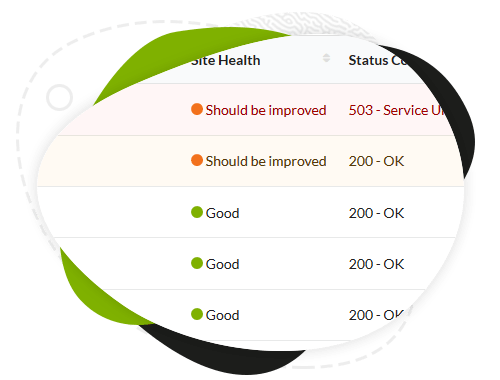
With MainWP Favorites Extension 4.0.11, you get access to a wide range of powerful features that go beyond just updates. Effortlessly update your plugins and themes, manage your WordPress users, and monitor the uptime and health of your sites. Plus, with the private WordPress manager, you can keep all your managed WP sites organized and easily accessible on one screen.

But that’s not all. The MainWP Favorites Extension also allows you to extend the functionality of your MainWP dashboard. Never miss an update again with the featured extensions, including backups, marketing, SEO, maintenance, security, and monitoring. And with the white label option, you can customize your dashboard to match your brand.

Trusted by world-renowned brands, municipalities, universities, NPOs, and agencies around the world, MainWP has become the go-to choice for 20,000 agencies, developers, and freelancers who manage over 600,000 WordPress sites. Our self-hosted, open-source solution provides a secure connection, developer-friendly environment, and customizable options.

Setting up your MainWP manager is as easy as 1, 2, 3. Join the professionals who choose MainWP as their preferred sites manager and experience a proven WordPress management solution. And with founder-run administration and expert support from EffectIO, you can rest assured knowing you’re in good hands.

Explore our comprehensive catalog of powerful extensions, take advantage of our super deals with 30 to 90 percent discounts, and discover a more efficient way to manage your WordPress sites. Update them all with just one click via the EffectIO Dashboard, where items come pre-activated and are available under a GPL license. Benefit from premium support from EffectIO and supercharge your WordPress management workflow today.

Don’t waste time on manual updates and monitoring. Choose MainWP Favorites Extension 4.0.11 and elevate your WordPress performance. With a redesigned main navigation, flexible widgets, and beyond, MainWP is the smarter way to manage multiple WordPress sites. Don’t just take our word for it, administrators love MainWP:

– Michael Dumont: “[MainWP] makes managing multiple WordPress sites so much easier!”
– Johannes Klupfel: “The best way to manage multiple WordPress sites.”
– Jesper Brixen: “MainWP saves me so much time and effort.”

Ready to take control of your WordPress sites? Get your download today and discover the power of MainWP Favorites Extension 4.0.11.
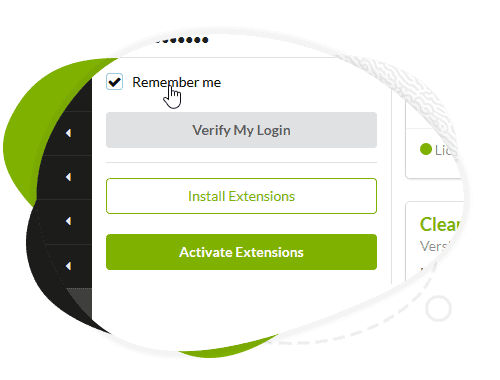
MainWP Favorites add-on simplifies site setup by letting you create a personal repository of preferred plugins and themes. Quickly access and install them across your child sites without repetitive searches or uploads.

5.3.1 — 3-5-2026
  • Added: Buttons to the corresponding Install pages in the Favorite Plugins and Themes accordion items.
  • Added: New info message (with a link to the Manage Favorites page) on the Install Favorite Plugins and Install Favorite Themes pages.
5.3 — 2-10-2026
  • Added: Direct zip upload feature. Feature Request by [Robert](https://voice.mainwp.com/p/add-back-themeplugin-uploader-to-favorites)
5.2 — 2-3-2026
  • Added: Full group management for favorites (create/edit/delete groups), group badges, and Assign/Remove items to groups. Feature Request by [Richie](https://voice.mainwp.com/p/bring-back-favorite-plugin-groups) and [others](https://voice.mainwp.com/p/install-groups-of-favorite-plugins-2) .
  • Added: Group filtering across lists and installer, plus Manage Groups modal and improved selection persistence for bulk actions.
  • Updated: Improved download URL parsing logic to better distinguish between direct file downloads and WordPress.org sources. [(#847)](https://github.com/mainwp/mainwp/issues/847)
  • Updated: Visual styling of the "Install from Favorites" button to conditionally apply styling based on MainWP Dashboard version.
5.1.3 — 5-15-2025
  • Fixed: Typo in the "Update Versions Info" button label.
5.1.2 — 4-29-2025
  • Fixed: Resolved DataTables warning that occurred when initializing DataTables on an empty table. [#767](https://github.com/mainwp/mainwp/issues/767)
  • Updated: Hidden the "Update versions info" button when no favorites are added, providing a cleaner user interface.
5.1.1 — 4-8-2025
  • Added: New [actions and filters](https://github.com/mainwp/mainwp.dev/blob/main/developer-changelog.md#favorites-extension) to give developers more control over customizing the extension.
  • Added: Display of plugin and theme version information, along with manual check actions for improved accuracy [Feature Request by Robert](https://voice.mainwp.com/p/add-plugin-version-column-to-favorites).
  • Added: Plugin and theme icons for quicker visual identification.
  • Added: Sorting functionality to the plugins and themes lists.
  • Added: "Select All" option to the item list on the Install Favorites page.
  • Updated: Accordion trigger behavior for plugins and themes to exclude action buttons.
  • Updated: Replaced inline list actions with a cleaner action menu UI.
  • Updated: Adjusted table widths for improved layout balance.
5.1 — 3-5-2025
  • Updated: Instead of manually uploading ZIP files or fetching items from the WordPress.org repository, you can now add favorites simply by entering the item URL.
  • Updated: The extension now automatically retrieves and installs the latest versions of plugins and themes from the provided source.
  • Updated: Easily add plugins and themes from publicly accessible links, including Dropbox, Google Drive, and other external hosting platforms.
  • Updated: A cleaner, more intuitive interface for managing your favorites, reducing complexity and making it easier to organize your go-to plugins and themes.
  • Updated: The installation process is now fully hooked into the native MainWP > Plugins/Themes > Install page.
5.0.1 — 5-29-2024
  • Updated: Compatibility with the latest DataTables library version
5.0 — 2-27-2024
  • Updated: MainWP 5.0 compatibility
4.0.12 — 8-2-2023
  • Fixed: An issue with adding Favorite plugins from the Install Plugins screen
4.0.11 — 12-7-2022
  • Preventative: Multiple security improvements
4.0.10 — 6-1-2022
  • Fixed: Incorrect page navigation links
4.0.9 — 5-6-2022
  • Fixed: An issue with group items count
  • Fixed: Layout problem on small screens
4.0.8 — 12-13-2021
  • Updated: PHP 8 compatibility
4.0.7 — 12-6-2021
  • Updated: PHP 8 compatibility
4.0.6 — 10-19-2021
  • Fixed: MySQL 8 compatibility error
  • Fixed: Display notes error
4.0.5 — 7-1-2021
  • Fixed: An error uploading favorites
  • Updated: Multiple UI improvements
4.0.4 — 10-16-2020
  • Fixed: An error with running external cron jobs
4.0.3.1 — 9-10-2020
  • Updated: MainWP Dashboard 4.1 compatiblity
4.0.3 — 7-14-2020
  • Fixed: bulk installation process problems
4.0.2 — 1-15-2020
  • Fixed: various cosmetic problems
  • Fixed: a typo
4.0.1 — 9-3-2019
  • Fixed: an issue with installing favorite themes and plugins
  • Fixed: an issue with adding plugins and themes to favorites
4.0 — 8-27-2019
  • Updated: extension UI/UX redesign
  • Updated: support for the MainWP 4.0
1.9 — 4-20-2018
  • Fixed: PHP 5.4 compatibility issues
1.8 — 2-27-2018
  • Fixed: an issue with uploading favorite plugins and themes on specific hosts
  • Added: option to set custom Favorites directory
  • Updated: general style
  • Updated: plugin info
  • Removed: unused code
1.7 — 8-4-2016
  • Fixed: An issue with passing correct value from the "Overwrite Existing" checkbox
1.6 — 7-21-2016
  • Fixed: Usability issue caused by floating Select Sites box
  • Fixed: Translation issues
  • Updated: CSS Style
  • Updated: Extension layout
1.5 — 2-17-2016
  • Fixed: Extension Layout
  • Added: Support for WP-CLI
  • Updated: "Check for updates now" link is not visible if extension is not activated
1.4 — 12-18-2015
  • Added: Support for MainWP 3.0 version
  • Added: Support for new API Management
1.3 — 11-13-2015
  • Fixed: PHP Fatal Error
1.2 — 11-6-2015
  • Updated: Refactored code to meet WordPress coding standards
  • Updated: Extension Icon URI
1.1.6 — 4-17-2015
  • Updated: Quick start guide layout
1.1.5
  • Fixed: Download Failed issue caused by the .htaccess file
1.1.4
  • Added: Support for the API Manager
1.1.3
  • Fixed the bug for adding favorite plugins and themes
  • Fixed the bug for having double plugins or themes caused by different zip archive filenames
  • Fixed PHP warnings
1.1.2
  • Fix a bug for auto detect favorites zip files
1.1.1
  • Auto detect new favorites files
1.1.0
  • Fix bug upload long file name
  • Fix upload multi files
1.0.0
  • First version

Testimonials

Benny O'Brien@benny_obie

The quick response from a friendly team member at @effectioshop honestly caught me off guard.
Nice work!


Stuart Boyle@stuart_boyle

@effectioshop As an eCommerce developer, effectio.org has enabled me to reach higher expectations and my clients are very happy.


22,000+ Users · 180 Countries
Trusted by freelancers, agencies & store owners worldwide

How It Works

Install the free EffectIO Dashboard plugin on your WordPress site. It connects to the EffectIO catalog, detects every premium plugin and theme you own, and gives you a single hub to manage licenses, run updates, and keep your admin panel clean — all from one screen.

⚡

One-Click Updates
Update any premium plugin or theme instantly. No manual downloads, no FTP — just click "Update Now."

🔑

License Manager
View, activate, and manage all your license keys in one place. No hunting through emails or vendor dashboards.

🔇

Notification Blocker
Blocks intrusive admin nag screens, upsell banners, and ads that clutter your dashboard. Re-enable anytime.

🛡️

Vendor Request Control
Prevents redundant license-check pings to third-party servers for items you already manage through EffectIO.

📦

Bulk Activation
Club members can activate all eligible plugins and themes at once — one button, zero hassle.

🆓

100% Free
The Dashboard itself costs nothing. Install it and it auto-activates on your domain — no key required.

Get Started in 3 Steps

1

Download & Install

Download the EffectIO Dashboard zip and install it via Plugins → Add New → Upload.

2

Browse & Activate

Open EffectIO → Catalog in your admin panel. The dashboard auto-detects your installed items and matches them to your licenses.

3

Update & Manage

Keep everything current with one-click updates. Manage licenses, block nag notices, and enjoy a cleaner WordPress experience.

Licenses

All WordPress derivative work is GPL-licensed. Most items are pre-activated and ready to use. Some require an activation key — we provide it with your purchase, and the Dashboard lets you apply it in seconds.

Club members enjoy bulk activation: activate every eligible item at once with a single click. No more entering keys one by one.

✅ Money-Back Guarantee

Every item is tested and ships with full features. If something doesn't work and we can't fix it, you get a full refund. We believe premium tools should be accessible — that's why we offer a low-cost subscription so freelancers, small businesses, and agencies can grow without a large upfront investment.

Manage and Update all your sites

17.99 $ / Month Membership

2900 Plugins and Themes. Install, Update, Activate and Delete any plugin. Unlimited Sites. Best WP Agency Deal.

Clean Items

NGO Mission

Always Updated

SSL Connection

Multisite Tools Plugins