









EffectIO S2W - Import Shopify to WooCommerce Premium

Original price was: $70.00.Current price is: $9.99. / year

Drop-in compatible replacement & Licensed Product

Migrate products, customers, orders... from Shopify store to WooCommerce Version: 1.2.1 Migrate products, customers, orders... from Shopify store to WooCommerce

Released on: 2026-01-16

Single License

Club Membership

17,99 / Month Membership

NEW Activate all licensed items with the free Dashboard

EffectIO Dashboard

Discover when we give away free Plugins

Find out when we give items for Free


Hey! 🎉 Monthly emails, tops. Snag exclusive plugins/themes for $0. They go quick, but you might just get a freebie! 😉

30 Days Money Back Guarantee

Guaranteed pre-activated plugins. Most items work immediately after installation. Open a support ticket to obtain the license keys for the ones that ask for activation.

Free support to install and setup on your site.

S2W – Import Shopify to WooCommerce Premium 1.2.0

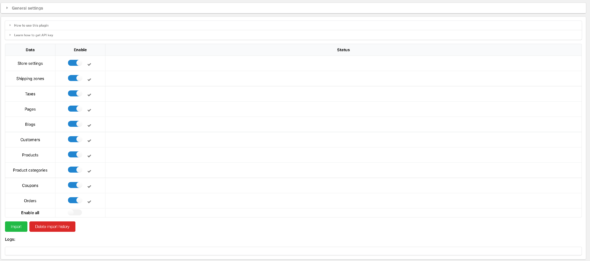
The S2W – Import Shopify to WooCommerce Premium 1.2.0 plugin is designed to help you easily migrate your data from Shopify to WooCommerce. With just two simple steps, you can import your entire Shopify store, including settings, shipping zones, taxes, pages, blogs, coupons, customers, products, and orders directly to your WooCommerce store, while keeping your data private.

This plugin uses the Shopify API key to transfer your data seamlessly, allowing you to import an unlimited number of products and other data from Shopify to WooCommerce without any additional fees.

We are committed to ensuring your successful data import. Our comprehensive guiding document and video tutorial will walk you through the process step-by-step. Should you encounter any difficulties, our developer is available to provide support and assist you.

Key Features:

  • Import store settings, shipping zones, taxes, pages, blogs, coupons, customers, products, and orders from Shopify
  • Effortlessly import products with titles, prices, descriptions, variations, images, and categories
  • Update imported products when changes are made in your Shopify store
  • Migrate orders with customer details, billing and shipping addresses, email, phone numbers, purchased time, products, shipping options, and billing total

Benefits of Using S2W – Import Shopify to WooCommerce Premium 1.2.0:

  1. Seamlessly migrate your entire Shopify store to WooCommerce
  2. No limits on the number of products or data you can import
  3. Keep your data private and secure during the migration process
  4. Receive prompt customer support with guaranteed response within 24 hours on weekdays
  5. High performance and optimized for WooCommerce
  6. Effortlessly update imported items via the EffectIO Dashboard
  7. Access premium support from EffectIO, the authorized distributor of this plugin
  8. Cost-saving alternative for plugin updates through EffectIO

Make the switch from Shopify to WooCommerce with ease using S2W – Import Shopify to WooCommerce Premium 1.2.0. This plugin is compatible with WooCommerce and ensures a smooth transition of your data. Get started now and enjoy the benefits of efficient and secure data migration.

Migrate products, customers, orders… from Shopify store to WooCommerce

1.4.5 — 2026.03.20 **/
  • Updated: Support importing all blogs regardless of status or creation date
1.4.4 — 2026.02.10 **/
  • Updated: Instructions on how to get the Client ID & Secret
1.4.3 — 2026.01.26 **/
  • Updated: Villatheme support
1.4.2 — 2026.01.26 **/
  • Updated: Villatheme support
1.4.1 — 2026.01.24 **/
  • Fixed: Settings saving issue
1.4.0 — 2026.01.16 **/
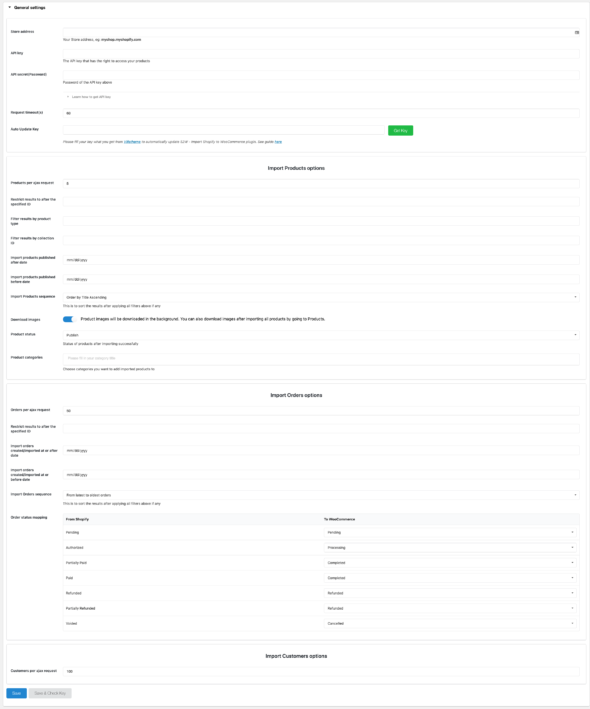
  • Updated: Support the new Shopify Dev App, adding 2 fields of new required API credentials - Client ID and Secret
  • Updated: File support
1.3.9 — 2025.12.26 **/
  • Updated: Save price when the base price is lower than the sale price
  • Updated: Add some detail log when import
  • Updated: Sku search query when import
  • Updated: Compatibility check with WP 6.9 and WC 10.4.3
  • Fixed: Issue with customer address when import
  • Fixed: Issue when importing orders with more than 10 items.
1.3.8 — 2025.09.12 **/
  • Fixed: Issue with customer count based on filters in settings
  • Updated: Improved compatibility with EXMAGE – WordPress Image Links Premium
  • Updated: File support
1.3.7 — 2025.08.29 **/
  • Fixed: Issue with product/order count based on filters in settings
  • Fixed: Blog import failed when description field was empty
  • Updated: Updated version API
  • Updated: Compatibility check with WC 10.1.2
1.3.6 — 2025.08.15 **/
  • Fixed: Resolved several issues with retrieving data via GraphQL.
  • Fixed: Corrected the update of Shopify metadata to the product short description.
  • Updated: Improved compatibility with WooCommerce Brands.
  • Updated: File support
1.3.5 — 2025.08.01 **/
  • Fixed: Line item price of Order
  • Fixed: Count Orders, Products, Customer, Page via GraphQL
  • Updated: Compatibility check with WP 6.8.2 and WC 10.0.4
1.3.4 — 2025.07.11 **/
  • Updated: Compatibility check with WC 9.9.5
  • Updated: Notification error from Shopify
  • Fixed: Import product category
  • Fixed: Count Orders, Products,Customer, Page via GraphQL
1.3.3 — 2025.05.30 **/
  • Updated: Compatibility check with WC 9.8.5 and WP 6.8.1
  • Updated: Add special metakey {{update_product_excerpt}} to update Shopify metadata to product short description
  • Fixed: Fixed sync products sku
  • Fixed: Fixed sync products inventory via webhooks
1.3.2 — 2025.04.17 **/
  • Fixed: Import customer issue
  • Fixed: Import orders per request issue
  • Fixed: Cron sync products and orders
  • Updated: Compatibility check with WC 9.8 and WP 6.8
1.3.1 — 2025.03.20**/
  • Fixed: Unhandled require required access scopes error
  • Fixed: Import order query missing arguments
  • Fixed: Update products inventory from webhook issue
  • Added: Log for products skipped when importing by ids
  • Updated: Update blog image when reimport
1.3.0 — 2025.02.13**/
  • Fixed: Updated product's variations via webhook working not properly
  • Fixed: Sync Order transactions working not properly
  • Updated: File support
  • Updated: Add filter 's2w_import_payment_gateway_name'
  • Updated: Changed to GraphQL API
1.2.6 — 2024.09.18**/
  • Updated: File support
  • Updated: Compatibility check with WC 9.3.1 and php 8.2 and wp 6.6.2
  • Fixed: Fixed the incorrect product import/sync cost amount in orders when the 'Import price with tax' setting is enabled.
1.2.5 — 2024.03.23**/
  • Updated: Updated version API
  • Updated: Compatibility check with WP 6.5
1.2.4 — 2024.03.14**/
  • Fixed: Fixed cron product get product by language
  • Fixed: Fixed cron product inventory update error
  • Fixed: Fixed sync simple product inventory
  • Fixed: Option keep variable product when it only has 1 option and 1 option value
  • Updated: Update option sync order date paid via cron and manual
  • Updated: Compatibility check with WC 8.6.0
  • Updated: File support
1.2.3 — 2023.10.10**/
  • Updated: Compatibility check with WC 8.1.0
  • Updated: Option import customer by last X date
1.2.2 — 2023.09.11**/
  • Fixed: Fixed issue with S2W_Error_Images_Table
1.2.1 — 2023.09.08**/
  • Updated: Compatibility check with WC 8.0 and WP 6.3
  • Added: Added option only sync product exist via webhooks
  • Fixed: Fixed issue with auto-sending order emails after migrating order data.
1.2.0 — 2023.07.31**/
  • Updated: Compatibility check with WC 7.9
  • Updated: Compatibility check with W2S by Villatheme - Update product and order to shopify
1.1.15 — 2023.05.27**/
  • Fixed: Fixed mismatch inventory status
  • Updated: Compatibility check with WC 7.7
  • Updated: Add more message to debug
  • Updated: Support latest Shopify API version 2023-04
1.1.14 — 2023.04.28**/
  • Fixed: Import re-import blog
  • Fixed: Cron update order and product not working
  • Fixed: Fixed import product csv
  • Updated: Compatibility check with WC 7.6 and WP 6.2
1.1.13 — 2023.03.08**/
  • Added: Option to import inventory from a CSV file
  • Added: Ability to import orders/customers by ID besides products
  • Updated: Compatibility check with WC 7.4
1.1.12 — 2023.01.06**/
  • Updated: Support latest Shopify API version 2023-01
  • Updated: Customer registered date is kept when migrating
  • Updated: Use WC logger instead of PHP error_log to log errors
  • Added: Ability to choose to skip or override a product if it exists when importing via CSV
  • Added: Options to update existing products, existing customers when importing from main settings page
  • Added: Logs for CSV import
  • Added: More options to sync products via cron and webhooks
  • Added: "Force sync" option for Cron Products sync and Cron Orders sync
1.1.11 — 2022.12.19**/
  • Fixed: Import pages
  • Fixed: Wrong detection of images from product/post description if there are embedded youtube video
  • Fixed: Error importing orders when new WooCommerce feature "Enables WooCommerce Analytics"(since WC 7.2) is off
  • Optimized: Failed images deletion
  • Updated: Support latest Shopify API version 2022-10
1.1.10 — 2022.11.25**/
  • Fixed: Inventory policy mapping
  • Added: Option to sync barcode for imported products
  • Added: Possibility to choose a taxonomy to import Shopify product type/vendor to
1.1.9 — 2022.11.02**/
  • Updated: Compatibility check with WP 6.1 and WC 7
  • Added: Button to empty failed images list
1.1.8 — 2022.09.01**/
  • Fixed: Product sync - Images
  • Fixed: Import shipping zones
  • Fixed: Import refunds in some cases
  • Updated: Deleted Shopify variations will also be deleted from WooCommerce when syncing product variations
  • Added: Option to change user capability to use the plugin
1.1.7 — 2022.06.22**/
  • Fixed: Import description images when Use external links for images option is enabled
  • Fixed: Multiple order refunds/adjustments
  • Updated: VillaTheme support
  • Updated: Support latest Shopify API version 2022-04
  • Added: Map quantity for importing csv
1.1.6 — 2022.03.29**/
  • Updated: VillaTheme support
1.1.5 — 2022.03.23**/
  • Fixed: Filter products by product type not working properly if product type contains special characters
  • Updated: VillaTheme support
  • Added: Sync metafields of variations
  • Added: Option to sync new variations for cron
  • Added: Option to use original Shopify cdn image URLs when using with our EXMAGE – WordPress Image Links plugin
1.1.4 — 2022.02.08**/
  • Updated: Support Shopify custom apps as Private apps are deprecated and can't be created as of January 2022
1.1.3 — 2022.01.15**/
  • Fixed: Incorrect some customer data in some cases
  • Updated: Support latest Shopify API version 2022-01
  • Added: Sync product status
1.1.2 — 2021.09.17**/
  • Fixed: Webhook product update
  • Updated: Support latest Shopify API version 2021-07
  • Added: Product status mapping option
  • Added: Sync new variations
  • Added: Sync tags via webhooks
  • Added: Option to chose to import Shopify product type as a category, a tag or a post meta
  • Added: Option to chose to import Shopify product vendor as a category, a tag or a post meta
  • Added: Option to chose to import Shopify product barcode as a post meta
  • Added: Option sync product metafields by mapping to post metas
1.1.1 — 2021.02.24**/
  • Fixed: Orders imported via webhook
1.1.0 — 2021.02.18**/
  • Fixed: Imported customers not showing in WooCommerce/customers
  • Fixed: Refunded orders
  • Updated: Import categories images + description
  • Updated: Compatibility with WP5.6 and WC5.0
  • Updated: Use latest API version 2021-01
1.0.9.6 — 2020.08.15**/
  • Fixed: Download description images
  • Added: Update tags, product date
  • Added: Support order refund items
  • Updated: Compatibility with WP5.5 and WC4.3
1.0.9.5 — 2020.05.09**/
  • Fixed: File not exists bug when importing CSV
  • Fixed: Can not set product attributes/variations correctly when attributes is in non-latin languages
  • Updated: Compatibility with WooCommerce 4.1
1.0.9.4 — 2020.04.25**/
  • Fixed: Webhook verify issue
1.0.9.3 — 2020.04.21**/
  • Fixed: Cron update
  • Fixed: Download images in product description
  • Added: Options to update existing blogs
1.0.9.2 — 2020.04.06**/
  • Fixed: Auto update function
1.0.9.1 — 2020.04.03**/
  • Updated: Support latest Shopify API version 2020-04
  • Added: Option to download images in product description
  • Optimized: Download images in the background
1.0.9 — 2020.03.31**/
  • Fixed: Import blogs, pages
  • Fixed: Order line item product quantity and subtotal
  • Fixed: Download duplicated images
  • Fixed: Conflict usage of accordion
  • Updated: Compatibility with WP5.4 and WC4.0
  • Updated: Support latest Shopify API version 2020-01
  • Improved: Import speed
  • Added: Option to update order line items in admin orders
  • Added: Support Webhooks to import/update products/orders/customers automatically when new data is available from Shopify store
  • Added: Filter Orders by financial status, fulfillment status
  • Added: Option to set role when importing customers
1.0.8.1 — 2019.11.26**/
  • Added: Import smart collections to categories
1.0.8 — 2019.11.12**/
  • Added: Filters for importing coupons
  • Added: Filter products to import by vendor
  • Added: Log for "Import by ID" function
  • Added: Support WooCommerce 3.8
1.0.7 — 2019.10.17**/
  • Fixed: Function to download error images
  • Fixed: Function to update variation attributes
  • Fixed: Sanitize email when Shopify API returns special character in order's billing email
  • Optimized: Reduce bad request rate
  • Optimized: Reduce error images rate
  • Optimized: Import speed
  • Optimized: UI/UX
  • Added: Option to update billing address and shipping address
  • Added: Option to import and update product slug
  • Added: Option to use global attributes instead of custom attributes so that attributes can be used for WC filters plugin...
  • Added: Cron update Products/Orders
  • Added: Import product from CSV
  • Added: Import coupons settings
1.0.6 — 2019.08.10**/
  • Fixed: Error download product gallery if a product has too many images
  • Fixed: Conflict with some plugins or theme that use accordion
  • Added: Update product URL, variations SKU
  • Added: Able to view images that were not downloaded successfully to download again

Testimonials

Benny O'Brien@benny_obie

The quick response from a friendly team member at @effectioshop honestly caught me off guard.
Nice work!


Stuart Boyle@stuart_boyle

@effectioshop As an eCommerce developer, effectio.org has enabled me to reach higher expectations and my clients are very happy.


22,000+ Users · 180 Countries
Trusted by freelancers, agencies & store owners worldwide

How It Works

Install the free EffectIO Dashboard plugin on your WordPress site. It connects to the EffectIO catalog, detects every premium plugin and theme you own, and gives you a single hub to manage licenses, run updates, and keep your admin panel clean — all from one screen.

One-Click Updates
Update any premium plugin or theme instantly. No manual downloads, no FTP — just click "Update Now."

🔑

License Manager
View, activate, and manage all your license keys in one place. No hunting through emails or vendor dashboards.

🔇

Notification Blocker
Blocks intrusive admin nag screens, upsell banners, and ads that clutter your dashboard. Re-enable anytime.

🛡️

Vendor Request Control
Prevents redundant license-check pings to third-party servers for items you already manage through EffectIO.

📦

Bulk Activation
Club members can activate all eligible plugins and themes at once — one button, zero hassle.

🆓

100% Free
The Dashboard itself costs nothing. Install it and it auto-activates on your domain — no key required.

Get Started in 3 Steps

1

Download & Install

Download the EffectIO Dashboard zip and install it via Plugins → Add New → Upload.

2

Browse & Activate

Open EffectIO → Catalog in your admin panel. The dashboard auto-detects your installed items and matches them to your licenses.

3

Update & Manage

Keep everything current with one-click updates. Manage licenses, block nag notices, and enjoy a cleaner WordPress experience.

Licenses

All WordPress derivative work is GPL-licensed. Most items are pre-activated and ready to use. Some require an activation key — we provide it with your purchase, and the Dashboard lets you apply it in seconds.

Club members enjoy bulk activation: activate every eligible item at once with a single click. No more entering keys one by one.

✅ Money-Back Guarantee

Every item is tested and ships with full features. If something doesn't work and we can't fix it, you get a full refund. We believe premium tools should be accessible — that's why we offer a low-cost subscription so freelancers, small businesses, and agencies can grow without a large upfront investment.

Manage and Update all your sites

17.99 $ / Month Membership

2900 Plugins and Themes. Install, Update, Activate and Delete any plugin. Unlimited Sites. Best WP Agency Deal.

Clean Items

NGO Mission

Always Updated

SSL Connection











