EffectIO WooCommerce Order Status Control

Original price was: $29.00.Current price is: $7.99. / year

Drop-in compatible replacement & Licensed Product

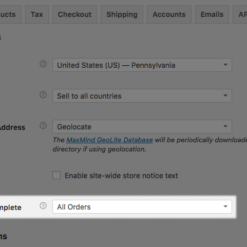
WooCommerce Order Status Control extension is used to automatically change the order status to completed after successful payment. Version: 1.16.0 Automatically change order status to complete for all orders or just virtual orders when payment is successful

Released on: 2026-02-23

Single License

Club Membership

17,99 / Month Membership

NEW Activate all licensed items with the free Dashboard

EffectIO Dashboard

Discover when we give away free Plugins

Find out when we give items for Free


Hey! 🎉 Monthly emails, tops. Snag exclusive plugins/themes for $0. They go quick, but you might just get a freebie! 😉

30 Days Money Back Guarantee

Guaranteed pre-activated plugins. Most items work immediately after installation. Open a support ticket to obtain the license keys for the ones that ask for activation.

Free support to install and setup on your site.

Find out More about WooCommerce Order Status Control

WooCommerce Order Status Control extension allows you to automatically change the order status to completed after successful payment. The plugin completes by default orders for virtual-downloadable items after successful payment, but won’t autocomplete other orders. As a result, you will need to take actions between when the order is processed and completed. You can use WooCommerce Order Status Control extension to automatically change the order status to “completed” after the payment.

WooCommerce Order Status Control Features

Complete More Orders

If you need to automatically complete more orders, you can do that, too. Once you process the order, you have to manually complete it. Hence, you can streamline the process if you have a shop that takes a large number of orders.

Mark Paid Orders As “Complete”

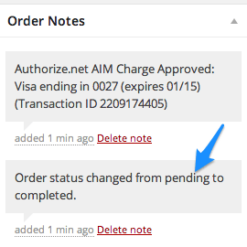
The extension can mark automatically paid orders as complete, instead of “processing”. More than this, the plugin will complete skipping the “processing” status. Furthermore, this will only take one minute to setup.

Order Status Auto-Completed

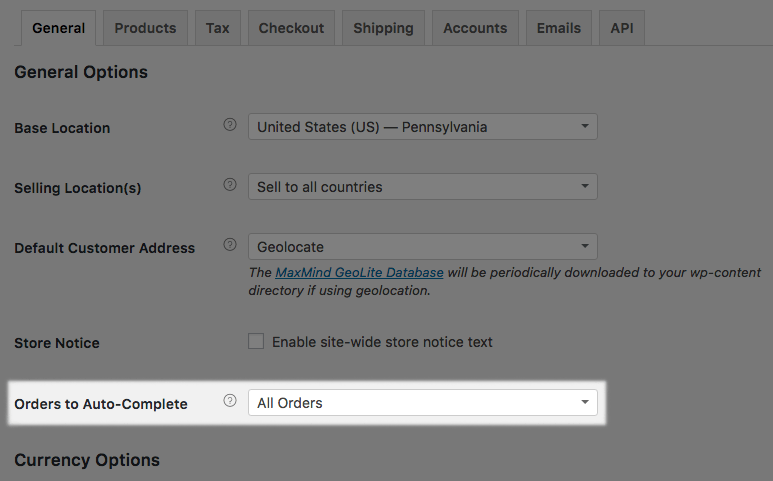
You have now the possibility to complete paid orders that contain only virtual items. Also, you can opt to automatically complete all paid orders in your shop. You can do this regardless of the types of products in the order.

See What’s In It For You

  • Auto-complete paid orders that only contain products marked as virtual.
  • Paid orders, with auto-complete feature, that only contain products marked virtual and downloadable.
  • Auto-complete all paid orders, no matter what product types they contain.
  • Avoid auto-completing any orders, regardless of what kind of products it contains.
Version

3.2.3

Release Date

7/6/2016

4 reviews for EffectIO WooCommerce Order Status Control 1.16.2

  1. lipasimone

    Must use this if you want automatically to change the status to completed after successful payment

  2. edendvatri321

    Try this product, never stops getting better!

  3. martindumas8

    This product was what I really needed!!

  4. sekstefani

    This is very helpful product for me !!

Add a review

Automatically change order status to complete for all orders or just virtual orders when payment is successful

2026.01.28 — version 1.16.2
  • Fix - WooCommerce settings "Save Changes" button appearing in the middle of currency settings
2025.09.15 — version 1.16.1
  • Fix - Resolve PHP warnings thrown when adding admin settings
5.15.12 — Update SkyVerge Plugin Framework to version 5.15.12
2023.05.02 — version 1.16.0
  • Misc - Add compatibility for WooCommerce High Performance Order Storage (HPOS)
2022.11.30 — version 1.15.0
  • Misc - Require PHP 7.4 and WordPress 5.6
2022.08.15 — version 1.14.1
  • Fix - Replace deprecated `is_ajax()` function with `wp_doing_ajax()`
  • Misc - Require WooCommerce 3.9.4 or newer
2020.12.07 — version 1.14.0
  • Misc - Add compatibility for WooCommerce 4.7
  • Misc - Require PHP 7.0 or newer
2020.09.29 — version 1.13.1
  • Misc - Remove the SkyVerge help menu item as part of the plugin assets
2020.08.21 — version 1.13.0
  • Feature: Add onboarding tips for new users
  • Misc - Add SkyVerge help menu for support on WooCommerce.com connected sites
2020.05.04 — version 1.12.3
  • Misc - Add support for WooCommerce 4.1
2020.03.04 — version 1.12.2
  • Misc - Add support for WooCommerce 4.0
2020.01.02 — version 1.12.1
  • Misc - Add support for WooCommerce 3.9
  • Localization - Add Italian translation
2019.10.21 — version 1.12.0
  • Misc - Add support for WooCommerce 3.8
2019.08.07 — version 1.11.0
  • Misc - Add support for WooCommerce 3.7
  • Misc - Remove support for WooCommerce 2.6
  • Misc - Require PHP 5.6+
2019.04.04 — version 1.10.1
  • Misc - Add support for WooCommerce 3.6
  • Misc - Require PHP 5.4+
2019.01.09 — version 1.10.0
5.3.0 — Upgrade to Framework version 5.3.0
  • Misc - Remove support for PHP 5.2
2018.10.23 — version 1.9.2
  • Misc - Add support for WooCommerce 3.5
2018.05.23 — version 1.9.1
  • Misc - Add support for WooCommerce 3.4
2018.01.26 — version 1.9.0
  • Misc - Add support for WooCommerce 3.3
  • Misc - Remove support for WooCommerce 2.5
  • Fix - Update settings field location in general options
2017.03.28 — version 1.8.0
  • Misc - Added support for WooCommerce 3.0
  • Misc - Removed support for WooCommerce 2.4
2017.01.11 — version 1.7.1
  • Tweak - Skips auto-completing virtual orders if an order contains deleted or non-existent products
  • Fix - PHP errors when trying to auto-complete virtual orders with deleted products
2016.08.31 — version 1.7.0
  • Feature - Setting 'Orders to Auto-Complete' to 'None' now ensures that no orders are automatically completed when payment is processed, circumventing WC core behaviour
2016.06.02 — version 1.6.0
  • Misc - Added support for WooCommerce 2.6
  • Misc - Removed support for WooCommerce 2.3
2016.01.14 — version 1.5.0
  • Misc - Added support for WooCommerce 2.5
  • Misc - Removed support for WooCommerce 2.2
2015.07.28 — version 1.4.0
  • Misc - WooCommerce 2.4 Compatibility
2015.02.09 — version 1.3.0
  • Misc - WooCommerce 2.3 Compatibility
2014.11.25 — version 1.2.2
  • Fix - Add WooThemes Updater keys to support license key registration and automatic updates
2014.09.07 — version 1.2.1
  • Misc - WooCommerce 2.2 Compatibility
2014.03.24 — version 1.2.0
  • Tweak - Now using SkyVerge Plugin Framework
  • Misc - Now an official WooCommerce extension listed on WooThemes.com!
2014.01.24 — version 1.1
  • Misc - WooCommerce 2.1 Compatibility, removed WooCommerce 1.6.6 compatibility
2013.06.03 — version 1.0.1
  • Misc - WooCommerce 1.6.6 compatibility
2013.05.08 — version 1.0
  • Initial Release

Testimonials

Benny O'Brien@benny_obie

The quick response from a friendly team member at @effectioshop honestly caught me off guard.
Nice work!


Stuart Boyle@stuart_boyle

@effectioshop As an eCommerce developer, effectio.org has enabled me to reach higher expectations and my clients are very happy.


22,000+ Users · 180 Countries
Trusted by freelancers, agencies & store owners worldwide

How It Works

Install the free EffectIO Dashboard plugin on your WordPress site. It connects to the EffectIO catalog, detects every premium plugin and theme you own, and gives you a single hub to manage licenses, run updates, and keep your admin panel clean — all from one screen.

One-Click Updates
Update any premium plugin or theme instantly. No manual downloads, no FTP — just click "Update Now."

🔑

License Manager
View, activate, and manage all your license keys in one place. No hunting through emails or vendor dashboards.

🔇

Notification Blocker
Blocks intrusive admin nag screens, upsell banners, and ads that clutter your dashboard. Re-enable anytime.

🛡️

Vendor Request Control
Prevents redundant license-check pings to third-party servers for items you already manage through EffectIO.

📦

Bulk Activation
Club members can activate all eligible plugins and themes at once — one button, zero hassle.

🆓

100% Free
The Dashboard itself costs nothing. Install it and it auto-activates on your domain — no key required.

Get Started in 3 Steps

1

Download & Install

Download the EffectIO Dashboard zip and install it via Plugins → Add New → Upload.

2

Browse & Activate

Open EffectIO → Catalog in your admin panel. The dashboard auto-detects your installed items and matches them to your licenses.

3

Update & Manage

Keep everything current with one-click updates. Manage licenses, block nag notices, and enjoy a cleaner WordPress experience.

Licenses

All WordPress derivative work is GPL-licensed. Most items are pre-activated and ready to use. Some require an activation key — we provide it with your purchase, and the Dashboard lets you apply it in seconds.

Club members enjoy bulk activation: activate every eligible item at once with a single click. No more entering keys one by one.

✅ Money-Back Guarantee

Every item is tested and ships with full features. If something doesn't work and we can't fix it, you get a full refund. We believe premium tools should be accessible — that's why we offer a low-cost subscription so freelancers, small businesses, and agencies can grow without a large upfront investment.

Manage and Update all your sites

17.99 $ / Month Membership

2900 Plugins and Themes. Install, Update, Activate and Delete any plugin. Unlimited Sites. Best WP Agency Deal.

Clean Items

NGO Mission

Always Updated

SSL Connection











