EffectIO Give – Stripe Gateway 2.7.1

Original price was: $70.00.Current price is: $9.99. / year

Drop-in compatible replacement & Licensed Product

Adds the Stripe.com payment gateway to the available GiveWP payment methods. Version: 2.4.1 Adds the Stripe.com payment gateway to the available GiveWP payment methods.

Released on: 2025-11-20

Single License

Club Membership

17,99 / Month Membership

NEW Activate all licensed items with the free Dashboard

EffectIO Dashboard

Discover when we give away free Plugins

Find out when we give items for Free

Hey! 🎉 Monthly emails, tops. Snag exclusive plugins/themes for $0. They go quick, but you might just get a freebie! 😉

30 Days Money Back Guarantee

Guaranteed pre-activated plugins. Most items work immediately after installation. Open a support ticket to obtain the license keys for the ones that ask for activation.

Free support to install and setup on your site.

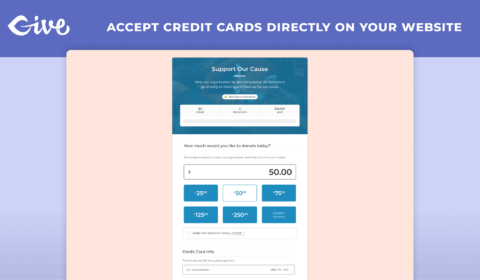
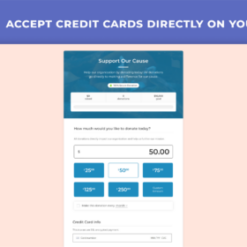
Give – Stripe Gateway 2.4.1 is a powerful WordPress addon that seamlessly integrates with GiveWP to enable you to accept credit card donations directly on your website using Stripe. With this addon, you can provide your donors with a secure and PCI compliant donation experience, giving them peace of mind.

Key Features:

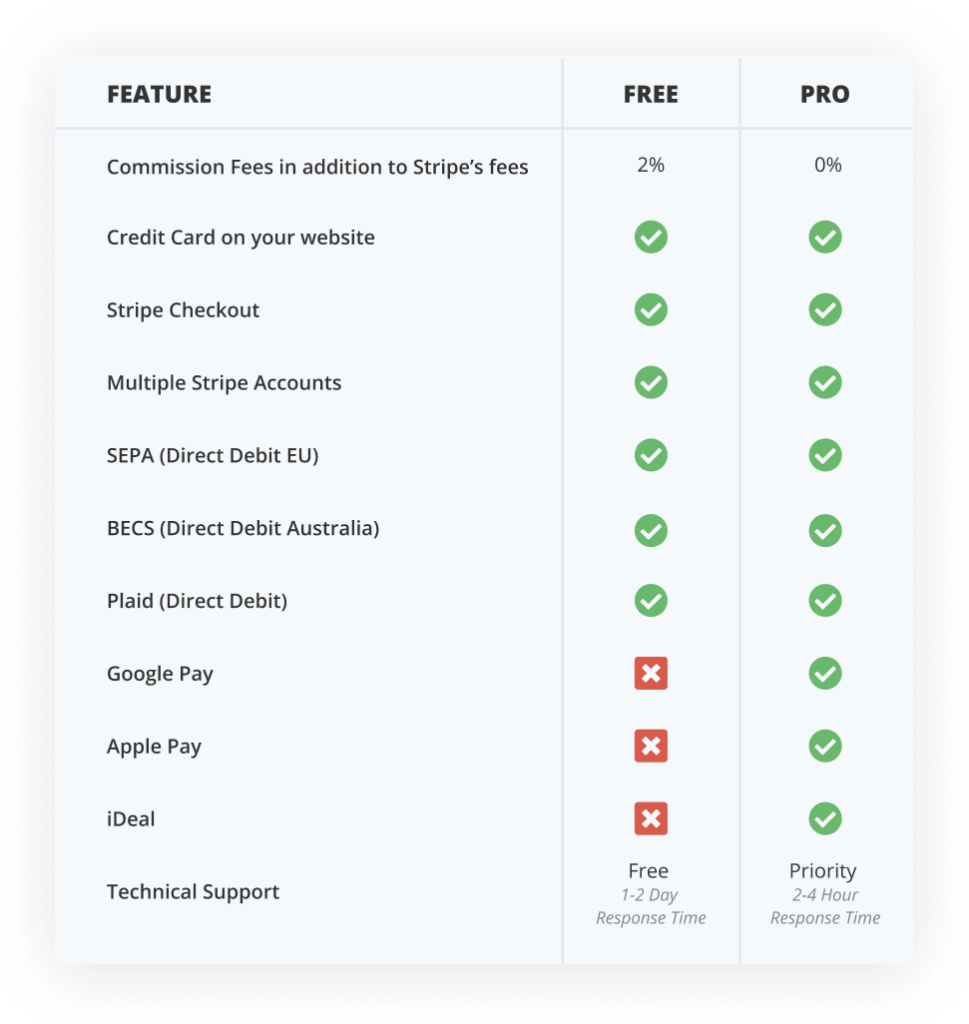
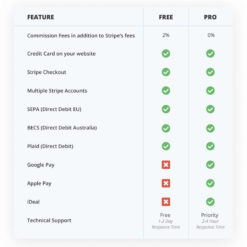
1. Use Stripe Checkout: GiveWP works with Stripe Checkout, allowing you to offer a seamless donation process for your donors.
2. Multiple Stripe Accounts: You can add and designate multiple Stripe accounts per donation form, providing flexibility.
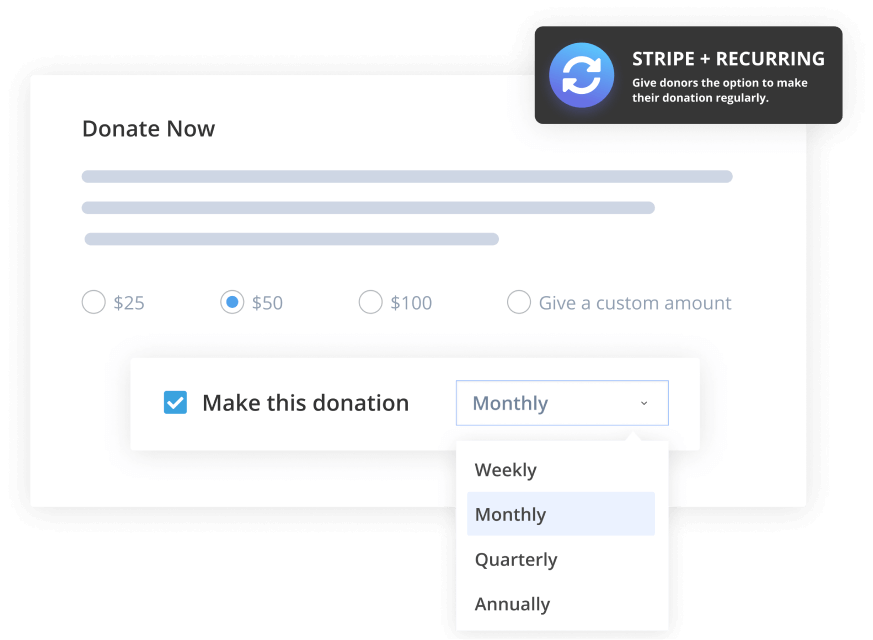
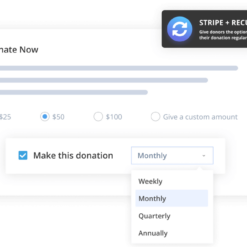
3. Stripe Recurring Donations: Boost your income by enabling recurring donations through Stripe, making it convenient for your donors to support your cause regularly.
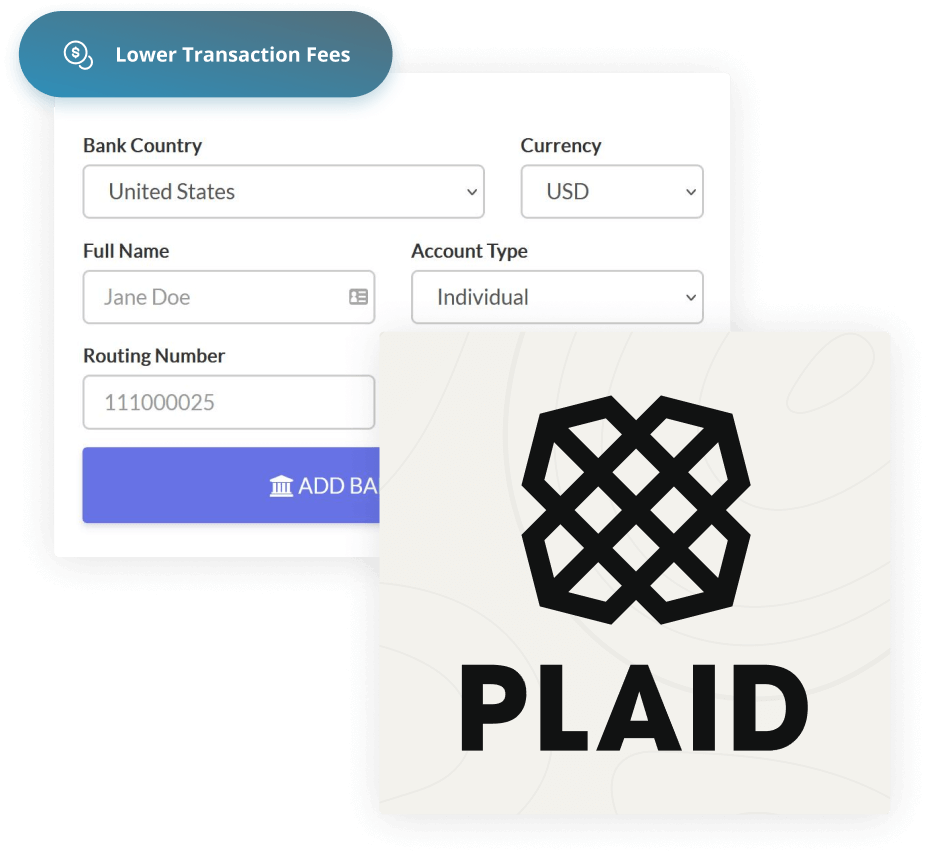
4. ACH Payments: Reduce your Stripe donation fees by enabling ACH payments, leveraging Plaid integration to collect and verify the banking information of your donors quickly and securely.
5. Google Pay and Apple Pay Donations: Simplify the giving process by offering your donors the option to donate using Google Pay and Apple Pay.
6. Additional Stripe Payment Options: Choose from a range of additional payment options available with Stripe to offer more flexibility to your donors.
7. International Support: Accept Stripe donations in multiple countries and currencies, expanding your reach and increasing donations.
8. Enhanced Donors Experience: Provide a seamless and user-friendly donation experience for your donors, ensuring they can donate with ease using Stripe.
9. Stripe Checkout Integration: The GiveWP Stripe addon fully supports Stripe Checkout, including Strong Customer Authentication and a customizable donation interface.
10. Reliable Recurring Donations: The Stripe addon works seamlessly with GiveWP’s Recurring Donations addon, offering powerful options for recurring donations.

With Give – Stripe Gateway 2.4.1, you can easily add a Stripe donate button to your website, set up recurring donations, accept various payment methods, and provide a secure and hassle-free donation experience to your donors.

Version Requirements: Requires GiveWP and WordPress.

This addon is included in GiveWP Plus, Pro, and Elite plans.

Get the Give – Stripe Gateway 2.4.1 addon now and experience the fantastic customer support that GiveWP provides. Amanda and her team are always ready to assist you, ensuring you have the form you desire and even suggesting additional plugins to enhance its functionality. Prompt responses and Zoom meetings are part of the outstanding support package. This addon will be the only donation form you’ll ever need.

Note: All items can be easily updated via the EffectIO Dashboard and come pre-activated. Benefit from GPL code and premium support from EffectIO. Additionally, check out the EffectIO super deals where you can enjoy discounts ranging from 30 to 90 percent!
Adds the Stripe.com payment gateway to the available GiveWP payment methods.

2.7.1
  • Fix: Resolve an issue with the stripe_transaction_id email tag
2.7.0
  • New: Added settings to enable pausing Stripe subscriptions (recurring donations) within the donor dashboard.
2.6.0
  • Changed: Updated Stripe account connection to require restricted api keys using GiveWP Stripe App
2.5.0
  • Changed: Updated all gateways for better stability and future versions of GiveWP
2.4.1
  • Fix: Fixed failing Plaid donations by correcting Stripe SDK usage as the SDK was updated in GiveWP 2.16.0
2.4.0
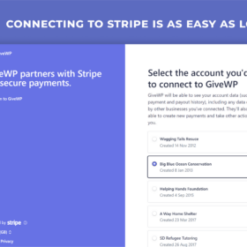
  • New: Added support for the new Stripe account management UI introduced in GiveWP 2.13.0
  • Fix: Fixed Apple Pay and Google Pay on subdirectory multisites
2.3.1
  • Fix: Stripe iDEAL "Return to Merchant" button no longer leads to Failed Donation page
2.3.0
  • New: A Plaid "client user id" is stored for each donor that made a Plaid donation, this can be used in logs on Plaid.com
  • Fix: Plaid made a change blocking sensitive information, this resolves the issue so Plaid donations work again
2.2.14
  • Fix: Extended the timeout for Plaid requests to account for slower bank responses
2.2.13
  • New: Additional error checking for Plaid ACH transfers to better isolate problems with Plaid donations
2.2.12
  • Changed: Stripe Checkout modal is now rendered using Stripe Elements so that users can continue to use the modal display style even after it is deprecated by Stripe. This change depends on GiveWP 2.8.0.
2.2.11
  • Fix: Resolved an issue with the the Plaid API update that was not properly working for non-logged in users due to a WordPress AJAX permissions action that was not being passed to allow token generation.
2.2.10
  • Fix: Resolved an incorrect error displaying when using manual Stripe API keys that was present since the introduction of multiple Stripe account support.
2.2.9
  • Tweak: Removed the "Pre-approval" option due to lack of usage and misunderstanding the 7-day limit to charge cards marked as pre-approved due to Stripe's API limit.
  • Fix: Added support for Plaid's updated API which removes the "Public Key" in place for requesting a "Link Token" then receiving the key back from the request. This change was made by Plaid for security reasons and affects all new accounts.
  • Fix: This update prevents Stripe API setting inputs from briefly flashing when the Connect a New Stripe Account fieldset loads.
2.2.8
  • Fix: This update prevents a notice from incorrectly displaying an Apple Pay Merchant ID error when the Apple Pay gateway is not enabled.
2.2.7
  • Fix: This release resolves an invalid JSON error when rendering the Form Grid block in WP-admin that could render the block broken in Gutenberg.
2.2.6
  • Important: This update requires version GiveWP 2.7+ for compatibility. Please ensure you update to the latest version before updating this add-on.
  • New: Added support for GiveWP 2.7's new Multi-Stripe Account feature.
  • New: Improved how Apple Pay registration is handled to be more reliable across various WordPress hosting environments.
  • Fix: The Apply Pay button now displays properly below the terms and conditions checkbox when enabled on the Legacy Form template.
2.2.5
  • Fix: We modified how we are comparing values in JavaScript to prevent errors that could result in Stripe Payment Intent failing to properly generate.
2.2.4
  • Fix: Solved an issue with the form grid shortcode where a donor when opening and closing donation forms in the popup modal window could cause the credit card fields to stop rendering properly.
2.2.3
  • New: Improved how the Apple Pay registration button works so that it will log issues if any problem occurs.
  • New: We are now storing the Stripe checkout session ID as the donation payment transaction ID in GiveWP payment meta. This will help to identify complete payments made with Stripe Checkout 2.0 and Recurring Donations.
  • Fix: Resolved an issue with Google and Apple pay buttons not display correctly if you open and close a donation form modal window.
  • Fix: There was an issue updating payment information for subscriptions if the initial payment was made with Google or Apple pay.
  • Fix: Refactored how address data is sent from Google and Apple pay into GiveWP to prevent issues with mis-capitalized state, country, and cities from preventing donation processing validation.
  • Fix: Resolved a broken admin link to the Stripe + Plaid settings screen.
2.2.2
  • Fix: Resolved an issue with 2.2.1 which temporarily made the Stripe API key settings not display correctly.
2.2.1
  • New: Updated the Stripe Apple Pay domain association file to the latest version to ensure compatibility.
  • New: Improved settings to make it clear which options coincide with which payment gateway option.
2.2.0
  • Important: This update requires GiveWP 2.5.0+ and the latest versions of add-ons to work properly. Please perform a site backup and ensure you have activated your license keys to ensure your add-ons update properly before updating.
  • New: Added support for Stripe in GiveWP Core.
  • New: Added a settings section to provide information about the Stripe webhook status.
  • New: The "Company Name" field, if used, is now sent to Stripe as meta information.
  • New: The Stripe API version has been updated to `2019-05-16`. Please test your integrations accordingly.
  • New: The add-on now uses the "Payment Intents" feature for all donation processing. This is to ensure that we are using the recommend API from Stripe and paves the way for 3DS and Stripe Checkout version 2.0 in the near future.
  • Fix: An AJAX response error response error would occur in certain configurations when multiple donation forms are on the same page.
2.1.8
  • Fix: Resolved a missing condition with billing details affecting Stripe ACH payments from properly validating whether billing details were required or not.
2.1.7
  • Fix: Resolved an issue with billing details falsely being required when you disabled them and set the credit card field to a single field.
2.1.6
  • Fix: When the Stripe add-on is activated the requirements for the billing details were removed from donation forms. This allowed donors to process donations without inputting their address. Many organizations require the address as required to donate and this resolves the issue with the fields being non-required.
2.1.5
  • Fix: Added additional checks for repeat donors with single and recurring donations to prevent "No Such Source" errors from displaying and preventing donations from that repeat donor.
2.1.4
  • Fix: Resolved conflict with Apple Pay and tokenized payments resulting in failed Apple Pay attempts.
  • Fix: Resolved issue with AJAX responses and Stripe Elements when multiple donation forms are present on a page.
2.1.3
  • Tweak: Removed the billing address fieldset for Apple and Google Pay because those payment options have the address already available without the donor having to input them into the donation form. This decreases the amount of time to complete a donation and improves the overall donor experience.
  • Fix: Reviewed and resolved a number of currency configurations that were causing conversion issues when certain decimal and thousands separators were set with Fee Recovery and other add-ons.
2.1.2
  • New: Added filter to information passed to Stripe's customer endpoint for developers.
  • Tweak: Attach the donor's payment source to a Stripe customer only if it is reusable so that it doesn't throw an error related to the source limit.
  • Fix: Forms setup to use single CC field from Stripe now process more reliably.
  • Fix: Ensure compatibility with WP Full Stripe plugin.
  • Fix: Ensure Stripe checkout behaves correctly with Donation total for Yen when currency switcher is active.
  • Fix: When using zero currency decimal values ensure that the correct amount is sent to Stripe Checkout.
  • Fix: Ensure that donations through iDEAL properly encodes the URL to prevent an "Non-ASCII" character error from displaying.
  • Fix: ensure donations through Stripe + Plaid process without error.
  • Fix: Closing the Stripe Checkout and clicking on the "Donate Now" button again repeatedly will reopen the modal again with updated amount (if the donor updated it).
2.1.1
  • Fix: Ensure that Stripe "Modal" Checkout and Recurring Donations process properly without "This customer has no attached payment source" errors or warnings.
  • Fix: The Apple Pay button was not displaying when the Stripe account is a Connected account. This has been resolved so you no longer have to use API keys.
  • Fix: PHP warnings when sending certain custom field data to Stripe.
2.1.0
  • New: There is now a new setting to modify Stripe styles for the credit card fields. This is useful for matching the fields to your theme or the other fields because Stripe using secure iFrame fields for PCI compliance.
  • New: Payment gateway errors are now internationalized for easy translations.
  • Fix: Donors can now successfully donate when a field contains more than 500 characters in a textarea. The content will be trimmed when passed to Stripe metadata and will display in full under GiveWP donations.
  • Fix: Resolved an issue where the Stripe Modal Checkout mode was not working properly with Give's button mode display option.
  • Fix: If you use Stripe Checkout as an option 3D Secure card processing is no longer an option because it is not supported by Stripe.
  • Fix: Ensure Stripe ACH and Plaid JS files aren't loaded unless the gateway is enabled.
  • Fix: Processing donation with Apple Pay could display the error "Customer has no attached source".
2.0.10
  • Fix: Ensure Stripe Checkout (modal checkout display) doesn't display false "Credit Card Name" error when processing a donation.
2.0.9
  • Fix: There was a incorrect validation issue for "Card Name" when using the single line Credit Card field functionality.
  • Fix: Resolved an issue where Stripe CC fields wouldn't load properly when multiple shortcodes were placed on a page.
2.0.8
  • New: There is now a {stripe_transaction_id} email tag for admins to quickly cross-reference charges in Stripe without having to log into their wp-admin.
  • Fix: When the Card Name field is empty that the donation will not submit and is now validated properly.
  • Fix: The CVC code field within Stripe's CC fieldset now has a translatable placeholder attribute.
  • Fix: Resolve conflict with Google Pay and the Gift Aid add-on.
  • Fix: Resolved conflict with the ARMember plugin.
  • Fix: Added more convenient way for admins to get Apple Pay working with Stripe.
  • Fix: Resolved a conflict with the RegistrationMagic plugin.
2.0.7
  • Fix: For users of Stripe Checkout the "No such source error" has been resolved.
  • Fix: Resolved additional issue with duplicate donations received when donated with Stripe and PopUp Maker plugin.
  • Fix: Ensure that the Norwegian language code nb and nn return properly to Stripe to translate the credit card fields.
2.0.6
  • Important: If you are using Recurring Donations please be sure to update to the latest Recurring version 1.7 alongside this release.
  • Tweak: The plugin now uses the latest Stripe version automatically to remove API version discrepancies between add-ons.
  • Tweak: Improved the description for the "3D Secure Payments" feature so that it's more clear what the functionality is and what the donor experience will be.
  • Fix: Donors who have a user account can now successfully login within the donation form and donate. Previously, Stripe's credit card fields were not properly clickable once loggged in via the donation form.
  • Fix: Failed donations with iDEAL now property go to the failed transaction page.
  • Fix: Donation forms with many custom fields will be limited to sending 20 to Stripe due to their APIs limitations.
  • Fix: The Stripe modal option sometimes would not display in certain environments when enabled.
  • Fix: Failed 3D Secure payments are now properly redirected to the donation failed page.
  • Fix: Resolve issue with the Popup Maker plugin preventing the donate button to be disabled once clicked which would cause duplicate payments to occur if the donor continued clicking.
2.0.5
  • Tweak: The Google/Apple Pay buttons were not displaying correctly below the billing details fieldset.
  • Fix: The Google/Apple Pay buttons were not properly validating terms and required billing details.
  • Fix: The Google/Apple Pay buttons were not displaying when Currency Switcher add-on is activated.
  • Fix: The Google/Apple Pay buttons were showing an incorrect donation amount with fee recovery add-on activated.
  • Fix: Resolve compatibility issue with older versions of Internet explorer (IE 10+).
  • Fix: Stripe CC fields were not loading due to the JS fallback settings in the plugins settings.
  • Fix: Added locale support to Stripe Elements so the fields are properly translated on non-English sites.
2.0.4
  • New: We added a new setting field to enable or disable 3D Secure payments.
  • New: There is now an improved way to validate your website for Apple Pay built into the add-on.
  • Tweak: Improved the styling of the Stripe Elements CC fields to better match Give's native styling and improve theme compatibility.
  • Tweak: We removed support for Bitcoin since Stripe has dropped this functionality from their API.
  • Tweak: We have removed support for Alipay since Stripe shifted this from the API and not many of our users are using it.
  • Tweak: We have improved the Apple Pay + Google Pay error descriptions so they are better understood by donors and admins.
  • Fix: If you have embedded the same donation form on a page more than once the credit card fields now properly display on the secondary forms if you have updated to GiveWP 2.1.3+.
  • Fix: When Billing Details (address info) is enabled that data is now properly sent to Stripe.
  • Fix: Tabbing from the email to credit card fields is now improved so donor's don't have to use the mouse and improves accessibility.
  • Fix: Environment issue when going from Plaid Dev mode to Live mode.
  • Fix: We are now properly passing the donation post ID to Stripe for easier cross-referencing.
  • Fix: Various PHP notices were displaying within logs for unset variables.
2.0.3
  • Fix: Resolved an additional issue with Form Field Manager passing meta keys to Stripe that were exceeding the API length requirement. We also improved the formatting of field labels that were too long so they appear nicer in Stripe's dashboard.
2.0.2
  • Fix: Prevent user creation errors with Form Field manager configurations with keys exceeding the length allowed by Stripe.
2.0.1
  • Fix: A fix to preventing Stripe's Elements Credit Card fields from not loading when used for the first time unless saving settings. Please update to this version as an immediate hotfix.
2.0
  • New: Apple and Google pay are now integrated!
  • New: Stripe Elements is now used to accept credit cards on site more securely and intuitively. Check out the single field mode to accept credit cards. It's really slick and intuitive.
  • New: There's a new Stripe integration with the iDeal payment gateway. This gateway is popular in Europe and can easily be enabled under you payment gateway settings.
  • New: Custom form fields and additional meta data is now sent to Stripe so you can cross reference directly within the payment gateway.
  • New: Stripe + Plaid has a new feature to put Plaid's API in "Test", "Development", or "Live" mode depending on your needs.
  • New: 3D Secure cards are now supported.
  • New: The Stripe Customer ID now appears under the donor's profile and can be easily adjusted in case it ever needs to be updated.
  • Tweak: Additional security hardening for WordPress VIP.
  • Fix: Added support for Stripe's latest API version with backwards compatibility for older API version users.
1.5.2
  • New: Added support for the upcoming Currency Switcher add-on.
  • Fix: Stripe's checkout modal was incorrectly opening if a server side validation error occurred (such as not entering your postal code). Now Stripe waits for the validation to occur in GiveWP core and if valid will open.
  • Fix: Multi-level forms with custom amounts enabled would pass the first level name incorrectly in the Stripe description field. Now if a custom amount is given the stripe payment description will display solely the donation form name.
  • Tweak: If you have the "Collect Billing Details" option enabled and are using Stripe Checkout modal the billing fieldset will appear within the modal now rather than within the GiveWP form. This allows Stripe to collect that data and apply it to the card data the donor uses to donate.
  • Tweak: Check for existence of Stripe class prior to loading SDK to prevent conflicts.
1.5.1
  • New: Added a new option to change the "Statement Descriptor" within the plugin's settings.
  • Fix: Resolved compatibility error with the Recurring method "get_recurring_customer_id".
  • Fix: Ensure the form title and level are sent to Stripe within the payment's description field.
  • Fix: When connecting to Stripe and clicking "Cancel and Go Back" you will be brought to a more informative page rather than a "Page not found" error.
  • Fix: Resolve issue where Stripe's modal could be opened even if info is not entered within required fields.
  • Tweak: Used constants consistently throughout plugin to improve best practices as well as ensure better compatibility with advanced setups where plugin may be non-default directory.
  • Tweak: Moved the "Stripe JS Incompatibility" legacy option to the advanced tab within settings.
1.5
  • New: Introducing a new way to connect with Stripe via Stripe Connect.
  • New: Additional error checks and logs checks in place for Stripe ACH + Plaid payments.
  • New: Added addition options to customize the Stripe modal checkout.
  • New: Improved the donor experience when Stripe's checkout modal fades out after a successful payment that indicates the donation payment is processing.
  • Tweak: Updated Plaid endpoints.
1.4.8
  • Fix: When a custom donation was given the gateway would incorrectly assign it as a donation level within the receipt despite the correct custom amount being processed.
1.4.7
  • Fix: Properly include Stripe's autoloader to prevent update issues.
1.4.6
  • New: The GiveWP setting's Stripe API key field now displays as a password field type when the field contains an API key for added security.
  • Fix: Stripe popup checkout now properly displays on mobile browsers.
  • Fix: The Stripe charge ID is now stored as the GiveWP transaction ID for every payment, not just preapprovals.
  • Fix: Compatibility with Easy Digital Downloads plugin.
1.4.5
  • Fix: Stripe popup checkout now properly triggers the popup event via js trigger.

Testimonials

Benny O'Brien@benny_obie

The quick response from a friendly team member at @effectioshop honestly caught me off guard.
Nice work!


Stuart Boyle@stuart_boyle

@effectioshop As an eCommerce developer, effectio.org has enabled me to reach higher expectations and my clients are very happy.


22,000+ Users · 180 Countries
Trusted by freelancers, agencies & store owners worldwide

How It Works

Install the free EffectIO Dashboard plugin on your WordPress site. It connects to the EffectIO catalog, detects every premium plugin and theme you own, and gives you a single hub to manage licenses, run updates, and keep your admin panel clean — all from one screen.

⚡

One-Click Updates
Update any premium plugin or theme instantly. No manual downloads, no FTP — just click "Update Now."

🔑

License Manager
View, activate, and manage all your license keys in one place. No hunting through emails or vendor dashboards.

🔇

Notification Blocker
Blocks intrusive admin nag screens, upsell banners, and ads that clutter your dashboard. Re-enable anytime.

🛡️

Vendor Request Control
Prevents redundant license-check pings to third-party servers for items you already manage through EffectIO.

📦

Bulk Activation
Club members can activate all eligible plugins and themes at once — one button, zero hassle.

🆓

100% Free
The Dashboard itself costs nothing. Install it and it auto-activates on your domain — no key required.

Get Started in 3 Steps

1

Download & Install

Download the EffectIO Dashboard zip and install it via Plugins → Add New → Upload.

2

Browse & Activate

Open EffectIO → Catalog in your admin panel. The dashboard auto-detects your installed items and matches them to your licenses.

3

Update & Manage

Keep everything current with one-click updates. Manage licenses, block nag notices, and enjoy a cleaner WordPress experience.

Licenses

All WordPress derivative work is GPL-licensed. Most items are pre-activated and ready to use. Some require an activation key — we provide it with your purchase, and the Dashboard lets you apply it in seconds.

Club members enjoy bulk activation: activate every eligible item at once with a single click. No more entering keys one by one.

✅ Money-Back Guarantee

Every item is tested and ships with full features. If something doesn't work and we can't fix it, you get a full refund. We believe premium tools should be accessible — that's why we offer a low-cost subscription so freelancers, small businesses, and agencies can grow without a large upfront investment.

Manage and Update all your sites

17.99 $ / Month Membership

2900 Plugins and Themes. Install, Update, Activate and Delete any plugin. Unlimited Sites. Best WP Agency Deal.

Clean Items

NGO Mission

Always Updated

SSL Connection

Payment Gateways Plugins