EffectIO WooCommerce Square

Original price was: $79.00.Current price is: $12.99. / year

Drop-in compatible replacement & Licensed Product

WooCommerce Square Plugin allows you to sync your offline and online stores with one integration. Purchase this plugin from EffectIO! Version: 2.9.1

Accept Payments Online and In Person with Square + WooCommerce

Start, run, and grow your business effortlessly with Square's intuitive and powerful tools. Sync sales, inventory, and customer data seamlessly between Square and WooCommerce with our free extension. Enjoy advanced security, fraud prevention, and 24/7 support. 🚀💰

Released on: 2022-03-23

Single License

Club Membership

17,99 / Month Membership

NEW Activate all licensed items with the free Dashboard

EffectIO Dashboard

Discover when we give away free Plugins

Find out when we give items for Free


Hey! 🎉 Monthly emails, tops. Snag exclusive plugins/themes for $0. They go quick, but you might just get a freebie! 😉

30 Days Money Back Guarantee

Guaranteed pre-activated plugins. Most items work immediately after installation. Open a support ticket to obtain the license keys for the ones that ask for activation.

Free support to install and setup on your site.

Get the Square Extension for WooCommerce at No Cost

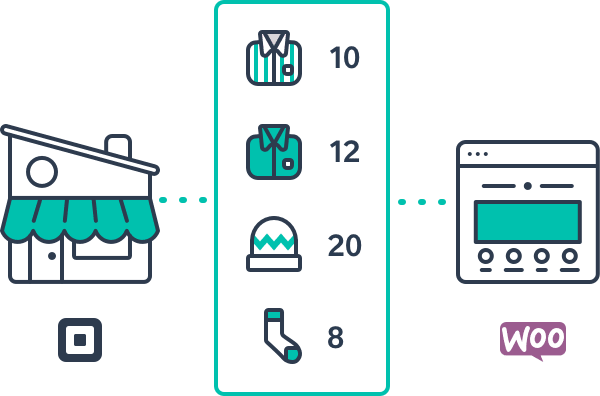
Accept payments easily and securely with the Square extension for WooCommerce. With this integration, you can synchronize sales, inventory, and customer data across platforms, all within one centralized platform. Enjoy the convenience of using one payment solution across all your channels, making it effortless to manage your online and in-person sales.

Effortless Setup and Synchronization

Setting up your products in both WooCommerce and Square is a breeze. You can manually sync products from one platform to the other, eliminating the need to duplicate efforts. When an item is purchased, your inventory is automatically updated in both platforms, ensuring accurate inventory management. Any changes made, such as product names or prices, are seamlessly reflected in both WooCommerce and Square.

Fraud Protection and Account Security

Square is an industry leader in security and fraud prevention. Their dedicated fraud prevention team keeps a watchful eye over your accounts 24/7, analyzing various signals to stay ahead of fraud trends. With Square as the merchant of record for every transaction, you can trust that your data and business are well-protected.

Effortlessly Update and Activate Plugins with EffectIO

EffectIO offers an alternative, cost-saving update channel for WooCommerce plugins. With the EffectIO Dashboard, you can easily update and activate items, ensuring your plugins are always up to date. Additionally, EffectIO provides premium support to assist you with any questions or issues you may have. Benefit from amazing deals with 30 to 90 percent discounts on premium plugins, including WooCommerce extensions, and supercharge your website’s functionality.

Benefits:

  • Synchronize sales, inventory, and customer data
  • Manage all channels through one centralized platform
  • Effortlessly update products in both WooCommerce and Square
  • Automatically reflect changes in product names and prices
  • Industry-leading security and fraud prevention
  • Dedicated fraud prevention team
  • Easy setup with no long-term commitments or hidden fees
  • Save time by updating and activating plugins via the EffectIO Dashboard
  • Enjoy pre-activated items for immediate use
  • Access GPL code for plugins
  • Premium support from EffectIO
  • Take advantage of EffectIO’s super deals with 30 to 90 percent discounts
5 reviews for EffectIO WooCommerce Square 2.9.1

  1. tarikakgul97

    Just you can buy this product if you want manually sync products from WooCommerce to Square, or from Square to WooCommerce…

  2. mario_nonevski

    This is very helpful plugin if you want to take payments on your online store!

  3. jani.simon

    One good feature is that the new products created in WooCommerce will automatically be added to Square!

  4. emakocov

    You can use Square product form Effectio to accept all major credit cards with WooCommerce

  5. petersendiana90

    I like the payments on online store available in Canada, I hope that in near future it will spread.

Add a review

Accept Payments Online and In Person with Square + WooCommerce

Start, run, and grow your business effortlessly with Square’s intuitive and powerful tools. Sync sales, inventory, and customer data seamlessly between Square and WooCommerce with our free extension. Enjoy advanced security, fraud prevention, and 24/7 support. 🚀💰

2.9.1 — 2022.03.17
  • Fix - Fatal error while deactivating WooCommerce before WooCommerce Square.
2.9.0 — 2022.02.17
  • New - Added admin notice about v3 major update. PR#707
  • Fix - Trim spaces from postal code at prefix and suffix positions. PR#654
2.8.0 — 2022.01.24
  • New - Add support for Square stores located in Spain. PR#704
2.7.0 — 2021.11.09
  • New - `wc_square_beta_country_support_spain` filter to add Spain as a supported country. PR#663
  • Fix - Visibility of digital wallet buttons based on account & privacy settings. PR#652
2.6.0 — 2021.09.29
  • New - Add support for Square stores located in France. PR#650
  • Fix - PHP warning when trying to load the Square digital wallet (Apple/Google Pay buttons) on a product page that isn't available for purchase. PR#640
2.5.3 — 2021.07.23
  • Fix - Failed orders with error "Square Payment Failed (Status code VALUE_TOO_LOW)" caused by incorrect line item calculations on orders with discounts/coupons (introduced in 2.5.2). PR#635
2.5.2 — 2021.07.21
  • Fix - Product and inventory data not being synced due to duplicate/orphaned product metadata in database. PR#625
  • Fix - Bypass SSL verification when checking background job processing eligibility. PR#624
  • Fix - Correctly apply taxes in the Order API request and report accurate percentages. PR#559
2.5.1 — 2021.05.18
  • Fix - Pay for Order and Add Payment Method forms sometimes not working when choosing another payment method other than Square. PR#618
2.5.0 — 2021.05.13
  • New - Add support for WooCommerce Checkout blocks. PR#604
  • New - Add support for Square stores located in Ireland. PR#609
  • Fix - Improve manual sync performance and reduce stream timeout responses from Square on stores with large catalogs. PR#612
2.4.1 — 2021.03.30
  • Fix - Variable products are now properly importing from Square on newer versions of WooCommerce. PR#605
2.4.0 — 2021.03.23
  • Fix - Update jQuery 3 deprecated functions. PR#560
  • Fix - Don't display digital wallet buttons when the cart contains a subscription product as Square does not yet support tokenization through digital wallets. PR#597
  • Dev - Replace CoffeeScript with plain JS. PR#560
2.3.4 — 2021.02.11
  • Fix - Handle exceptions when loading digital wallet buttons on product pages with no stock or other serviceable issues. PR#591
2.3.3 — 2021.02.09
  • Fix - Uncaught PHP error when attempting to setup Apple Pay and Square is not properly connected (i.e. no valid access token found). PR#587
  • Fix - Improve error logging when the request to verify the store's domain with Square/Apple Pay fails. PR#587
  • Fix - Allow variable products to be previewed when Square is active. PR#554
2.3.2 — 2021.02.04
  • Fix - PHP error on the My Account > Payment Methods page when saving a new card. PR#585
2.3.1 — 2021.02.03
  • Fix - Add the correct variation to the cart when purchasing with Apple Pay and Google Pay from the product page. PR#581
2.3.0 — 2021.02.02
  • Feature - Apple Pay and Google Pay support (US, UK and CA stores only). PR#547
  • Fix - Duplicate `idempotency_key` issues caused by order IDs being re-used on the same store URL (i.e. after restoring from a backup). PR#563
  • Fix - Don't import item variations from Square that are not available at your store's business location. PR#562
  • Fix - Restore stock in Square when processing partial refunds (previously was only restoring stock for full refunds). PR#565
  • Fix - Only restore stock if the "Restock refunded items" option is checked when refunding an order. PR#565
  • Fix - Fatal errors during the sync and import process caused by unexpected/invalid Square API responses. PR#500
  • Fix - Sends only one sync complete email per update to products that are synced with Square. PR#552
  • Fix - Allow products with large numbers of categories (600+) to sync to Square when WooCommerce is SOR. PR#568
  • Fix - Database related errors with creating the Square customer's table when first installing Square. PR#558
  • Fix - Allow variable products with valid variations to import when variations with missing skus are present. PR#573
  • Tweak - Update the Customer Profile setting description to make it clear that this setting enables tokenization. PR#576
2.2.5 — 2020.11.24
  • Fix - Correctly saves inventory sync time when sync fails so items are re-synced on next attempt. PR#448
  • Fix - Fixes warnings introduced with PHP 8. PR#533
  • Fix - Corrects the plugin support URL. PR#539
  • Fix - Allows imports containing products with variable pricing to complete successfully. PR#540
  • Tweak - Updates assets to reflect WooCommerce color change. PR#544
2.2.4 — 2020.10.30
  • Fix - Prevents logging anything if logging is disabled. PR#493
  • Fix - Fixes a bug where products are imported even when it is not available at the store's location. PR#537
2.2.3 — 2020.10.23
  • Fix - Display the correct stock quantity amount on all variations when product data is sent to Square. PR#503
  • Fix - Avoid IDEMPOTENCY_KEY_REUSED API errors when syncing product data from WooCommerce to Square by using a more unique API request key. PR#528
  • Fix - Added customer_id to Orders API to link Customers & Transactions on Square Dashboard and Transactions CSV Export. PR#527
  • Fix - Issues with the postal code not matching WooCommerce data while saving cards. PR#501
  • Fix - Prevents the "Send product data to Square" checkbox from being enabled when products and variations contain empty or duplicate SKUs. PR#525
  • Fix - Issues that caused the Square Payment Form to be unclickable on the checkout page. PR#530
  • Fix - Compatibility issues with the Square Payment form and conditional payment gateway extensions. PR#530
2.2.2 — 2020.09.15
  • Fix - Don't import a new copy of each product image from Square when updating products during the import process. PR#513
2.2.1 — 2020.09.11
  • New - Make the "Update existing products" part of the new import process optional by adding a new checkbox on Import Products modal. PR#508
  • Fix - Stop the import process from getting stuck in a loop when reaching the time limit. PR#511
  • Fix - Don't import/update categories from Square that are attached to products that cannot be found in WooCommerce. PR#511
  • Fix - "idempotency_key must not be greater than 45 length" errors returned by some payment requests on stores using custom order number plugins. PR#507
2.2.0 — 2020.08.31
  • Feature - Import new product variations from square to existing products in WooCommerce. PR#475
  • Feature - Variations that are removed from Square will now be removed from products in WooCommerce during import. PR#475
  • Feature - Upgrade to the Square Payments and Refunds API. PR#408
  • Feature - New orders can be refunded up to one year after payment (up from 120 days). PR#408
  • Fix - Only import products from Square that have non-empty SKUs. PR#475
  • Fix - Empty product categories imported from Square into WooCommerce. PR#475
  • Fix - Assign existing products to new categories imported from Square. PR#475
  • Fix - Prevents loading of Square Assets on all pages except My Account -> Payment Methods & Checkout. PR#469
  • Fix - Square Product Import & Product Manual Sync not triggering on mobile browsers. PR#472
  • Fix - 3D Secure Verification Token is missing, Intent mismatch and other checkout errors related to SCA for merchants outside of the EU. PR#471
  • Fix - Updated some of our documentation and support links in admin notices so they no longer redirect to an old URL or a 404 page. PR#474
  • Fix - Use pagination to fetch inventory counts from Square. PR#478
  • Fix - Display WooCommerce checkout validation errors along with Square payment form errors. PR#476
  • Fix - Switching between sandbox and production environments will now show correct business locations. PR#462
  • Fix - Don't wipe a customer's saved cards on when we receive an API error. PR#460
  • Fix - Exclude draft and pending products from syncing from WooCommerce to Square. PR#484
  • Fix - DevTools errors caused by missing minified JS files.
  • Fix - PHP errors when syncing large amounts of products (`get_data() on null` and `getCursor() on a string`). PR#497
2.1.6 — 2020.07.15
  • Fix - Make the "Sync Now" button disabled when no business location is set in Square settings.
  • Fix - Enable checking/unchecking the Manage Stock setting for all variations.
  • Fix - Refunding an order paid with another payment gateway will no longer sync inventory with Square when "Do not sync product data" is selected.
  • Fix - Imported variation products that are out-of-stock will no longer show on the shop page when "Hide out of stock items from the catalog" is selected.
  • Fix - Product images will now sync when Square is in Sandbox mode.
  • Fix - Damaged stock adjustments will now sync properly to WooCommerce when multiple stock adjustments are made.
  • Fix - Improve performance when manually syncing large amount of stock adjustments from Square (some inventory updates were missing).
  • Fix - Quick editing products no longer sets incorrect stock quantities or disables syncing.
  • Fix - Existing customer that have been removed from the connected Square account, or can't be found will now be able to save a new card on the checkout.
  • Fix - When the System of Record is set to WooCommerce, product images will now properly sync to Square.
  • Tweak - Use CSC consistently in all error messages when referring to the Card Security Code.
  • Tweak - Change to using WordPress core methods to import/sync images from Square.
2.1.5 — 2020.05.15
  • Fix - Fatal errors caused by incorrectly fetching locations before plugin init.
  • Fix - WordPress database error when creating the Square Customers table on servers using utf8mb4.
2.1.4 — 2020.05.05
  • Fix - Make sure that Square credit card fields are editable after checkout form refresh.
2.1.3 — 2020.04.30
  • Fix - Persistent caching of locations to prevent unnecessary refetching and rate limiting.
2.1.2 — 2020.04.29
  • Fix - INTENT_MISMATCH errors when guest customers save a card and registration is disabled.
  • Fix - Improve checkout compatibility with password managers such as 1Password. This also avoids payment for reload on address change.
  • Fix - Pass valid address values even if checkout fields are not present.
  • Tweak - Sandbox mode can be turned on in the settings, no more need for setting the constant.
  • Tweak - Change location URL to refer to our docs.
2.1.1 — 2020.03.23
  • Fix - Inventory/Stock updates as a result of checkout via PayPal Standard does not reflect on the Square item.
  • Fix - Error when trying to save an external product with the modified 'sync with square' value.
  • Fix - Move product check on a possibly invalid product out of the try block avoiding potential further errors.
2.1.0 — 2020.02.11
  • Feature - Add support for SCA (3D Secure 2)
  • Fix - Minor fixes to the Sync completed emails
  • Tweak - Add email notifications when connection issues are detected
  • Fix - Category sync when WooCommerce is the System of Record and there have been changes in Square
2.0.8 — 2019.12.09
  • Fix - Inventory changes through payments and refunds from other gateways not reflected on Square.
  • Fix - Fatal error on versions of WooCommerce before 4.3.
  • Fix - Sandbox API calls by passing is_sandbox flag to the Gateway API.
  • Fix - Quick edit view when editing a variable product without all variations SKU.
  • Fix - Verify if the product can be synced with Square before enabling sync when bulk/quick updating.
  • Fix - Disable sync for products that should not be synced after a REST API update.
  • Fix - Unable to create products during import.
  • Fix - Product inventory sync issue when WooCommerce is set as the Source of Record.
  • Fix - Inventory not updated when purchased through another gateway.
  • Fix - Category and description data not updated in a sync from Square.
  • Fix - Transactions on multiple stores connected to the same Square account would appear to succeed without actually charging the customer.
  • Fix - When making multiple partial refunds on the same order, only the first one would work.
  • Tweak - Include product ID on failed sync record message.
  • Tweak - Remove notices for refresh token when sandbox is enabled.
  • Tweak - Prevent refreshing a token token when sandbox is enabled.
2.0.7 — 2019.11.18
  • Fix - No longer automatically disconnect on unexpected authorization errors
  • Fix - Bump compatibility for WooCommerce 3.8 and WordPress 5.3
  • Fix - Correct cents rounding that was causing invalid value errors
  • Fix - Fix encrypted token handling
  • Fix - No longer call revoke when disconnecting - just disconnect the site
2.0.6 — 2019.11.07
  • Fix - Access token renewal schedule action duplication.
2.0.5 — 2019.10.16
  • Fix - Access token renewal by adding support for refresh tokens as per the new Square API
  • Fix - Variable pricing import and adding an alert when these type of products are ignored.
  • Fix - Line item discounts and other adjustments being ignored.
  • Tweak - Add a notice when a refresh token is not present to warn users to re-connect their accounts.
  • Feature - Added support for Sandbox accounts.
2.0.4 — 2019.09.03
  • Fix - Add adjustments to Square order in the event of discrepancy with WooCommerce total
2.0.3 — 2019.08.19
  • Tweak - Re-introduce the "inventory sync" toggle to allow syncing product data without affecting inventory
  • Fix - Adjust v1 upgrades to properly toggle inventory sync when not enabled in v1
  • Fix - Ensure product prices are correctly converted to and from cents regardless of the decimal place setting
  • Fix - Don't block the product stock management UI when product sync is disabled
  • Fix - Ensure products that have multiple attributes that aren't used for variations can be synced
  • Misc - Add support for WooCommerce 3.7
2.0.2 — 2019.08.13
  • Tweak – WC 3.7 compatibility.
2.0.1 — 2019.07.23
  • Fix - Don't display the "unsupported" payment processing admin notice for UK-based merchants
2.0.0 — 2019.07.22
  • Feature - Support Square customer profiles for saved payment methods
  • Feature - Customers can label their saved payment methods for easy identification when choosing how to pay
  • Feature - Support enhanced payment form with auto formatting and retina card icons
  • Feature - Show detailed decline messages when possible in place of generic errors
  • Feature - Add support for WooCommerce Subscriptions
  • Feature - Add support for WooCommerce Pre-Orders
  • Feature - Orders with only virtual items can force a charge instead of authorization
  • Feature - Void authorizations from WooCommerce
  • Feature - Itemize Square transactions for improved reporting in Square
  • Feature - Add sync records to notify admins of failed product syncs
  • Feature - Changed "Synced with Square" option while bulk editing products
  • Tweak - Introduce "System of Record" settings to control product data sync
  • Tweak - Remove items from Square locations when deleted in WooCommerce (if WC is the system of record)
  • Tweak - Allow users to hide WooCommerce products if removed from the linked Square location (if Square is the system of record)
  • Tweak - Import images from Square when not set in WooCommerce (if Square is the system of record)
  • Tweak - Remove Square postcode field when a postcode can be used from the checkout form
  • Fix - Ensure connection tokens are refreshed ahead of expiration
  • Fix - Always ensure settings are displayed in multisite
  • Fix - Ensure Square prices update WooCommerce regular price, not sale price
  • Fix - Remove usages of `$HTTP_RAW_POST_DATA`, which is deprecated
  • Fix - Do not allow multiple sync processes to run simultaneously
  • Fix - Avoid submitting duplicate orders with Checkout for WC plugin
  • Misc - Upgrade to Square Connect v2 APIs
  • Misc - Background process product sync for improved scalability
  • Misc - Refactor for other miscellaneous fixes and improved reliability
1.0.38 — 2019-07-05
  • Fix - Re-deploy due to erroneous inclusion of trunk folder
1.0.37
  • Fix – Use correct assets loading scheme.
1.0.36
  • Tweak – WC 3.6 compatibility.
1.0.35 — 2019-02-01
  • Fix - Idempotency key reuse issue when checking out.
1.0.34 — 2018-11-07
  • Update - Fieldset tag to div tag in payment box to prevent unwanted styling.
  • Fix - Provide unique idempotency ID to the order instead of random unique number.
  • Update - WP tested up to version 5.0
1.0.33 — 2018-09-27
  • Update - WC tested up to version 3.5
1.0.32 — 2018-08-23
  • Fix - UK/GB localed does not support Diners/Discover, so do not show these brands on checkout.

Testimonials

Benny O'Brien@benny_obie

The quick response from a friendly team member at @effectioshop honestly caught me off guard.
Nice work!


Stuart Boyle@stuart_boyle

@effectioshop As an eCommerce developer, effectio.org has enabled me to reach higher expectations and my clients are very happy.


22,000+ Users · 180 Countries
Trusted by freelancers, agencies & store owners worldwide

How It Works

Install the free EffectIO Dashboard plugin on your WordPress site. It connects to the EffectIO catalog, detects every premium plugin and theme you own, and gives you a single hub to manage licenses, run updates, and keep your admin panel clean — all from one screen.

One-Click Updates
Update any premium plugin or theme instantly. No manual downloads, no FTP — just click "Update Now."

🔑

License Manager
View, activate, and manage all your license keys in one place. No hunting through emails or vendor dashboards.

🔇

Notification Blocker
Blocks intrusive admin nag screens, upsell banners, and ads that clutter your dashboard. Re-enable anytime.

🛡️

Vendor Request Control
Prevents redundant license-check pings to third-party servers for items you already manage through EffectIO.

📦

Bulk Activation
Club members can activate all eligible plugins and themes at once — one button, zero hassle.

🆓

100% Free
The Dashboard itself costs nothing. Install it and it auto-activates on your domain — no key required.

Get Started in 3 Steps

1

Download & Install

Download the EffectIO Dashboard zip and install it via Plugins → Add New → Upload.

2

Browse & Activate

Open EffectIO → Catalog in your admin panel. The dashboard auto-detects your installed items and matches them to your licenses.

3

Update & Manage

Keep everything current with one-click updates. Manage licenses, block nag notices, and enjoy a cleaner WordPress experience.

Licenses

All WordPress derivative work is GPL-licensed. Most items are pre-activated and ready to use. Some require an activation key — we provide it with your purchase, and the Dashboard lets you apply it in seconds.

Club members enjoy bulk activation: activate every eligible item at once with a single click. No more entering keys one by one.

✅ Money-Back Guarantee

Every item is tested and ships with full features. If something doesn't work and we can't fix it, you get a full refund. We believe premium tools should be accessible — that's why we offer a low-cost subscription so freelancers, small businesses, and agencies can grow without a large upfront investment.

Manage and Update all your sites

17.99 $ / Month Membership

2900 Plugins and Themes. Install, Update, Activate and Delete any plugin. Unlimited Sites. Best WP Agency Deal.

Clean Items

NGO Mission

Always Updated

SSL Connection